The Accounting module
What the ledger is, where entries come from, and how to read the trial balance, the profit & loss, the VAT return and the bank reconciliation — on one worked example.
29 étapes
Le parcours complet, sans commentaire audio.
1 · What this module is for
Nothing here is typed twice. Invoices, bills, payments and stock movements become entries by themselves; you only add what has no document.
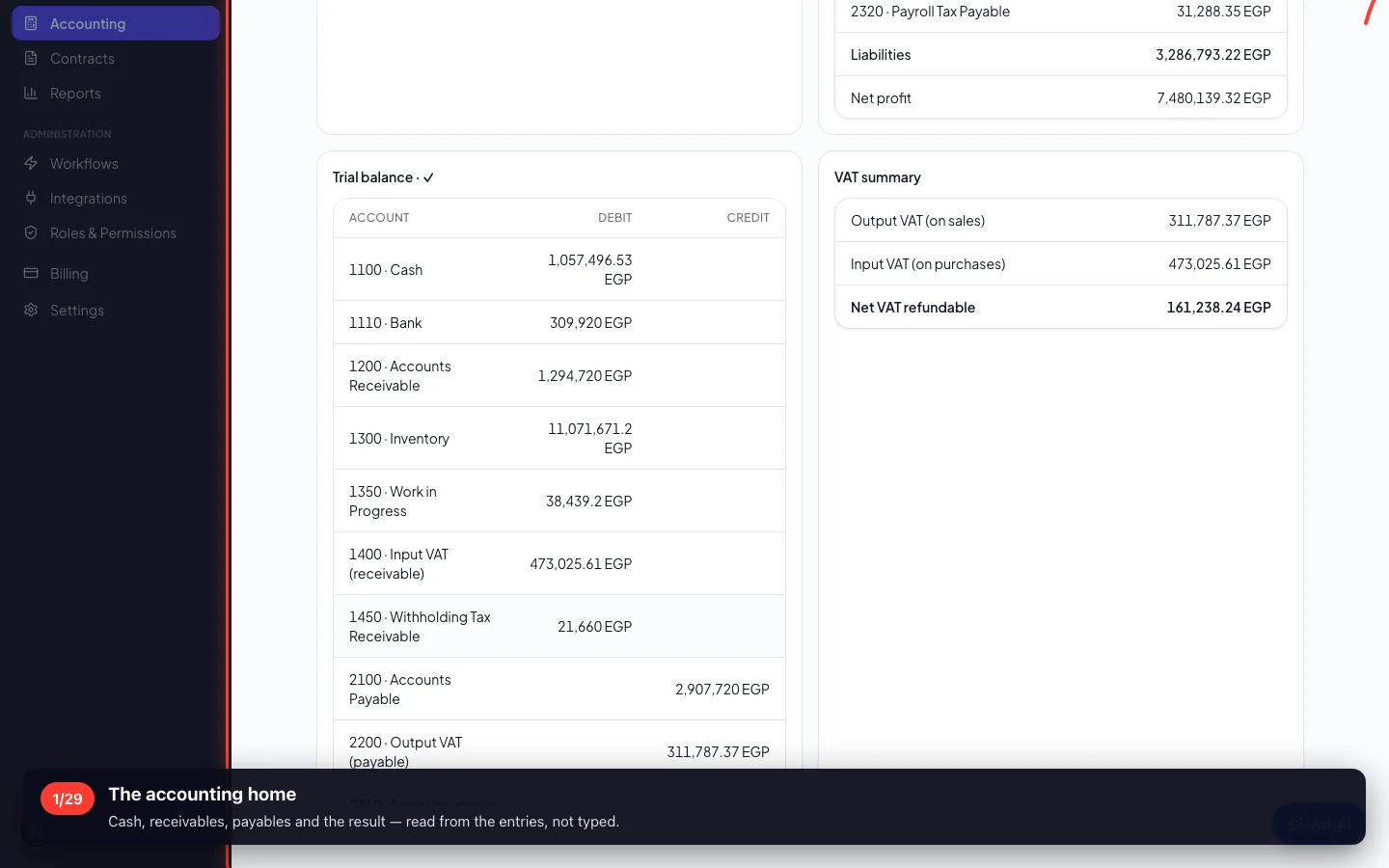
1The accounting home
Cash, receivables, payables and the result — read from the entries, not typed.
- 2
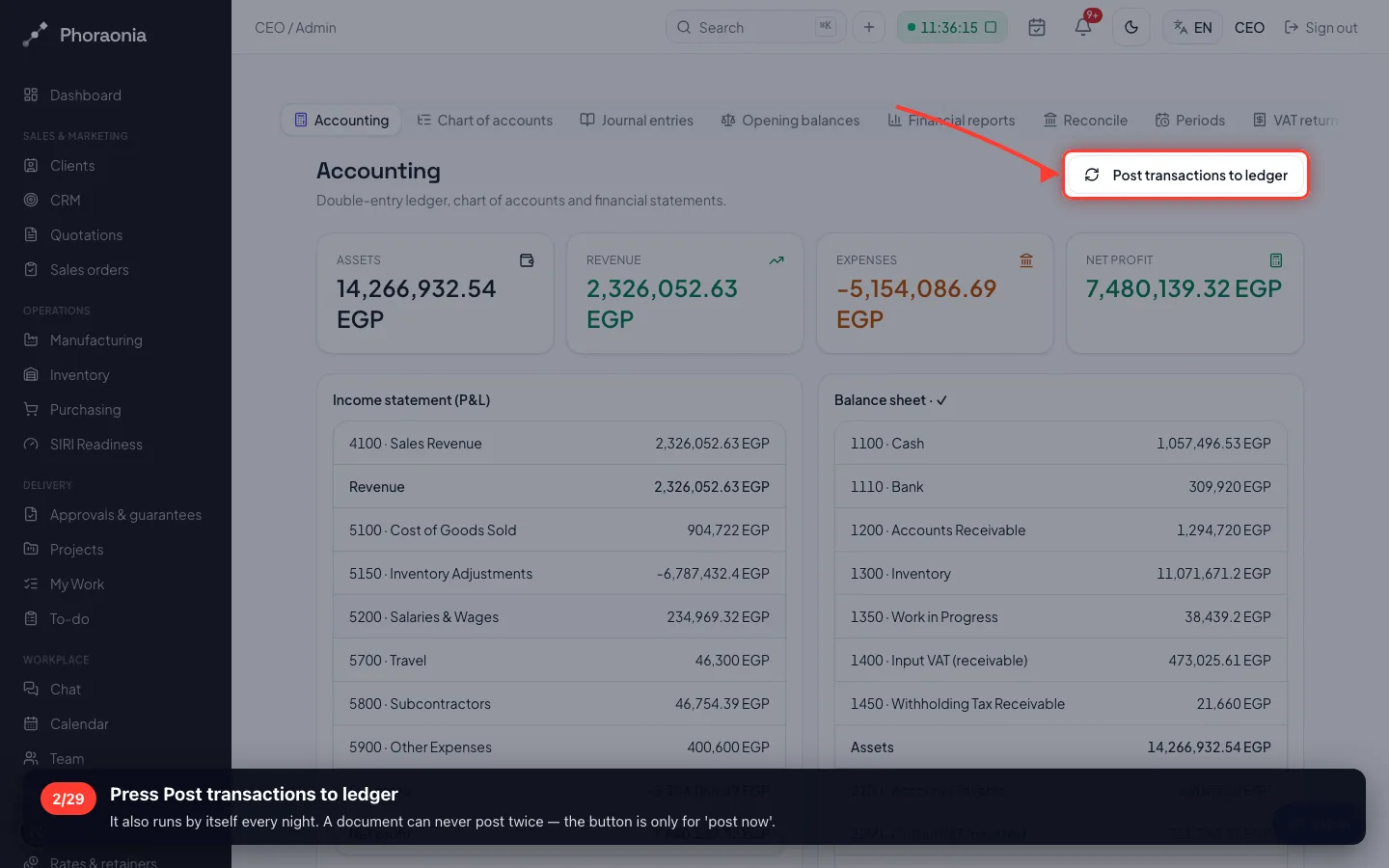
Press Post transactions to ledger
It also runs by itself every night. A document can never post twice — the button is only for 'post now'.
2 · The chart of accounts
Every figure lands in an account. The numbering tells you what kind it is: 1 assets, 2 liabilities, 3 equity, 4 revenue, 5 expenses.
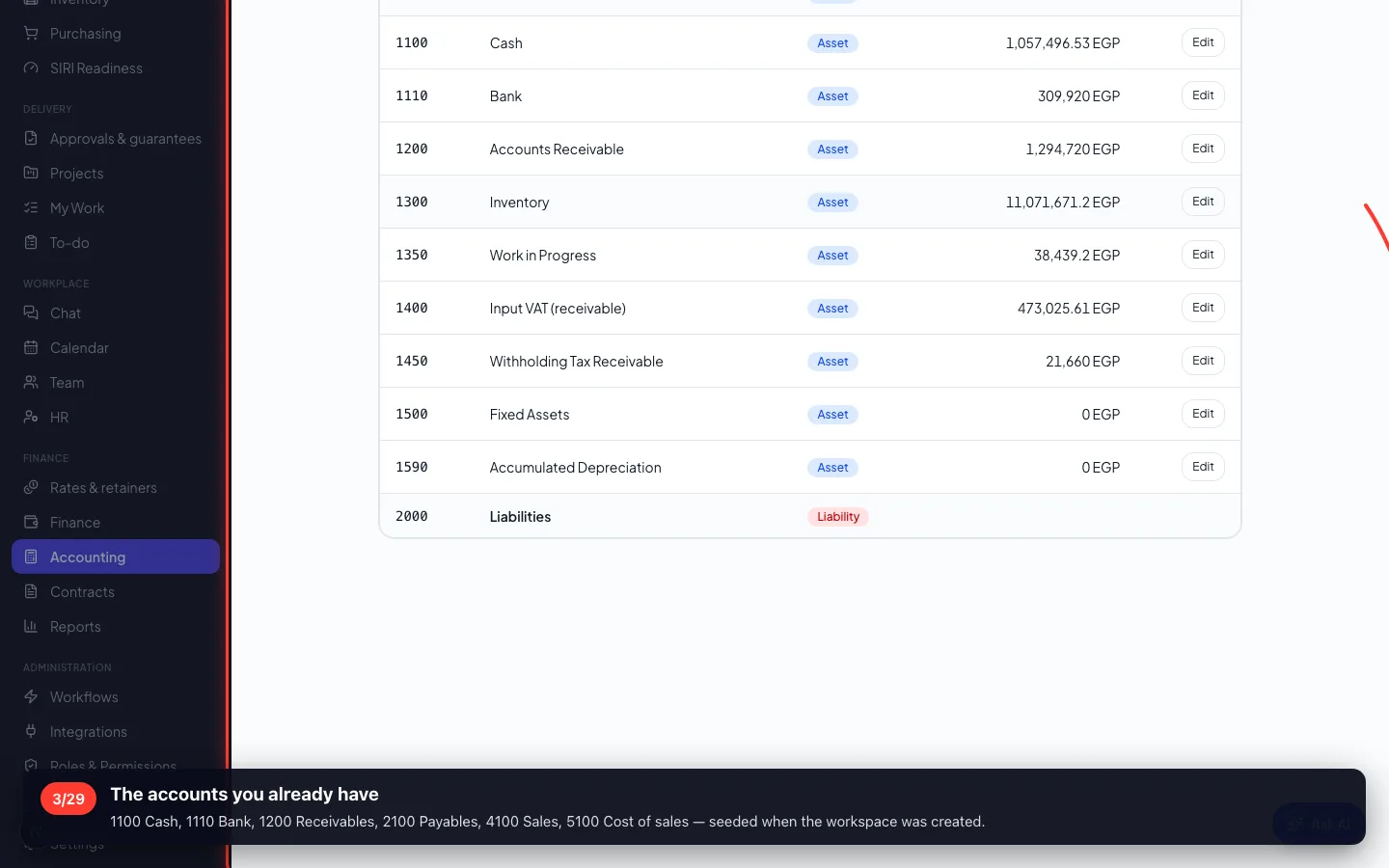
3The accounts you already have
1100 Cash, 1110 Bank, 1200 Receivables, 2100 Payables, 4100 Sales, 5100 Cost of sales — seeded when the workspace was created.
- 4
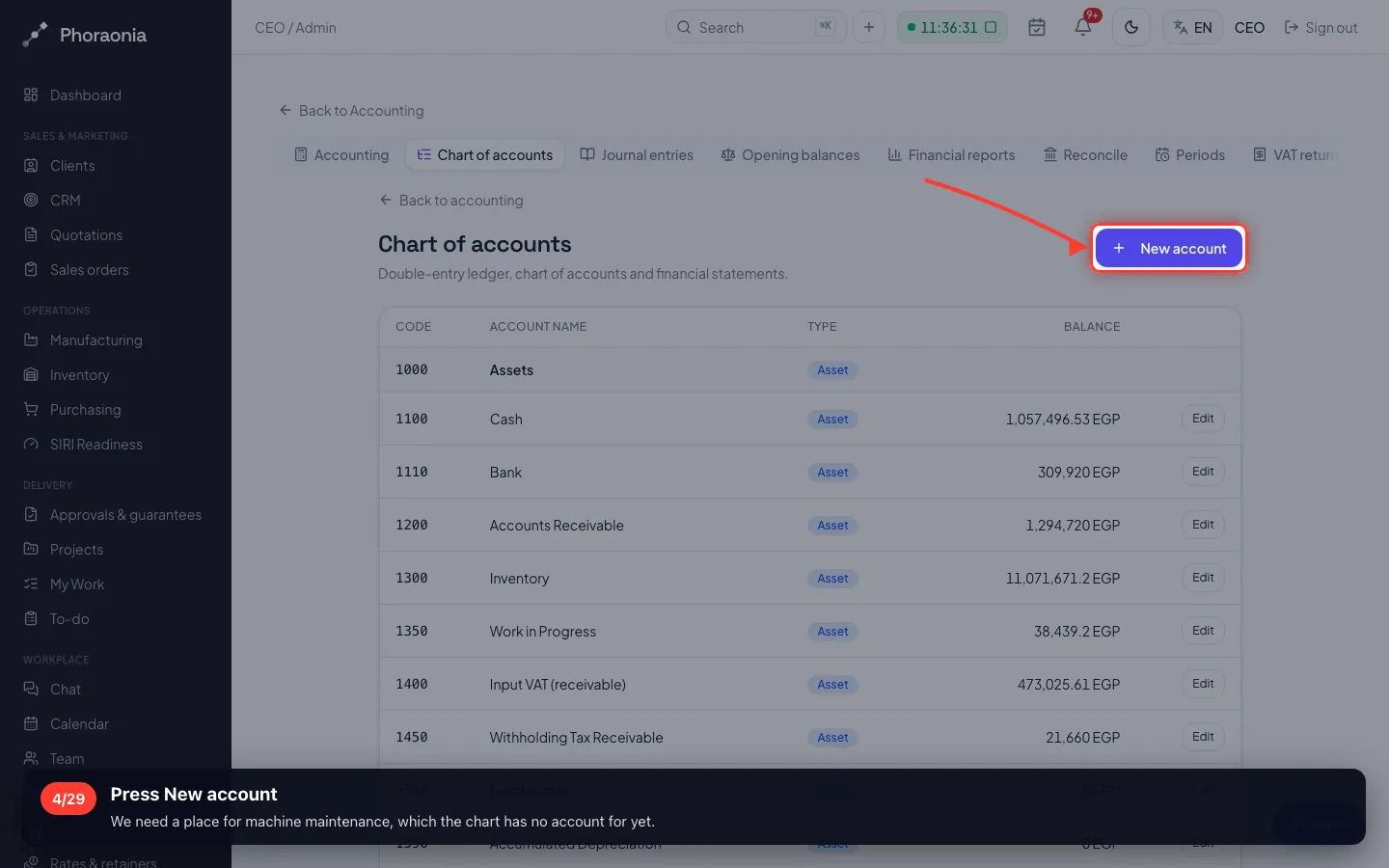
Press New account
We need a place for machine maintenance, which the chart has no account for yet.
- 5
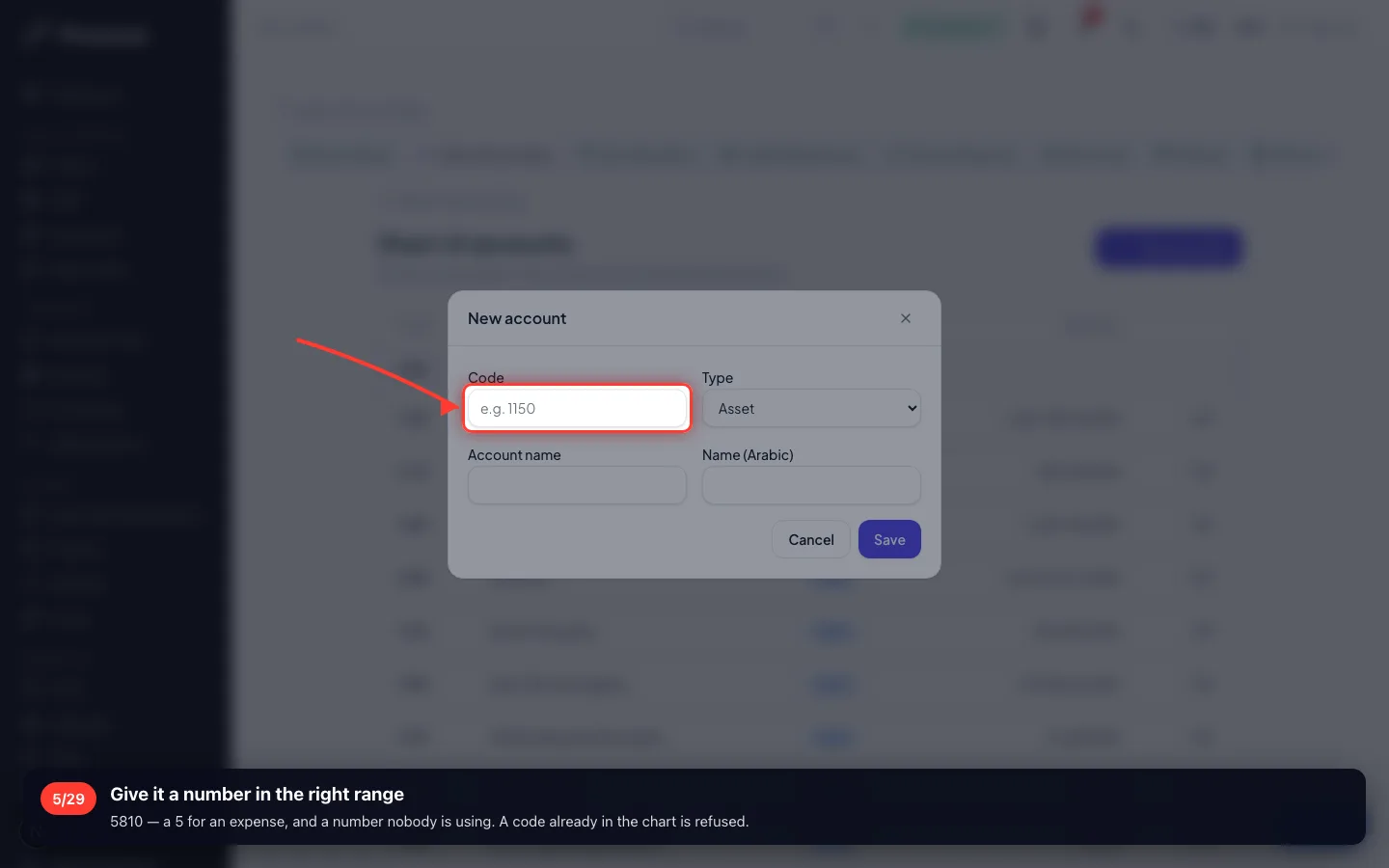
Give it a number in the right range
5810 — a 5 for an expense, and a number nobody is using. A code already in the chart is refused.
- 6
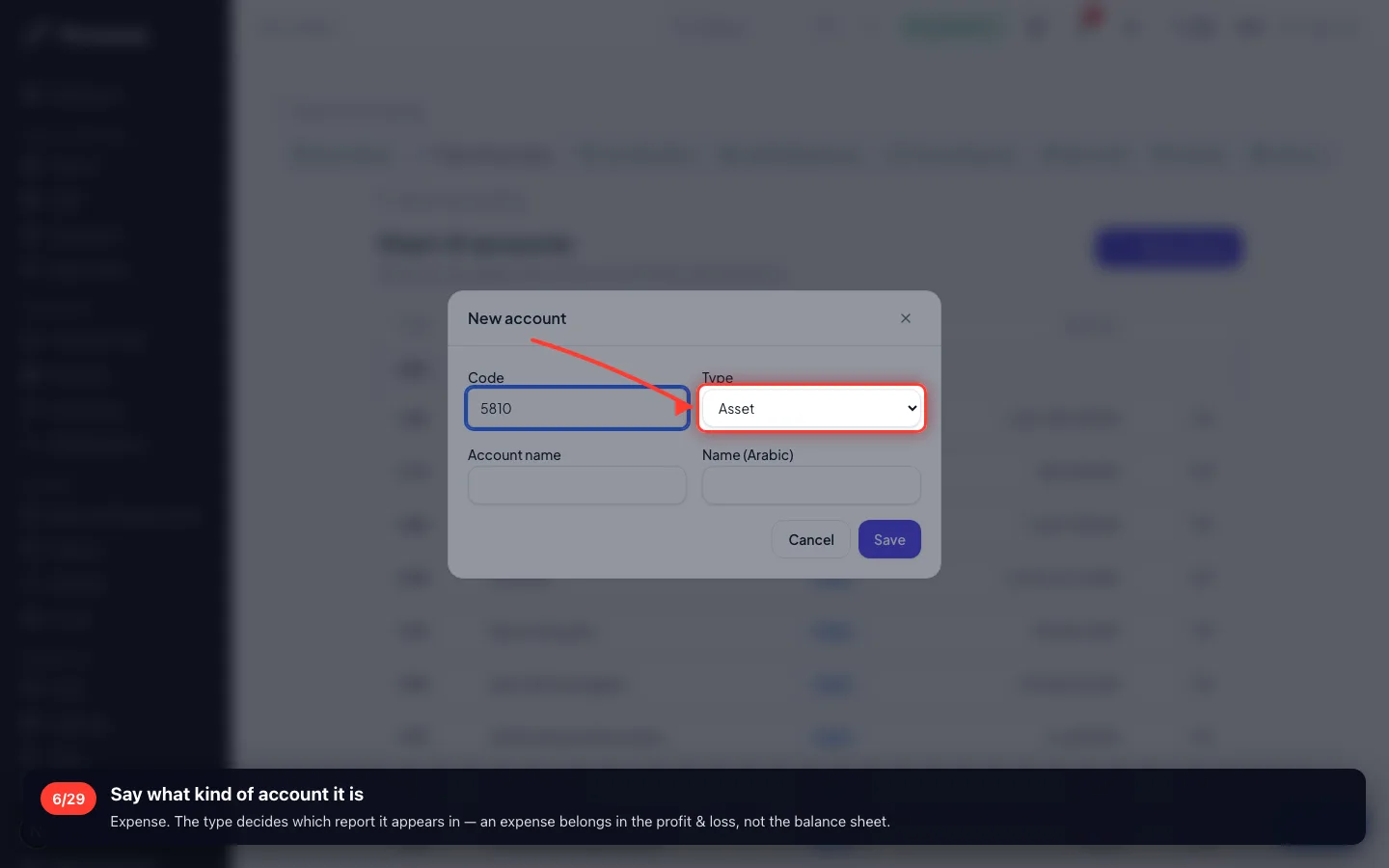
Say what kind of account it is
Expense. The type decides which report it appears in — an expense belongs in the profit & loss, not the balance sheet.
- 7
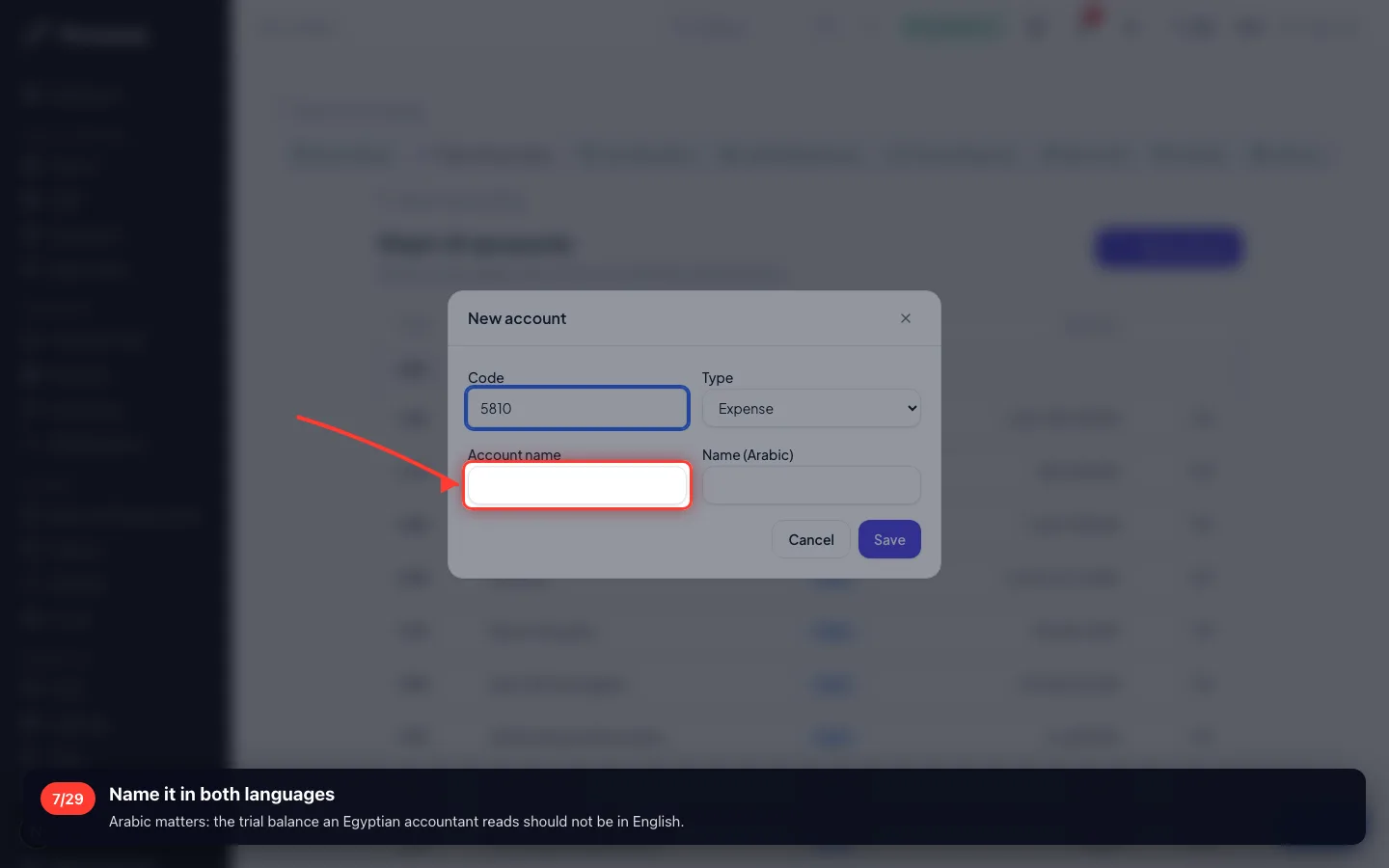
Name it in both languages
Arabic matters: the trial balance an Egyptian accountant reads should not be in English.
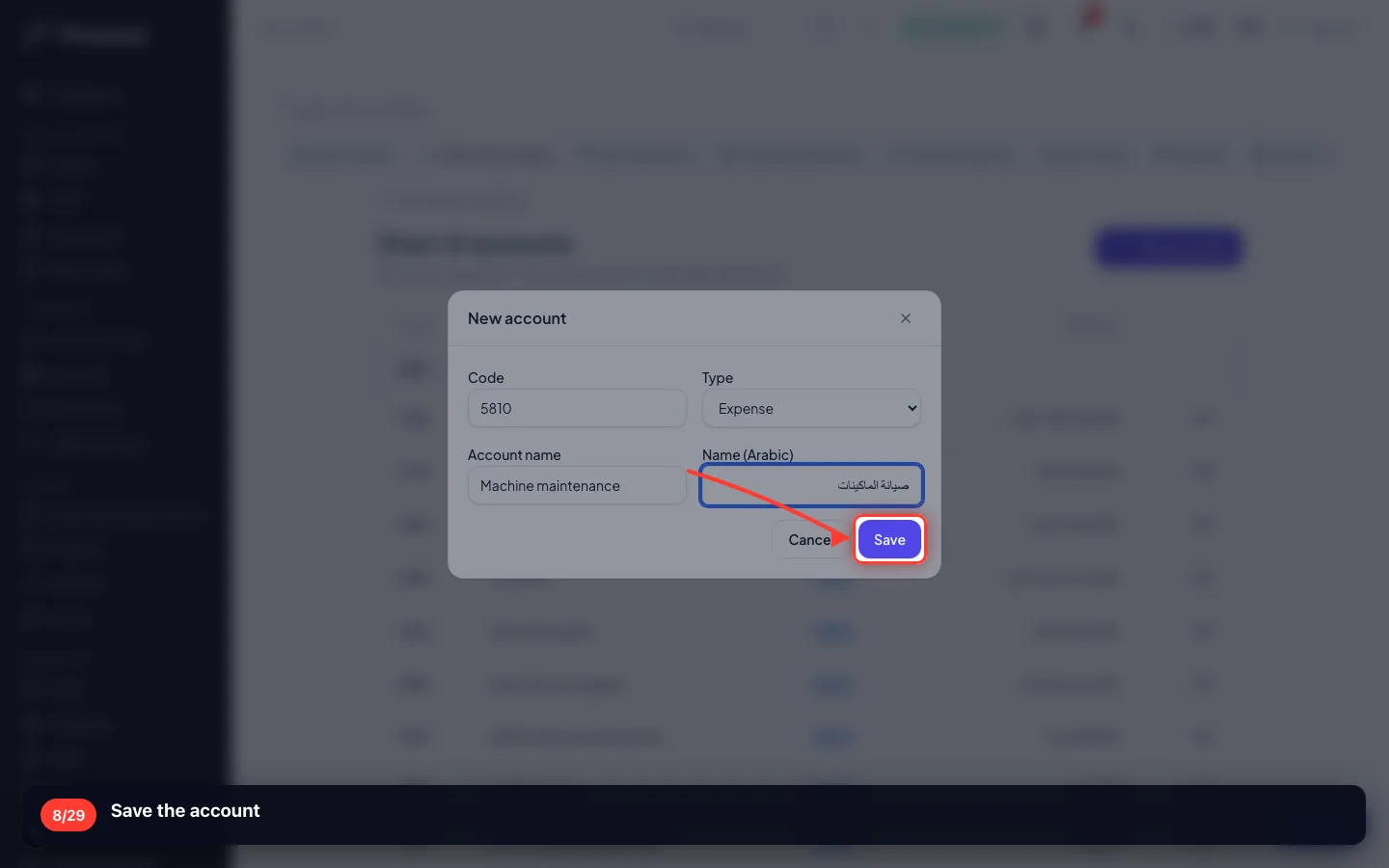
- 8
Save the account
3 · A manual entry, and when to use one
The factory paid 3,500 EGP cash for maintenance. No invoice, no bill, no payment record — so this is the one case you write the entry yourself.
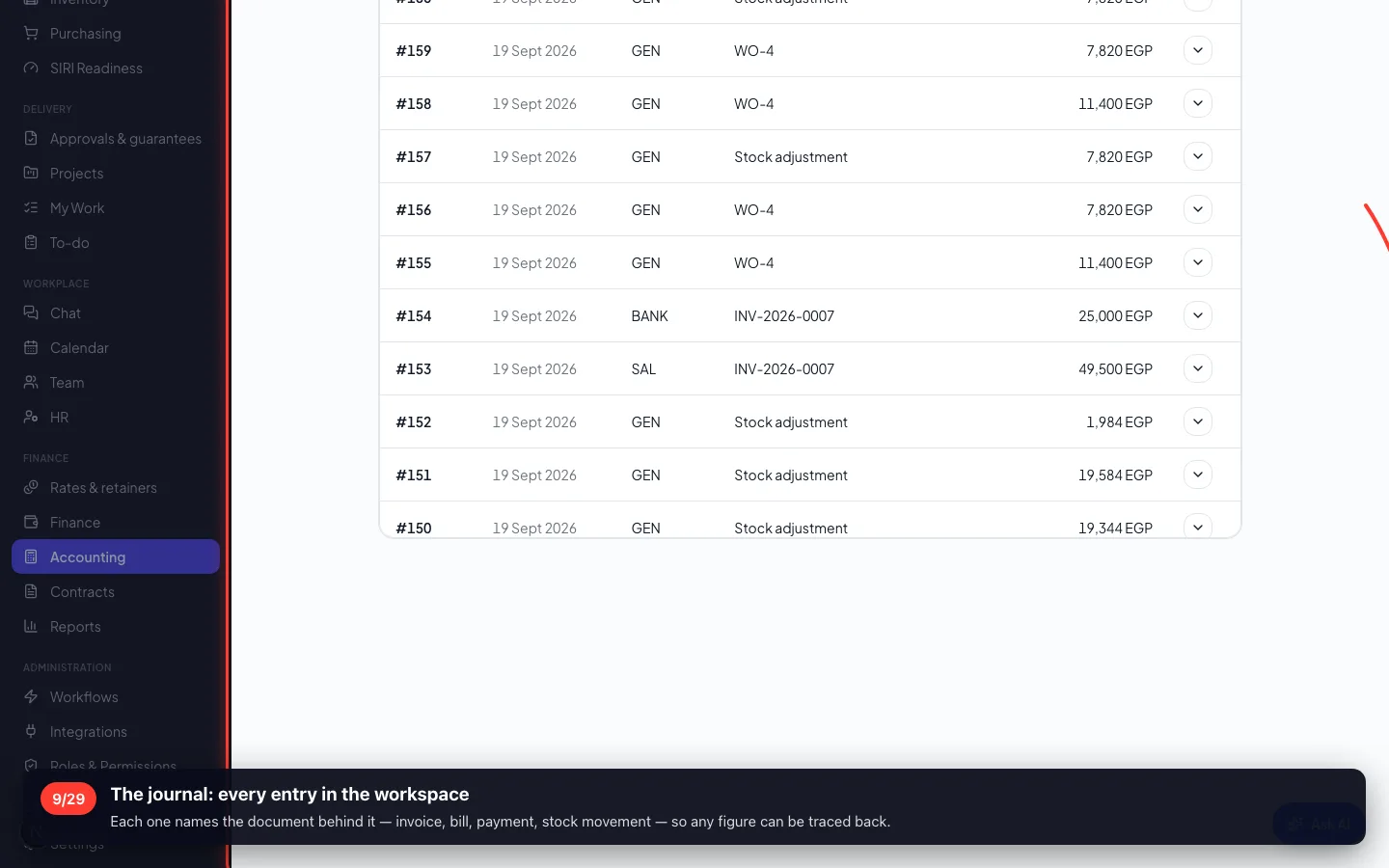
9The journal: every entry in the workspace
Each one names the document behind it — invoice, bill, payment, stock movement — so any figure can be traced back.
- 10
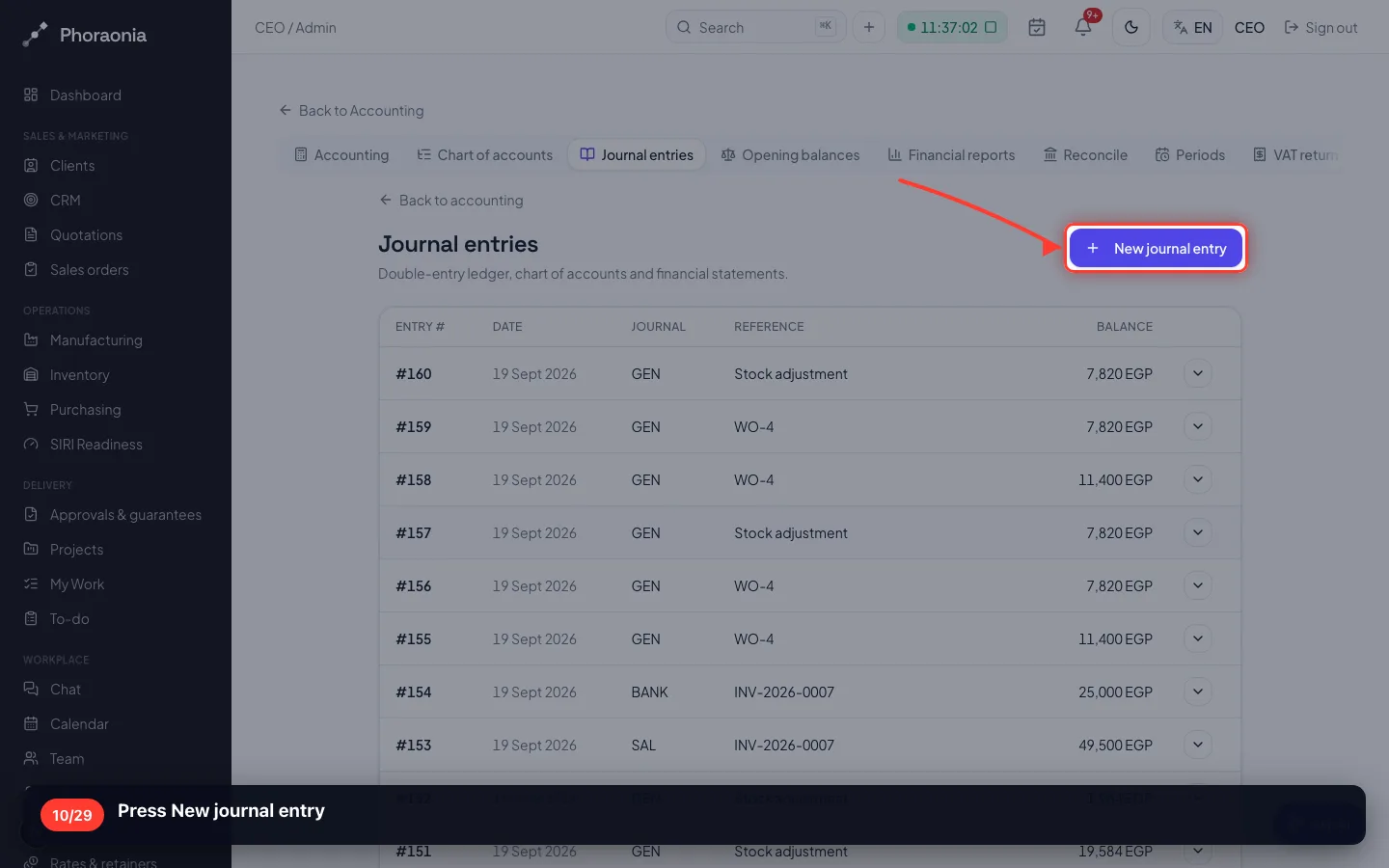
Press New journal entry
- 11
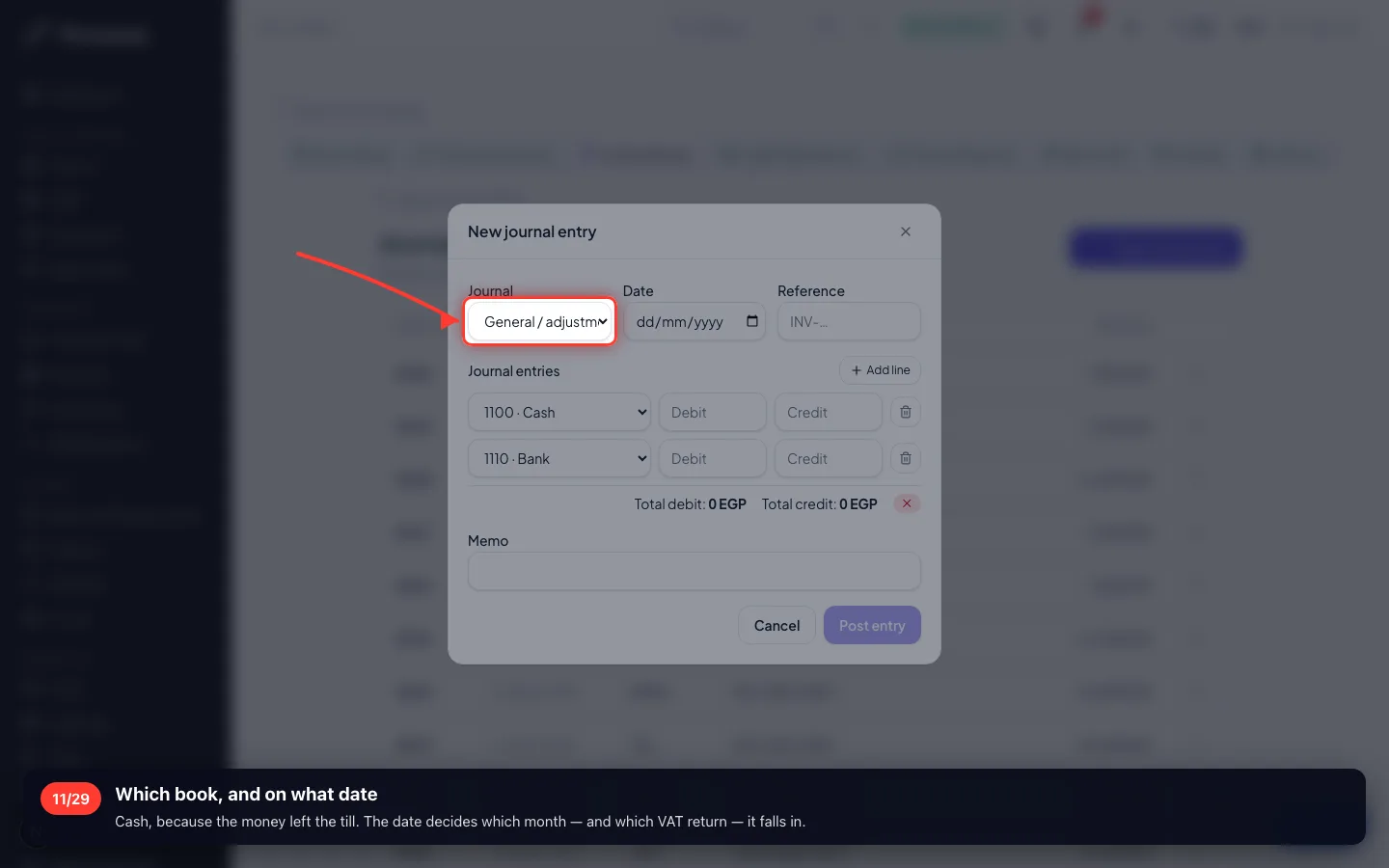
Which book, and on what date
Cash, because the money left the till. The date decides which month — and which VAT return — it falls in.
- 12
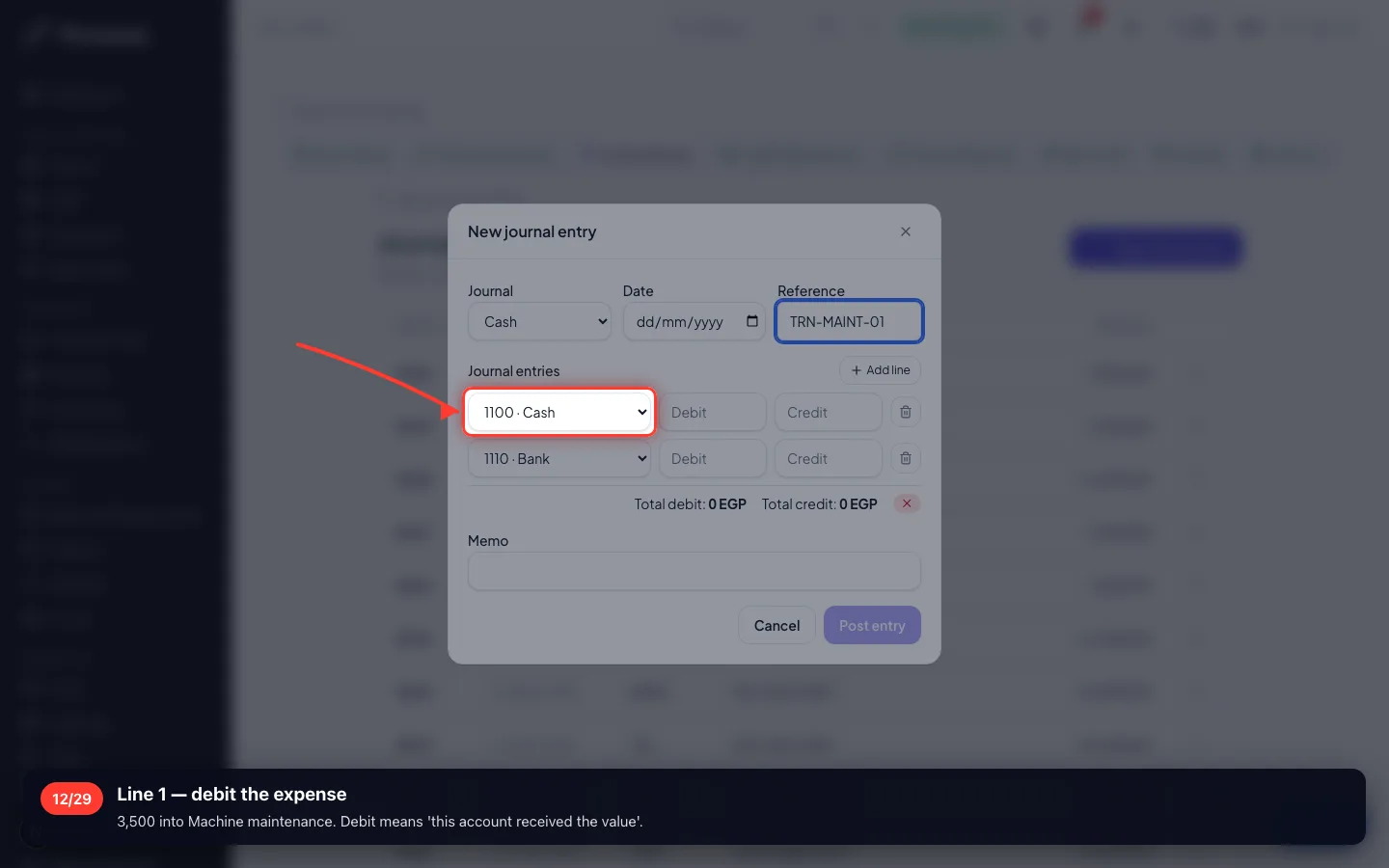
Line 1 — debit the expense
3,500 into Machine maintenance. Debit means 'this account received the value'.
- 13
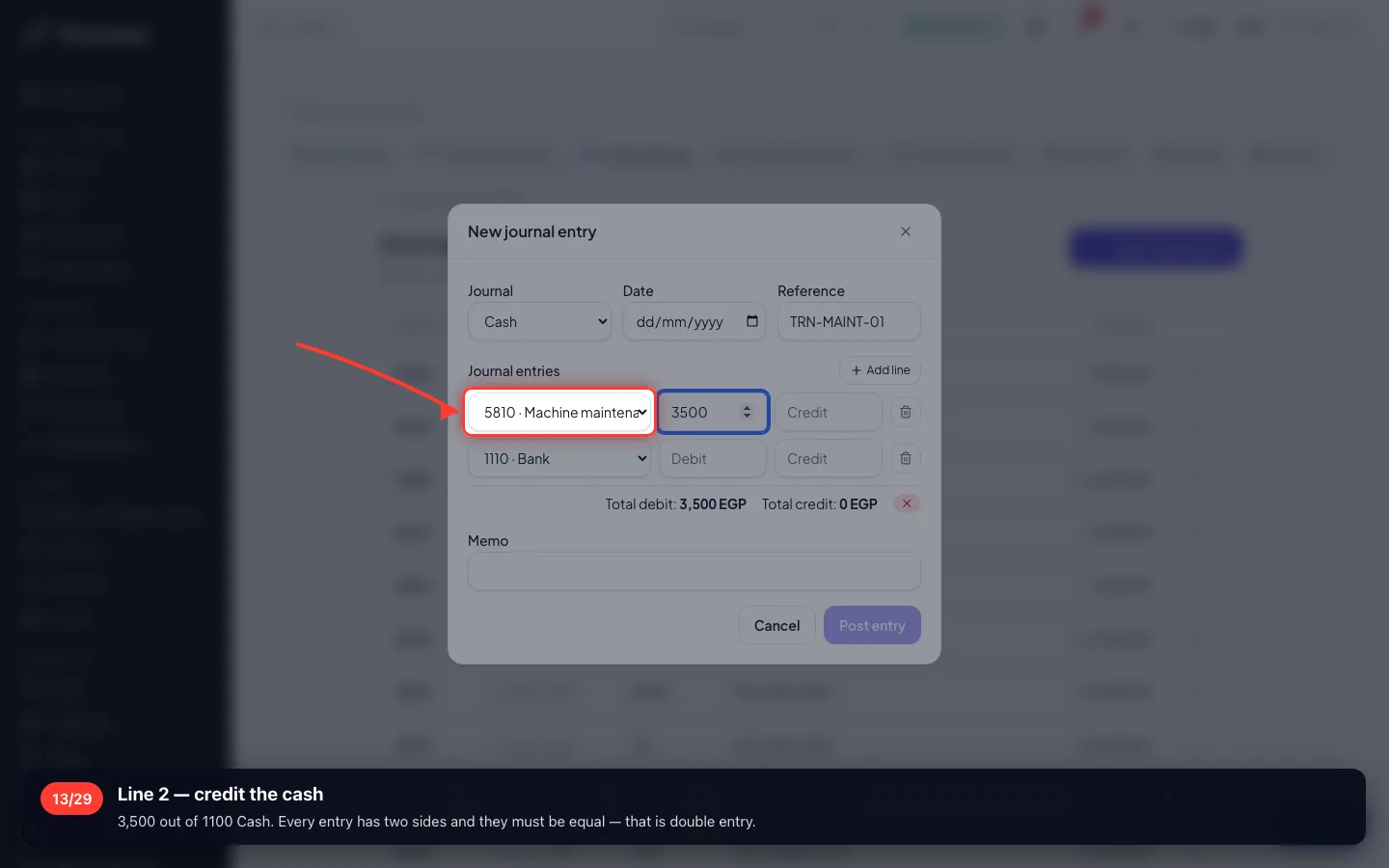
Line 2 — credit the cash
3,500 out of 1100 Cash. Every entry has two sides and they must be equal — that is double entry.
- 14
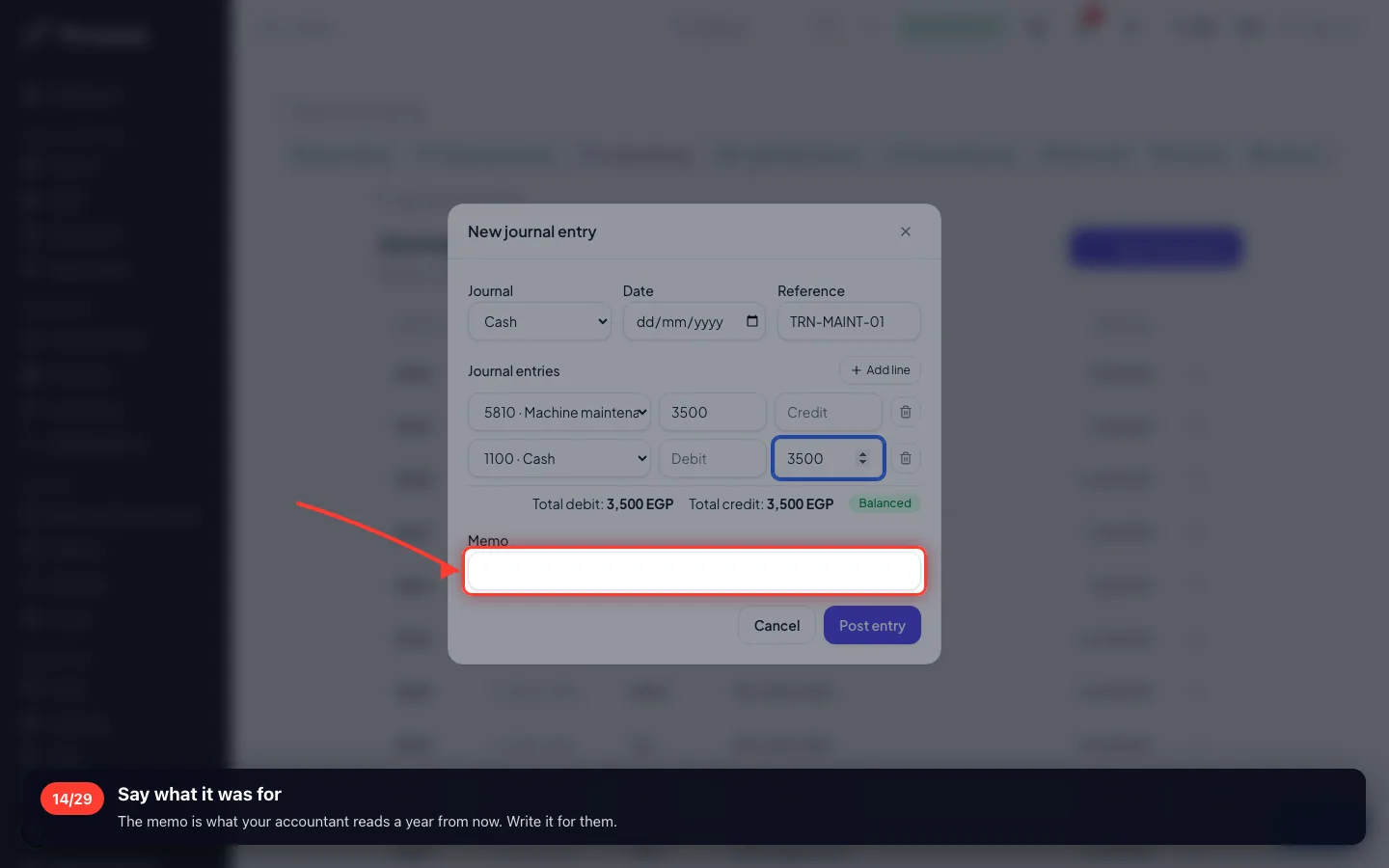
Say what it was for
The memo is what your accountant reads a year from now. Write it for them.
- 15
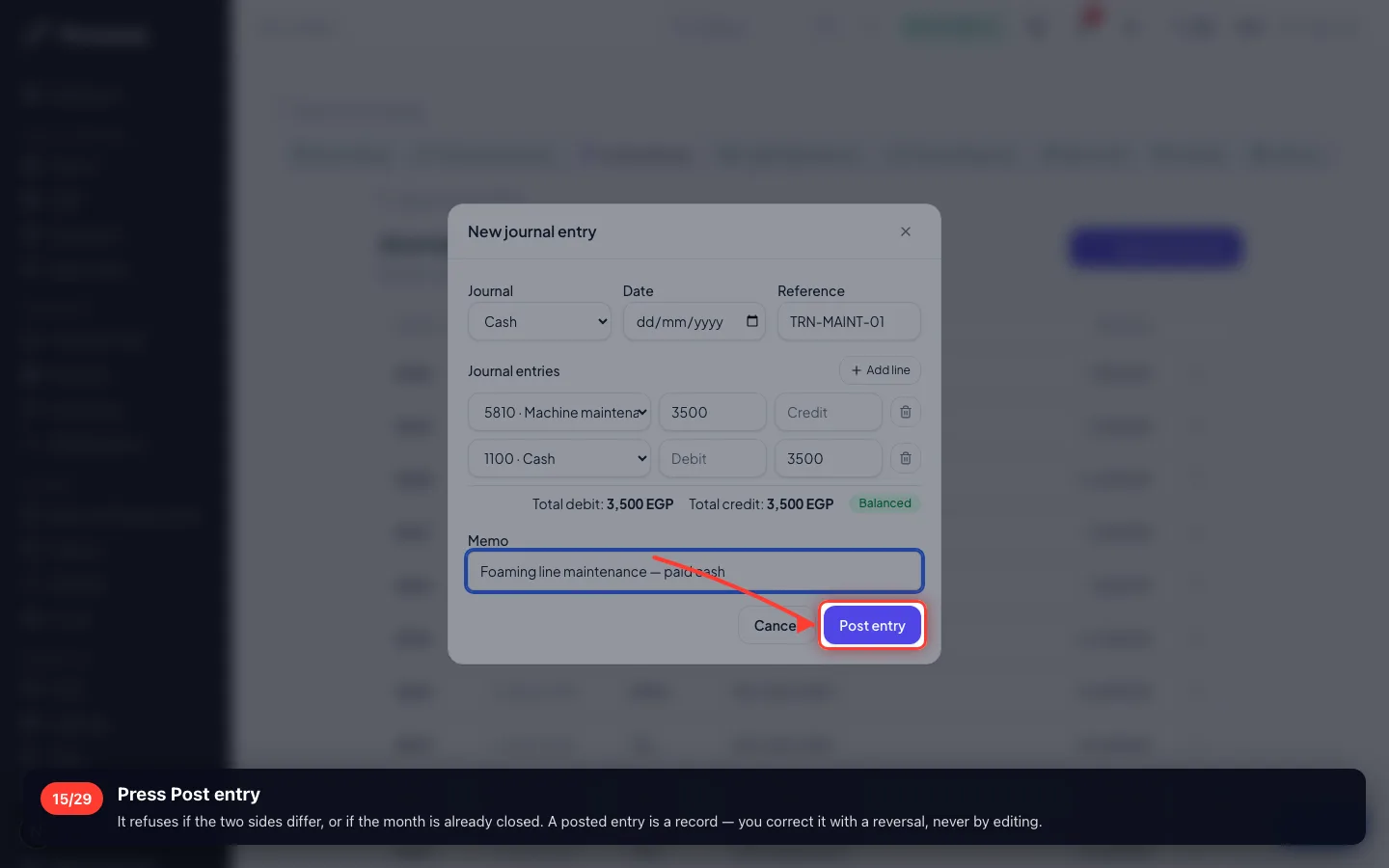
Press Post entry
It refuses if the two sides differ, or if the month is already closed. A posted entry is a record — you correct it with a reversal, never by editing.
- 16
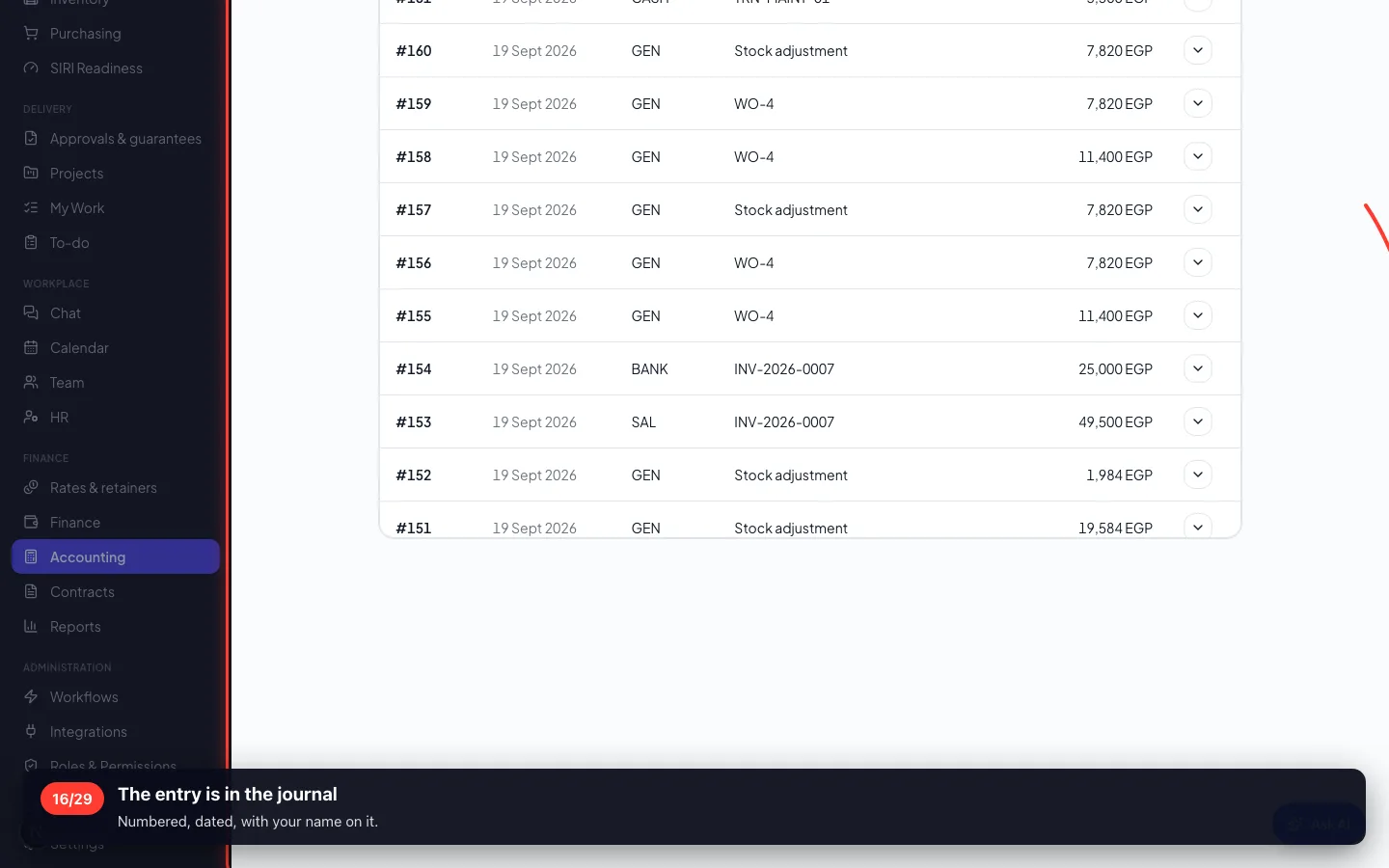
The entry is in the journal
Numbered, dated, with your name on it.
4 · Reading the reports
Four reports answer four different questions. They are built from the entries, so they always agree with each other.
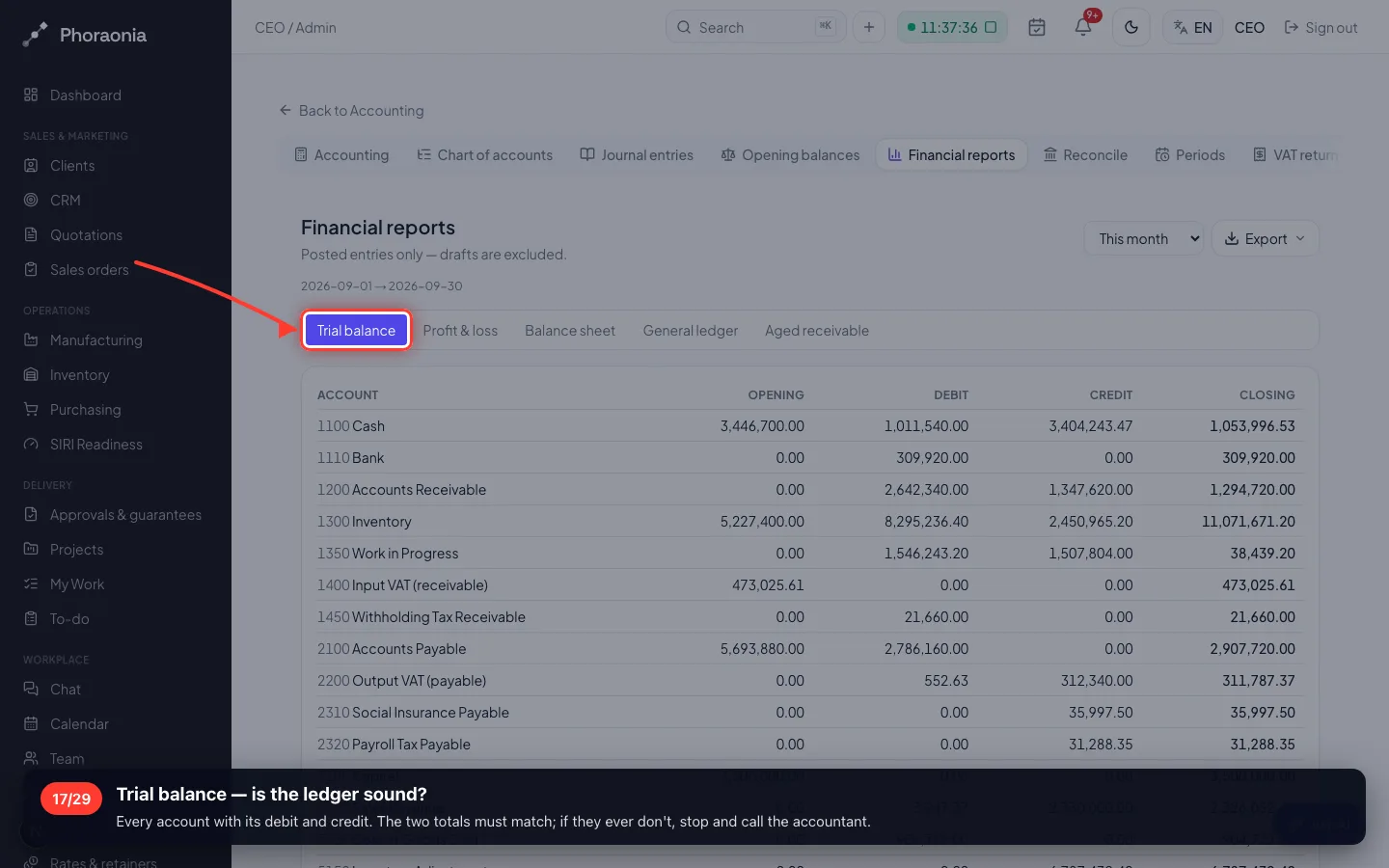
17Trial balance — is the ledger sound?
Every account with its debit and credit. The two totals must match; if they ever don't, stop and call the accountant.
- 18
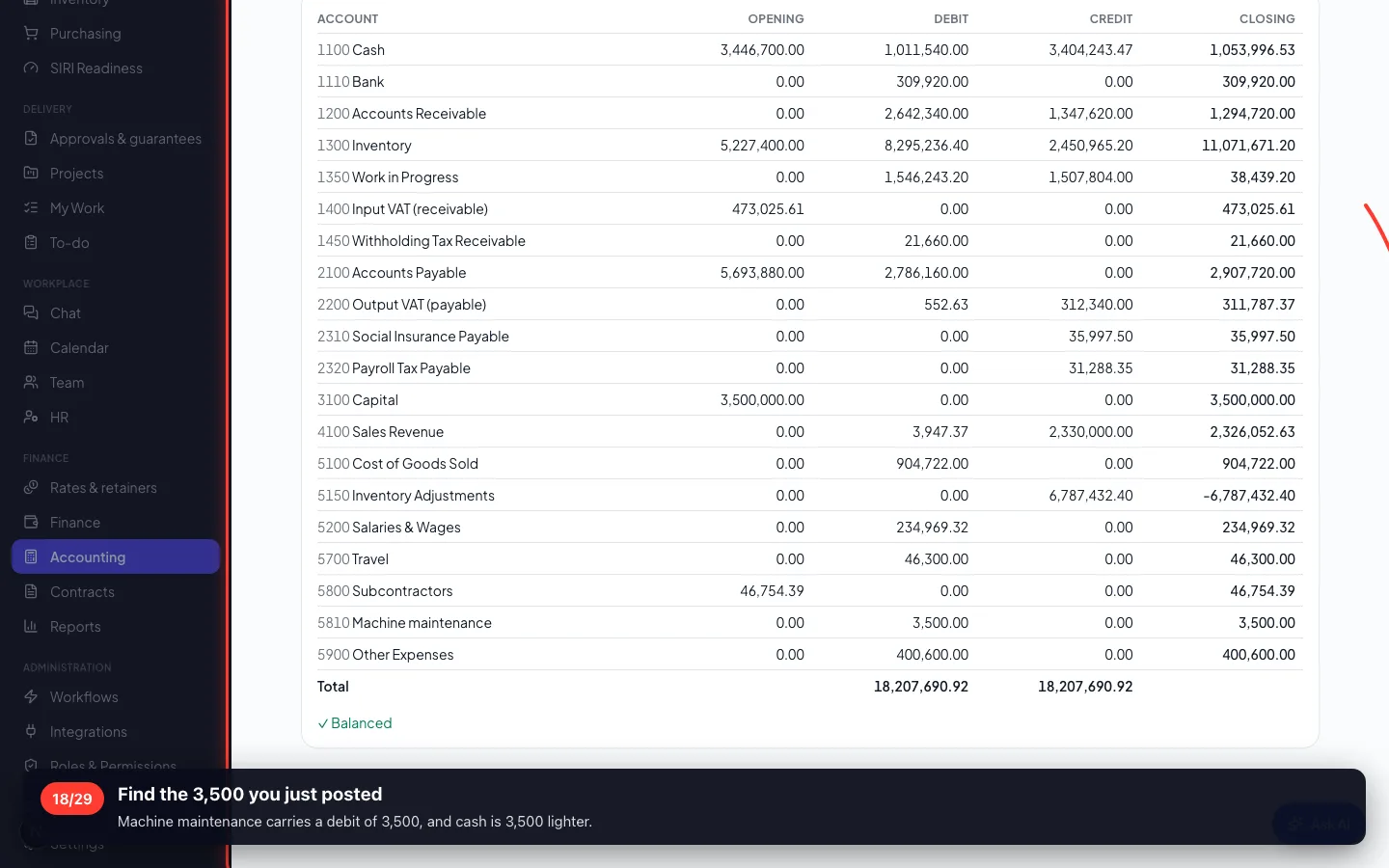
Find the 3,500 you just posted
Machine maintenance carries a debit of 3,500, and cash is 3,500 lighter.
- 19
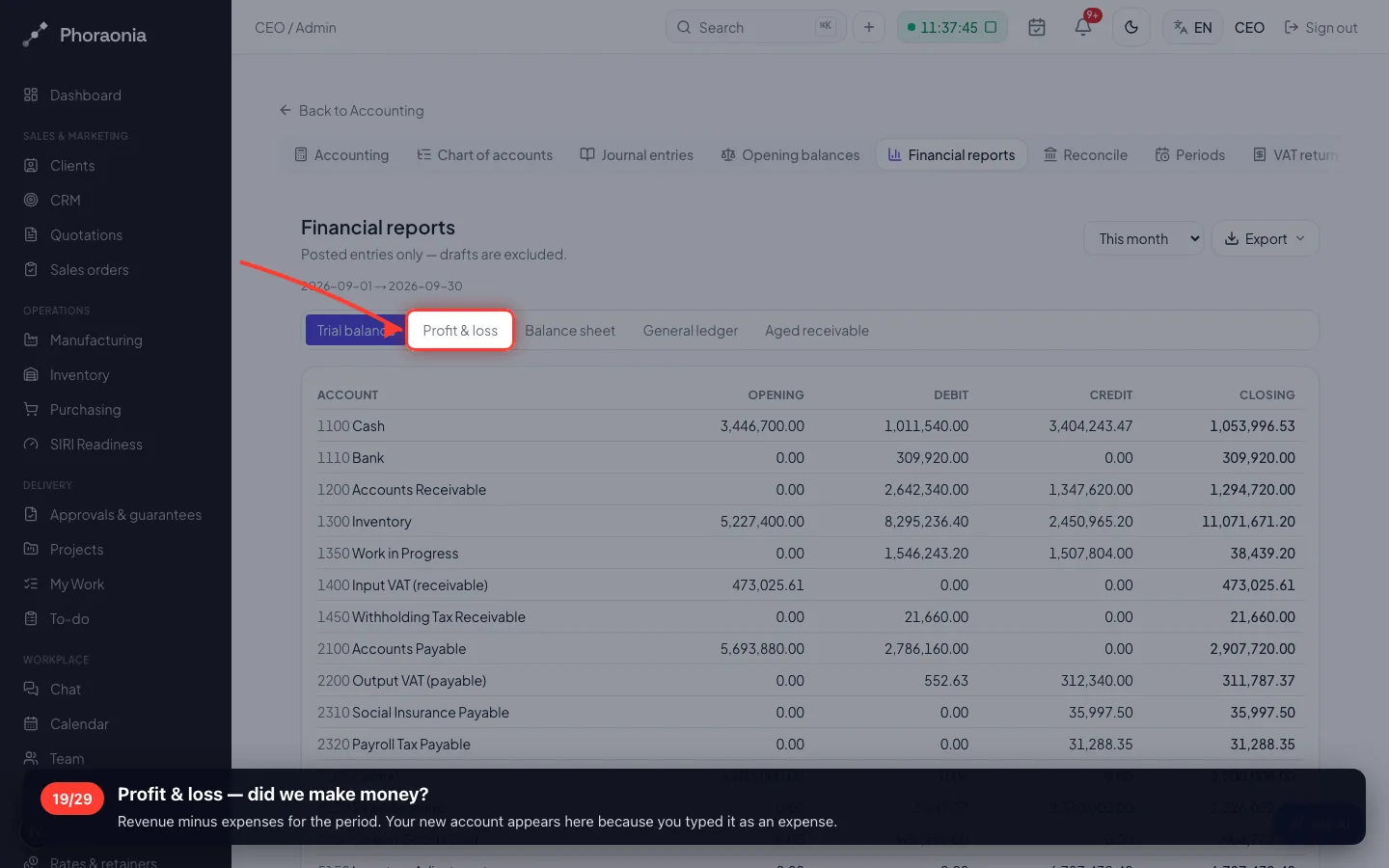
Profit & loss — did we make money?
Revenue minus expenses for the period. Your new account appears here because you typed it as an expense.
- 20
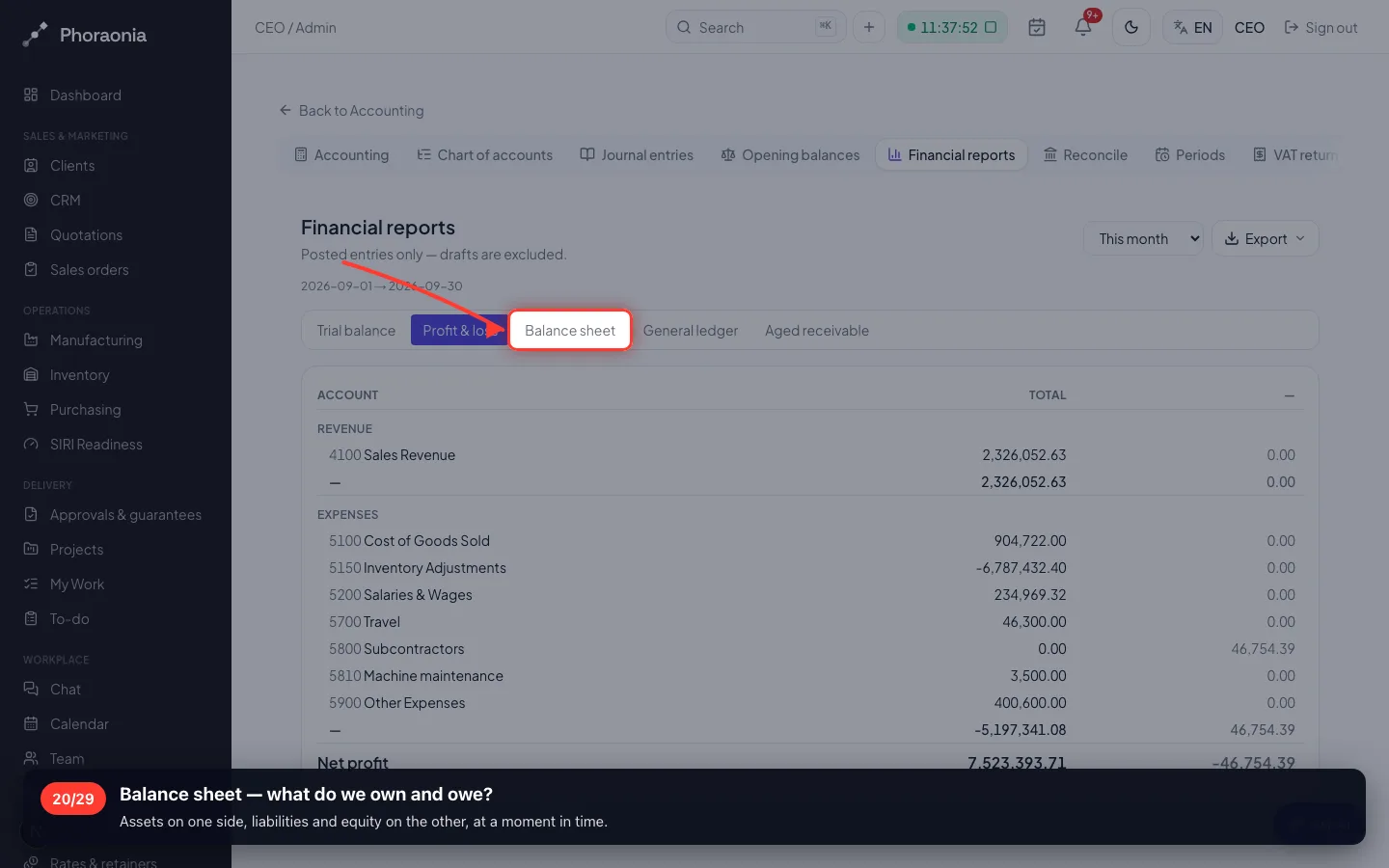
Balance sheet — what do we own and owe?
Assets on one side, liabilities and equity on the other, at a moment in time.
- 21
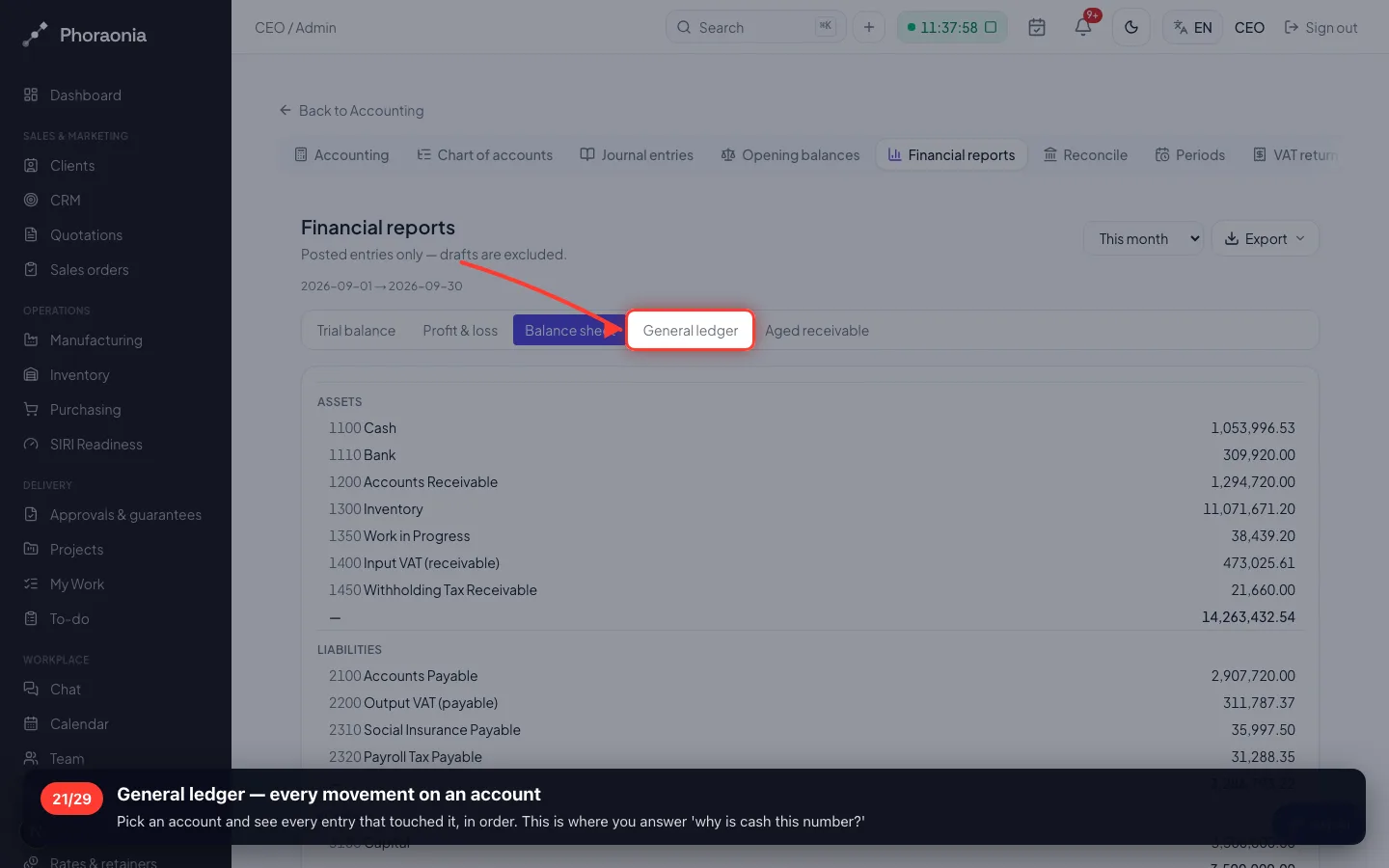
General ledger — every movement on an account
Pick an account and see every entry that touched it, in order. This is where you answer 'why is cash this number?'
- 22
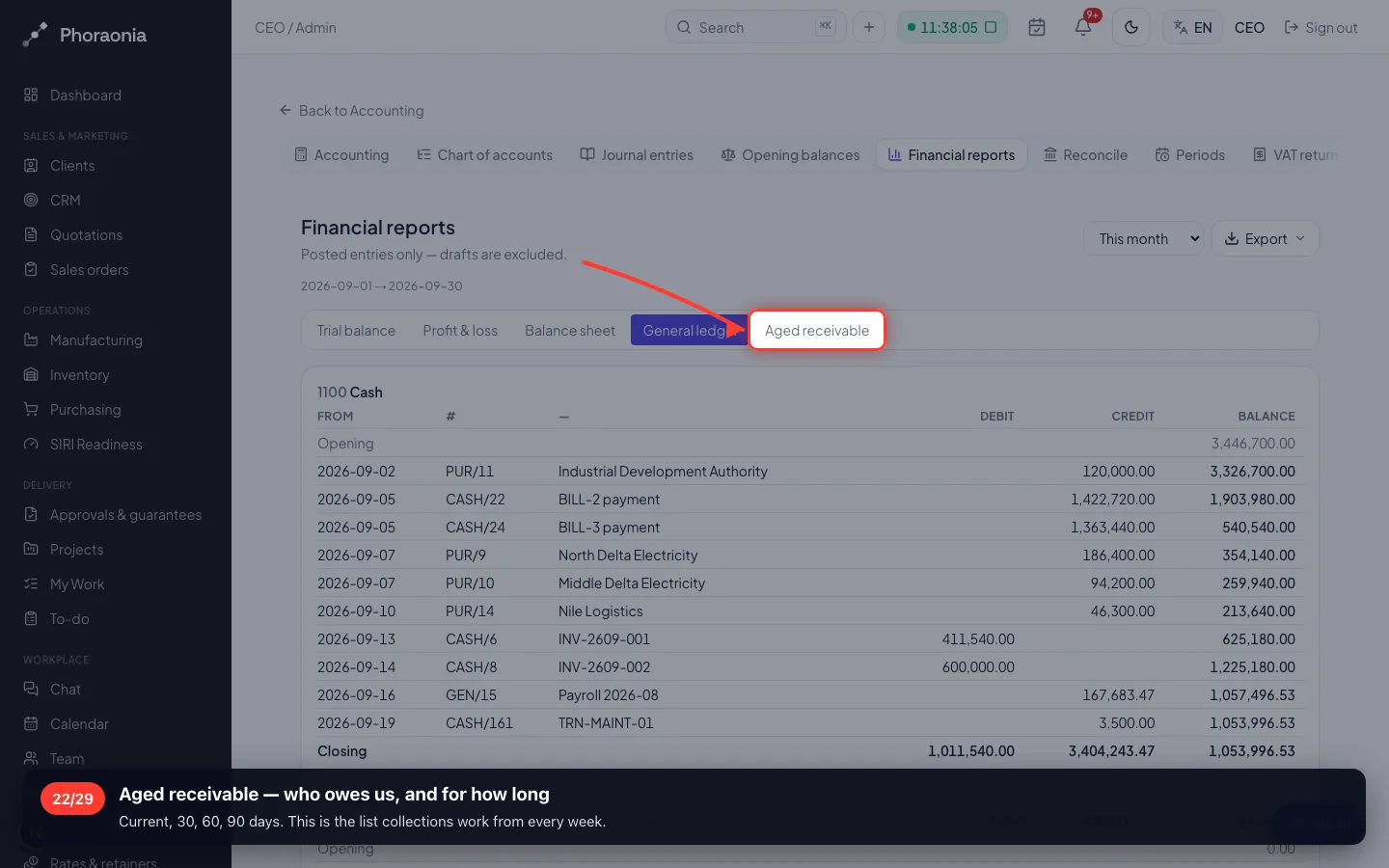
Aged receivable — who owes us, and for how long
Current, 30, 60, 90 days. This is the list collections work from every week.
5 · The VAT return
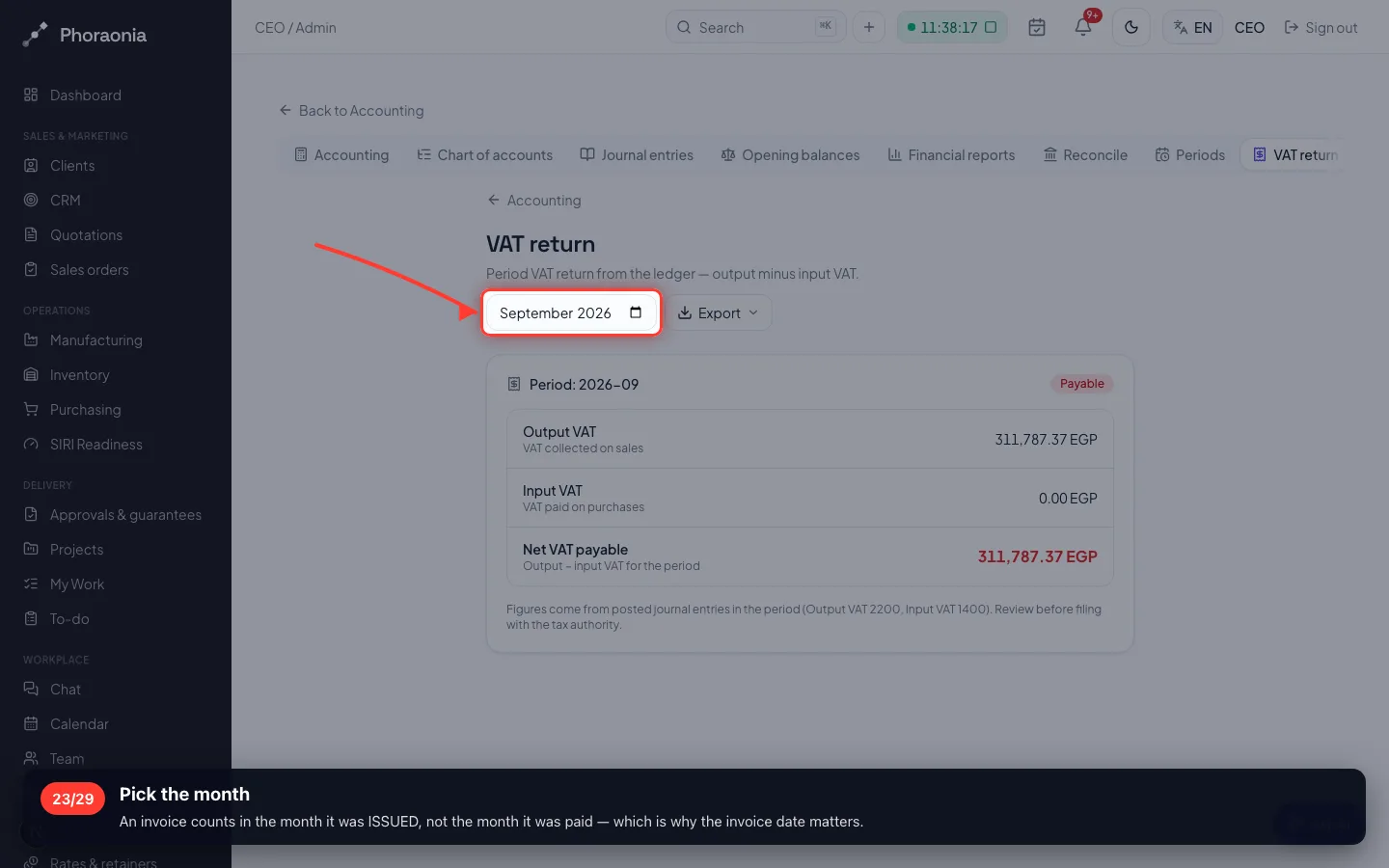
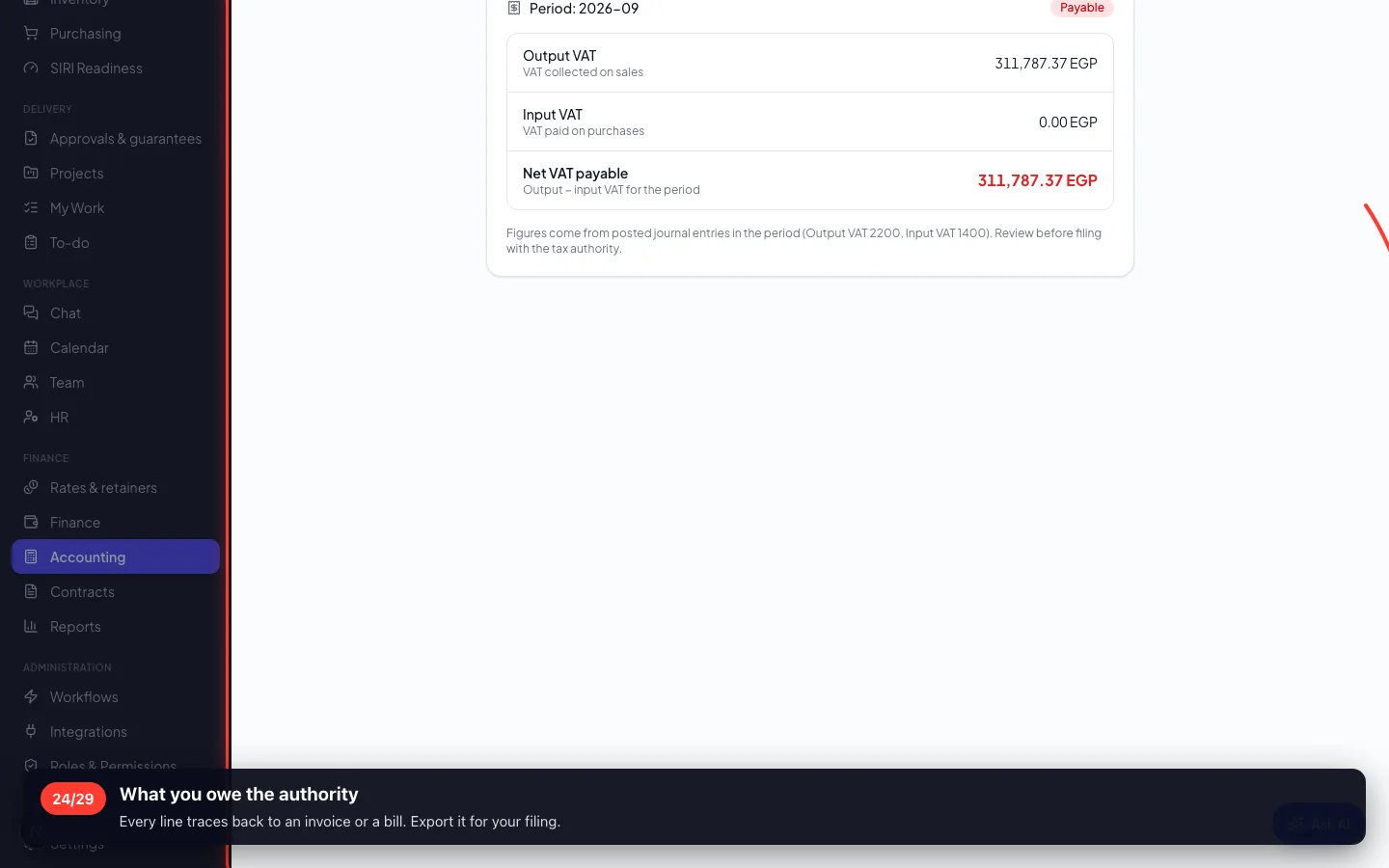
Output VAT you charged, minus input VAT you paid, for one month — the figure you file.
23Pick the month
An invoice counts in the month it was ISSUED, not the month it was paid — which is why the invoice date matters.
- 24
What you owe the authority
Every line traces back to an invoice or a bill. Export it for your filing.
6 · Bank reconciliation
The bank's statement against your own books, line by line, until nothing is unexplained.
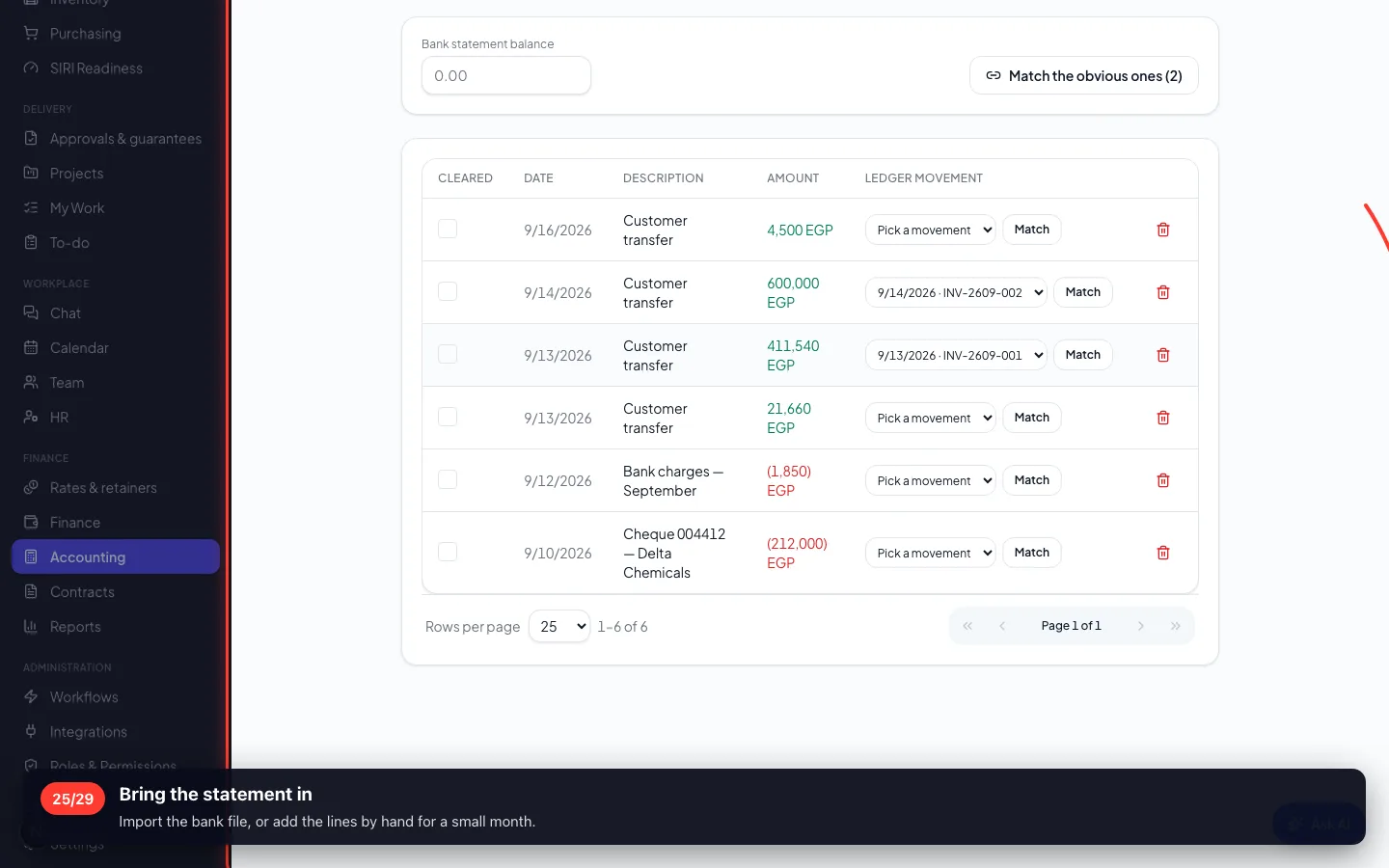
25Bring the statement in
Import the bank file, or add the lines by hand for a small month.
- 26
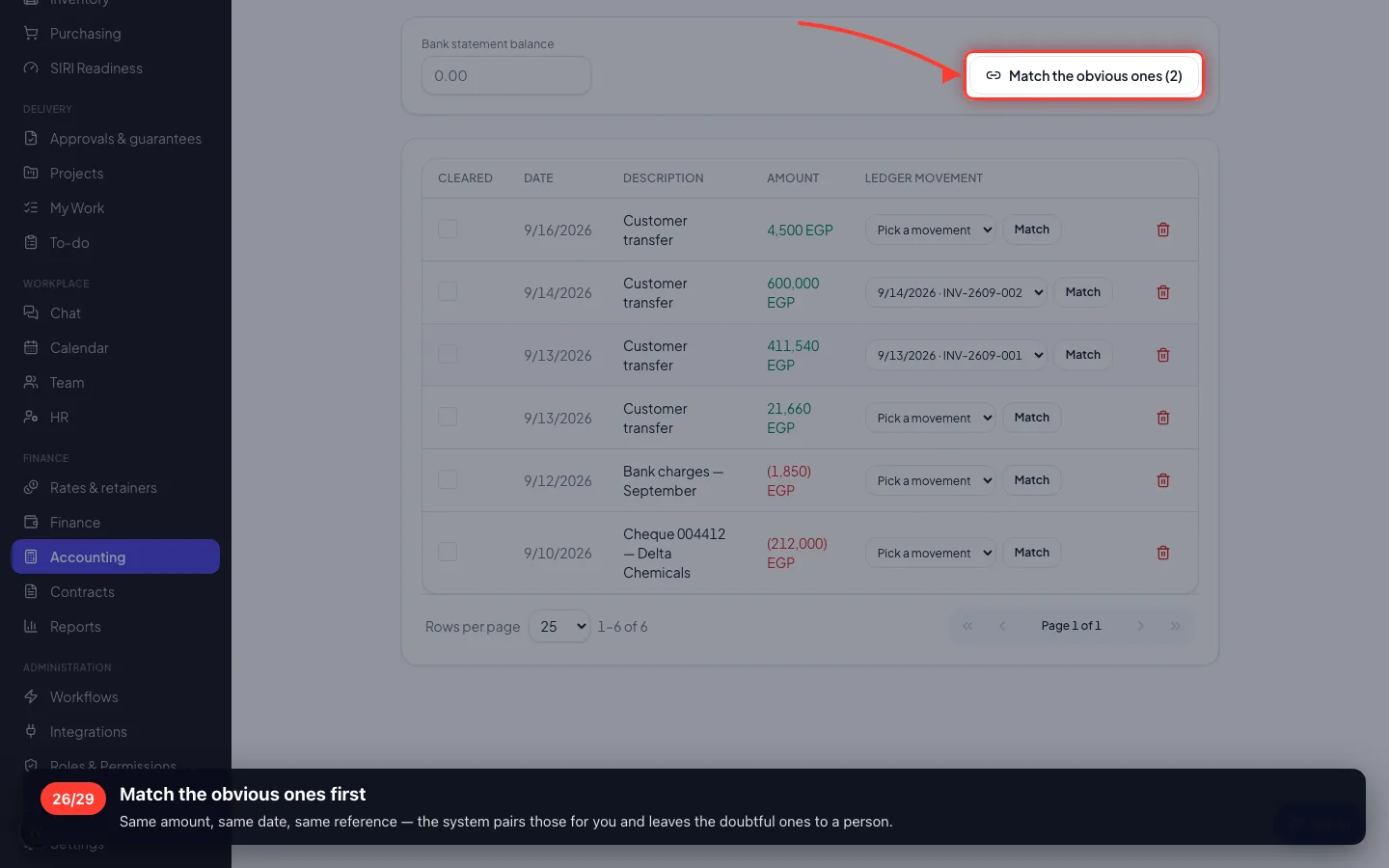
Match the obvious ones first
Same amount, same date, same reference — the system pairs those for you and leaves the doubtful ones to a person.
7 · Closing a month
When the month is agreed, lock it. After that nobody can back-date an entry into a month you have already reported on.
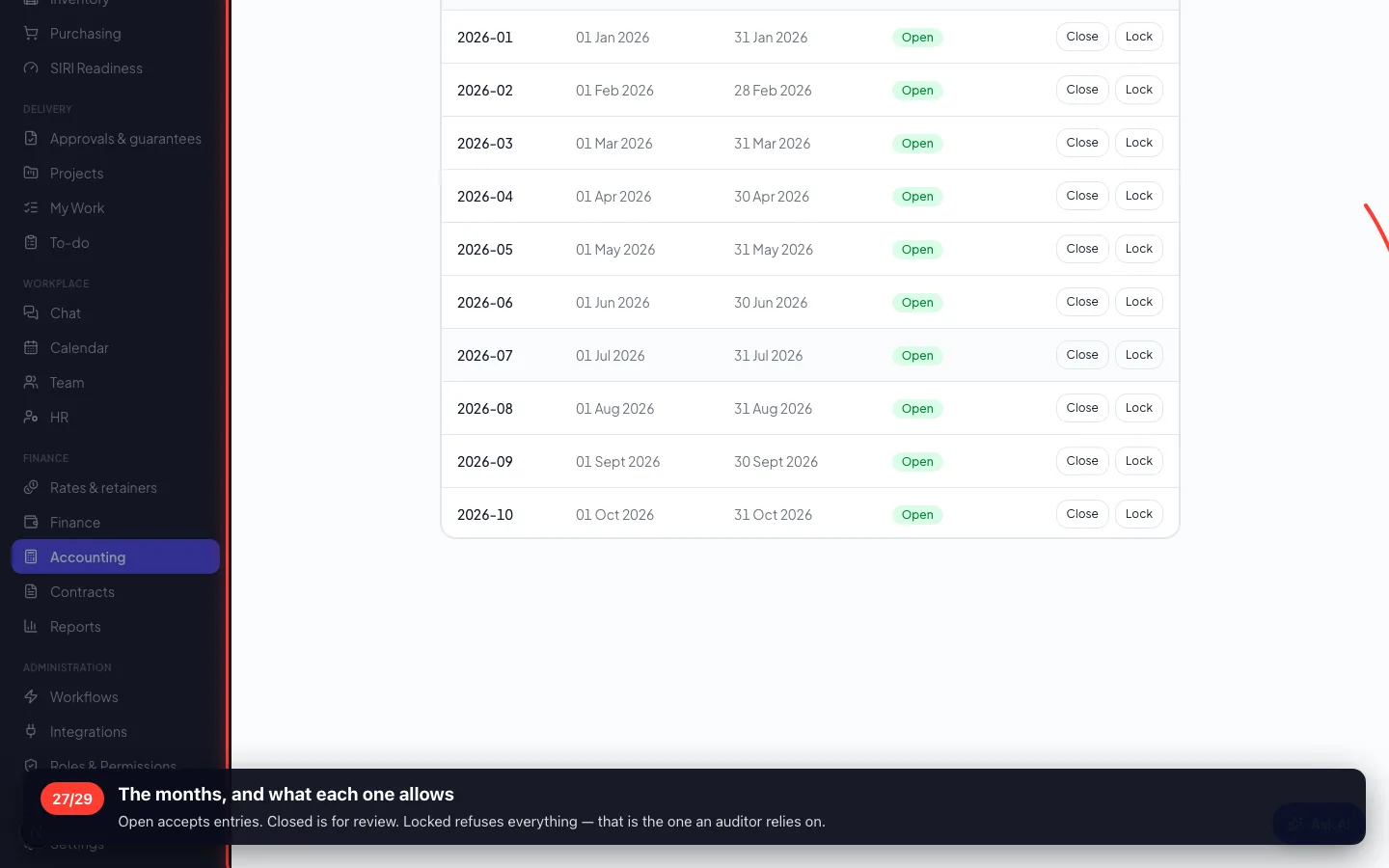
27The months, and what each one allows
Open accepts entries. Closed is for review. Locked refuses everything — that is the one an auditor relies on.
8 · Two things to set up once
Opening balances when you move onto the system mid-year, and cost centres if you want the result split by factory or line.
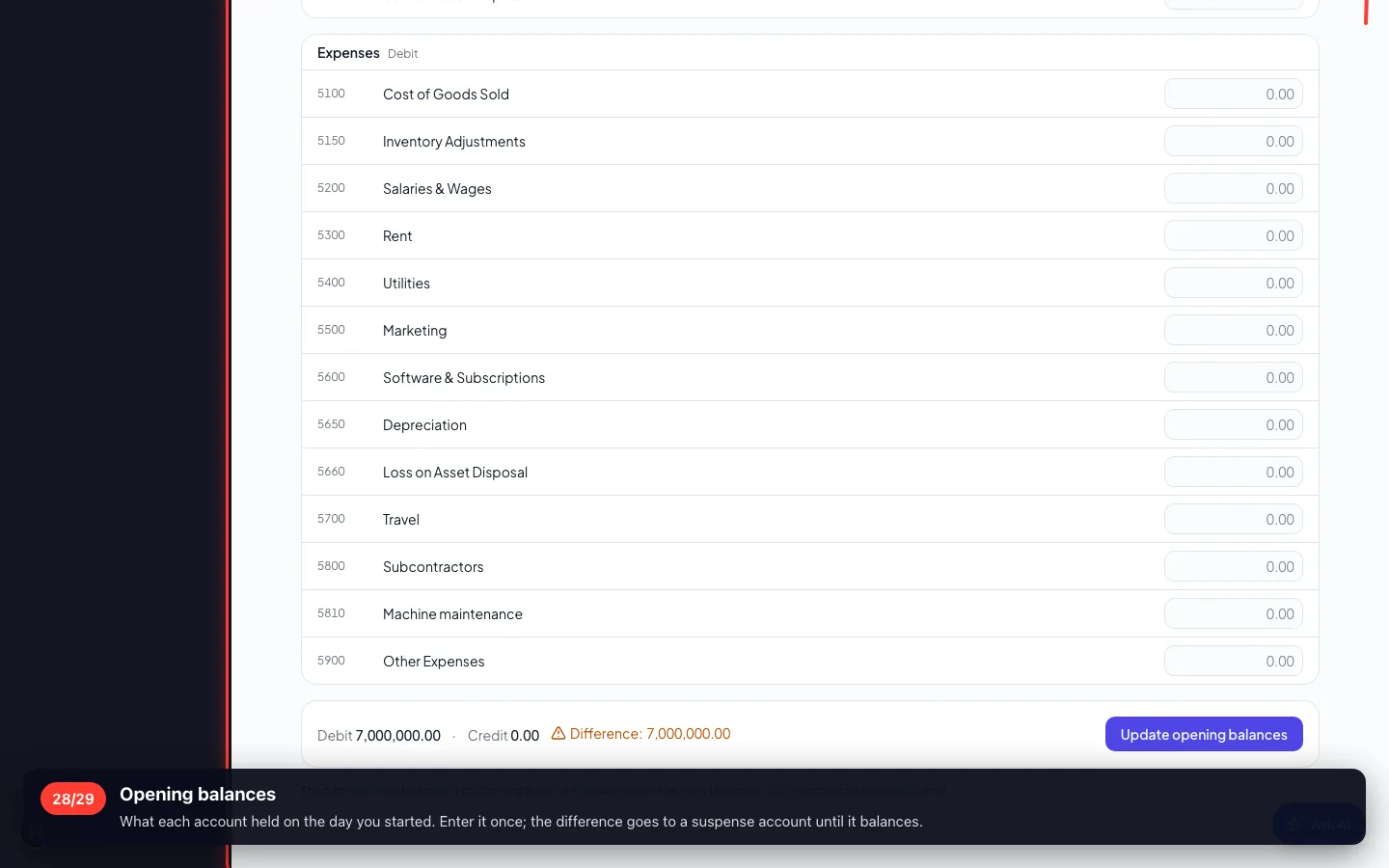
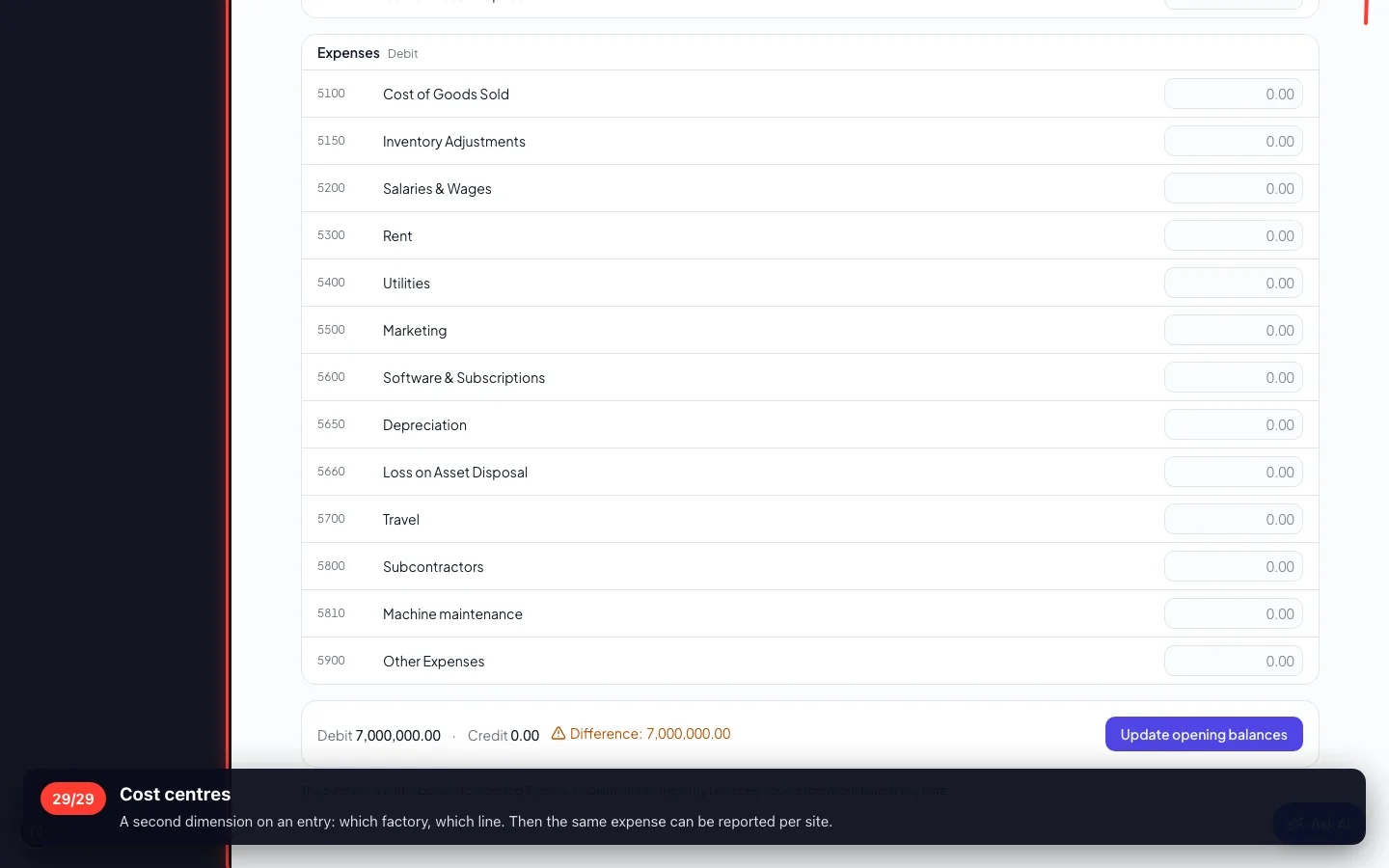
28Opening balances
What each account held on the day you started. Enter it once; the difference goes to a suspense account until it balances.
- 29
Cost centres
A second dimension on an entry: which factory, which line. Then the same expense can be reported per site.
Enregistré sur un espace de démonstration. Les chiffres sont fictifs, les écrans sont réels.