The Finance module
Invoices, collection, credit notes, what is overdue, what repeats monthly, deposits, fixed assets and budgets — followed on one customer.
27 étapes
Le parcours complet, sans commentaire audio.
1 · What the module is for
Finance is the money side of the documents other modules create — and the place you raise anything that has no order behind it.
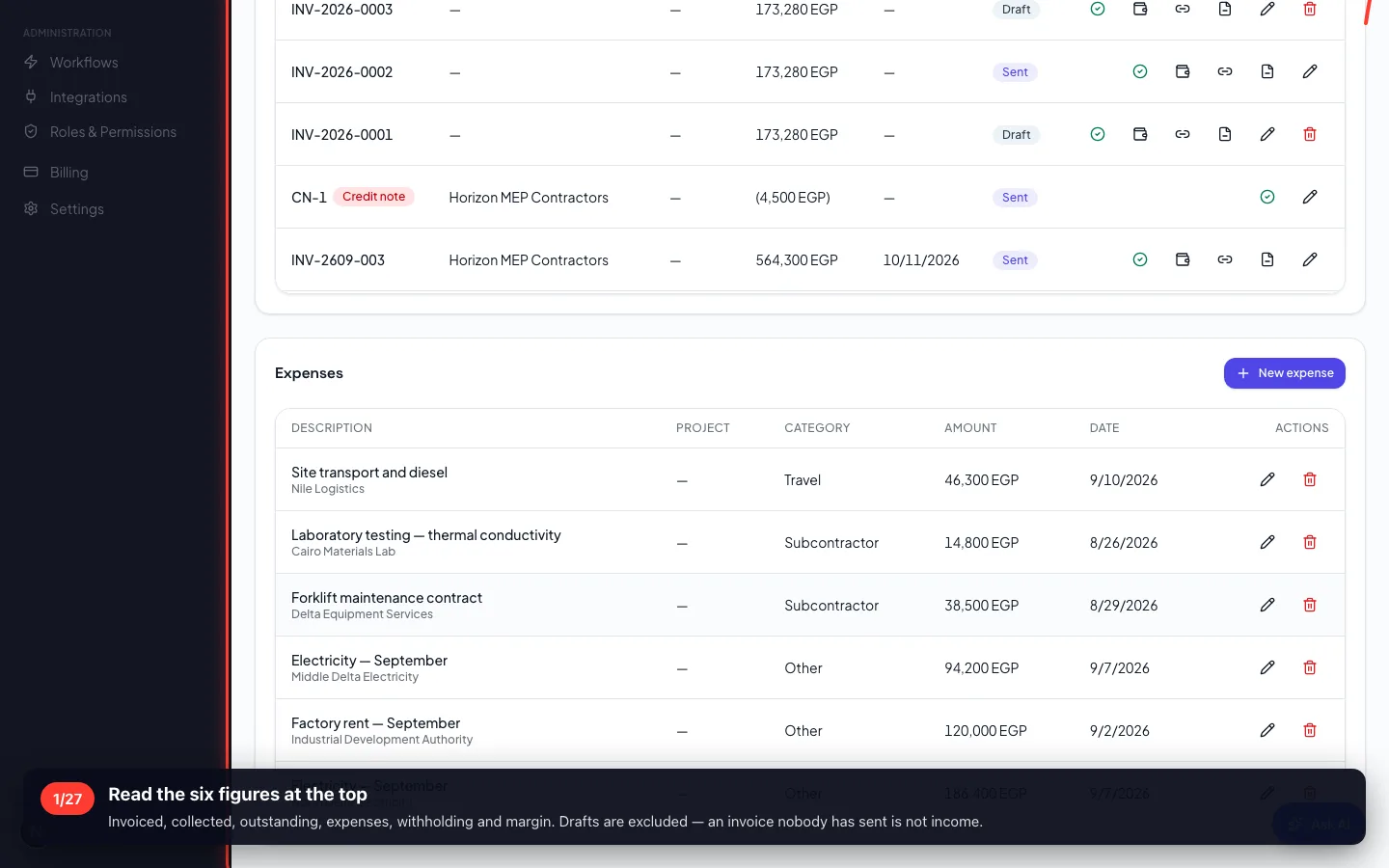
1Read the six figures at the top
Invoiced, collected, outstanding, expenses, withholding and margin. Drafts are excluded — an invoice nobody has sent is not income.
2 · Raising an invoice
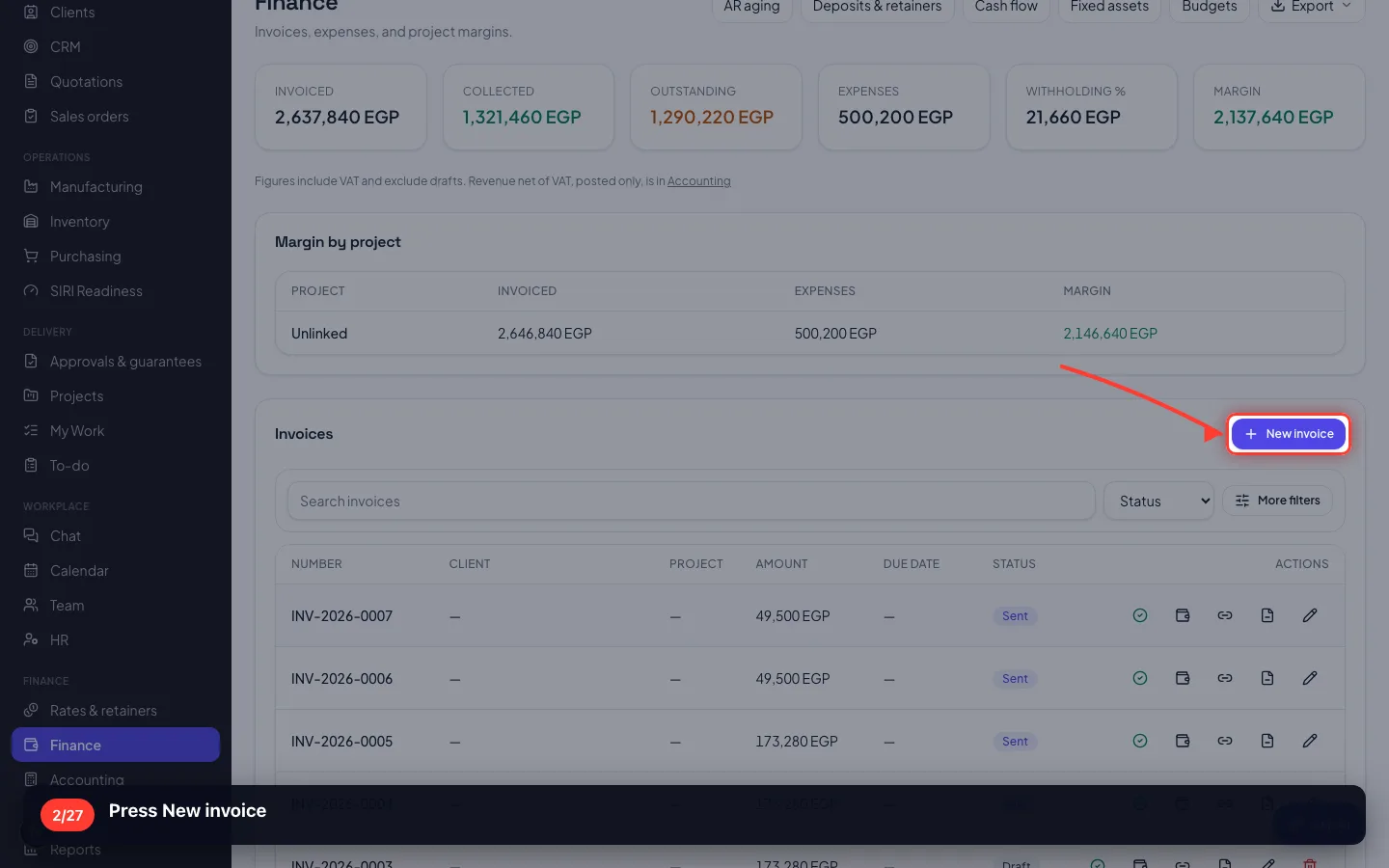
Most invoices come from a sales order. This is the other case: a one-off charge you raise directly.
2Press New invoice
- 3
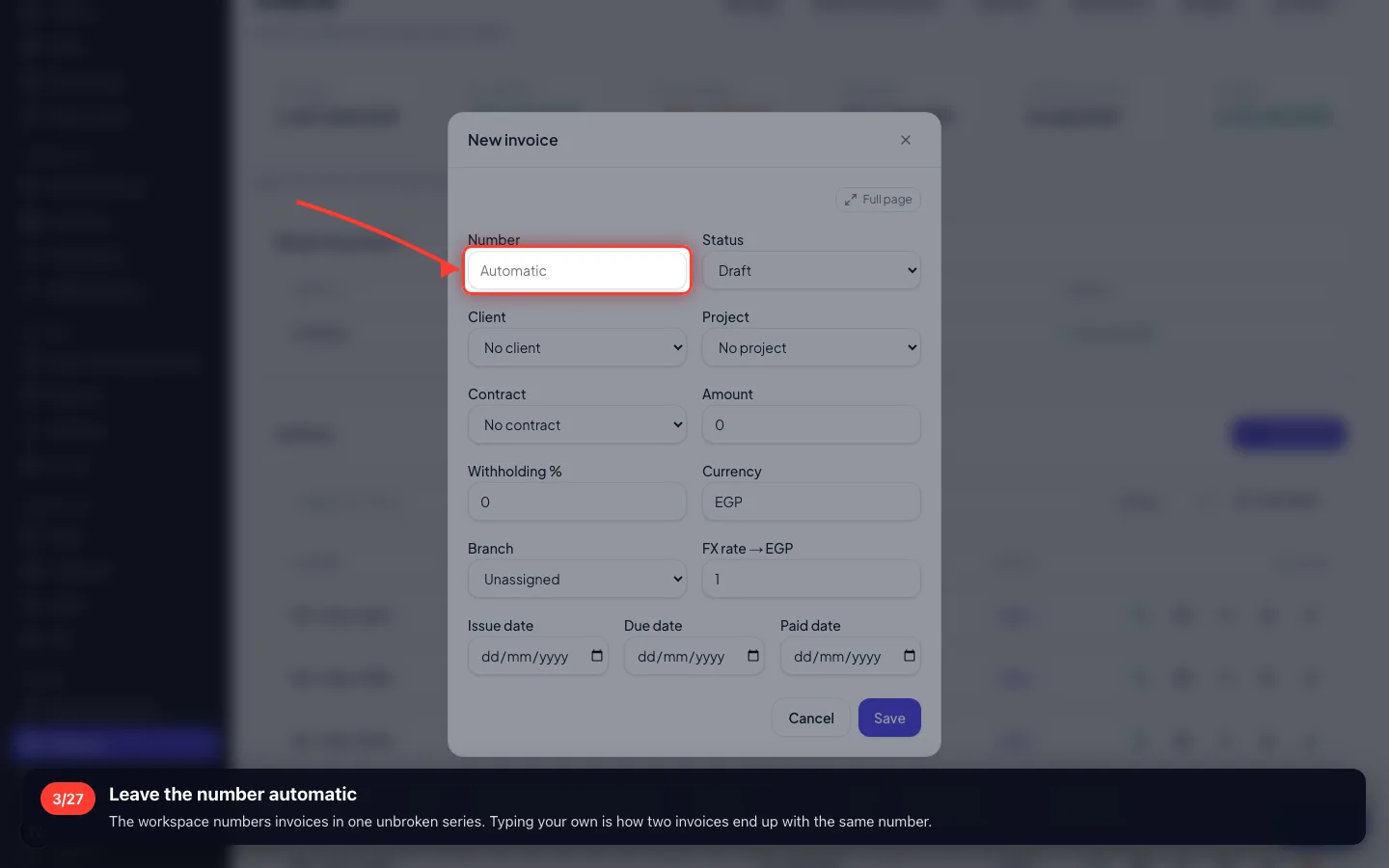
Leave the number automatic
The workspace numbers invoices in one unbroken series. Typing your own is how two invoices end up with the same number.
- 4
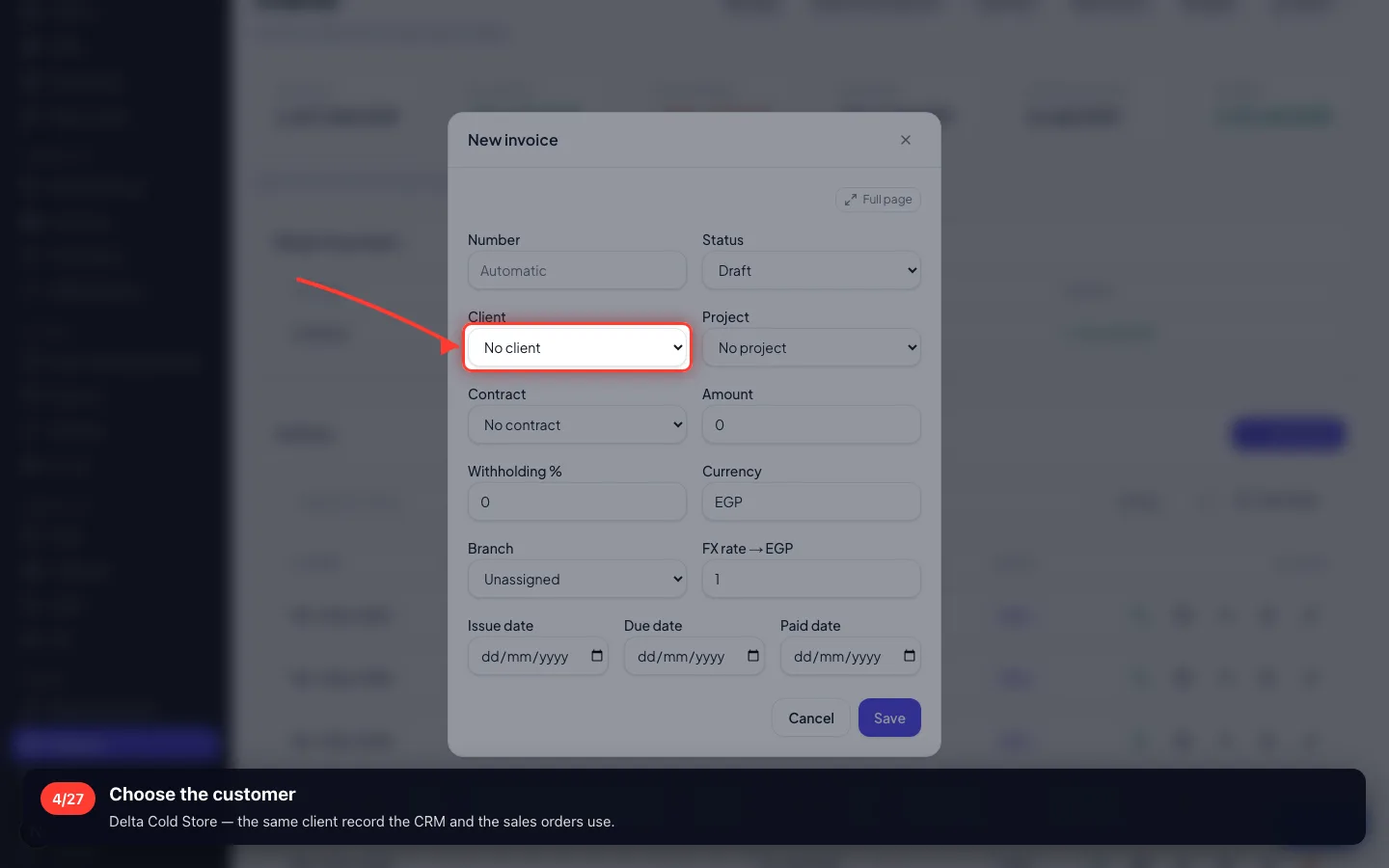
Choose the customer
Delta Cold Store — the same client record the CRM and the sales orders use.
- 5
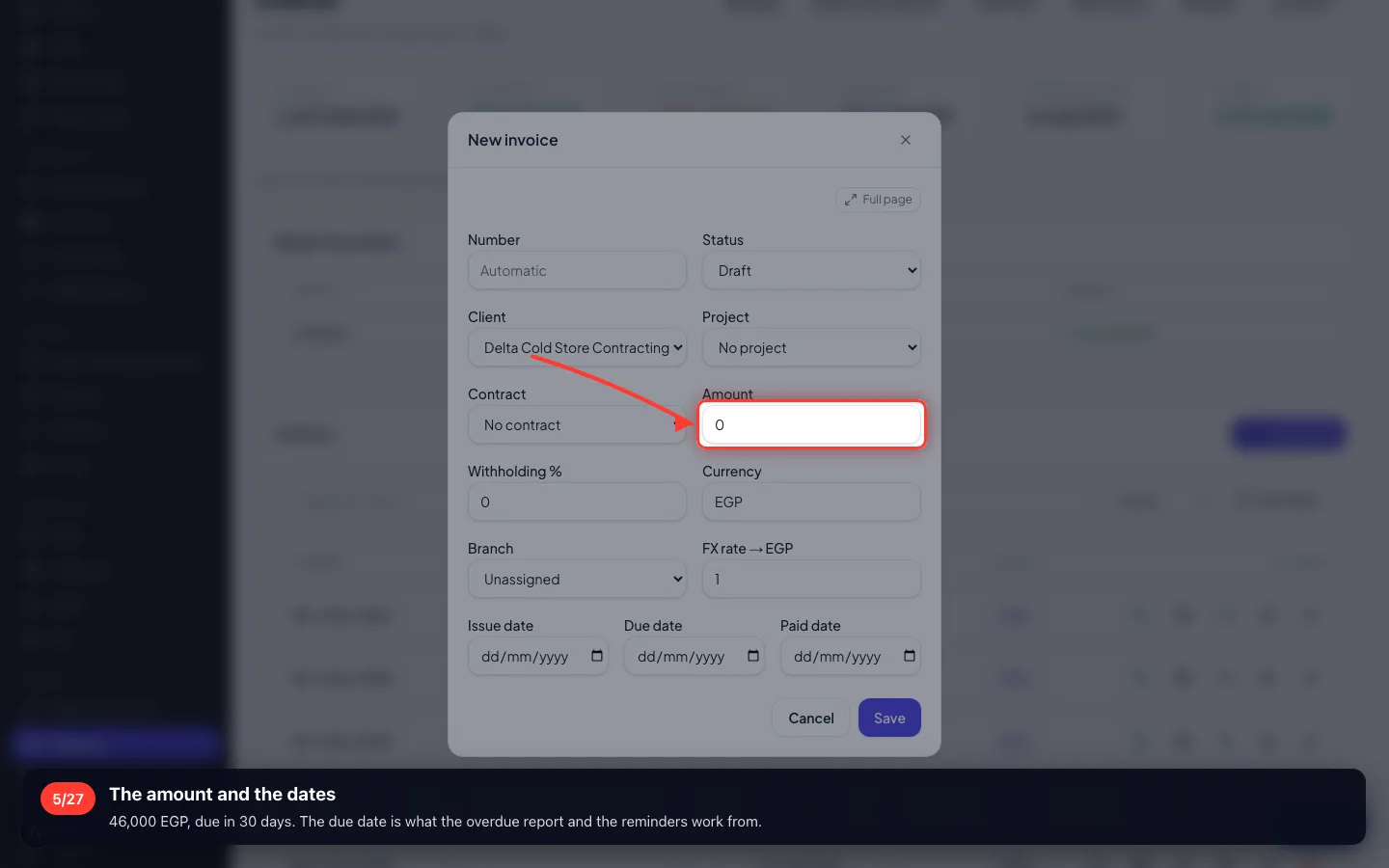
The amount and the dates
46,000 EGP, due in 30 days. The due date is what the overdue report and the reminders work from.
- 6
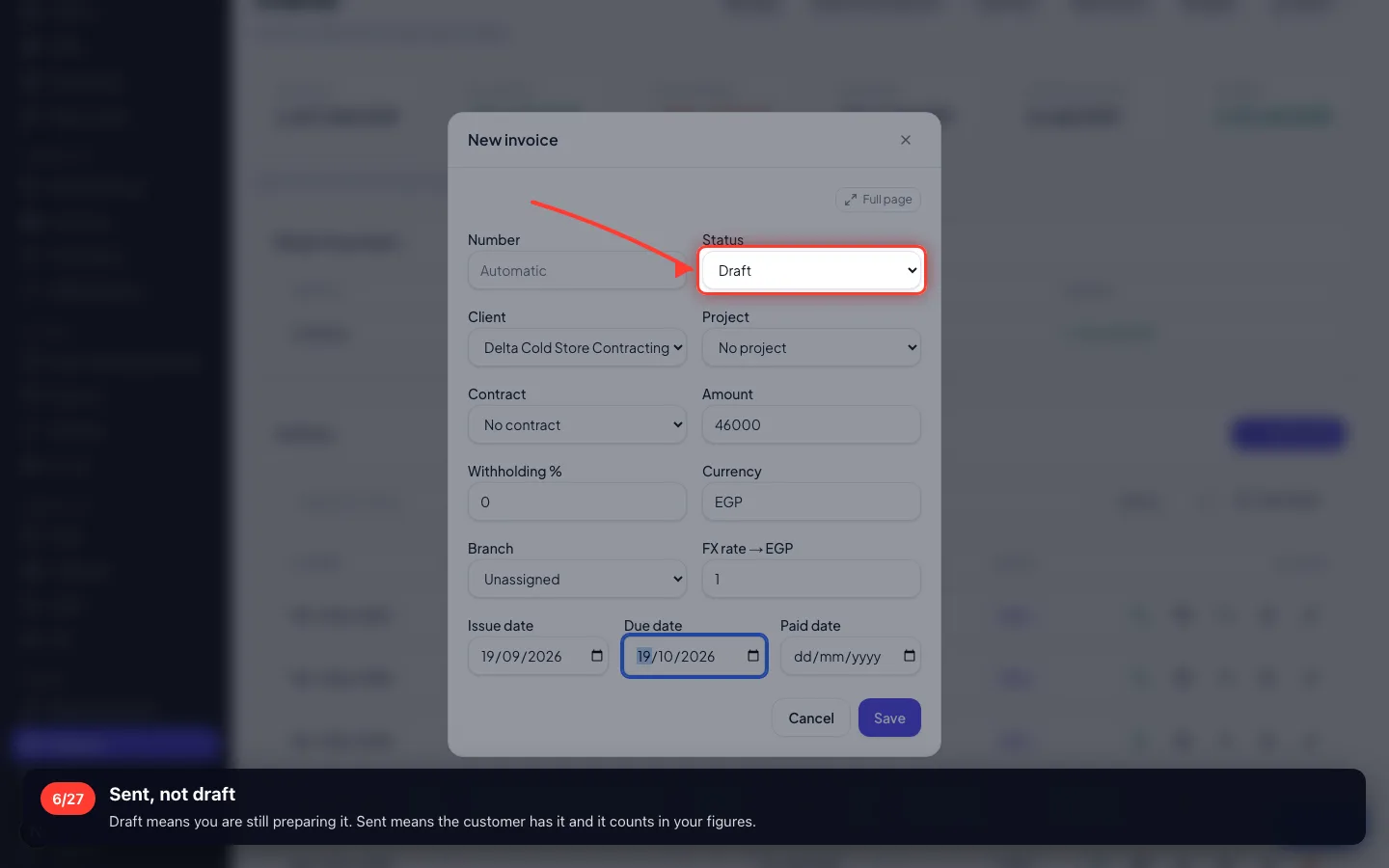
Sent, not draft
Draft means you are still preparing it. Sent means the customer has it and it counts in your figures.
- 7
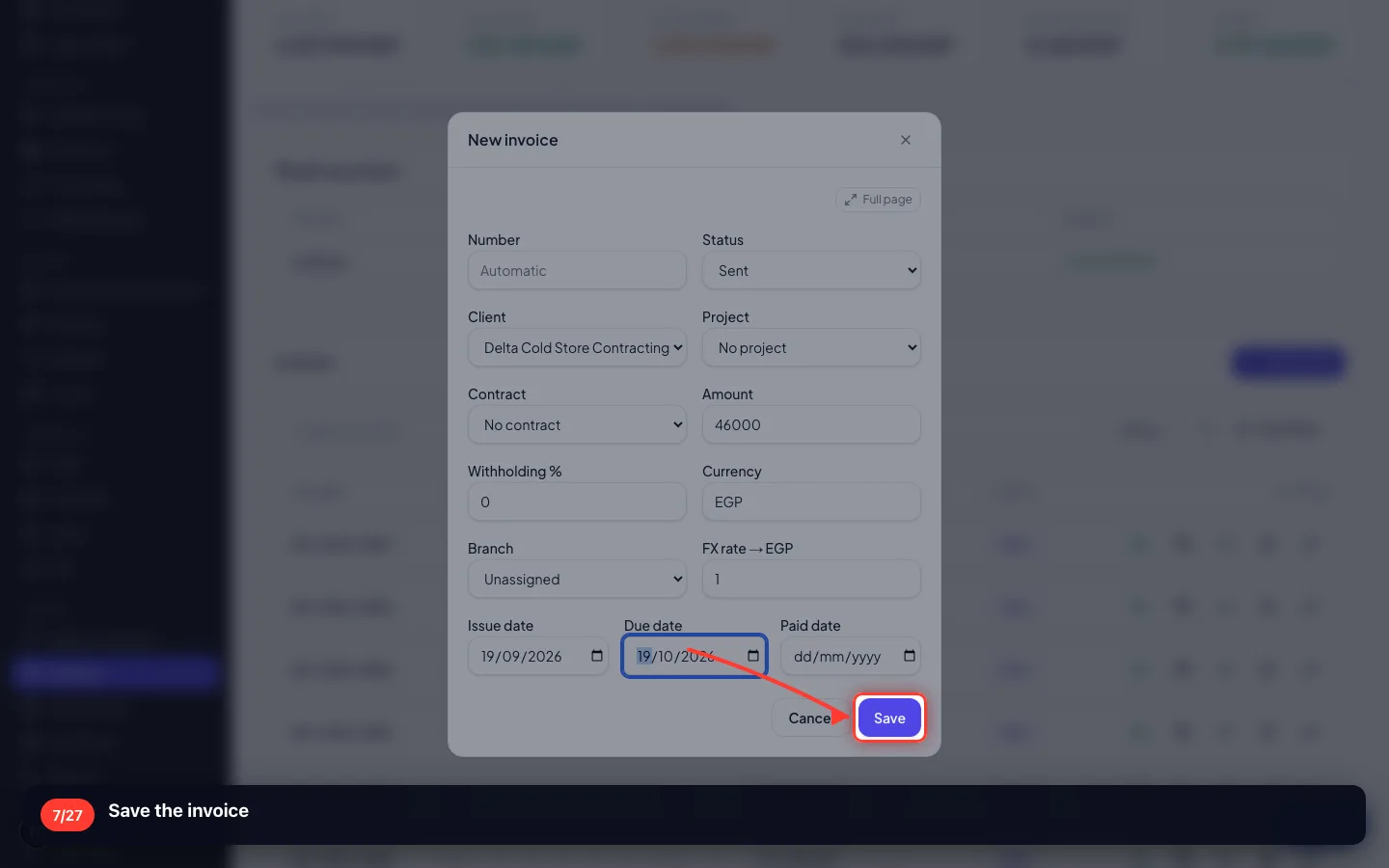
Save the invoice
3 · Getting paid
An invoice is not paid because somebody ticked a box. It is paid when the money is recorded.
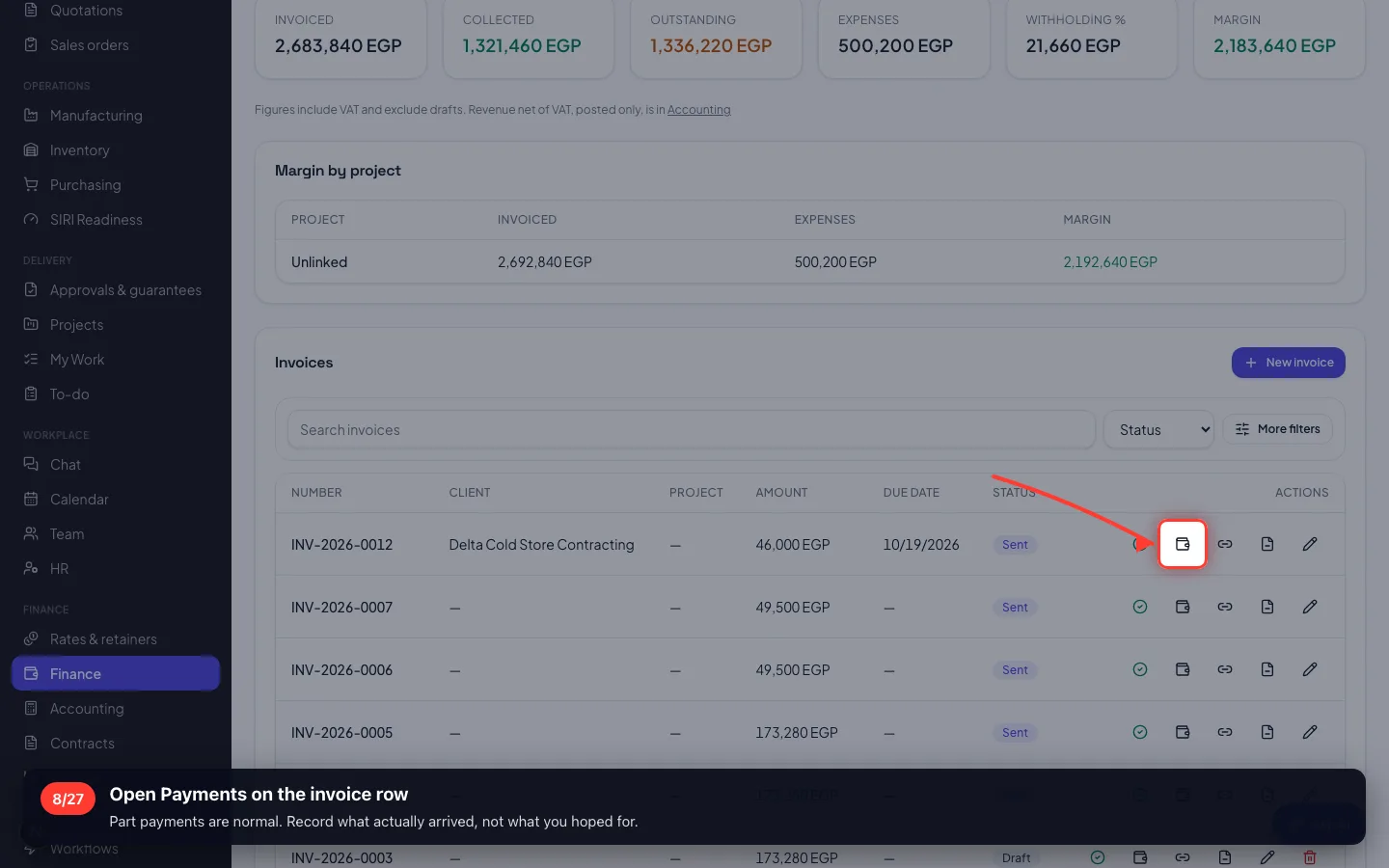
8Open Payments on the invoice row
Part payments are normal. Record what actually arrived, not what you hoped for.
- 9
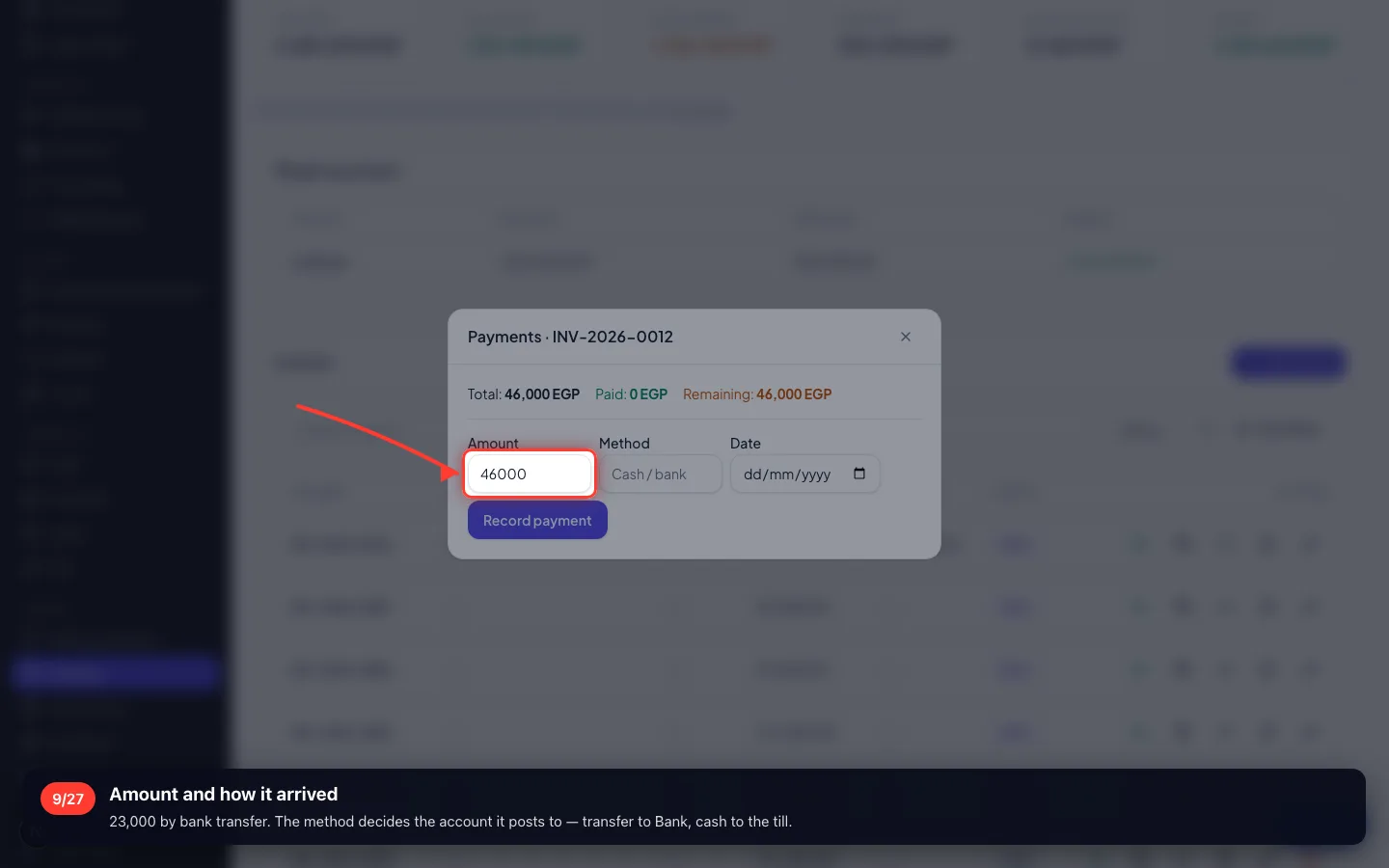
Amount and how it arrived
23,000 by bank transfer. The method decides the account it posts to — transfer to Bank, cash to the till.
- 10
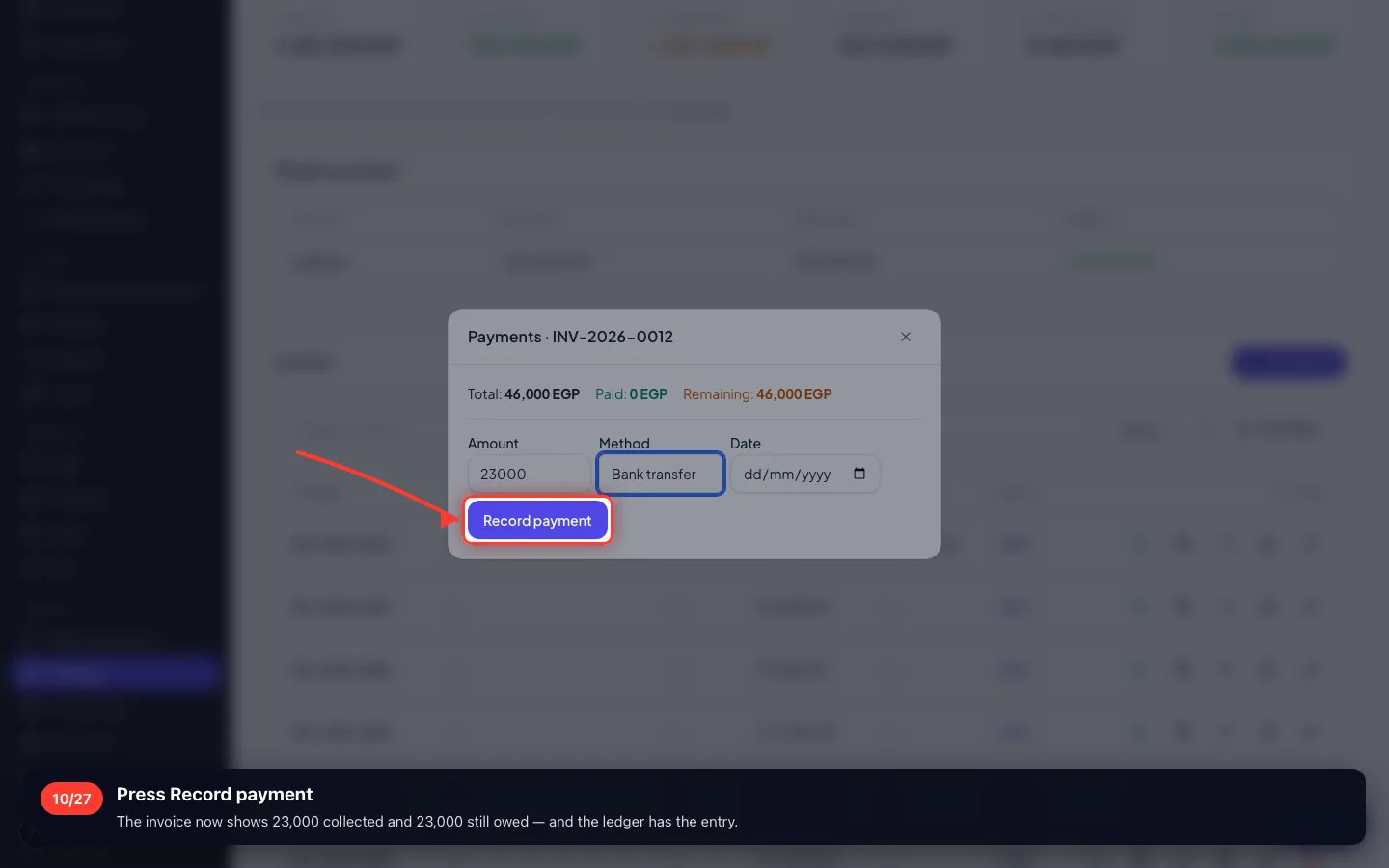
Press Record payment
The invoice now shows 23,000 collected and 23,000 still owed — and the ledger has the entry.
- 11
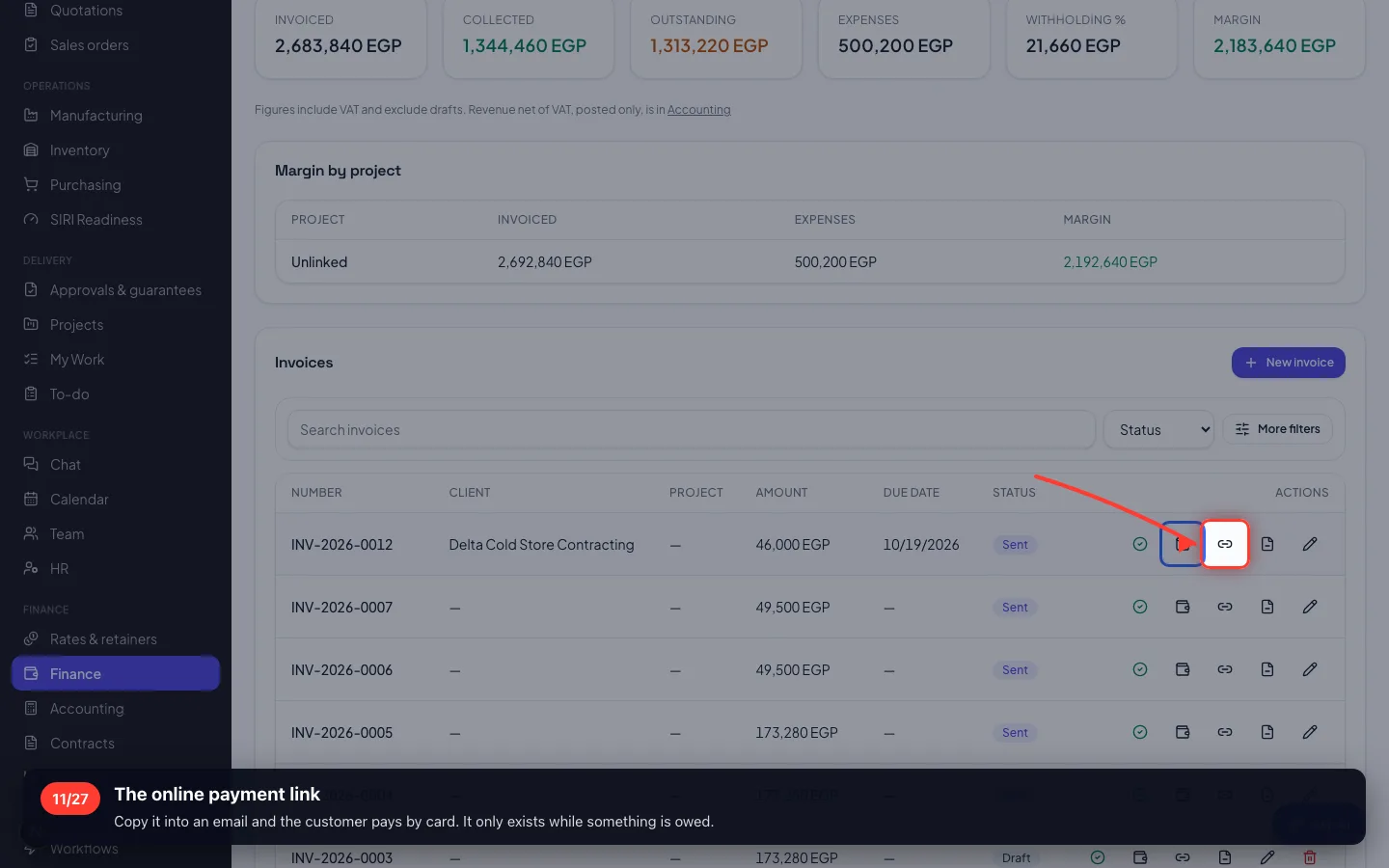
The online payment link
Copy it into an email and the customer pays by card. It only exists while something is owed.
4 · When something has to come off
Two boards came back damaged. You never edit a sent invoice — you issue a credit note against it.
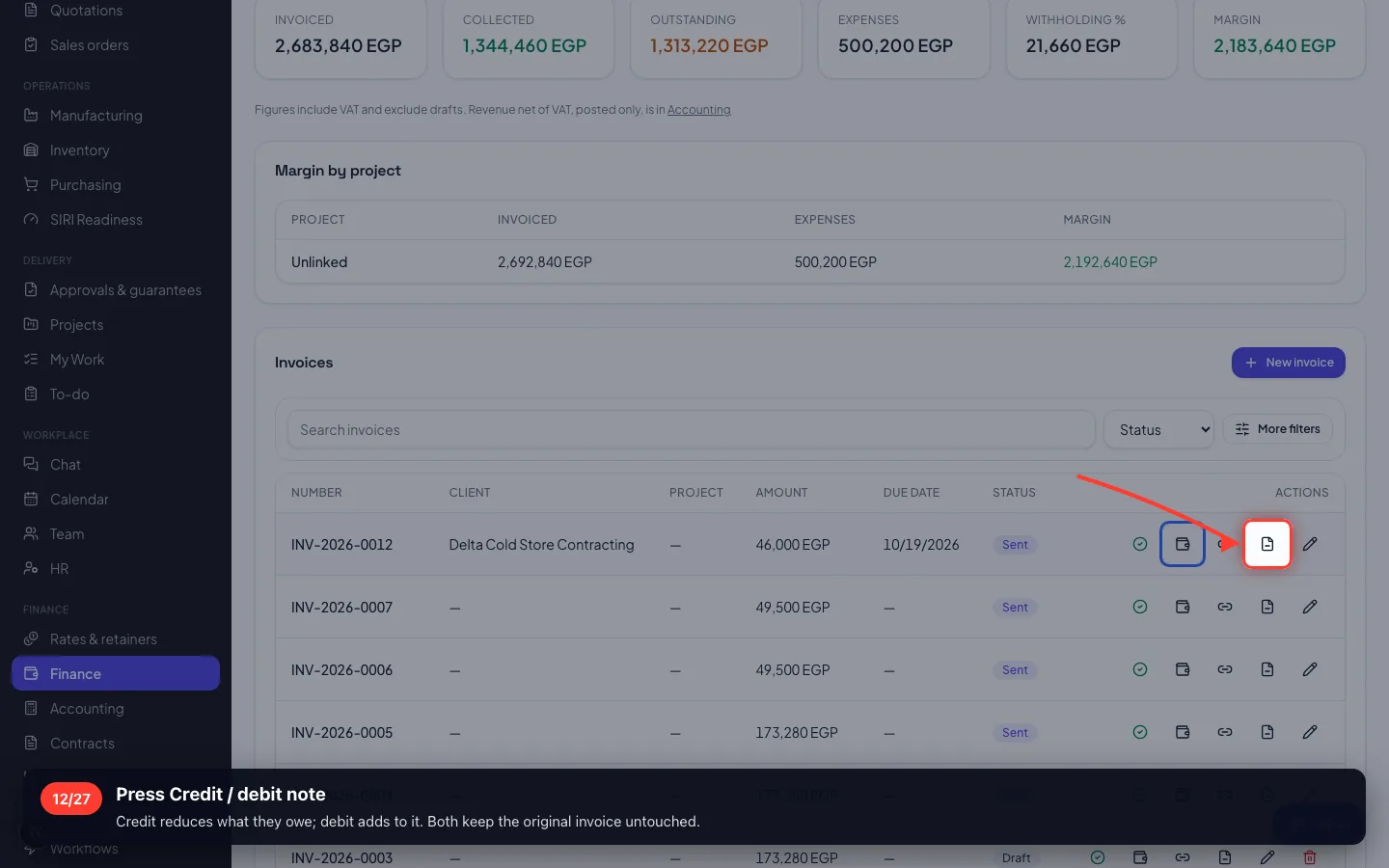
12Press Credit / debit note
Credit reduces what they owe; debit adds to it. Both keep the original invoice untouched.
- 13
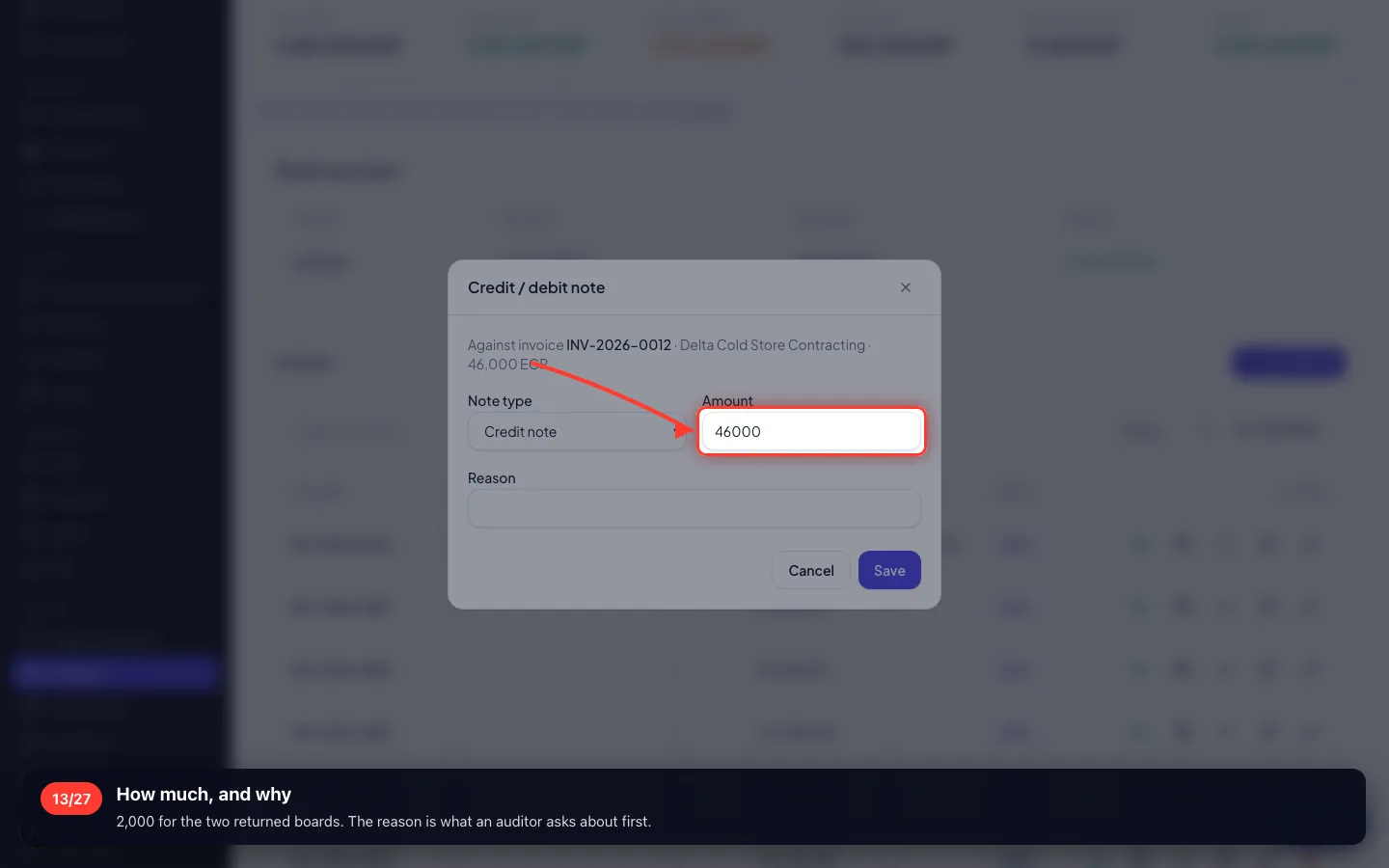
How much, and why
2,000 for the two returned boards. The reason is what an auditor asks about first.
- 14
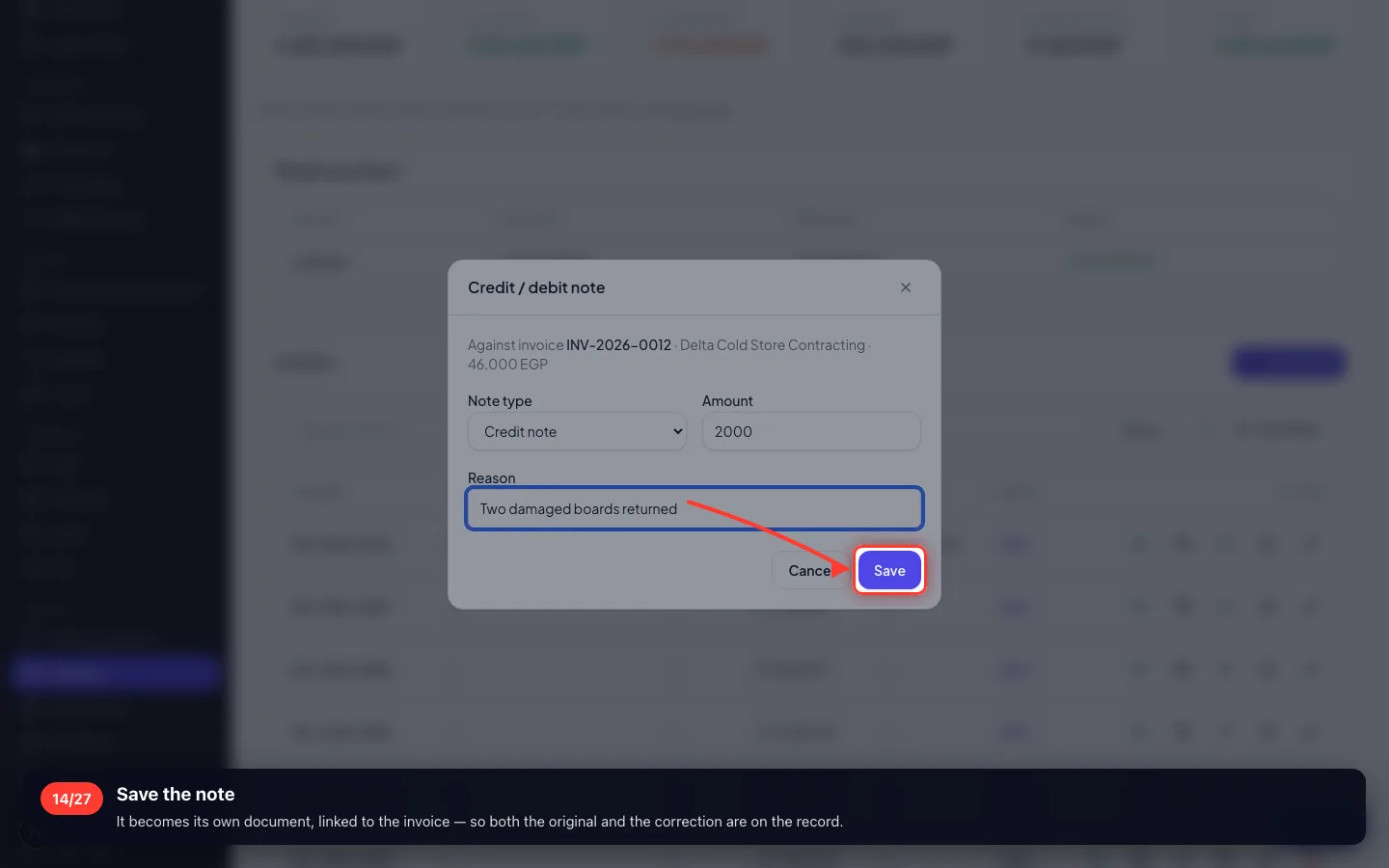
Save the note
It becomes its own document, linked to the invoice — so both the original and the correction are on the record.
5 · Who is late
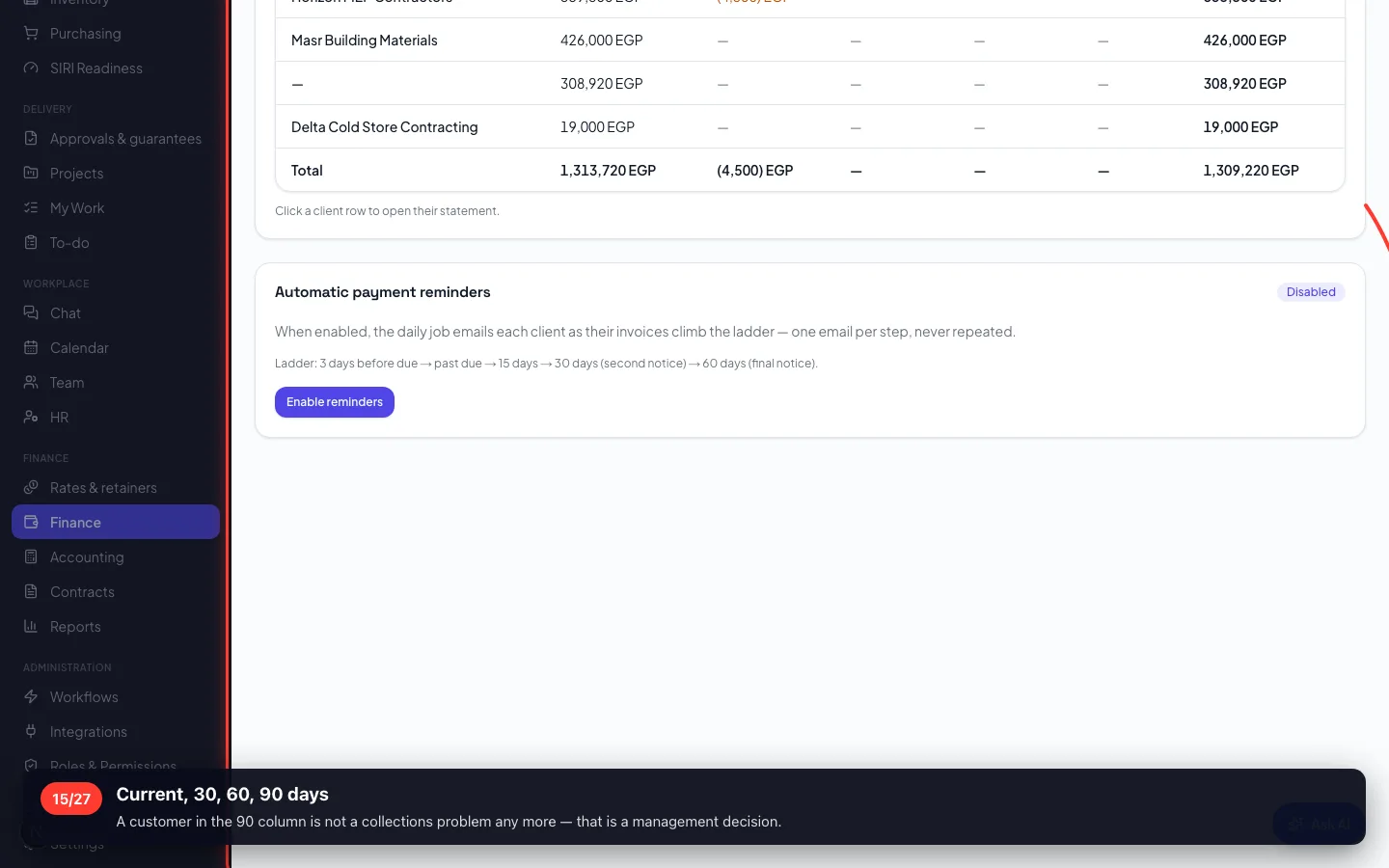
The aging report is the list collections work from — by how old the debt is, not by customer name.
15Current, 30, 60, 90 days
A customer in the 90 column is not a collections problem any more — that is a management decision.
- 16
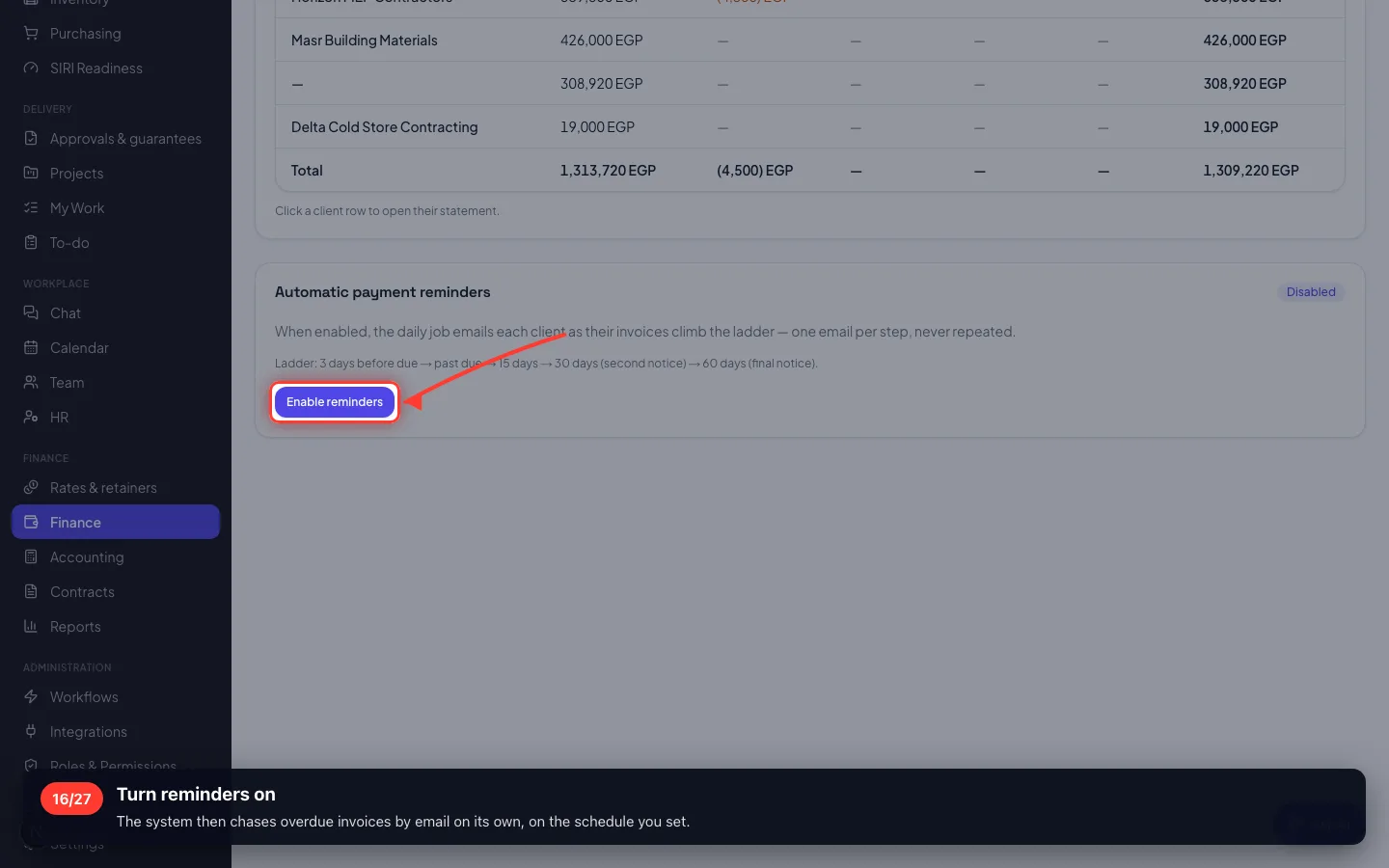
Turn reminders on
The system then chases overdue invoices by email on its own, on the schedule you set.
6 · Money that repeats
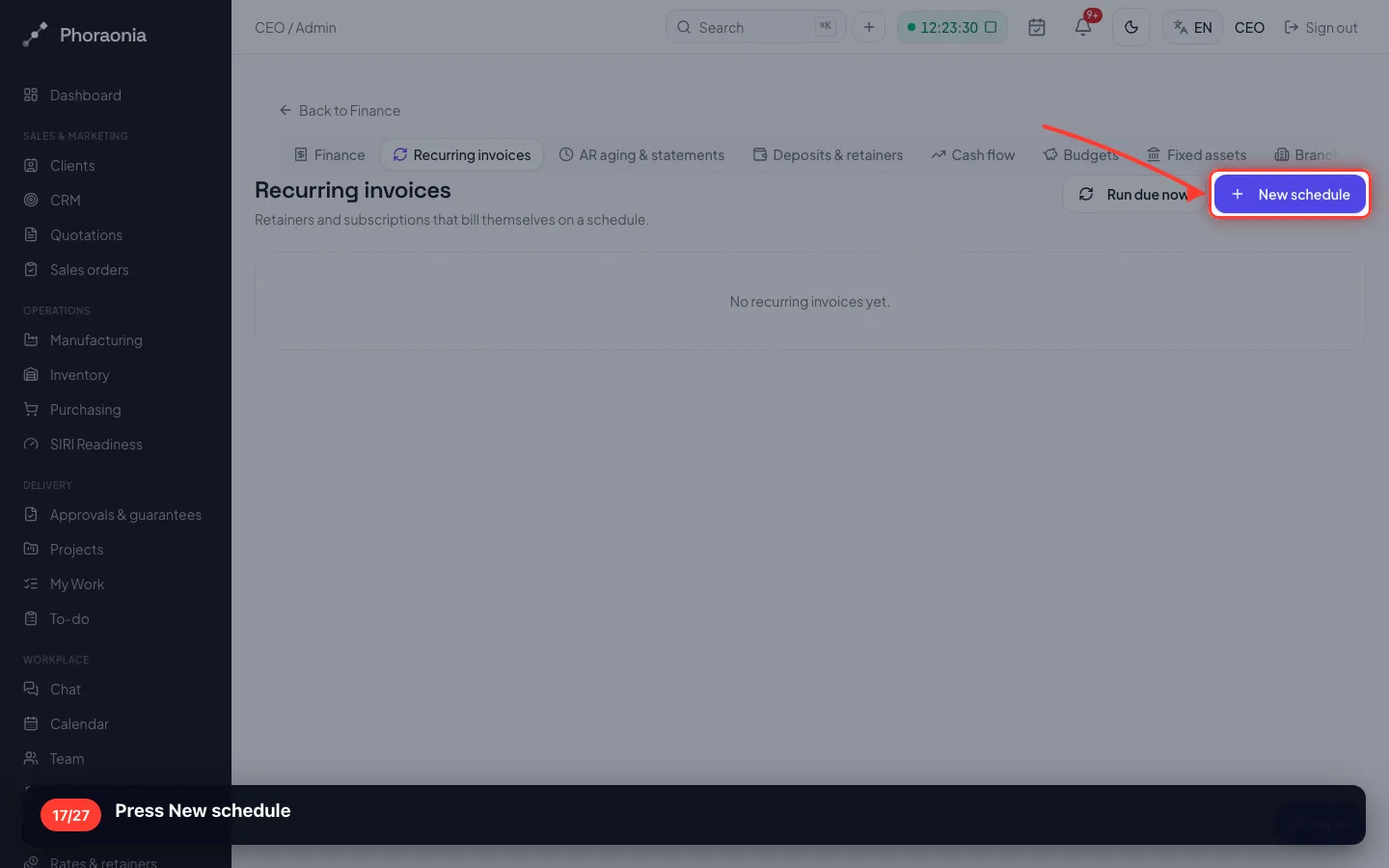
A maintenance retainer, a rental, a subscription — set it once and the invoice raises itself every month.
17Press New schedule
- 18
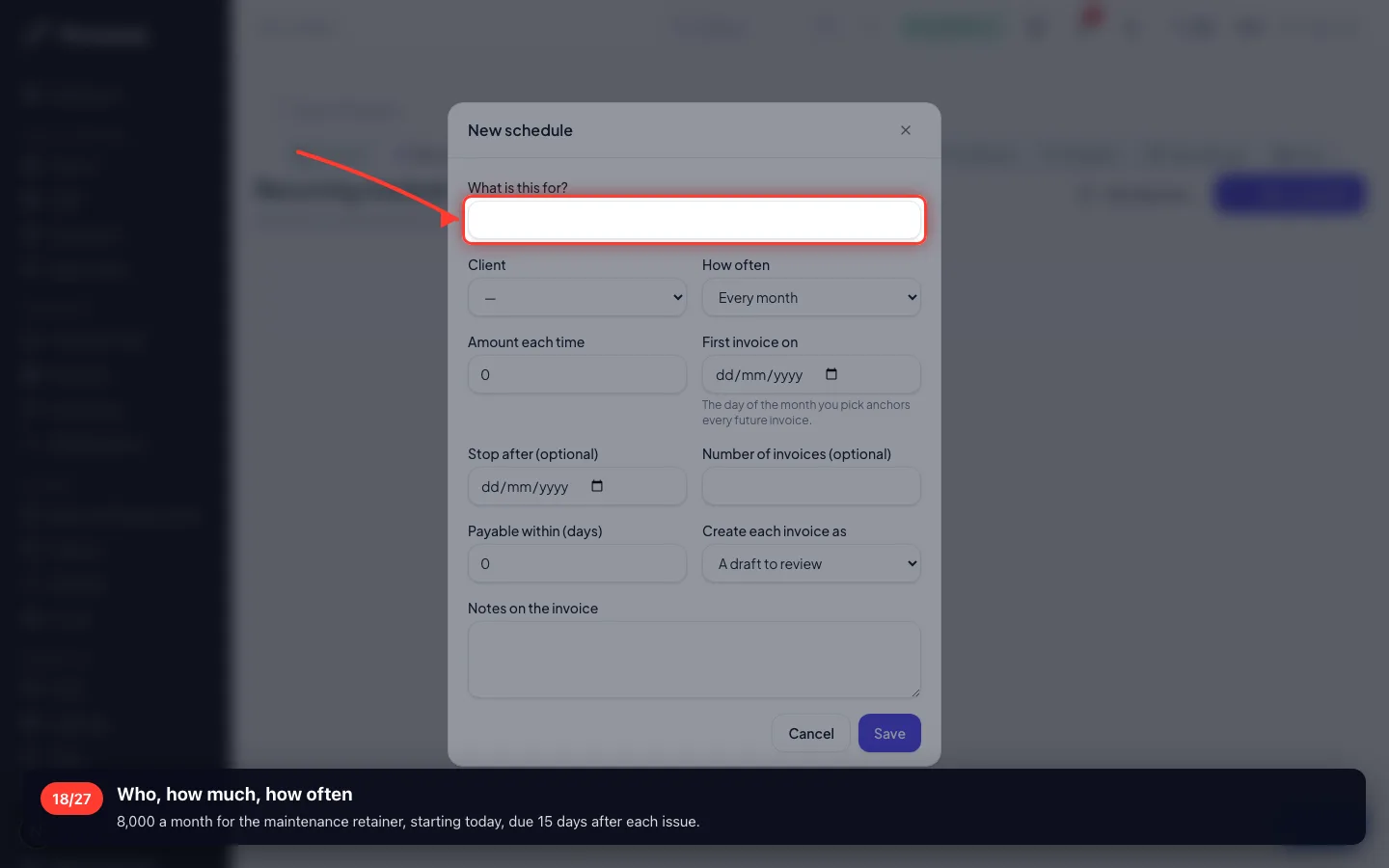
Who, how much, how often
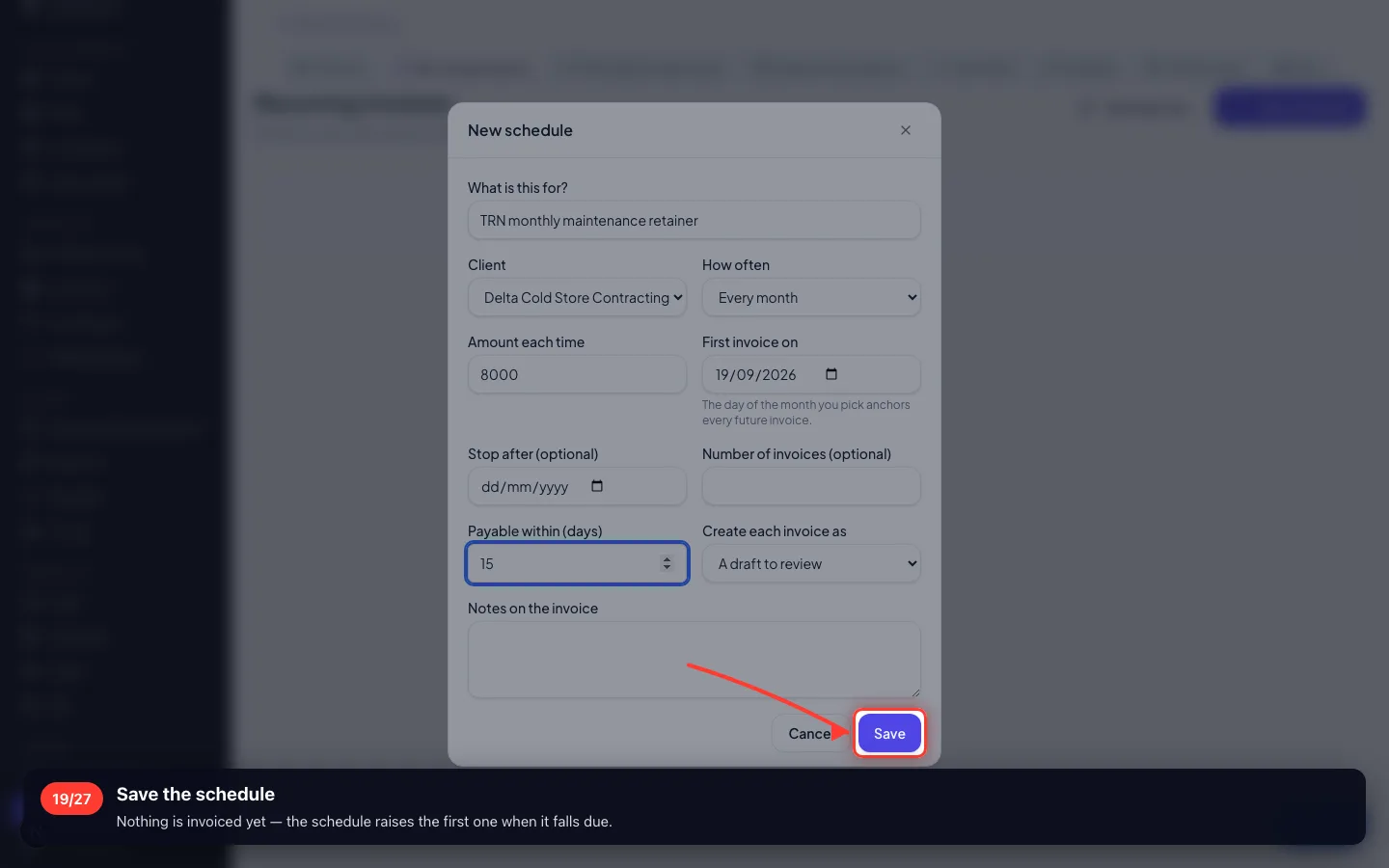
8,000 a month for the maintenance retainer, starting today, due 15 days after each issue.
- 19
Save the schedule
Nothing is invoiced yet — the schedule raises the first one when it falls due.
7 · Money taken before the work
An advance is not income. It is money you hold that belongs to the customer until you invoice against it.
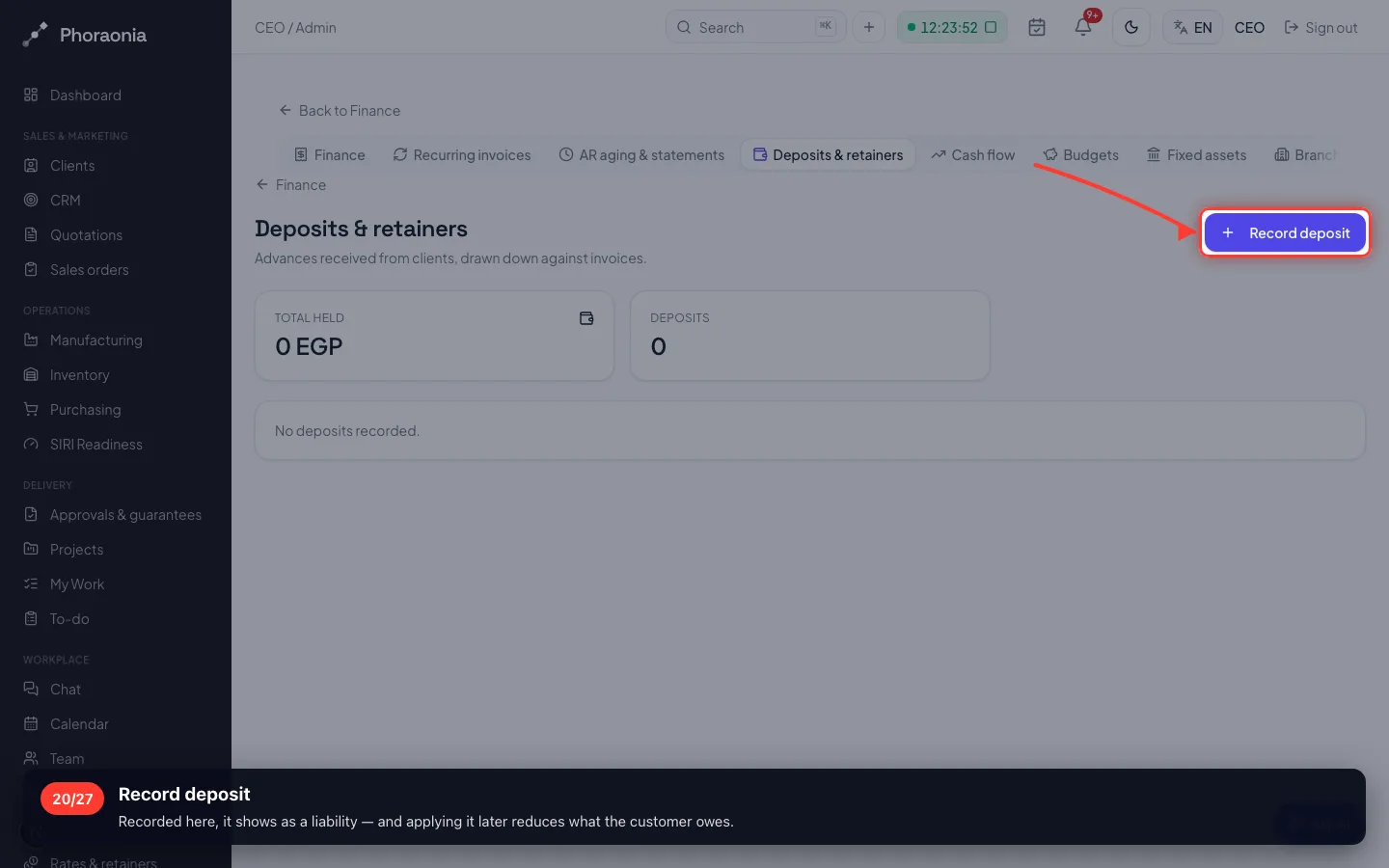
20Record deposit
Recorded here, it shows as a liability — and applying it later reduces what the customer owes.
8 · Things that wear out
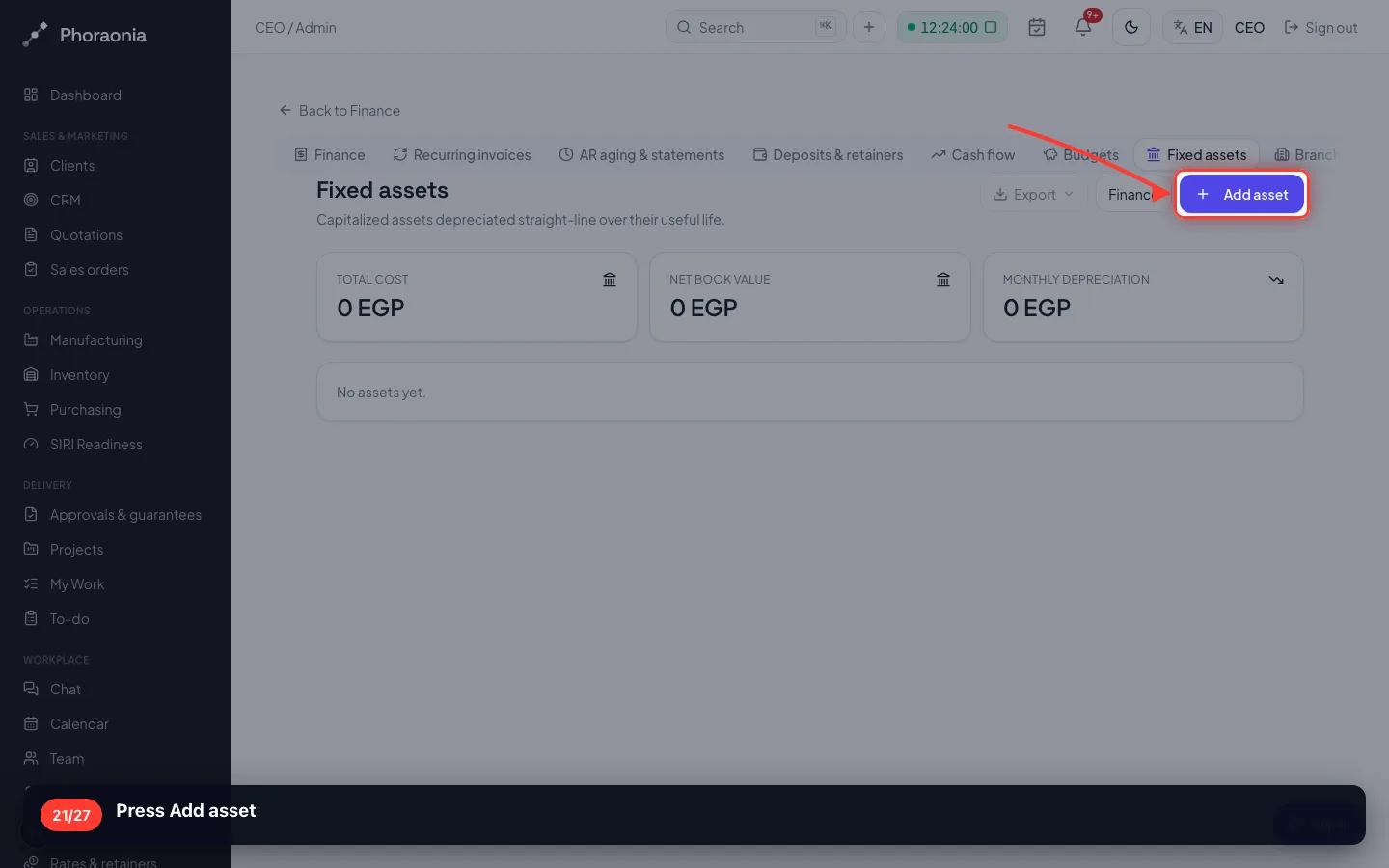
A machine is not an expense the day you buy it. It is an asset that loses value over its life.
21Press Add asset
- 22
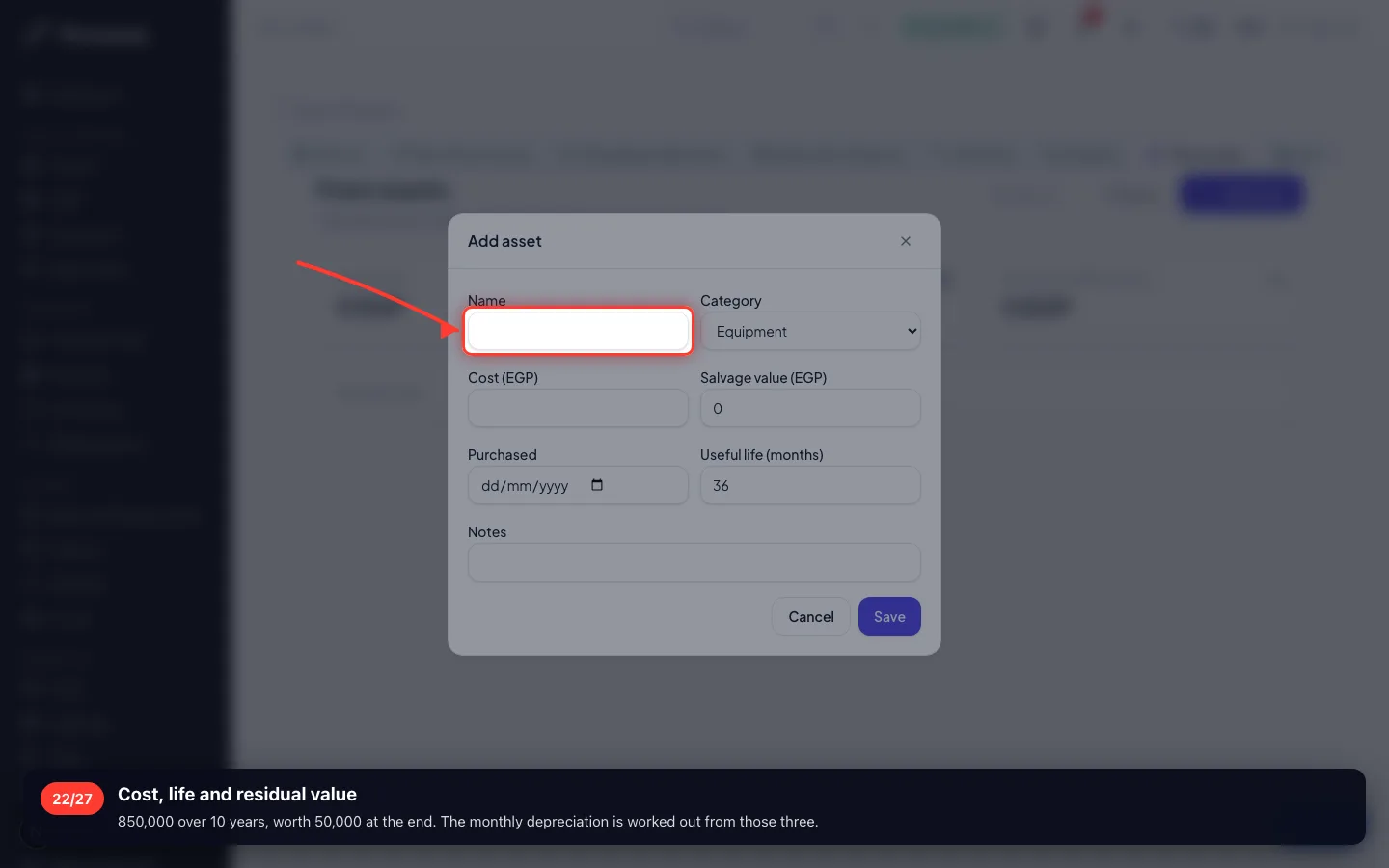
Cost, life and residual value
850,000 over 10 years, worth 50,000 at the end. The monthly depreciation is worked out from those three.
- 23
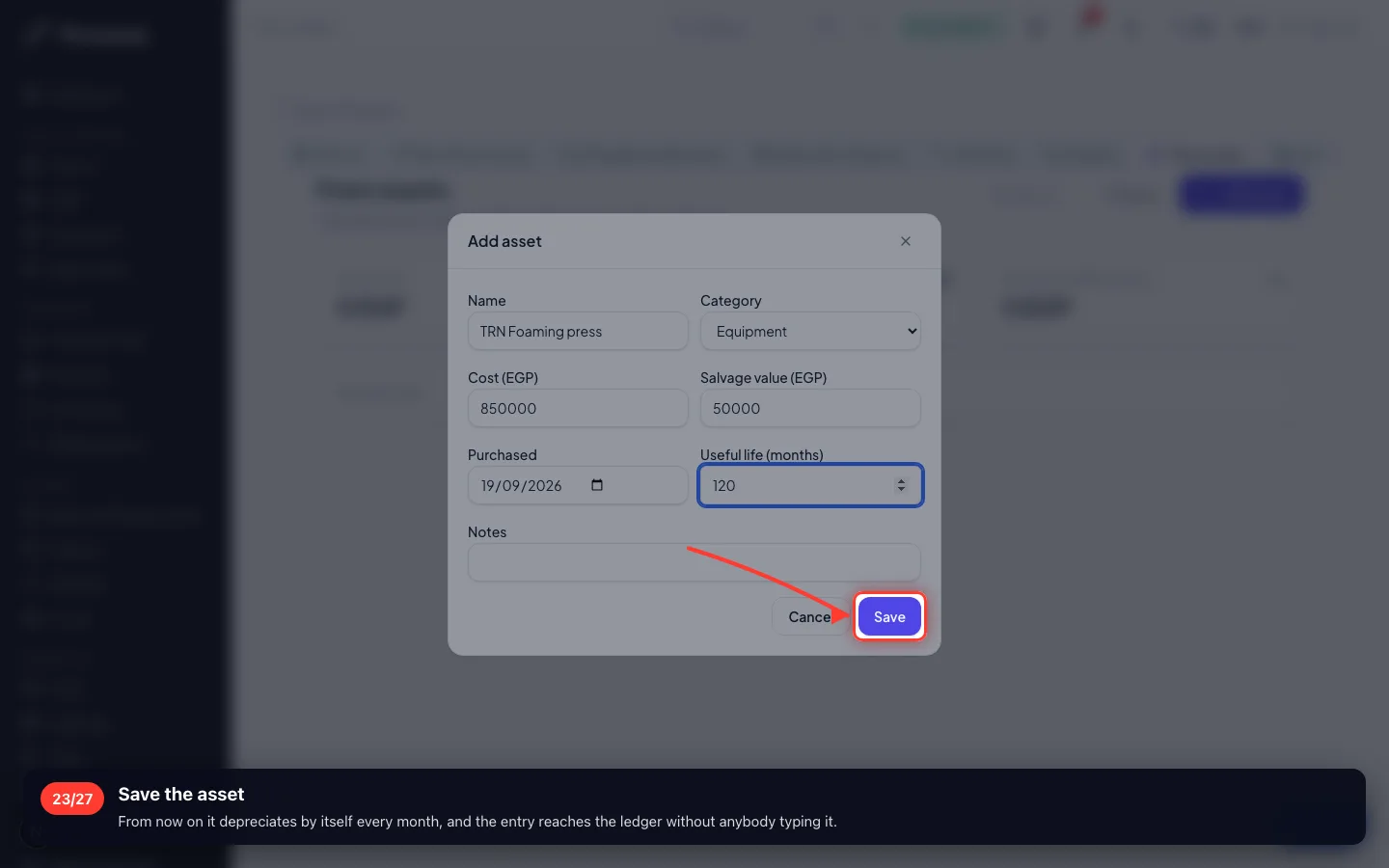
Save the asset
From now on it depreciates by itself every month, and the entry reaches the ledger without anybody typing it.
9 · Spending against a plan
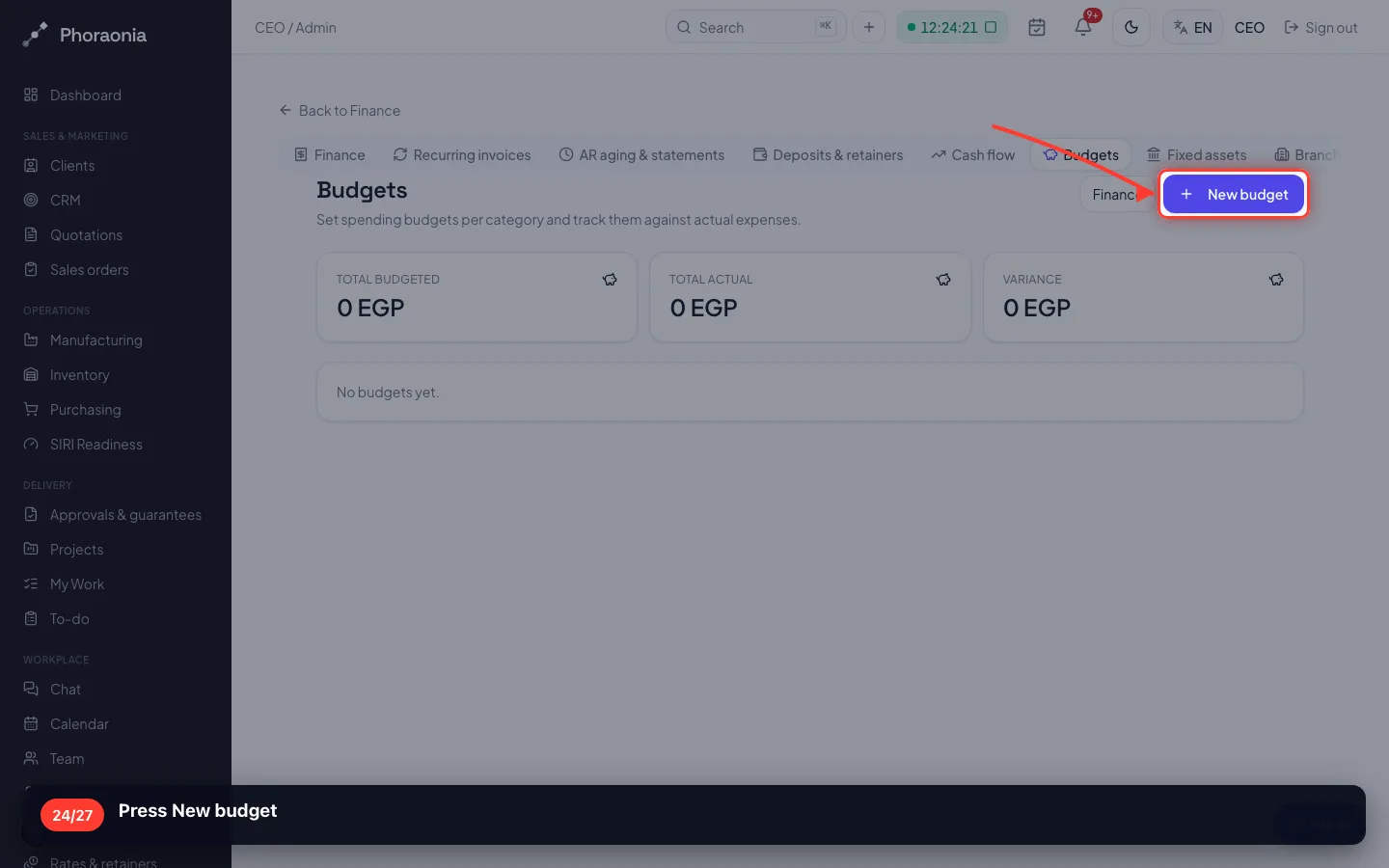
A budget is a number you agreed in advance. The screen compares it with what was actually spent.
24Press New budget
- 25
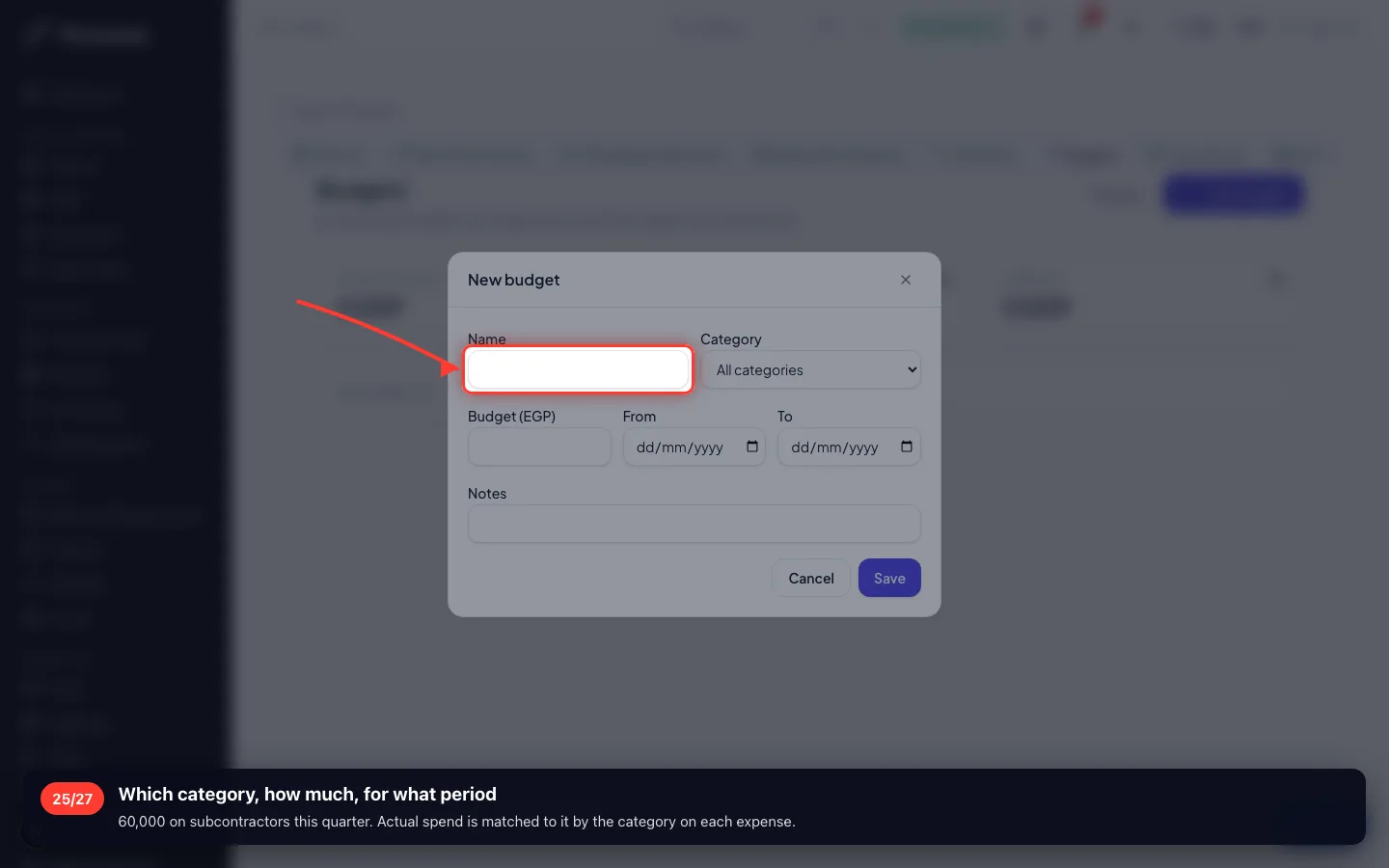
Which category, how much, for what period
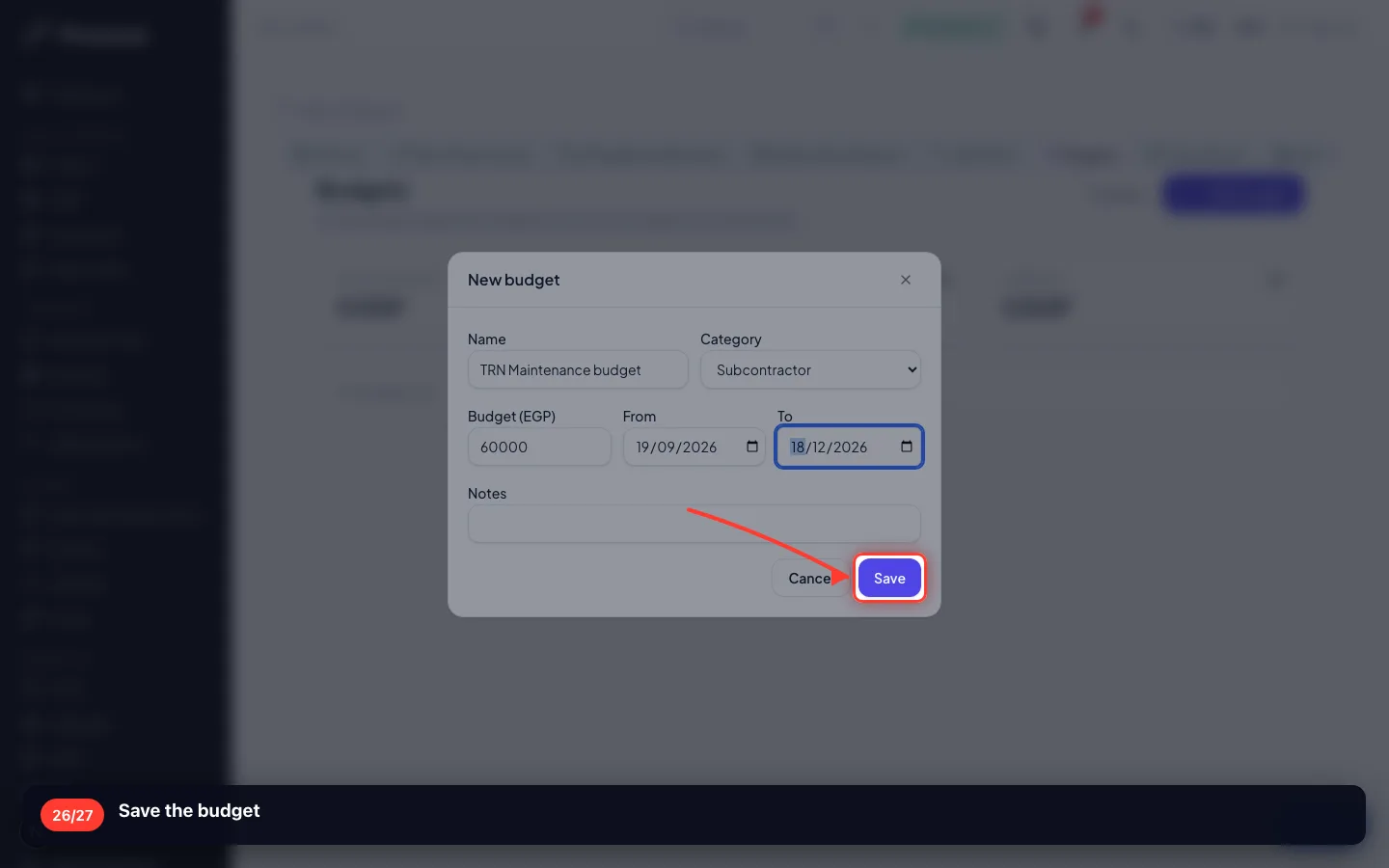
60,000 on subcontractors this quarter. Actual spend is matched to it by the category on each expense.
- 26
Save the budget
10 · Will the money last?
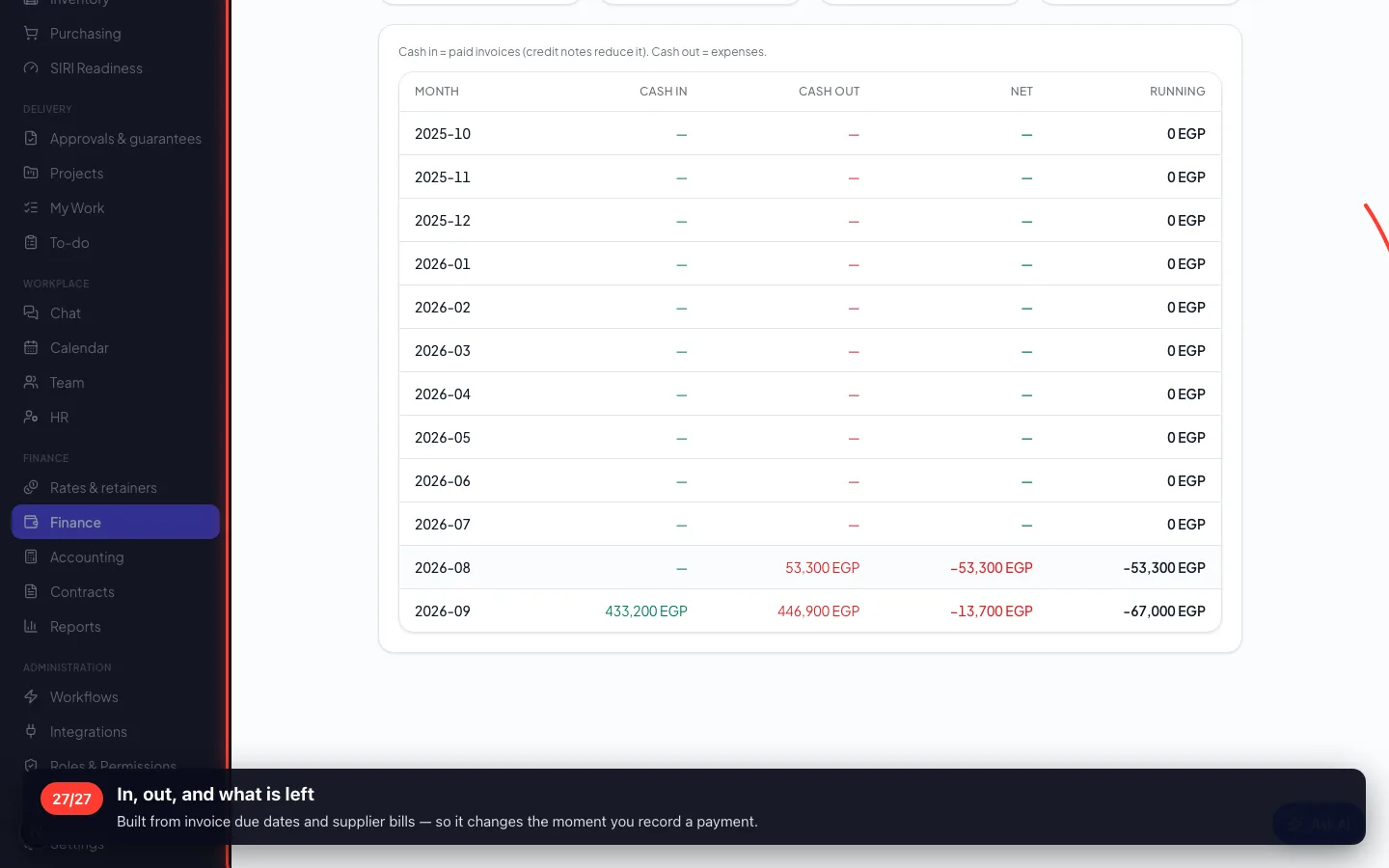
Cash flow is the one screen that looks forward: what is due in, what is due out, and when.
27In, out, and what is left
Built from invoice due dates and supplier bills — so it changes the moment you record a payment.
Enregistré sur un espace de démonstration. Les chiffres sont fictifs, les écrans sont réels.