Support, events, training and marketing
Tickets with a promised response time, one inbox for every channel, a knowledge base, events with QR check-in, courses staff must pass, and campaigns judged on money collected.
11 steps
The whole walkthrough, no narration — the captions are on the screen.
1 · Support
A complaint sitting in somebody's inbox is a complaint nobody can see. A ticket has an owner, a stage and a deadline.
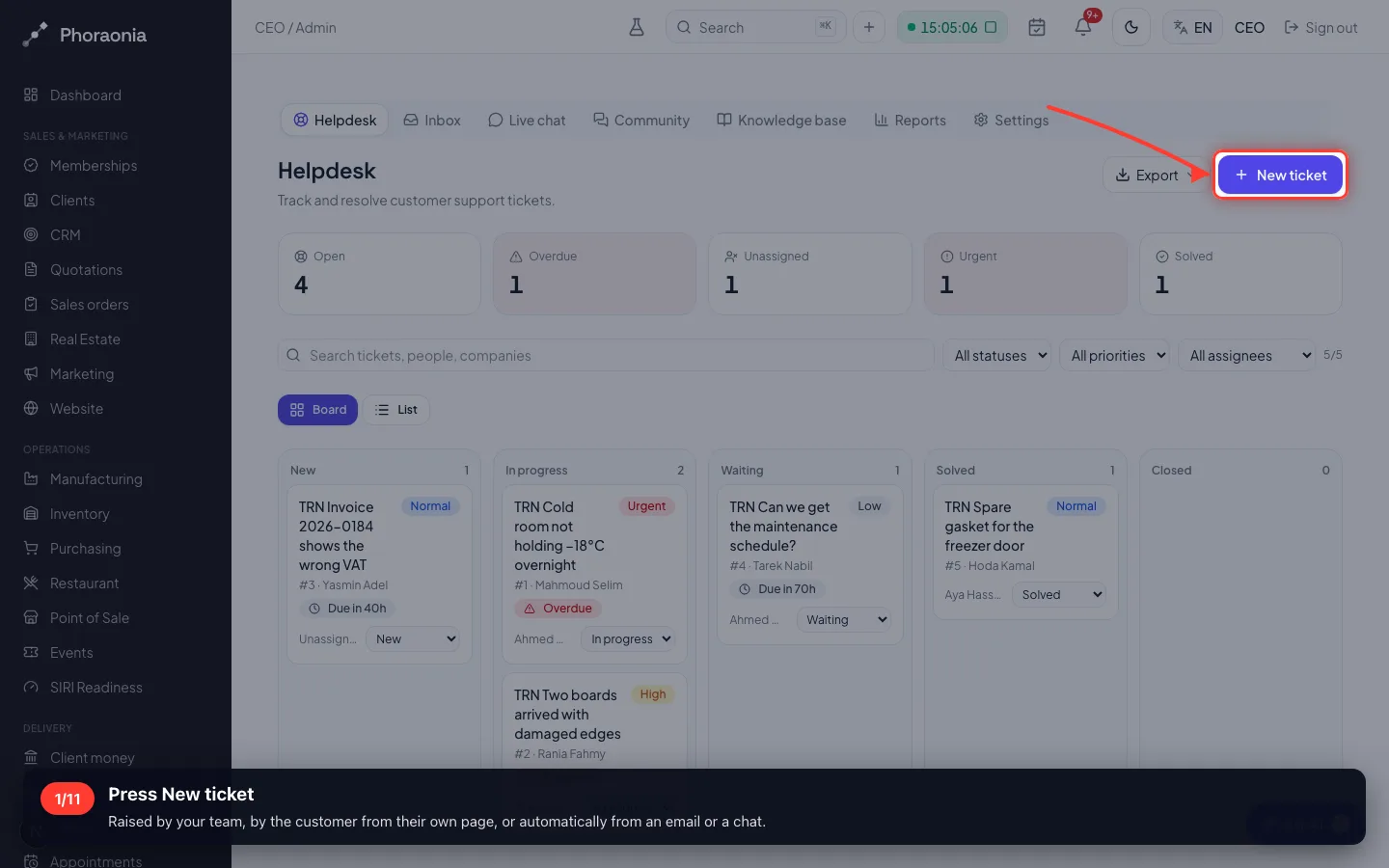
1Press New ticket
Raised by your team, by the customer from their own page, or automatically from an email or a chat.
- 2
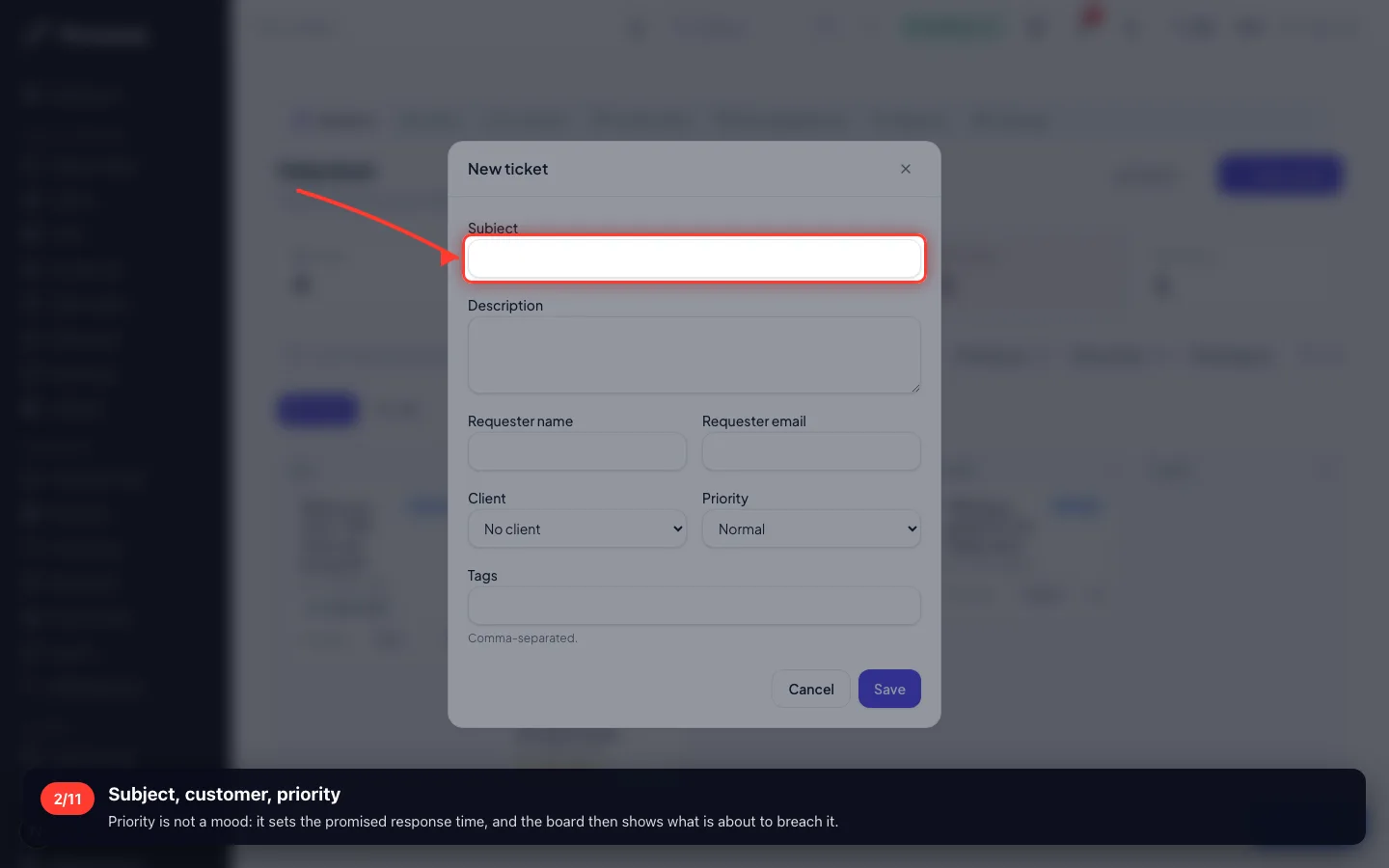
Subject, customer, priority
Priority is not a mood: it sets the promised response time, and the board then shows what is about to breach it.
- 3
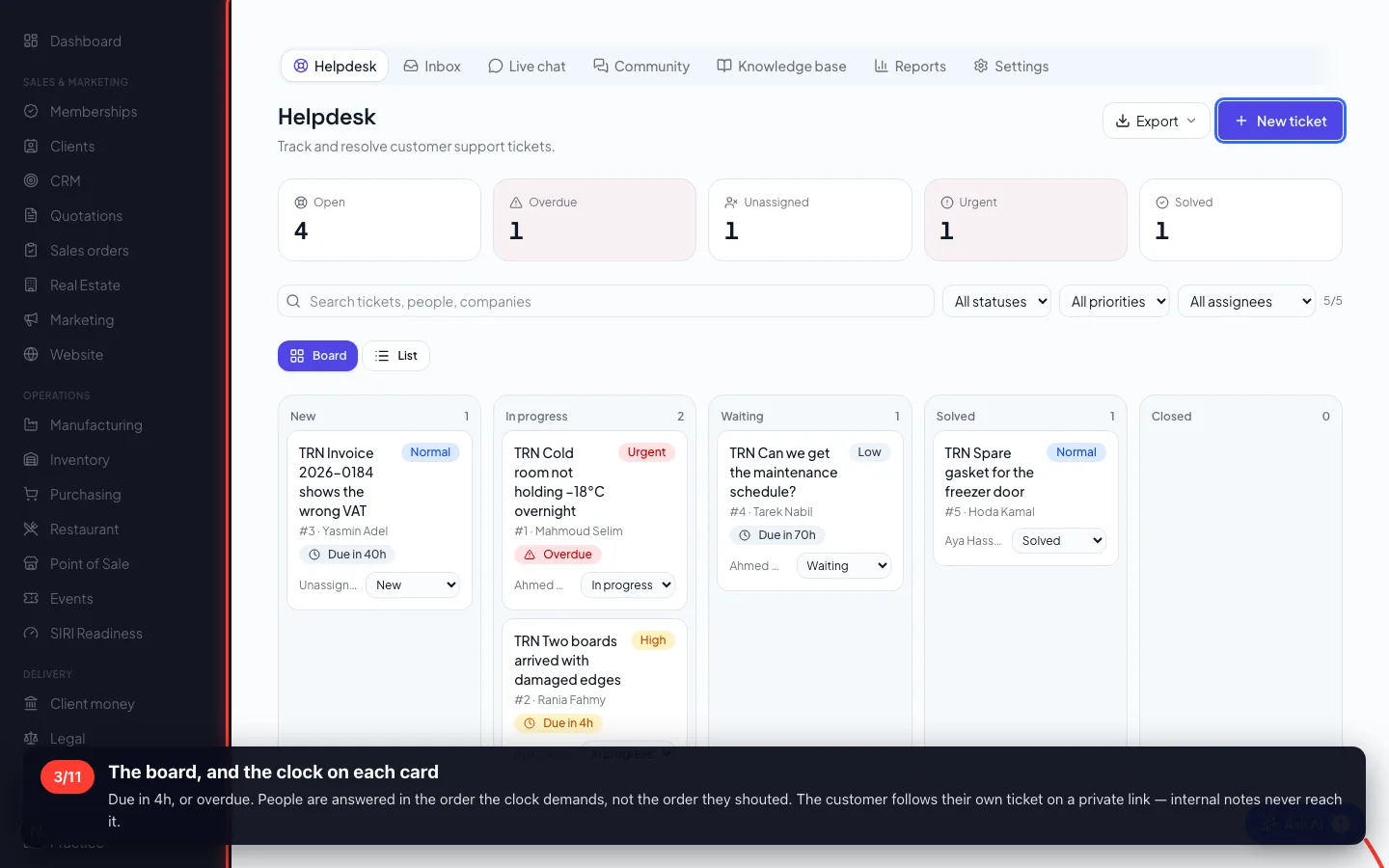
The board, and the clock on each card
Due in 4h, or overdue. People are answered in the order the clock demands, not the order they shouted. The customer follows their own ticket on a private link — internal notes never reach it.
- 4
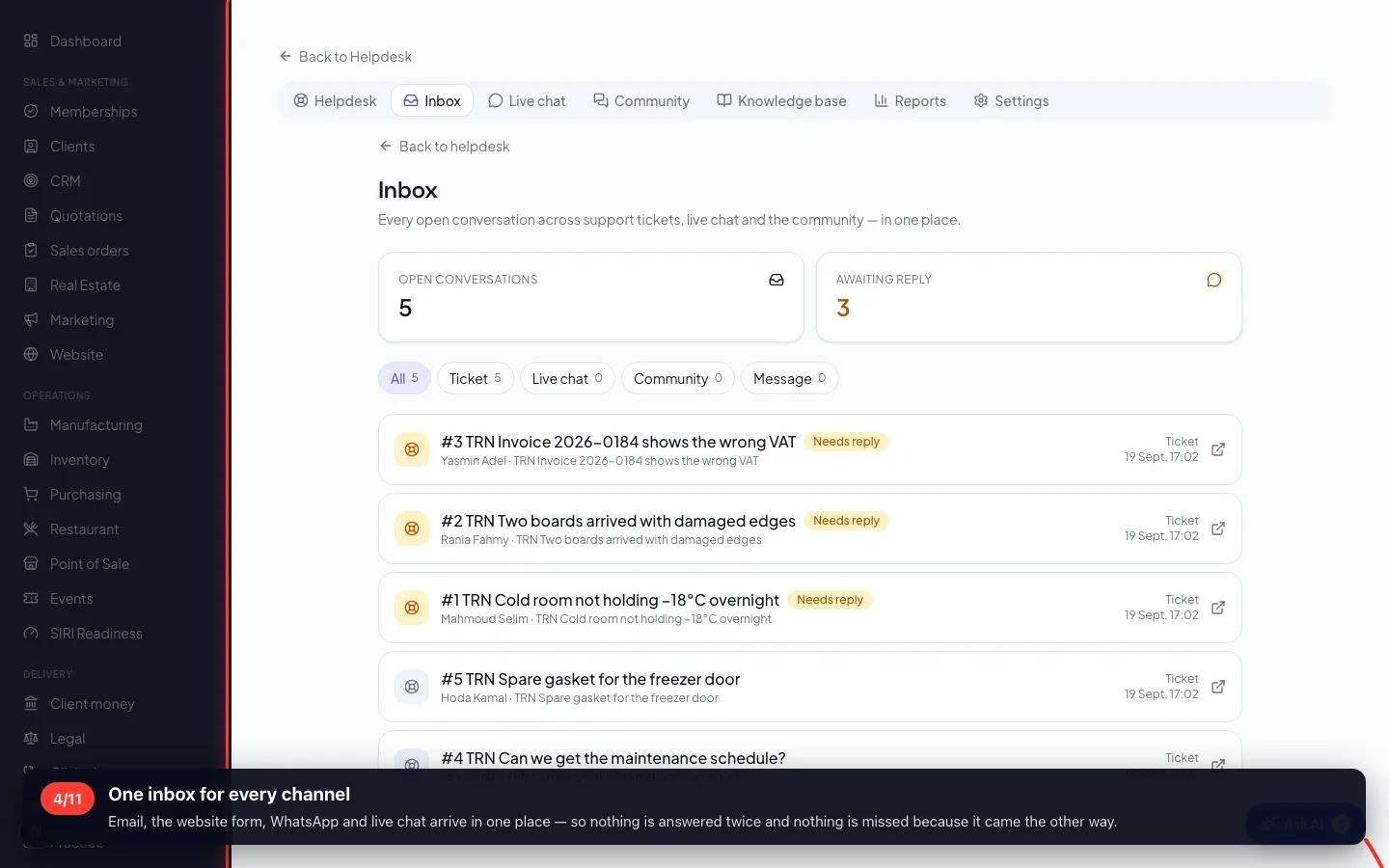
One inbox for every channel
Email, the website form, WhatsApp and live chat arrive in one place — so nothing is answered twice and nothing is missed because it came the other way.
- 5
The knowledge base
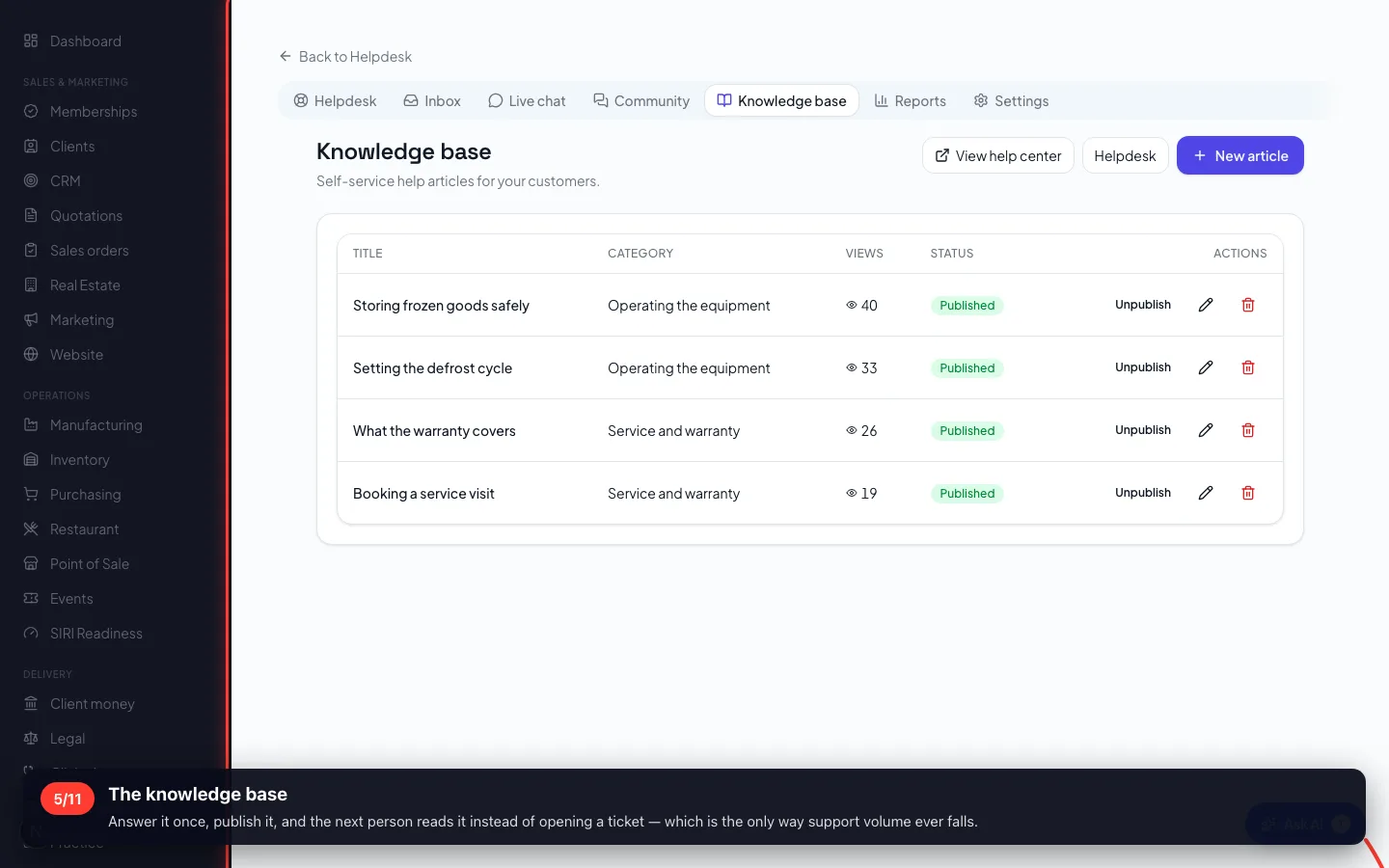
Answer it once, publish it, and the next person reads it instead of opening a ticket — which is the only way support volume ever falls.
- 6
How fast, and how well
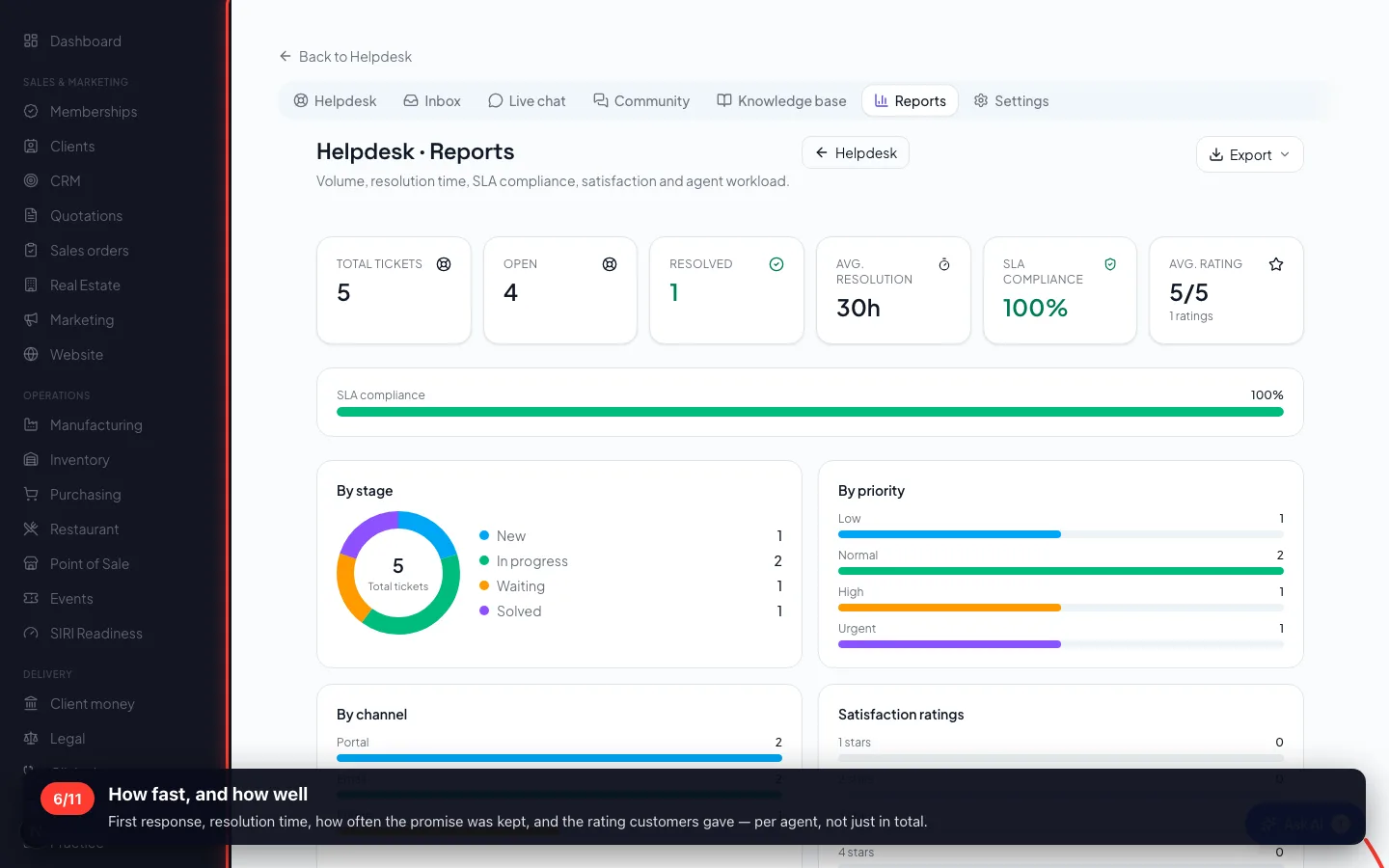
First response, resolution time, how often the promise was kept, and the rating customers gave — per agent, not just in total.
2 · Events
An open day, a training session, a product launch: public registration, a capacity, and check-in by QR at the door.
7Registration, capacity and check-in
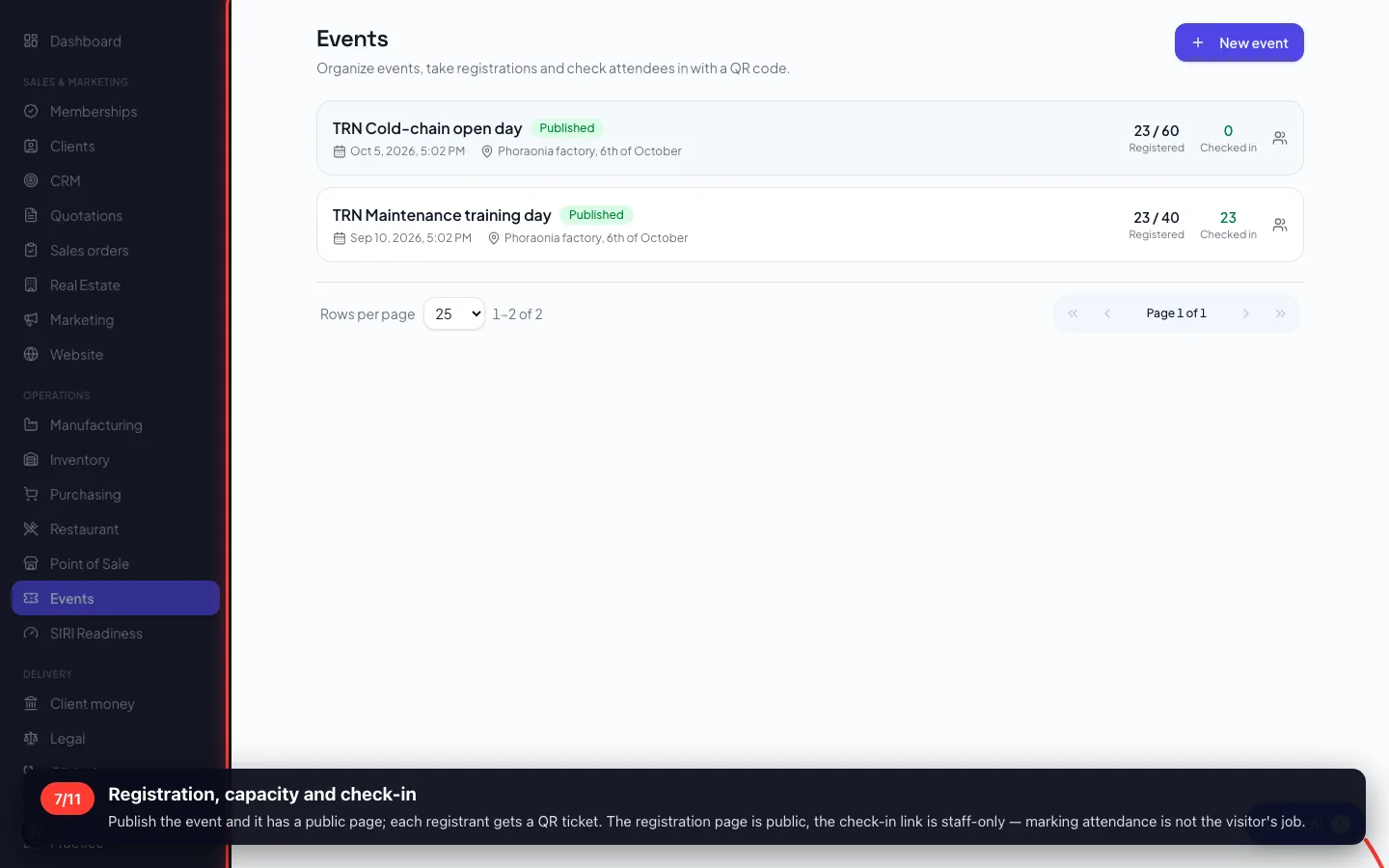
Publish the event and it has a public page; each registrant gets a QR ticket. The registration page is public, the check-in link is staff-only — marking attendance is not the visitor's job.
3 · Training
Courses with lessons, a quiz that must be passed, and a certificate — used for staff induction as much as for customers.
8Courses, lessons and the pass mark
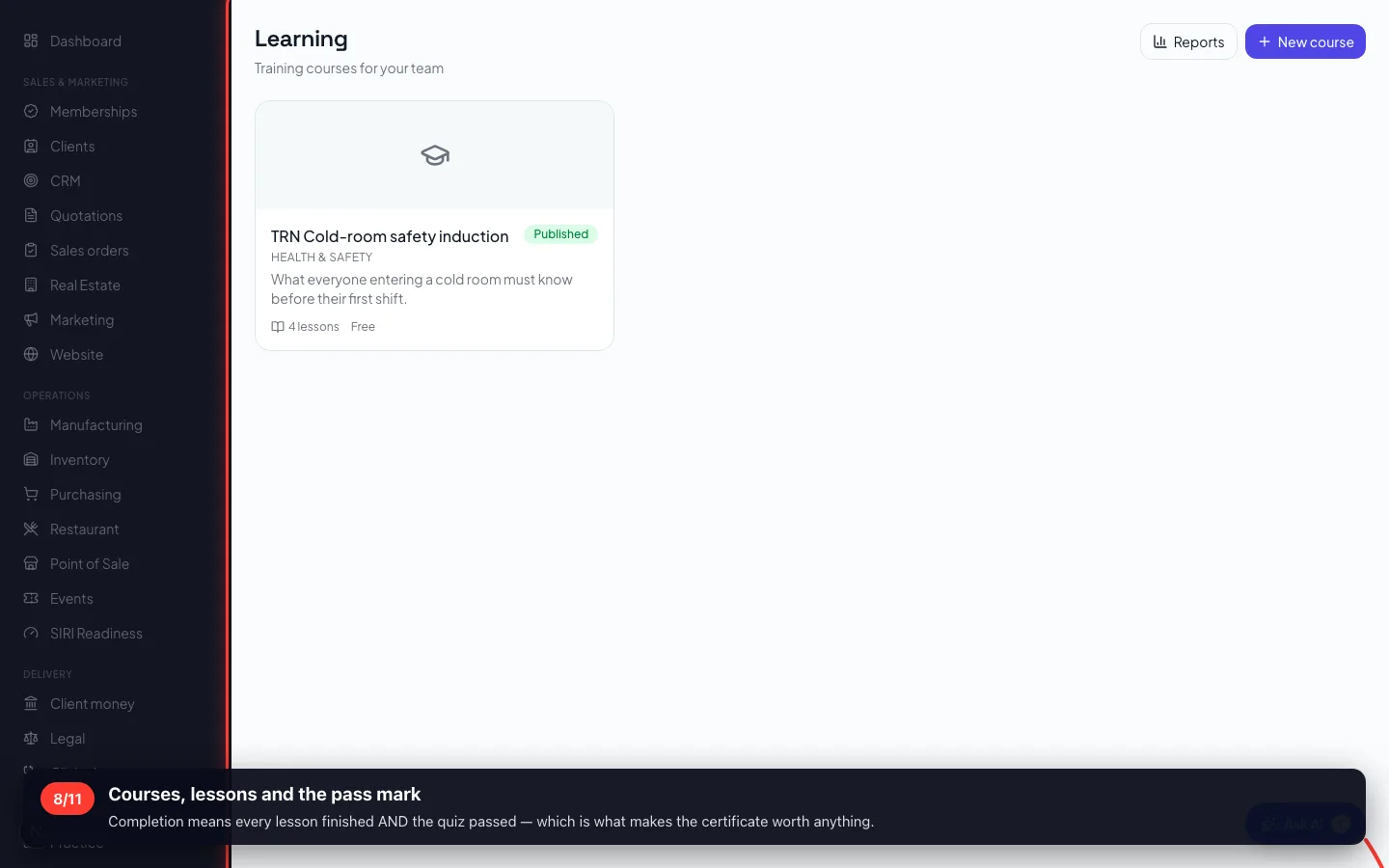
Completion means every lesson finished AND the quiz passed — which is what makes the certificate worth anything.
- 9
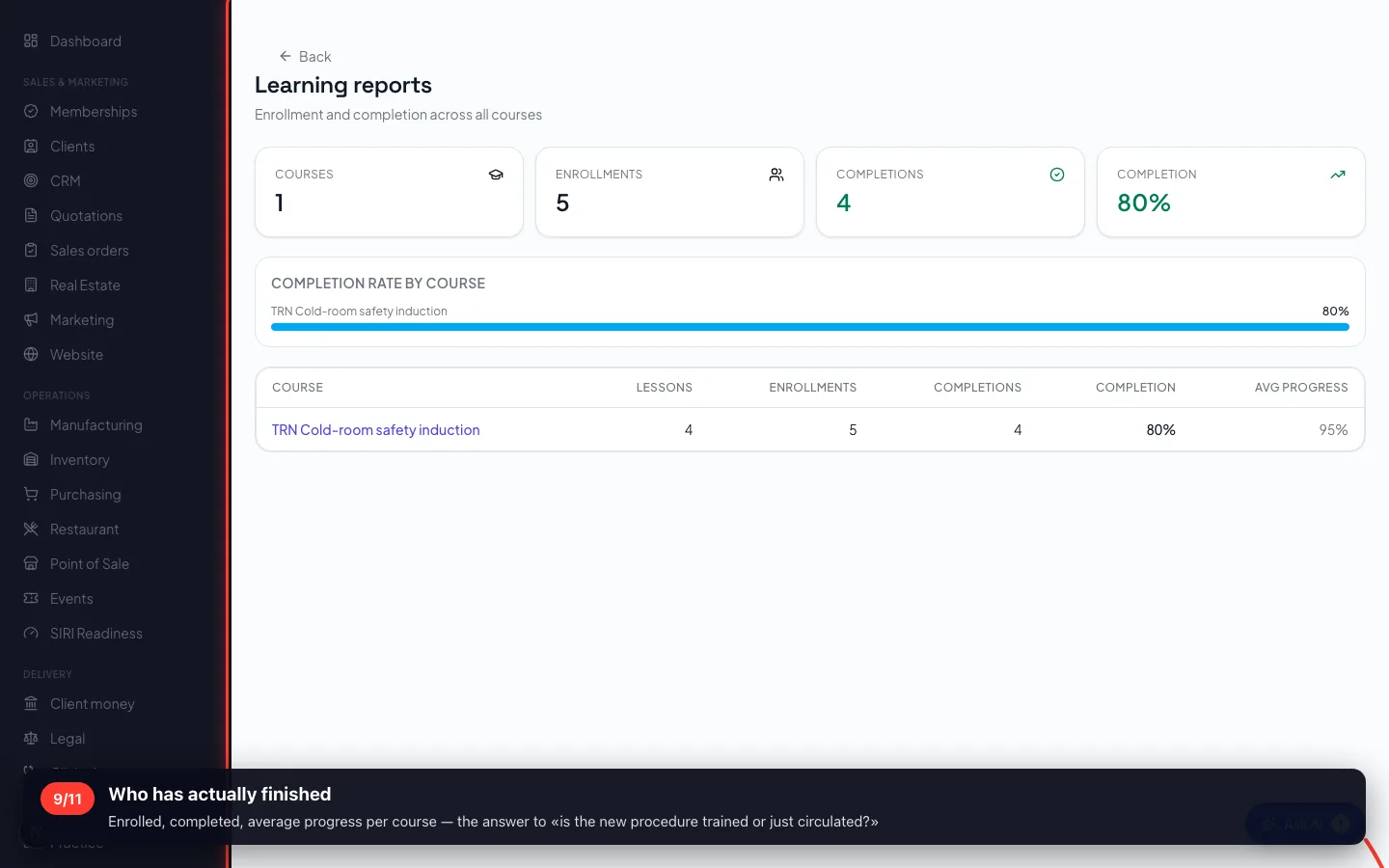
Who has actually finished
Enrolled, completed, average progress per course — the answer to «is the new procedure trained or just circulated?»
4 · Marketing
Campaigns, content, funnels — and the part that decides the budget: which source actually became money.
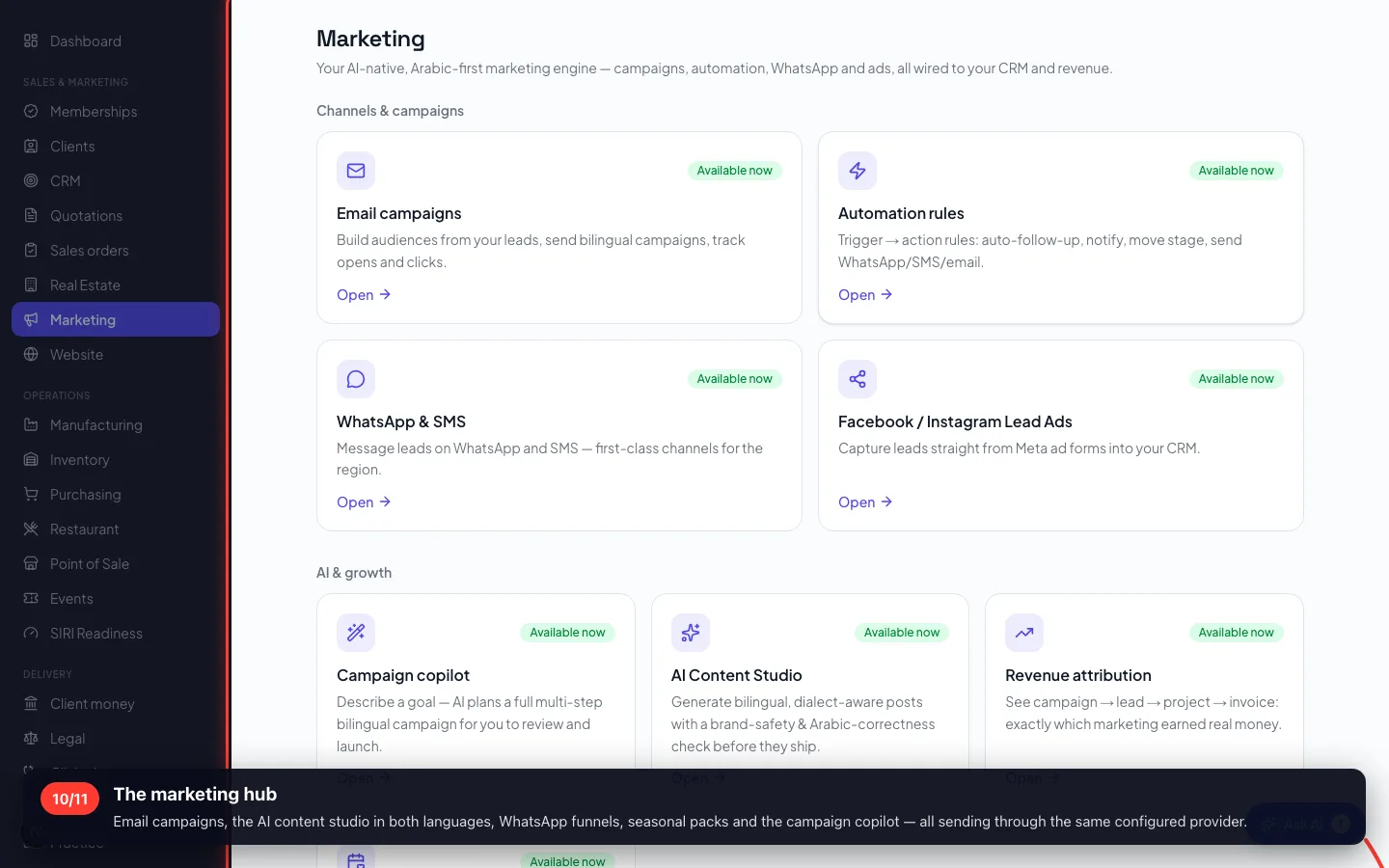
10The marketing hub
Email campaigns, the AI content studio in both languages, WhatsApp funnels, seasonal packs and the campaign copilot — all sending through the same configured provider.
- 11
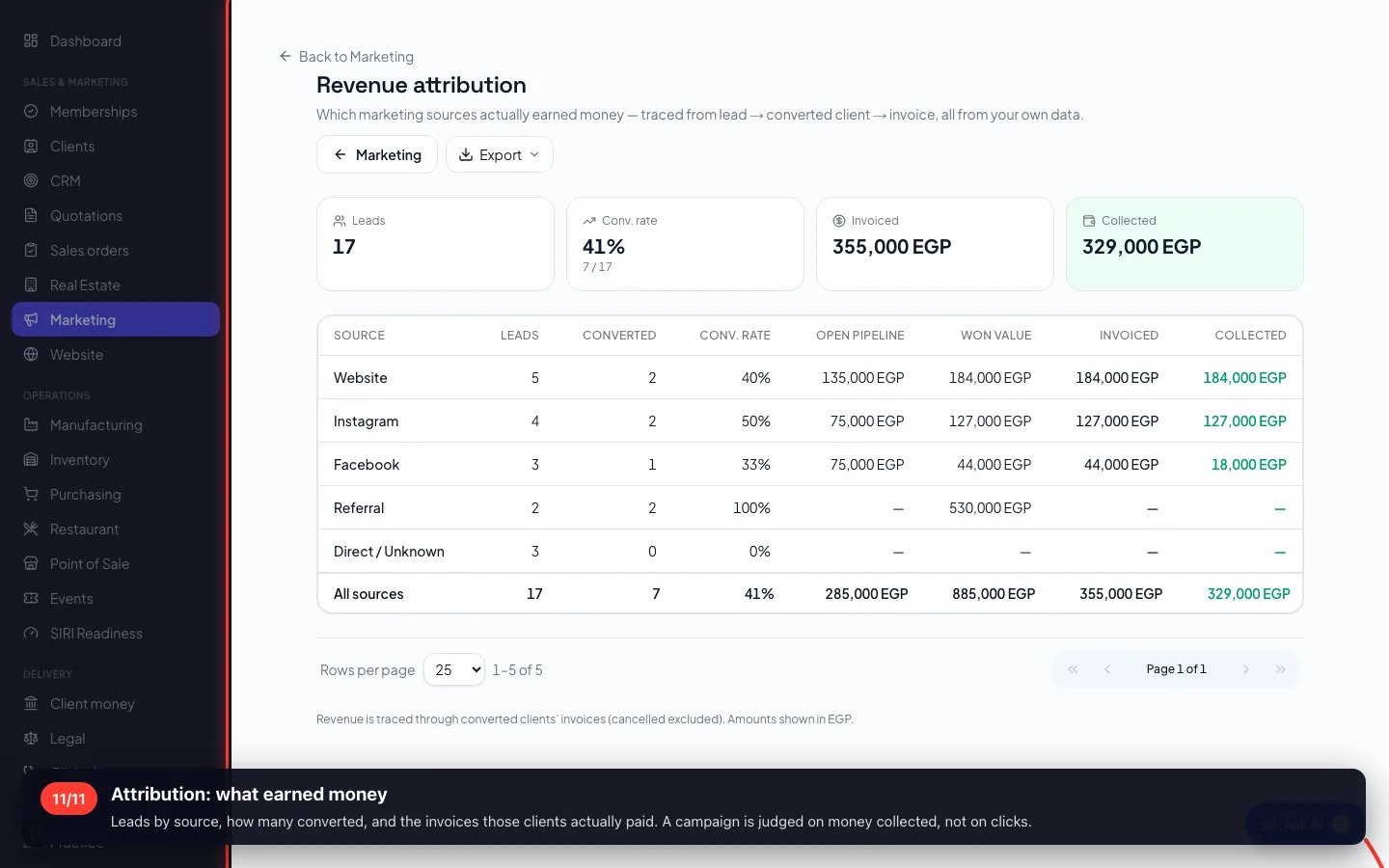
Attribution: what earned money
Leads by source, how many converted, and the invoices those clients actually paid. A campaign is judged on money collected, not on clicks.
Recorded on a demo workspace. The company and the figures are invented; the screens are the real product.