A complete trading cycle
One article, bought from a supplier into the warehouse and sold on to a customer — purchase order, goods in, quotation, sales order, invoice, collection, delivery out, and the books. No manufacturing.
52 steps
The whole walkthrough, no narration — the captions are on the screen.
1 · What we are going to do
Buy 200 rolls at 180 EGP, then sell 150 of them at 310. One article, one supplier, one customer — and every screen it touches on the way.
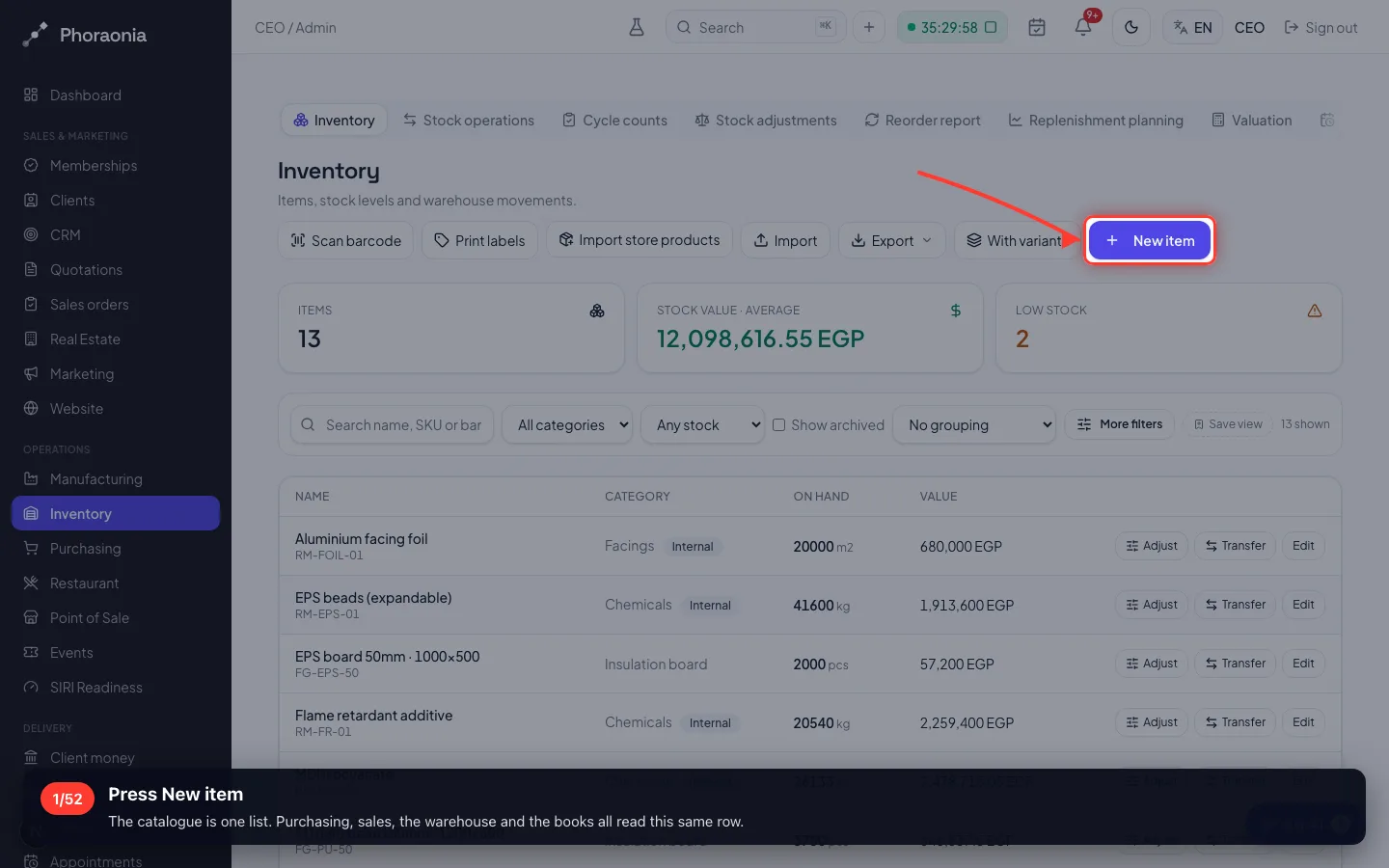
1Press New item
The catalogue is one list. Purchasing, sales, the warehouse and the books all read this same row.
- 2
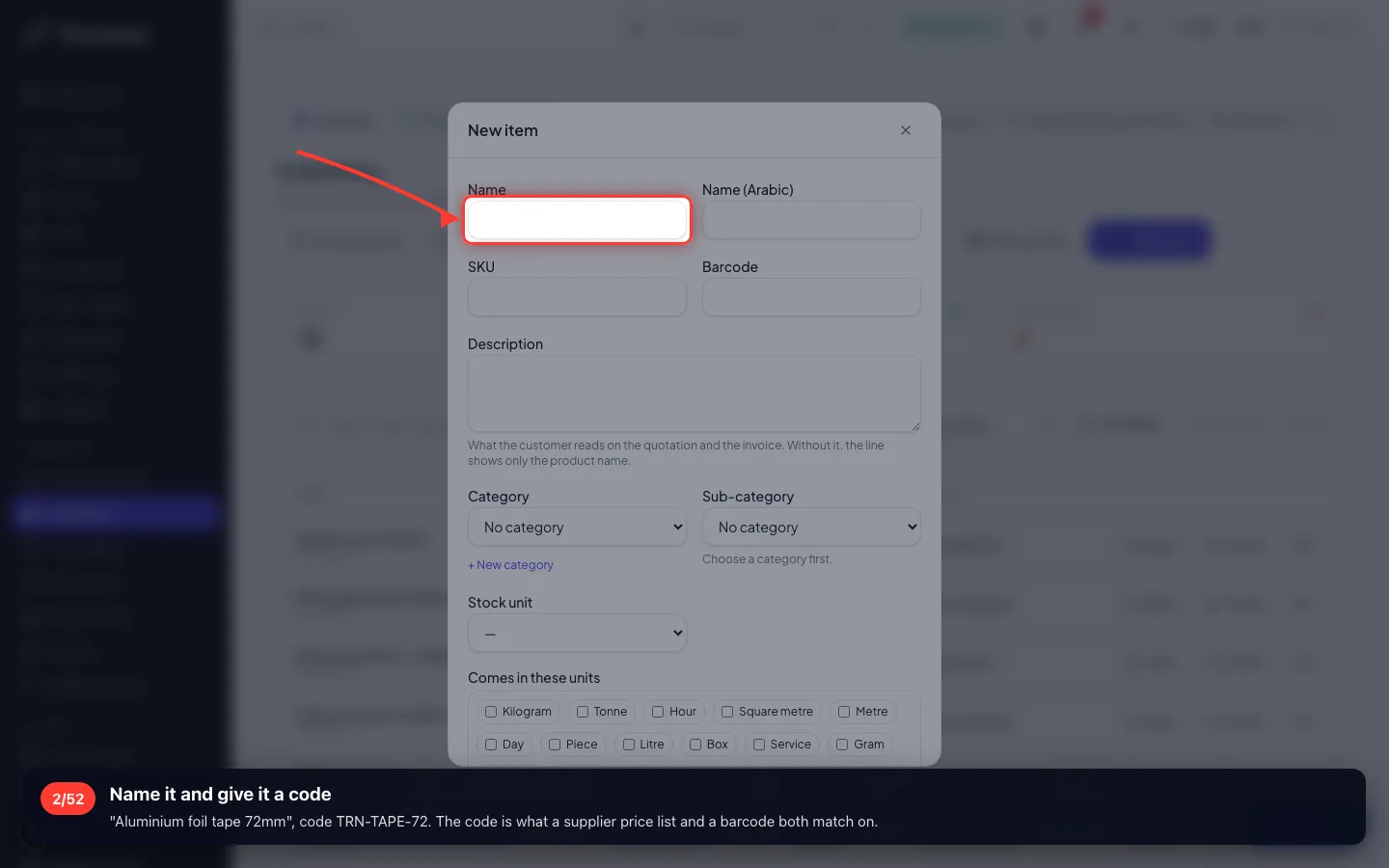
Name it and give it a code
"Aluminium foil tape 72mm", code TRN-TAPE-72. The code is what a supplier price list and a barcode both match on.
- 3
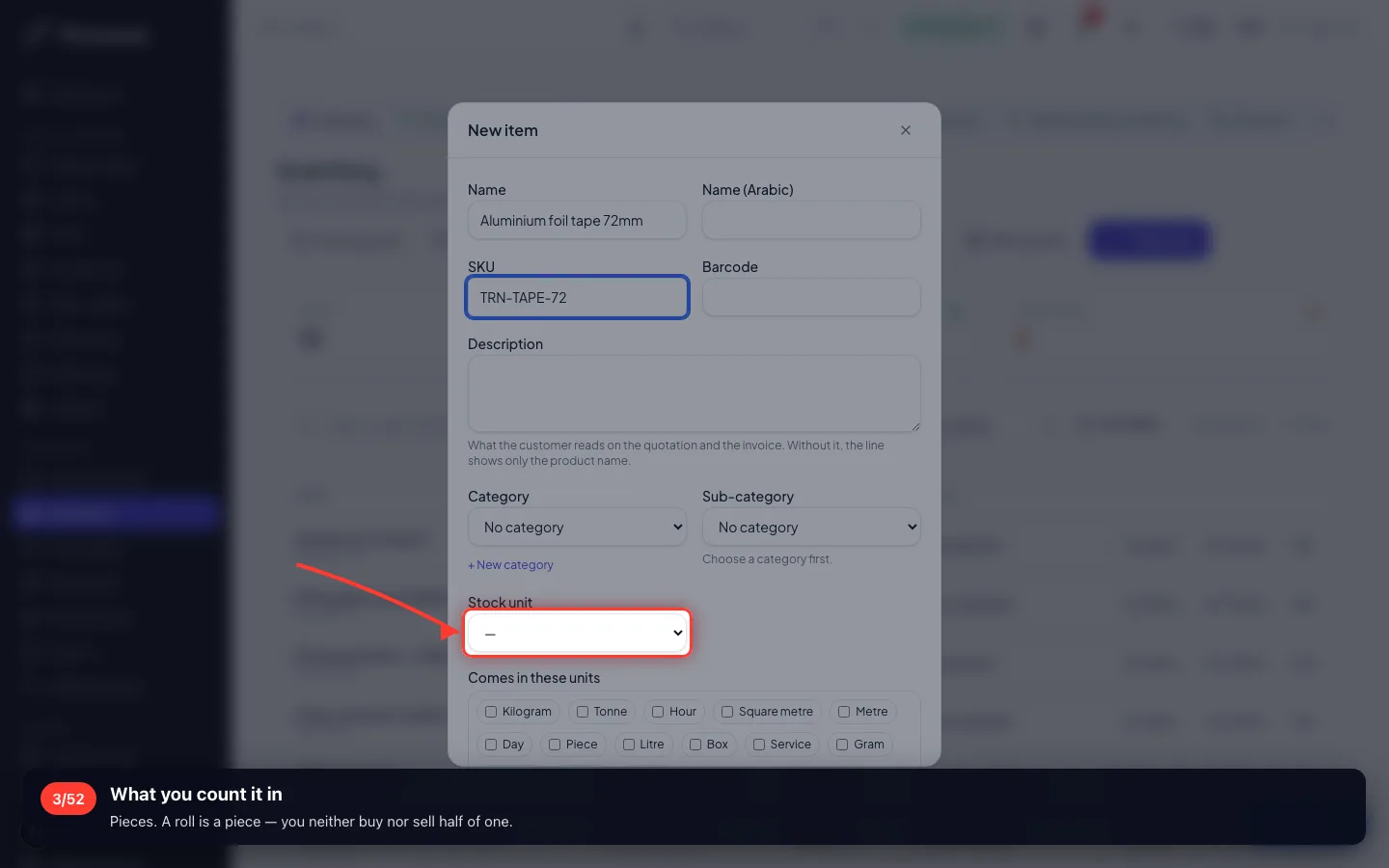
What you count it in
Pieces. A roll is a piece — you neither buy nor sell half of one.
- 4
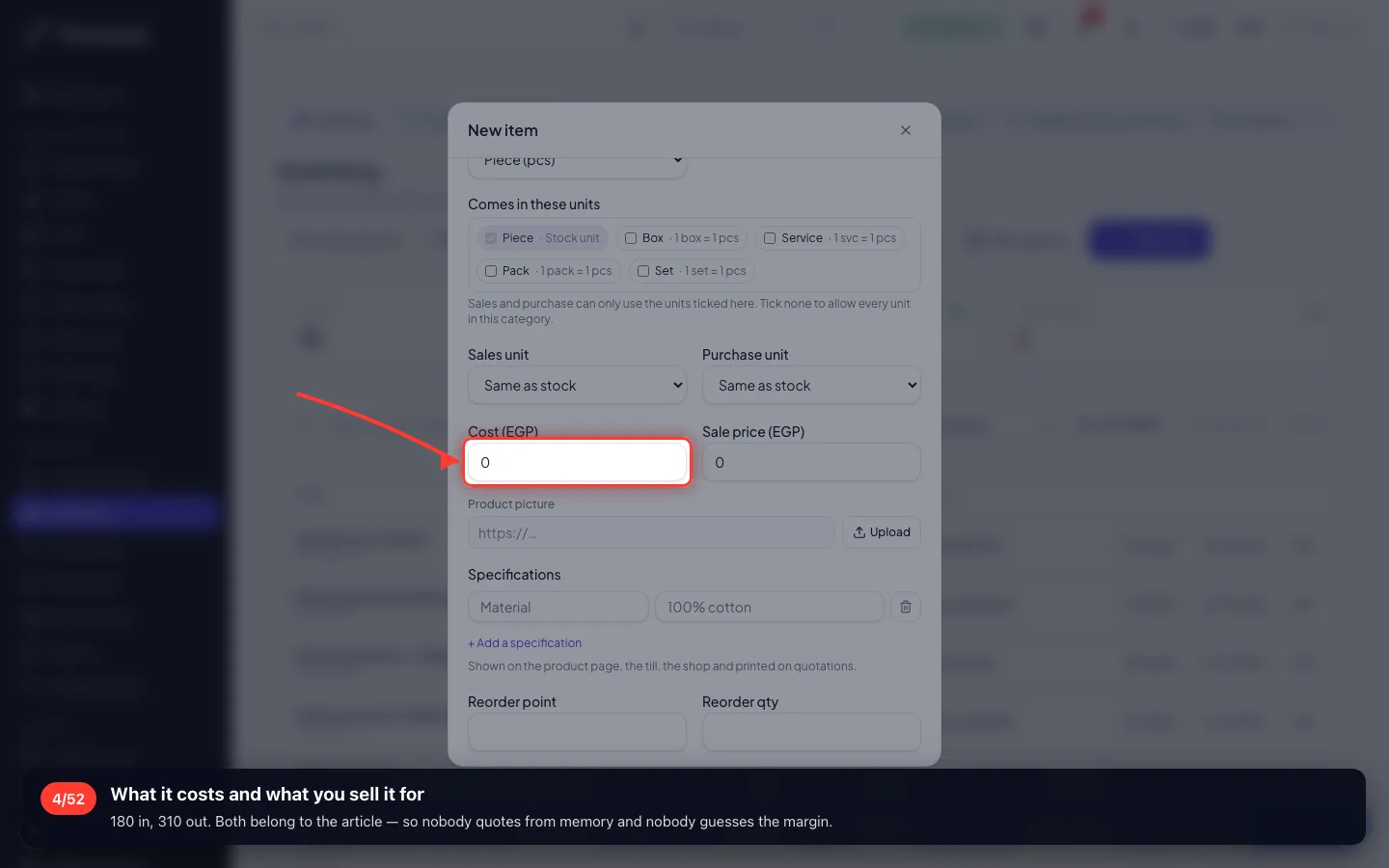
What it costs and what you sell it for
180 in, 310 out. Both belong to the article — so nobody quotes from memory and nobody guesses the margin.
- 5
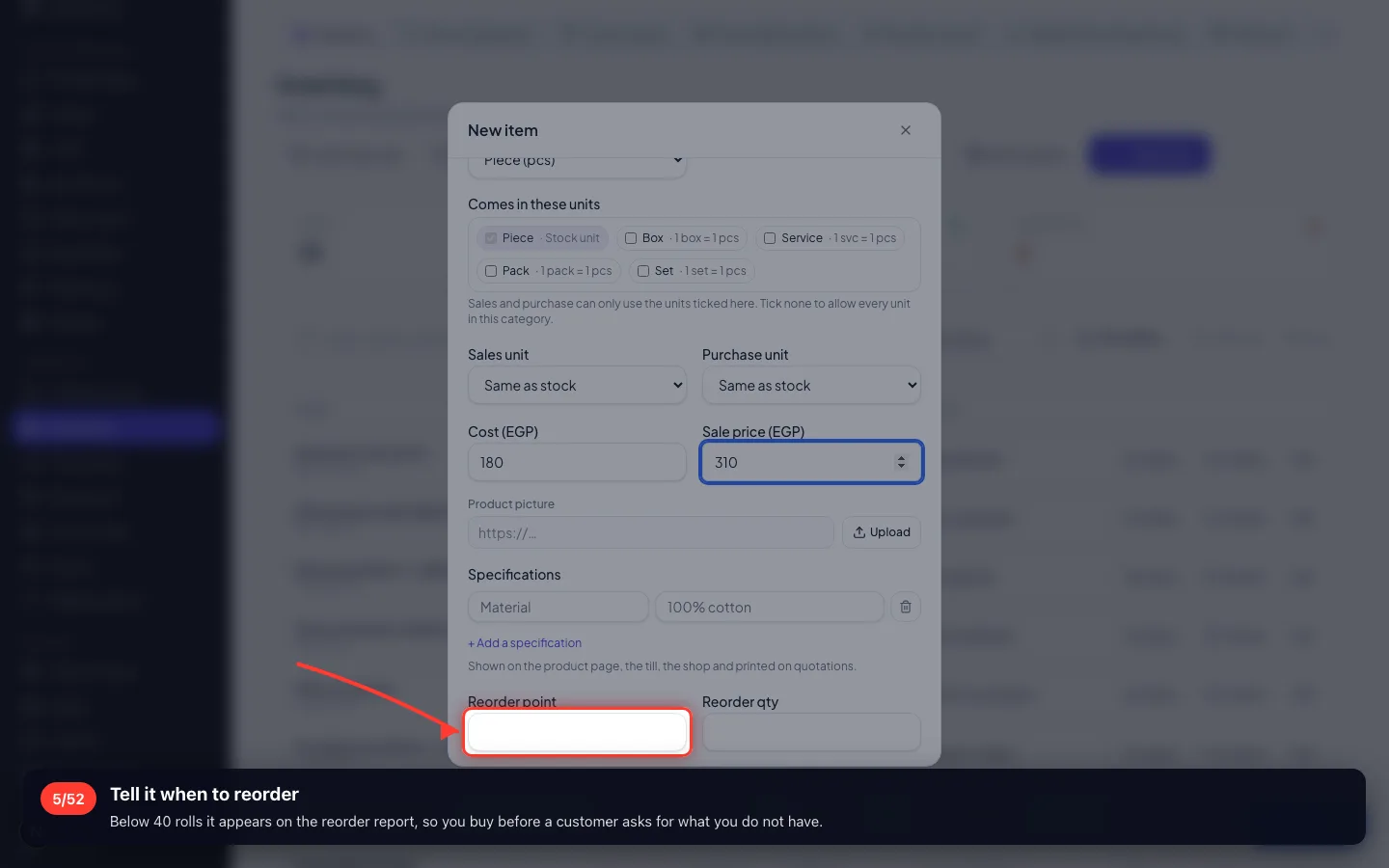
Tell it when to reorder
Below 40 rolls it appears on the reorder report, so you buy before a customer asks for what you do not have.
- 6
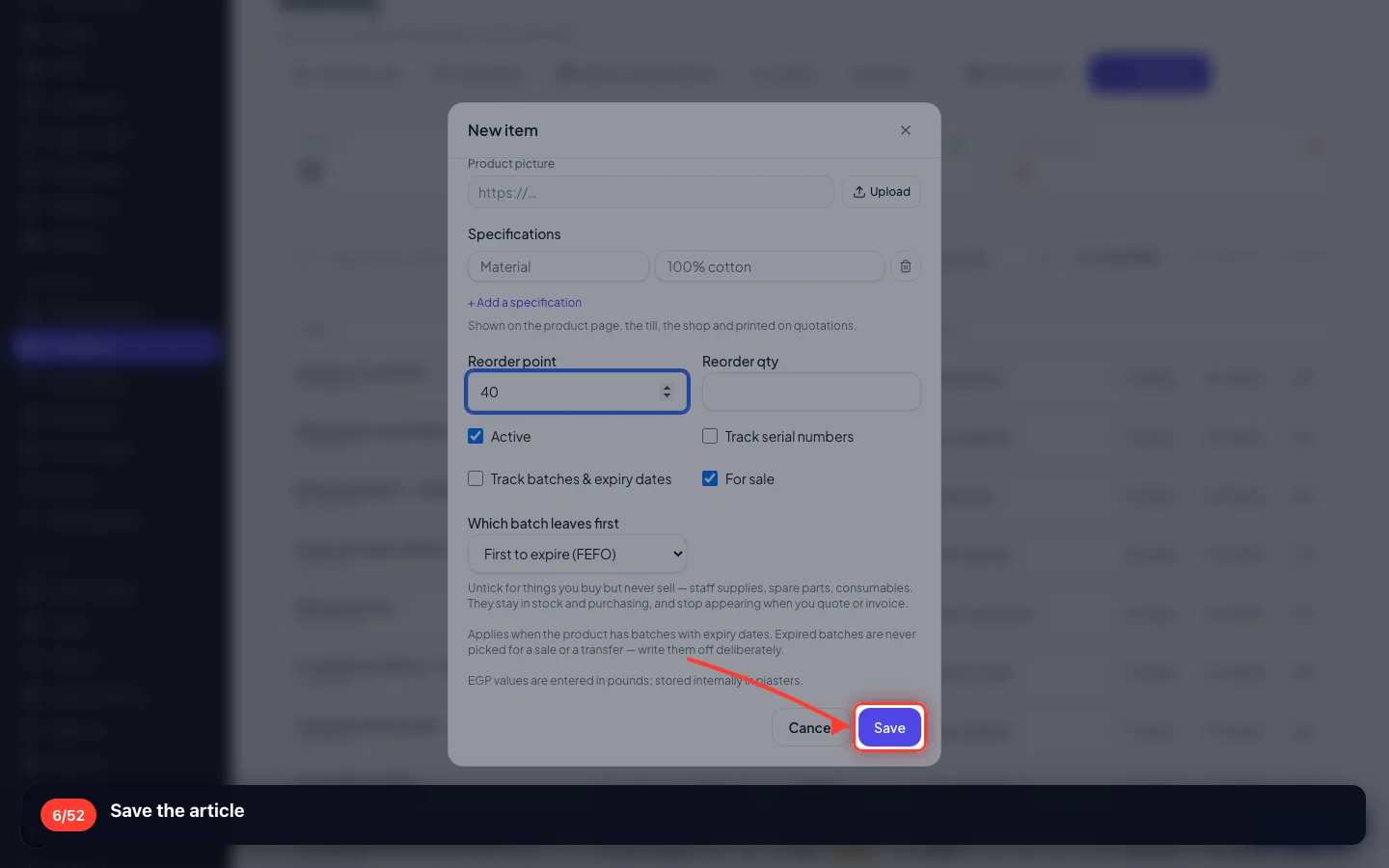
Save the article
- 7
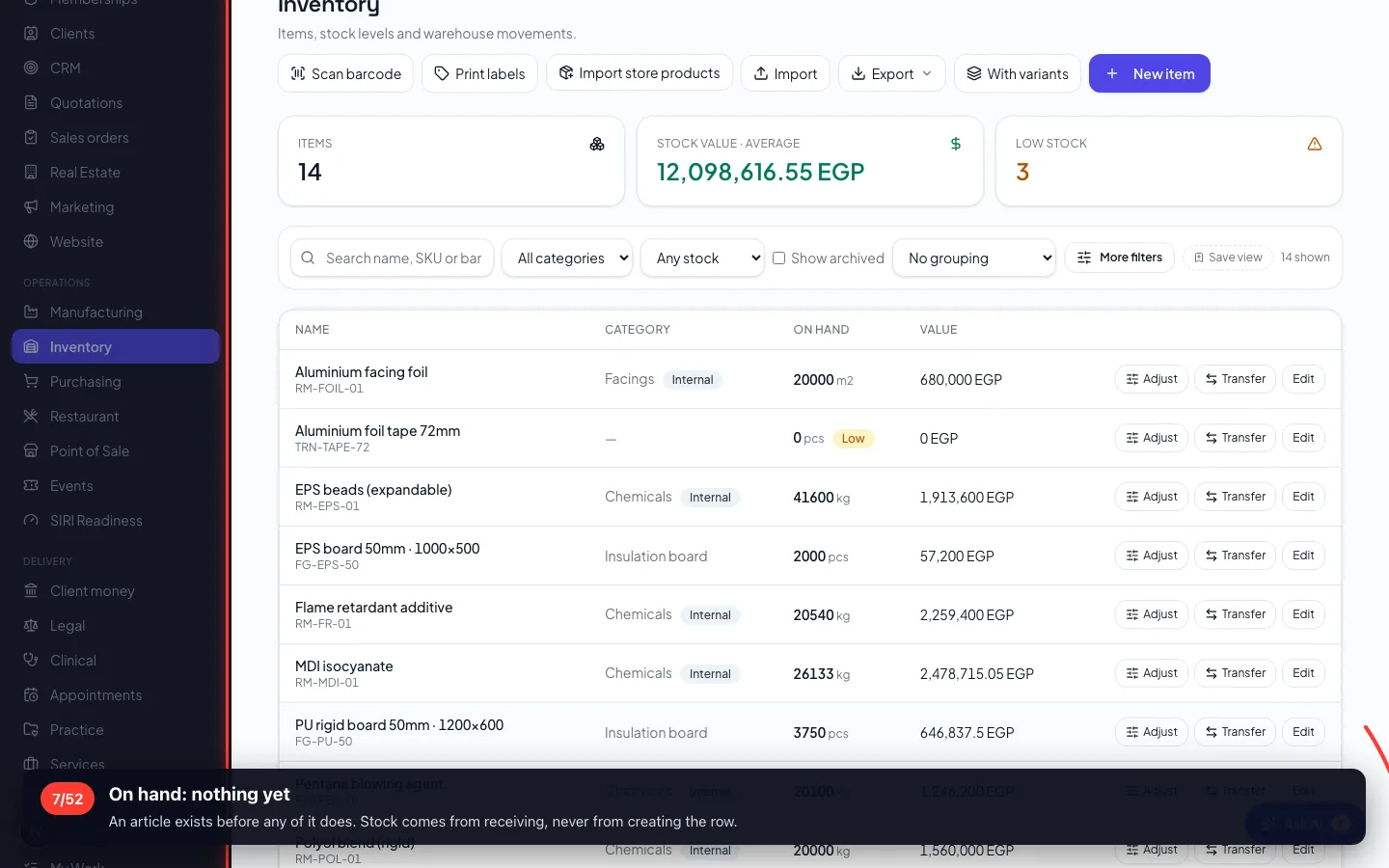
On hand: nothing yet
An article exists before any of it does. Stock comes from receiving, never from creating the row.
3 · Buying it — the purchase order
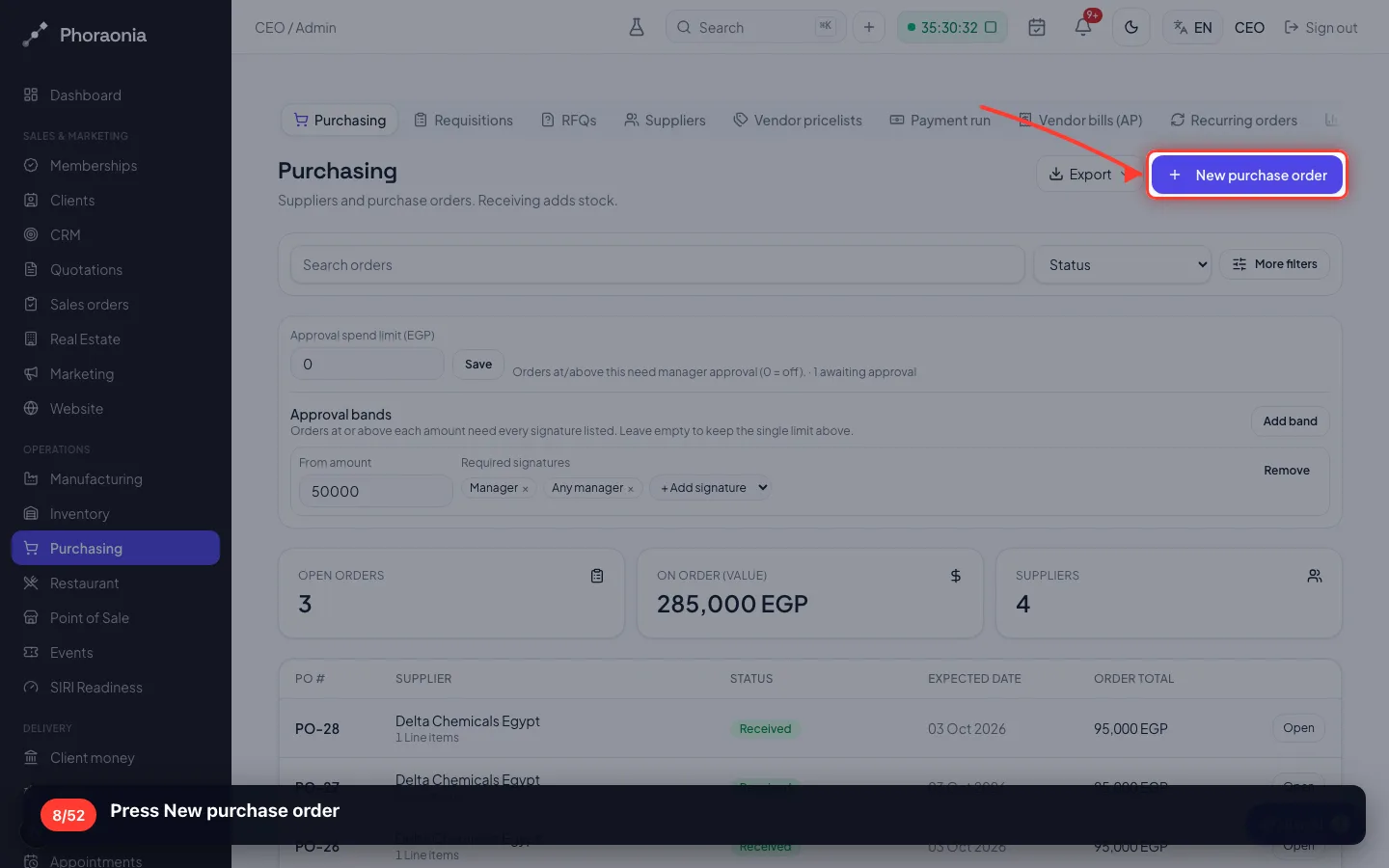
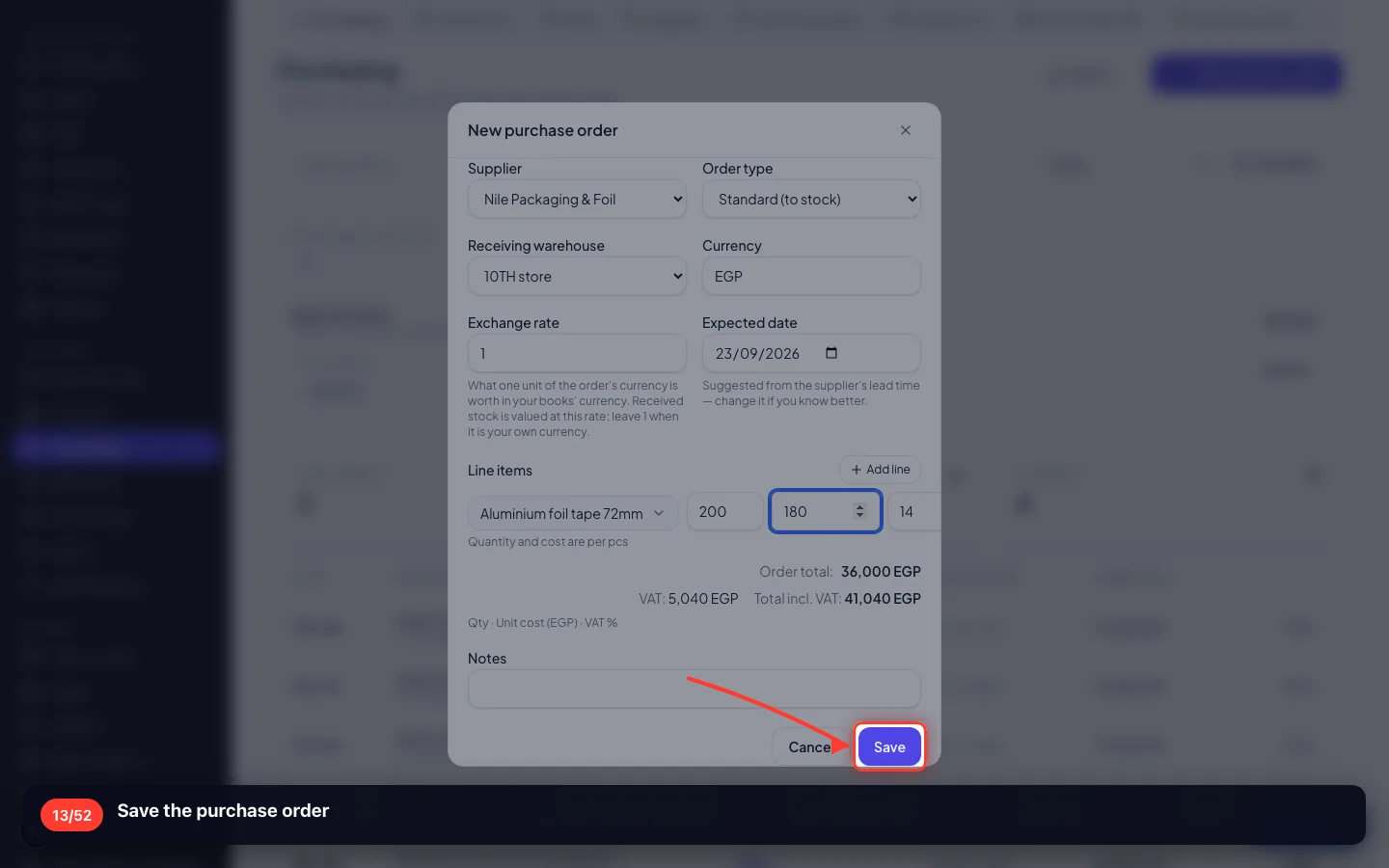
A purchase order is a commitment to a supplier: what, how much, at what price, into which store.
8Press New purchase order
- 9
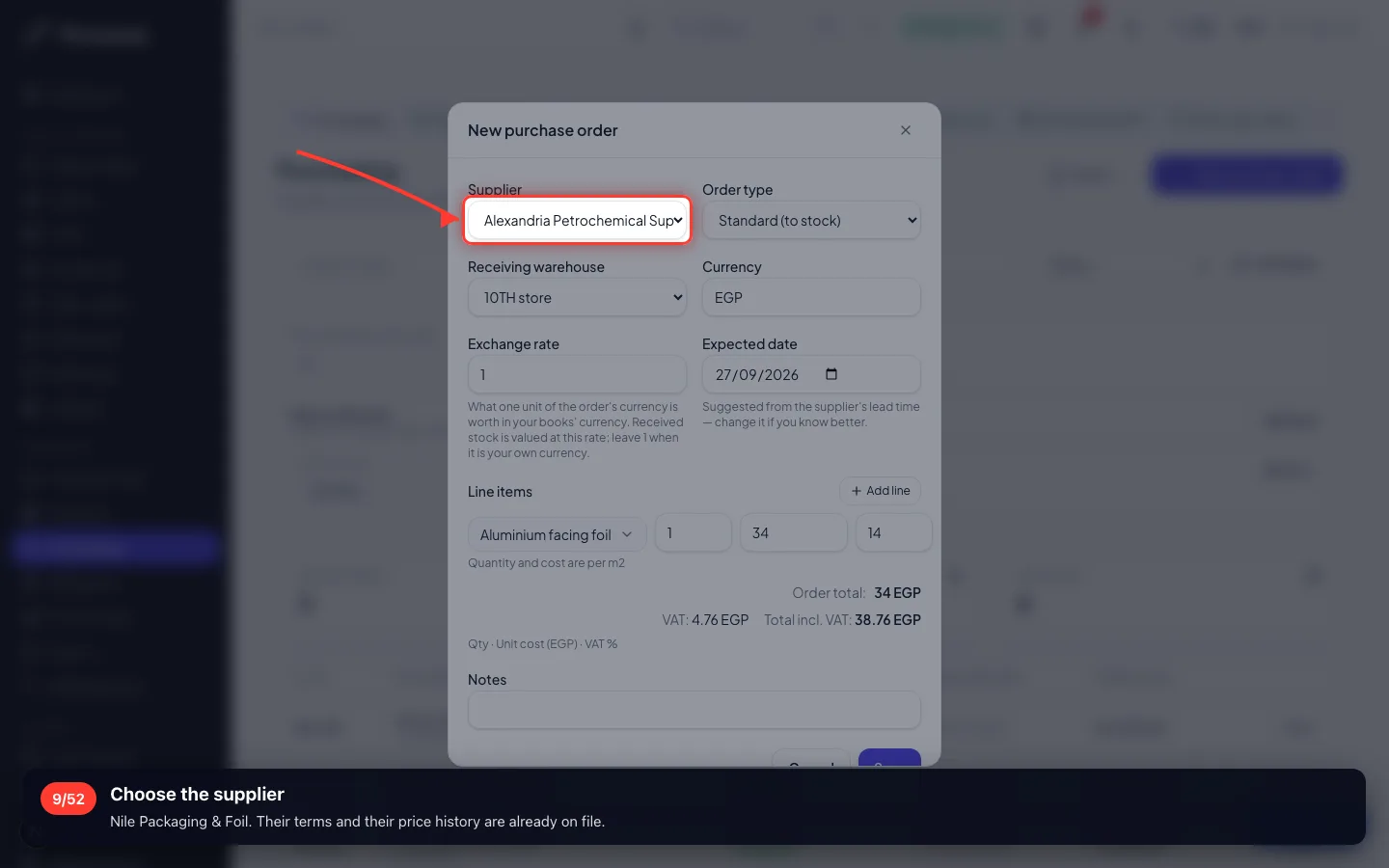
Choose the supplier
Nile Packaging & Foil. Their terms and their price history are already on file.
- 10
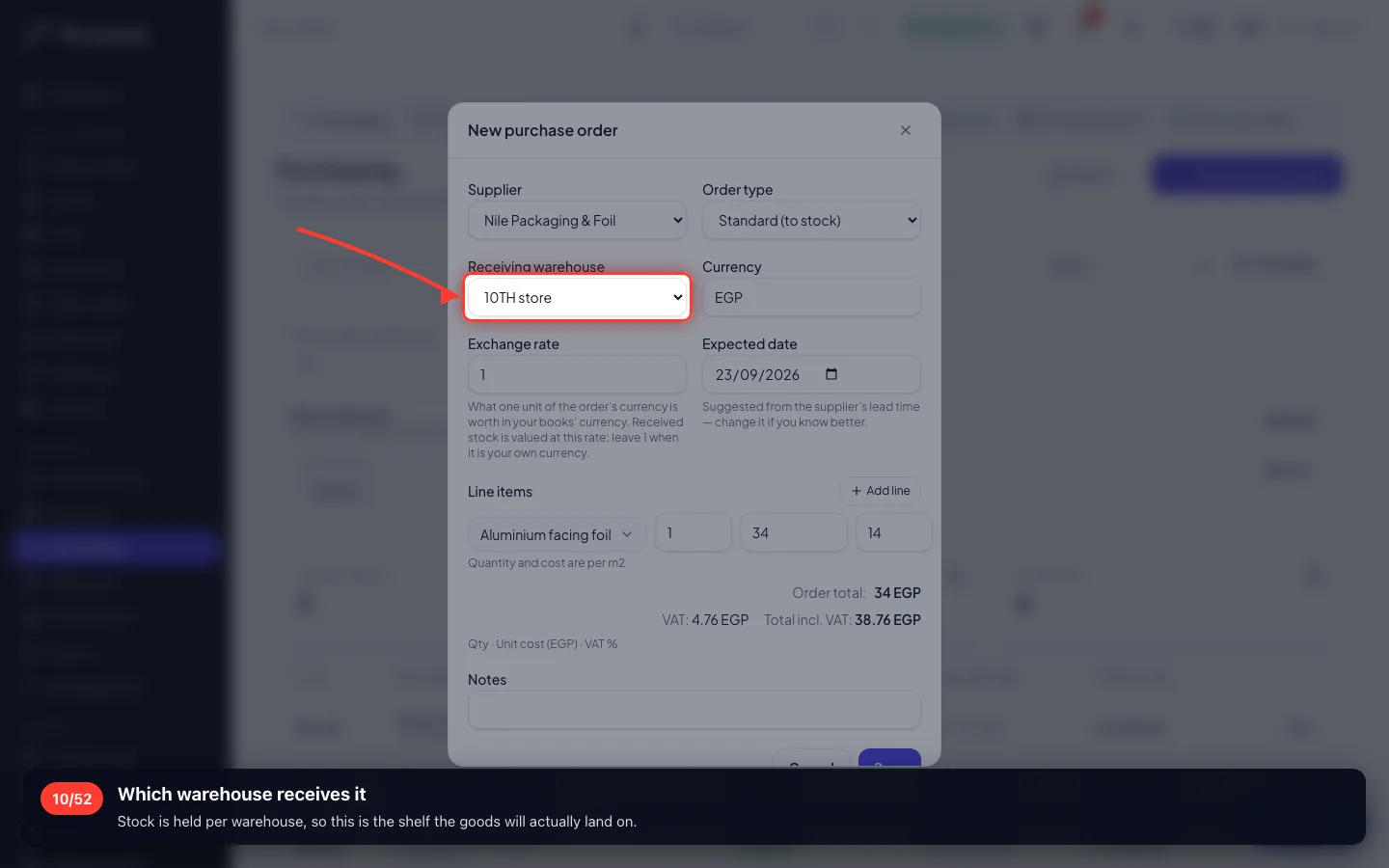
Which warehouse receives it
Stock is held per warehouse, so this is the shelf the goods will actually land on.
- 11
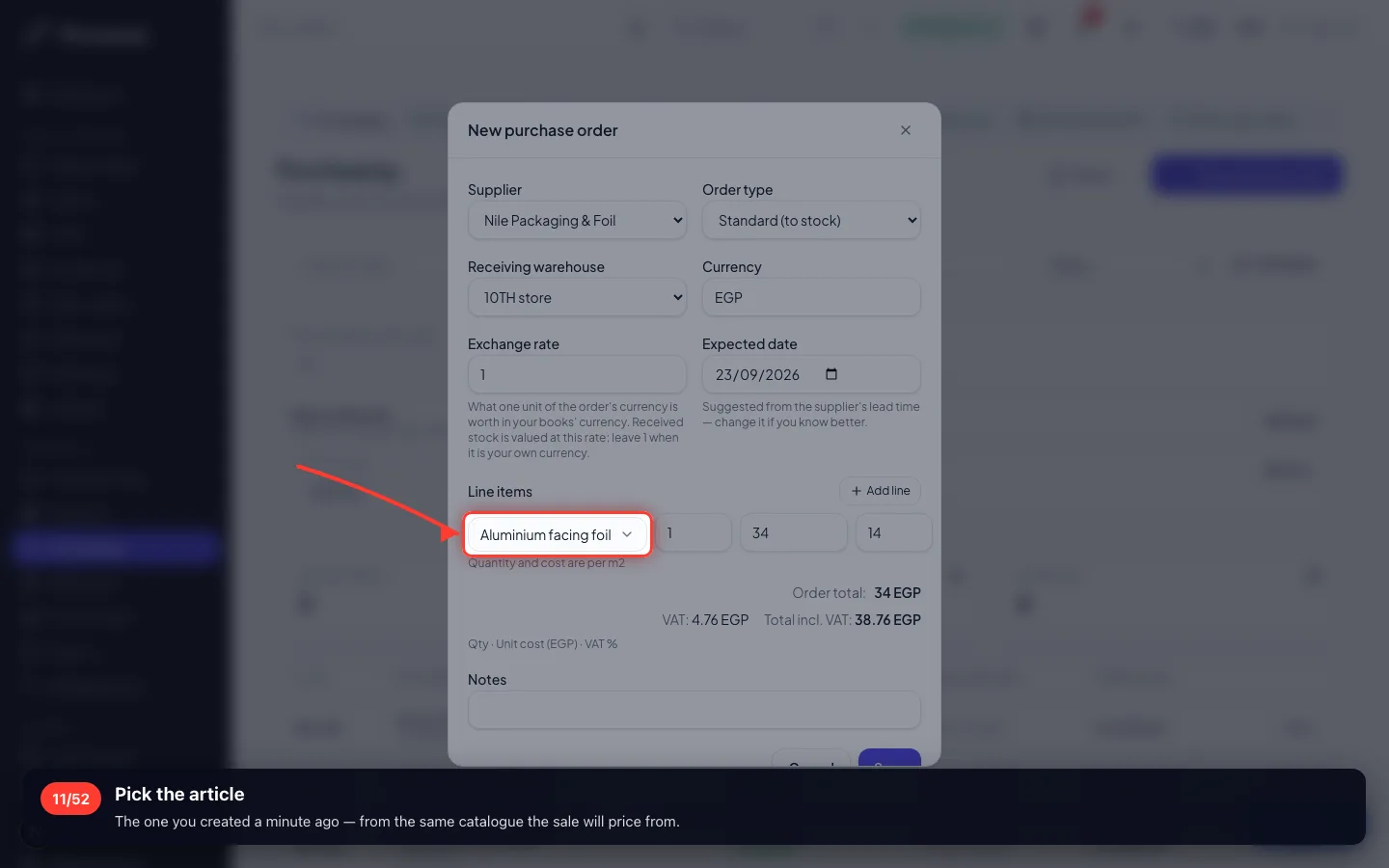
Pick the article
The one you created a minute ago — from the same catalogue the sale will price from.
- 12
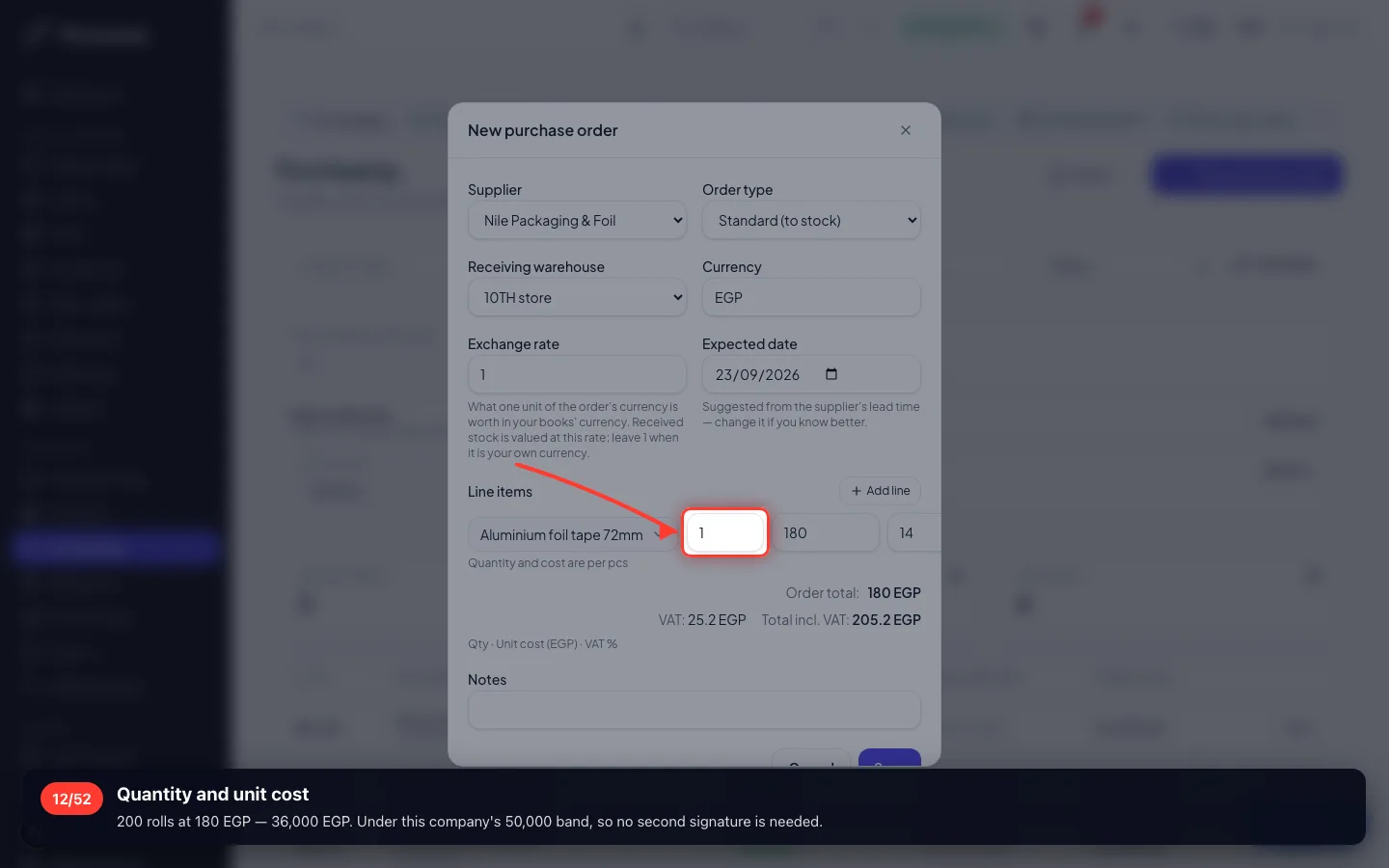
Quantity and unit cost
200 rolls at 180 EGP — 36,000 EGP. Under this company's 50,000 band, so no second signature is needed.
- 13
Save the purchase order
- 14
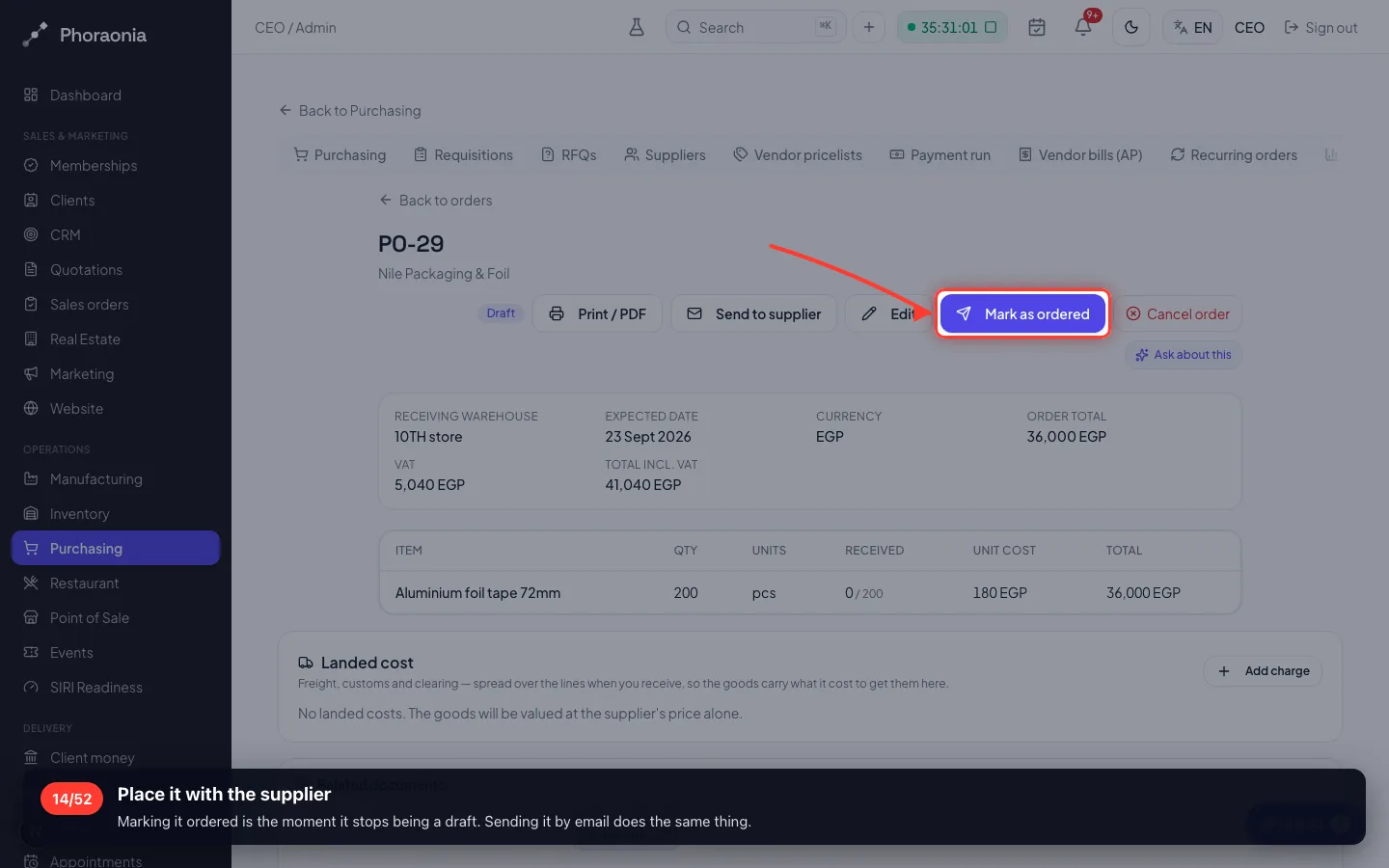
Place it with the supplier
Marking it ordered is the moment it stops being a draft. Sending it by email does the same thing.
4 · The goods arrive
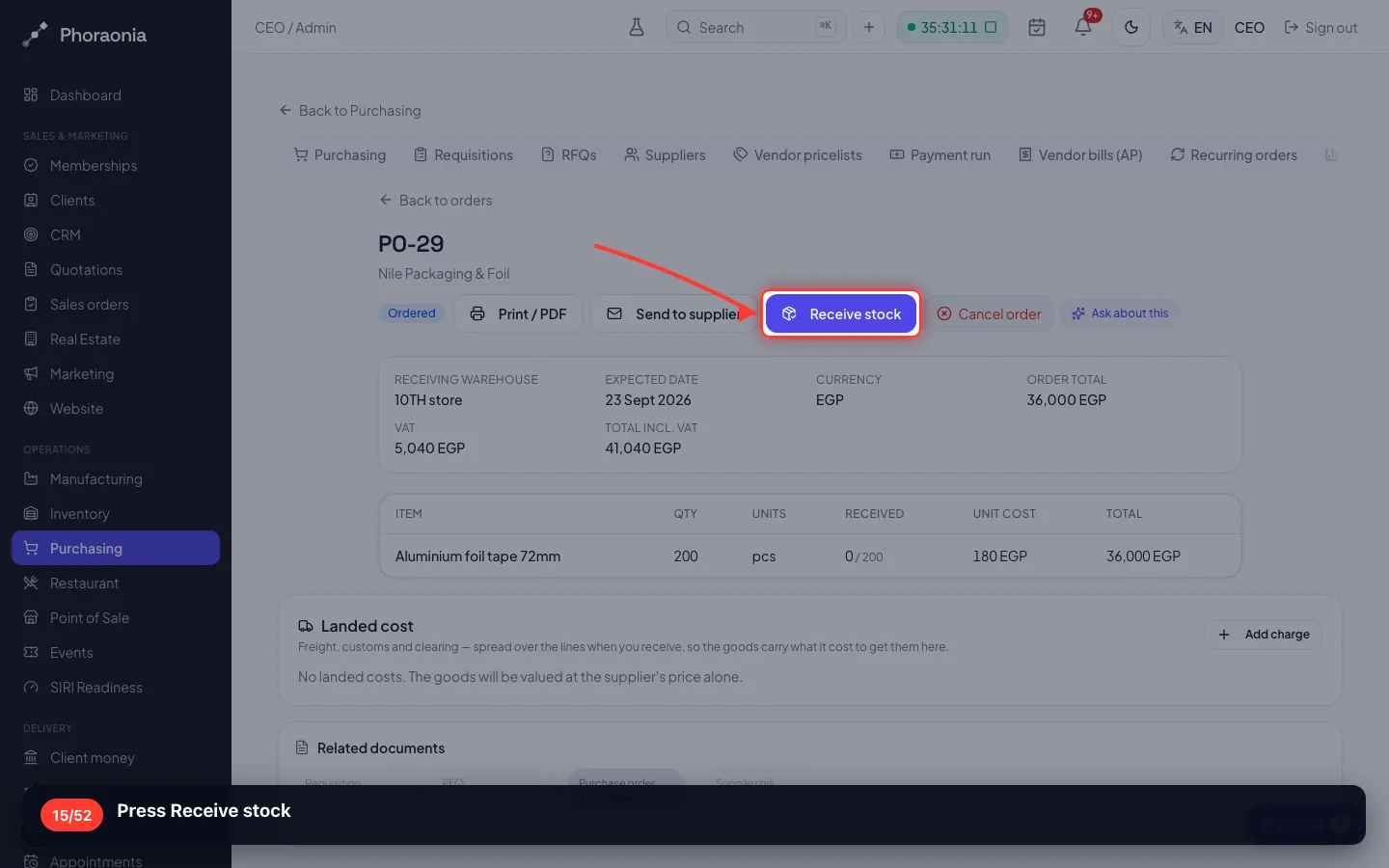
Receiving is what raises stock — not the order. Until the lorry comes, you own a promise, not 200 rolls.
15Press Receive stock
- 16
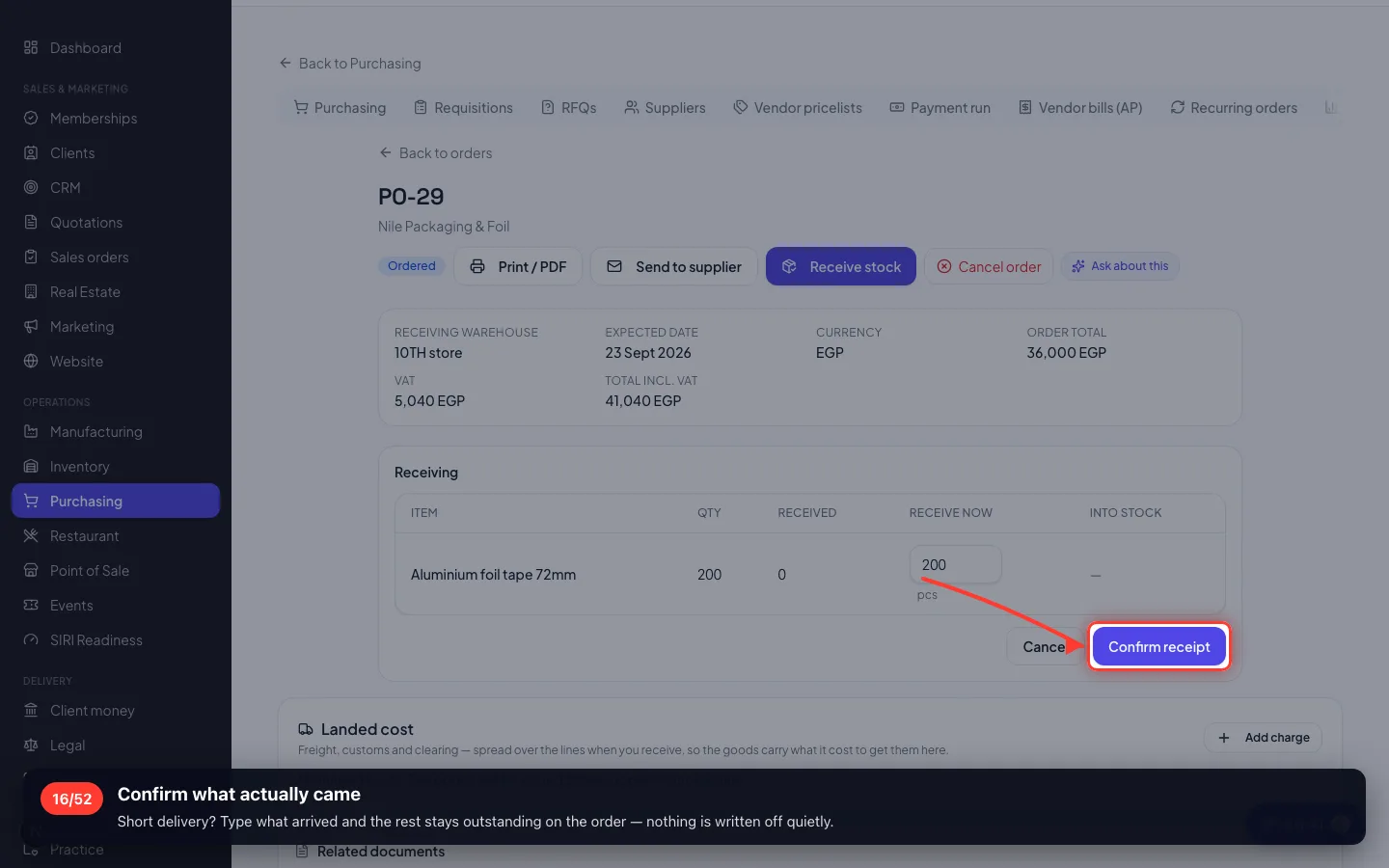
Confirm what actually came
Short delivery? Type what arrived and the rest stays outstanding on the order — nothing is written off quietly.
- 17
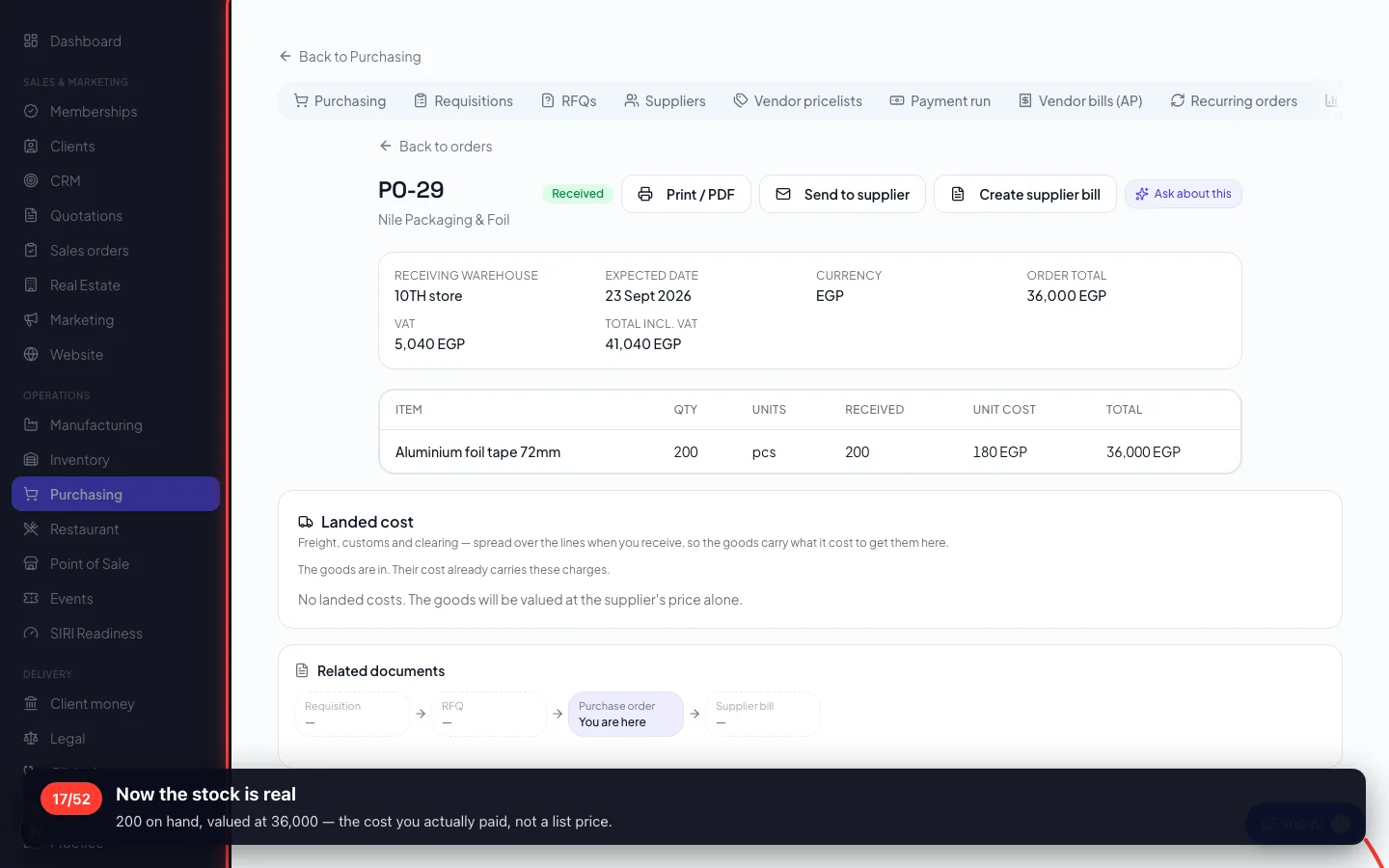
Now the stock is real
200 on hand, valued at 36,000 — the cost you actually paid, not a list price.
5 · The customer
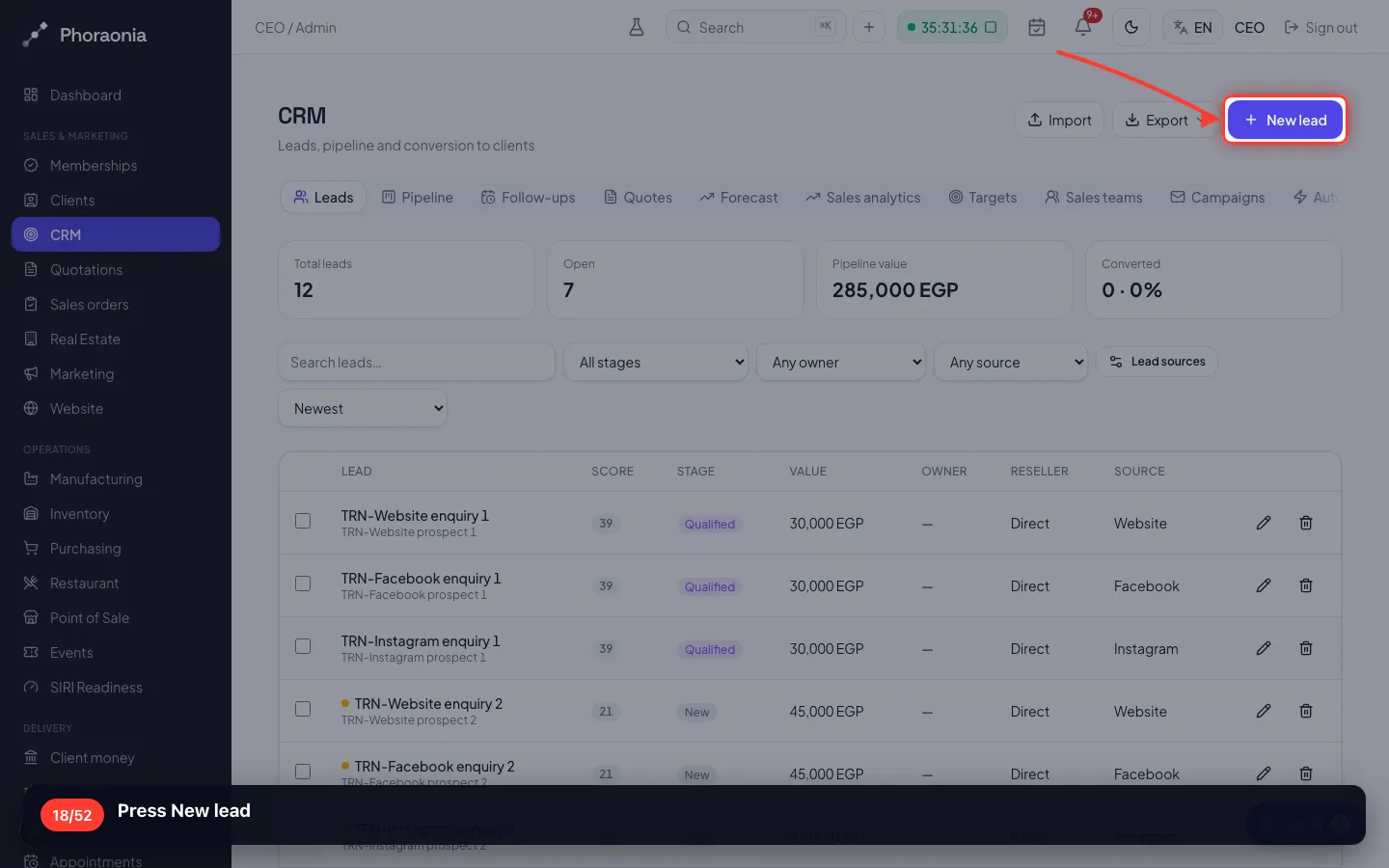
An enquiry is not a record until somebody writes it down. This is where it goes.
18Press New lead
- 19
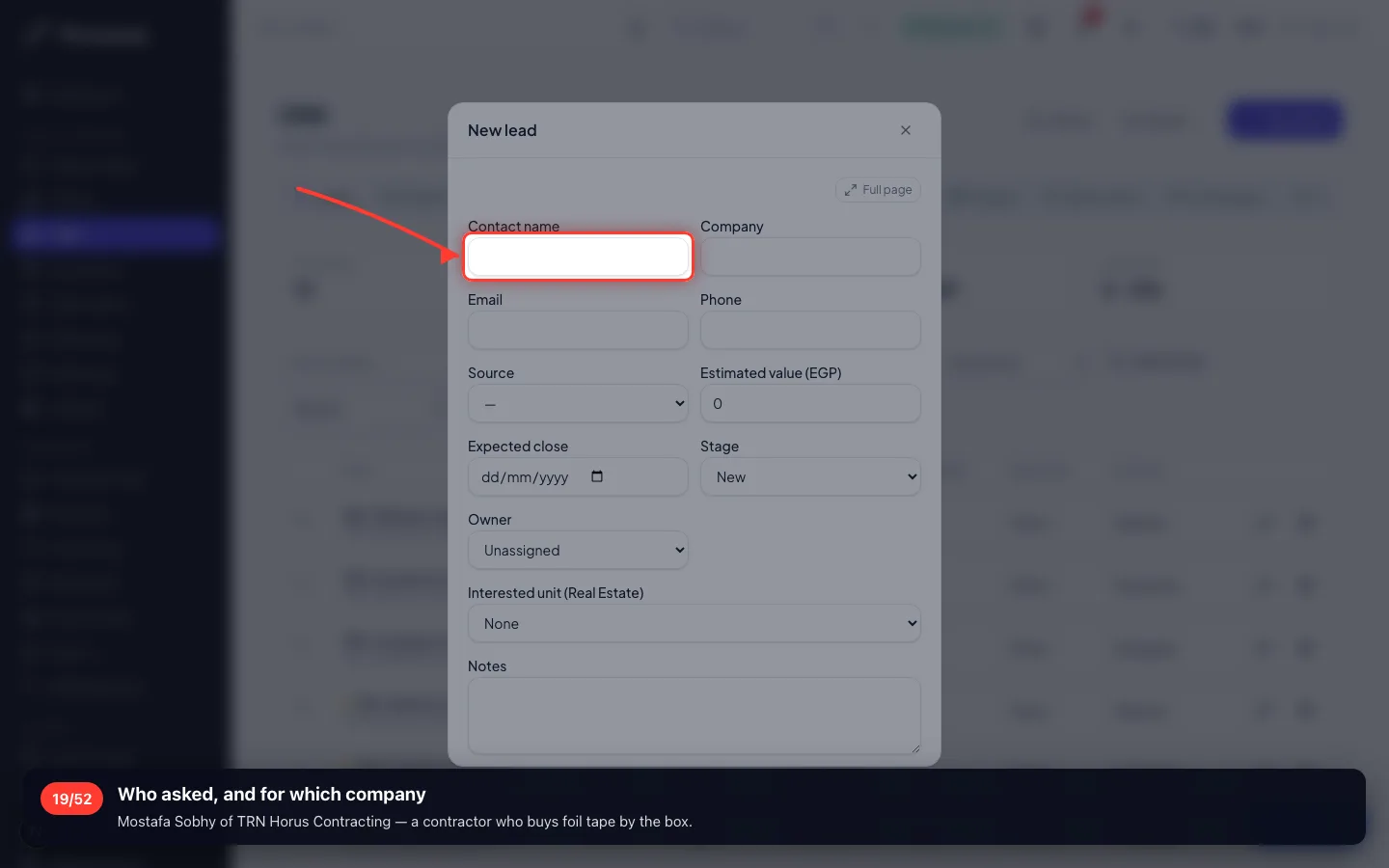
Who asked, and for which company
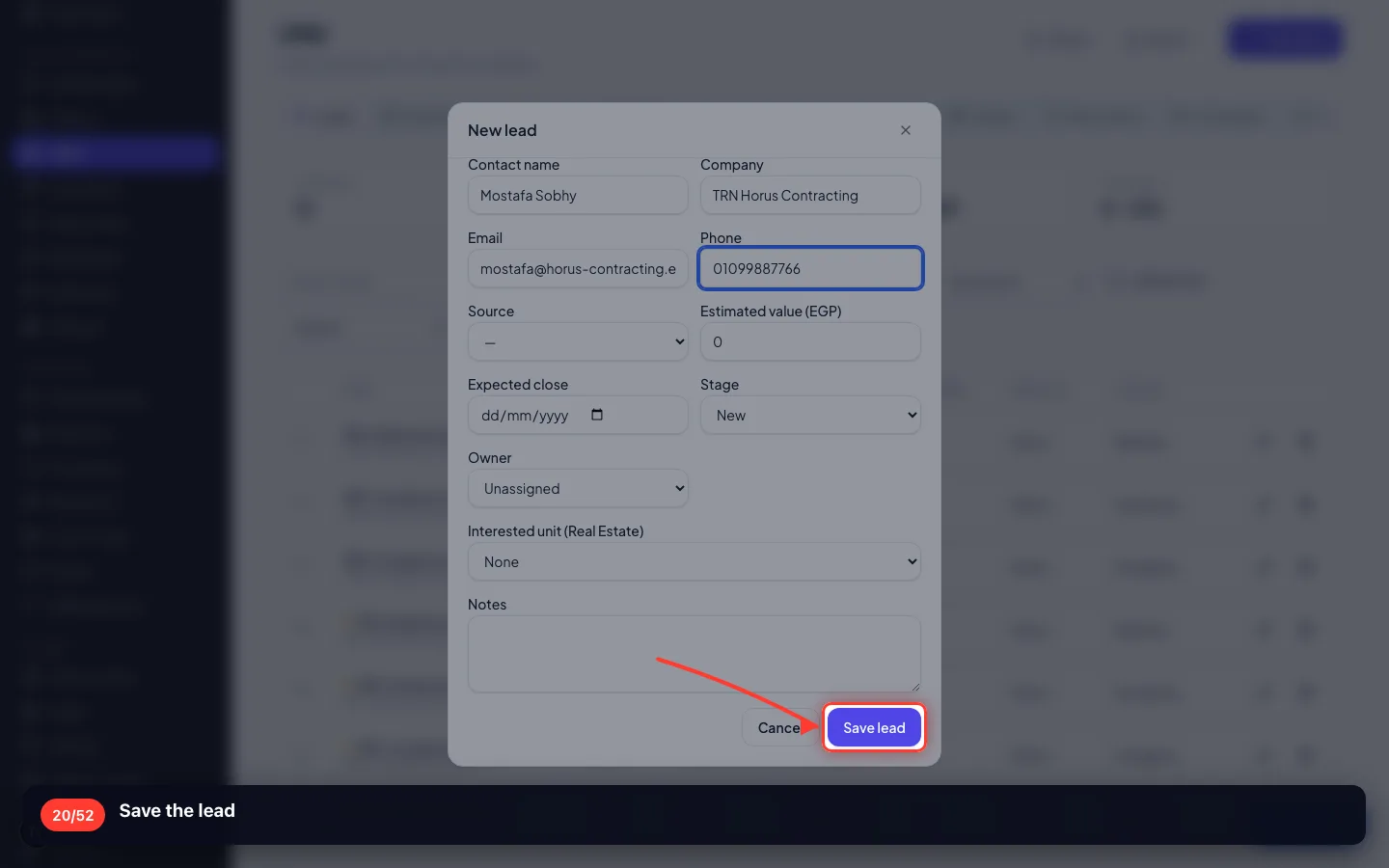
Mostafa Sobhy of TRN Horus Contracting — a contractor who buys foil tape by the box.
- 20
Save the lead
- 21
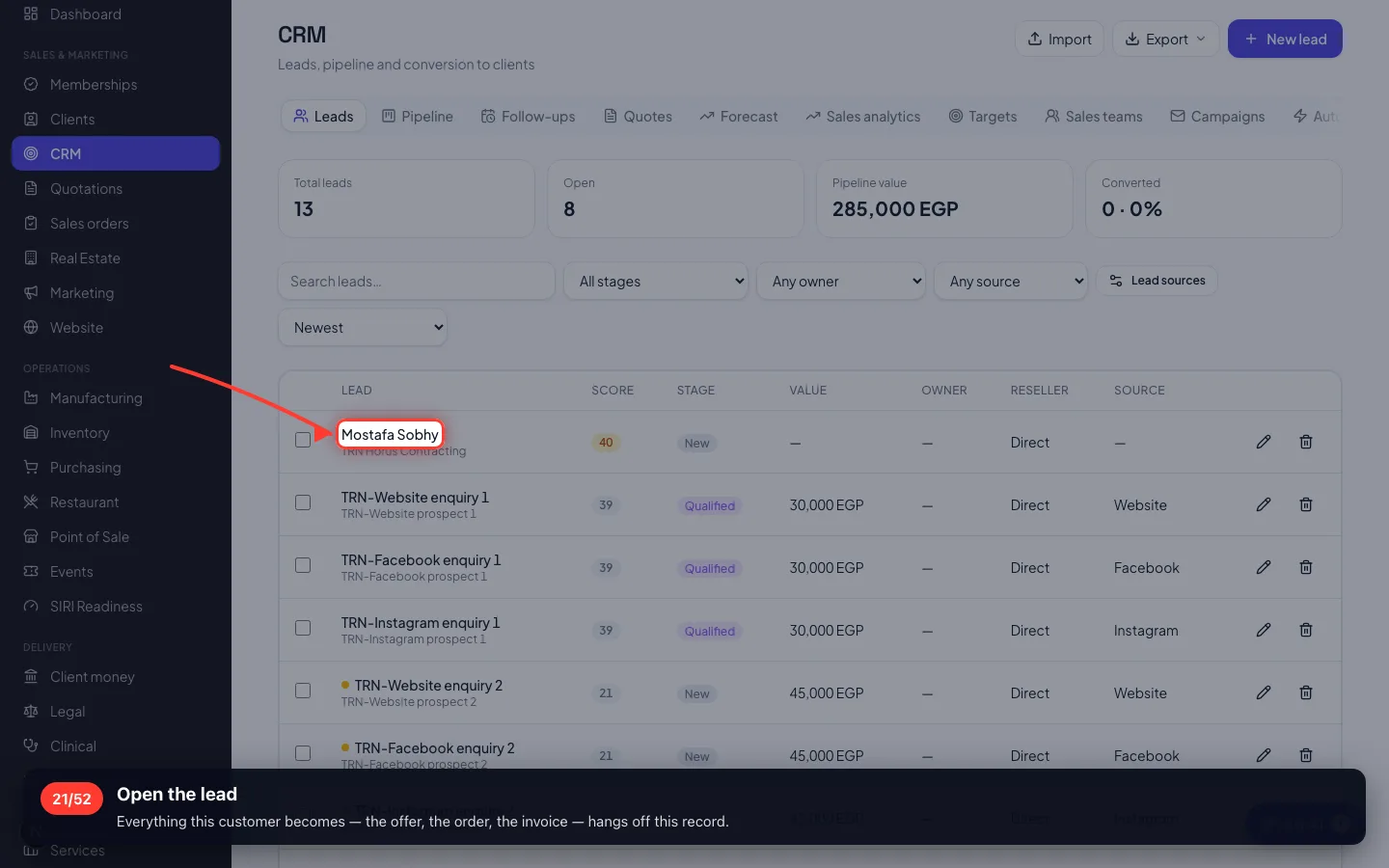
Open the lead
Everything this customer becomes — the offer, the order, the invoice — hangs off this record.
6 · The quotation
Priced from the catalogue, so the offer cannot disagree with the article you just created.
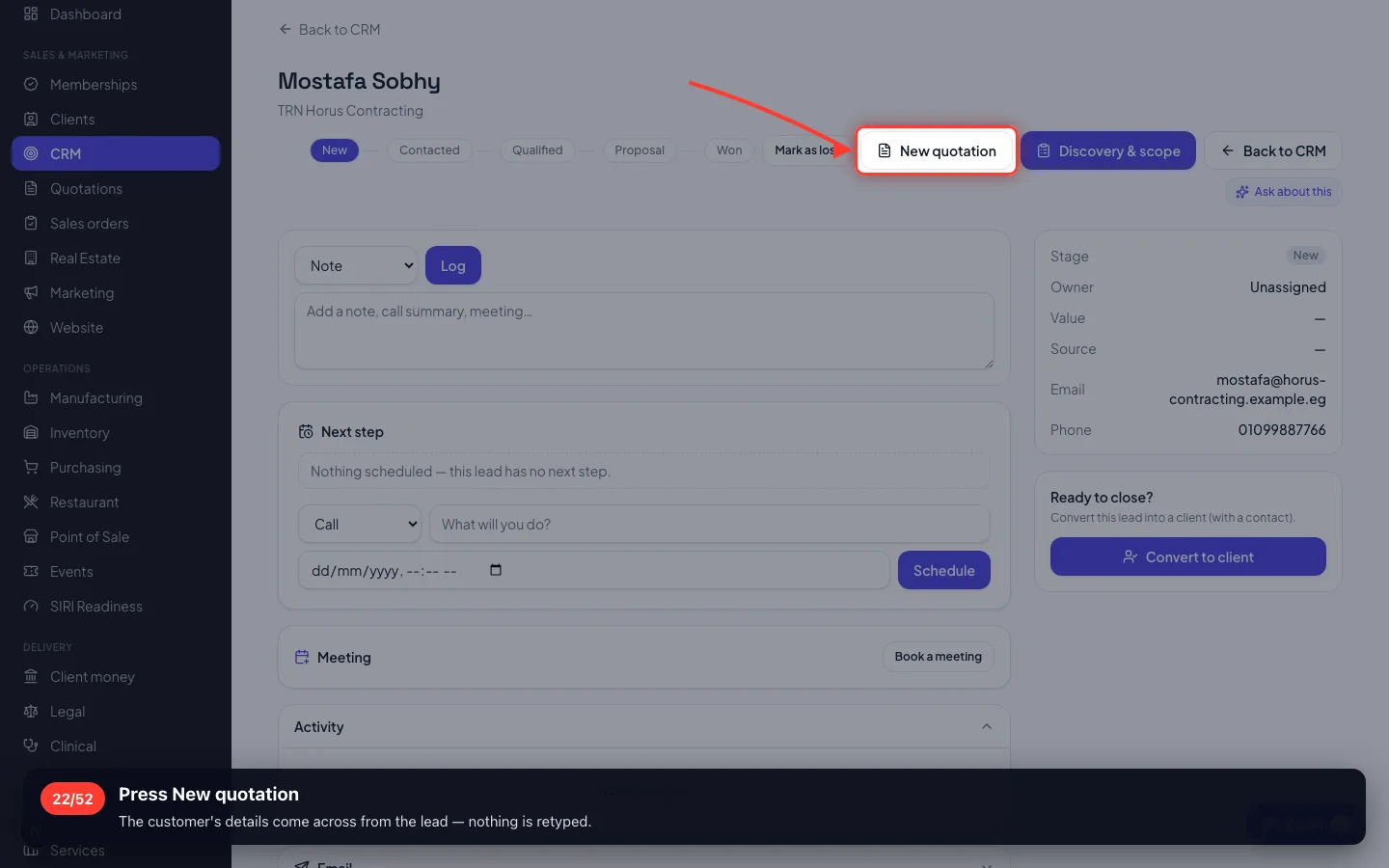
22Press New quotation
The customer's details come across from the lead — nothing is retyped.
- 23
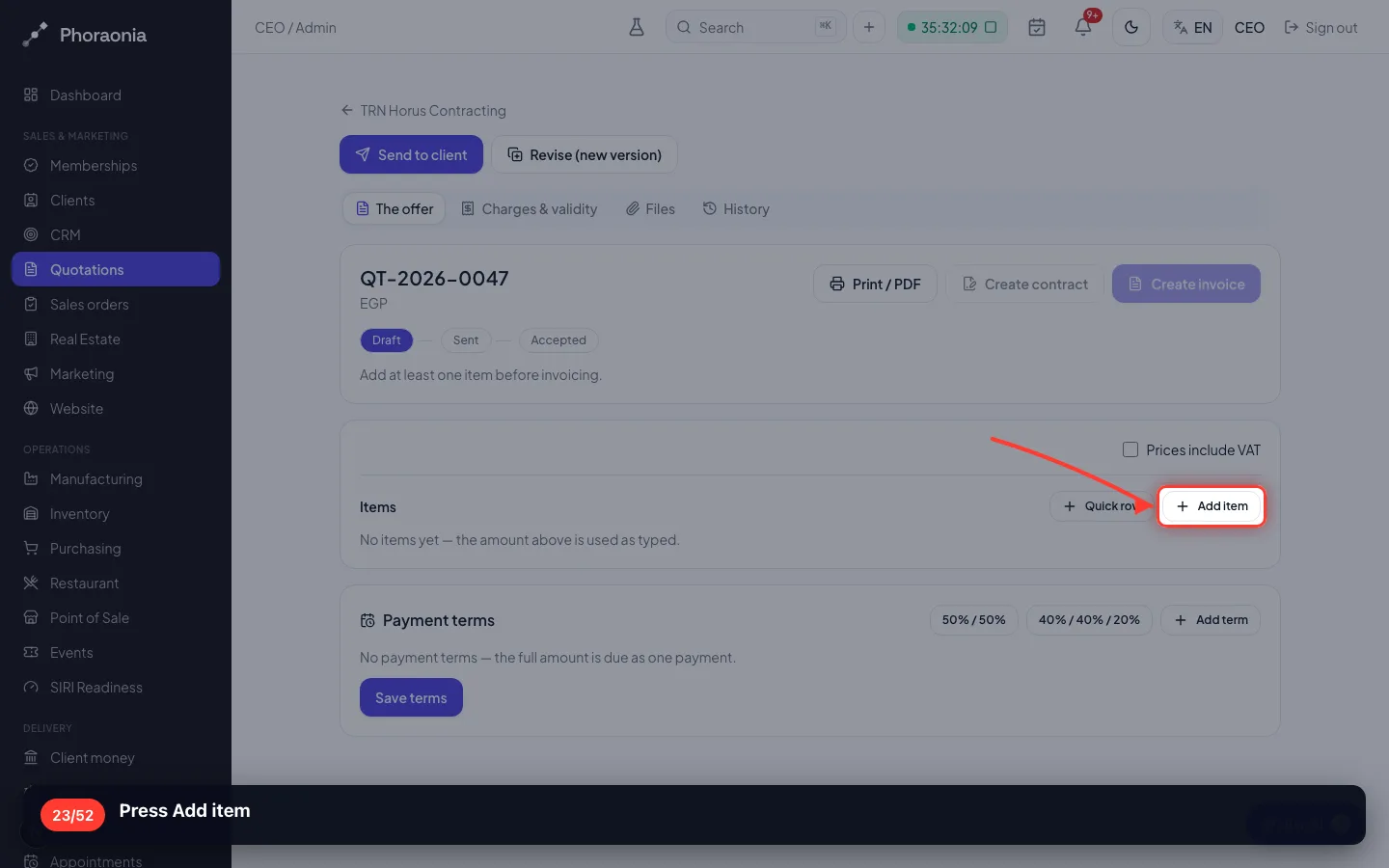
Press Add item
- 24
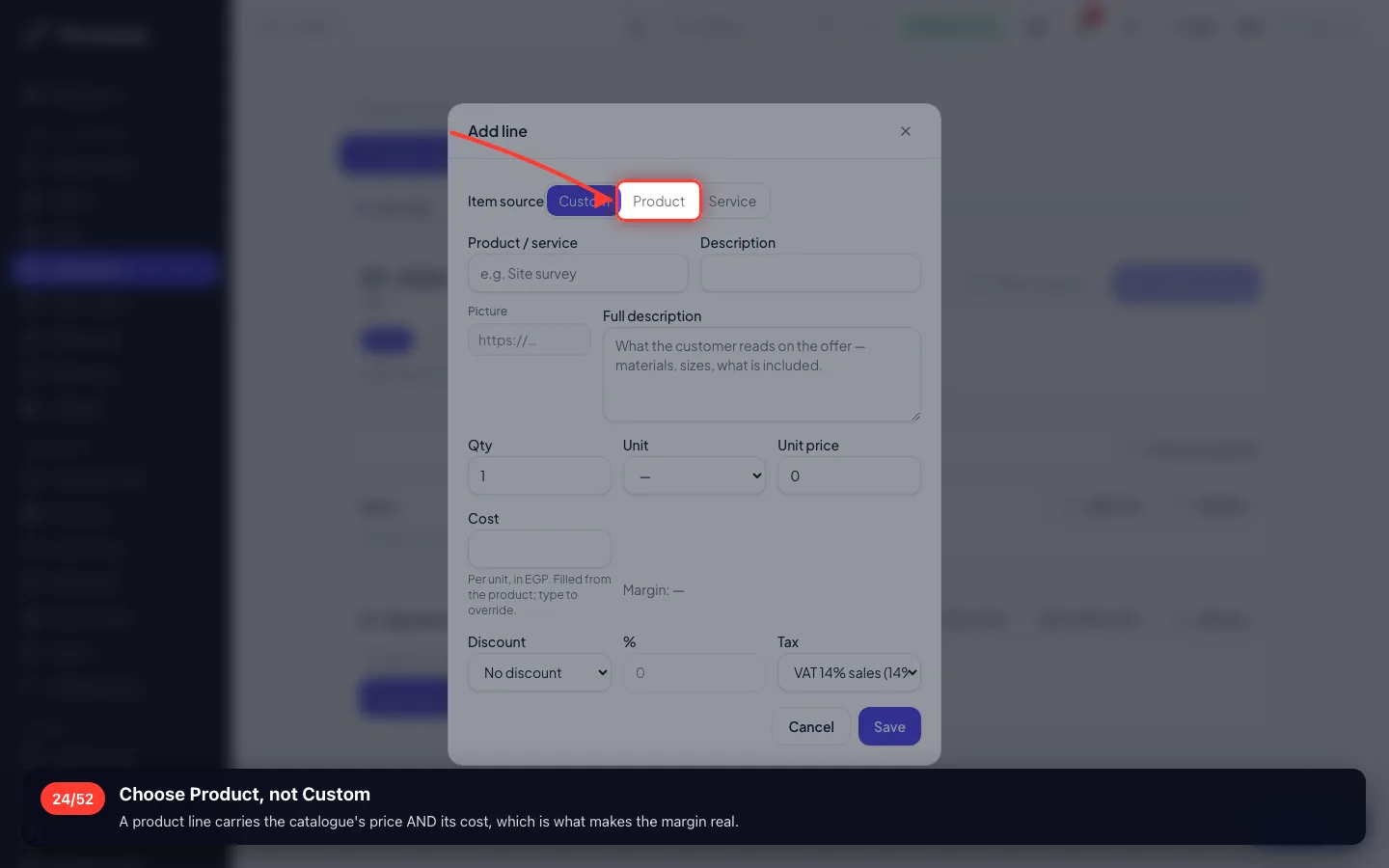
Choose Product, not Custom
A product line carries the catalogue's price AND its cost, which is what makes the margin real.
- 25
Search for the article
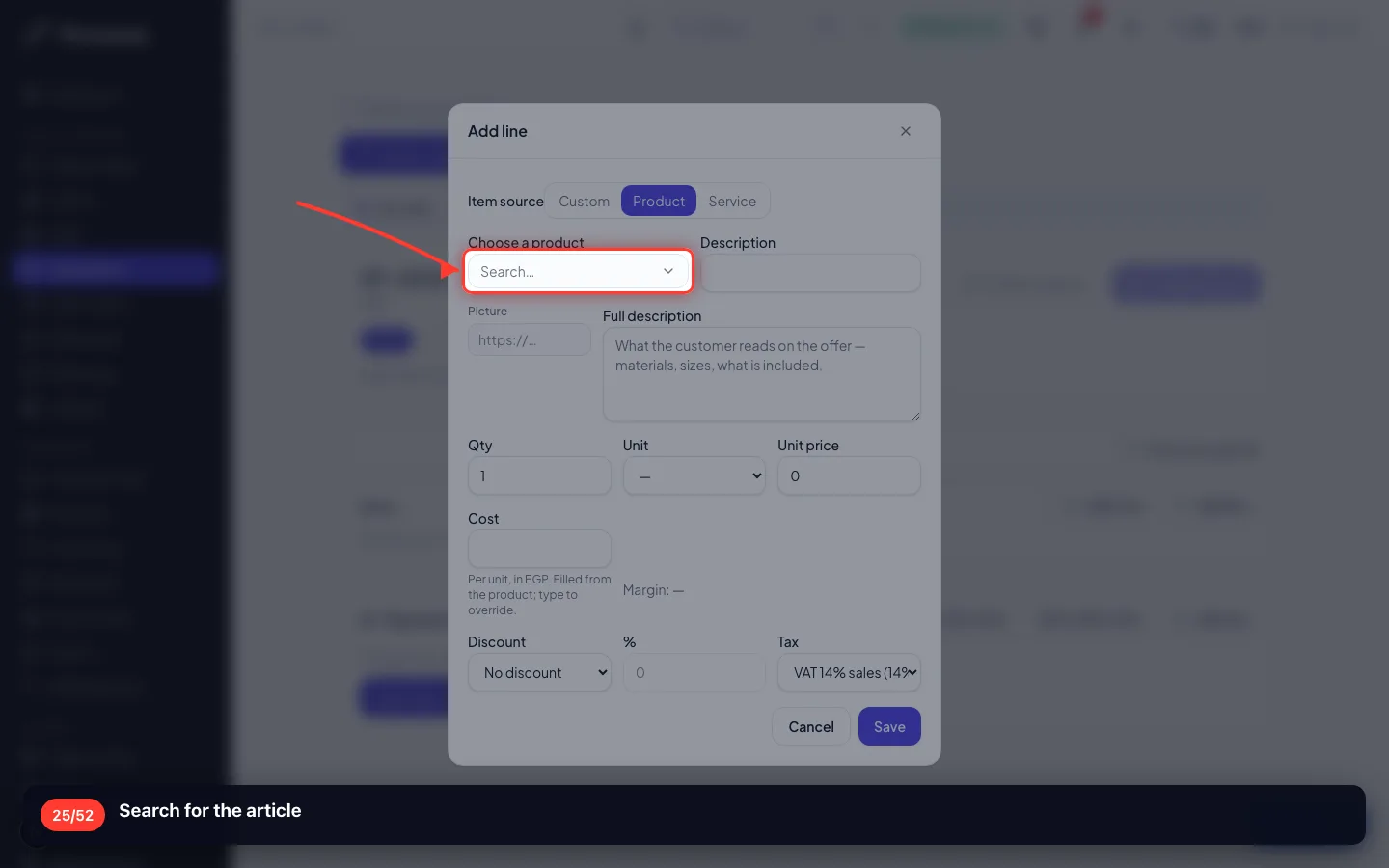
- 26
How many they want
150 rolls. You bought 200 — you are not obliged to sell the lot, and the other 50 stay on the shelf.
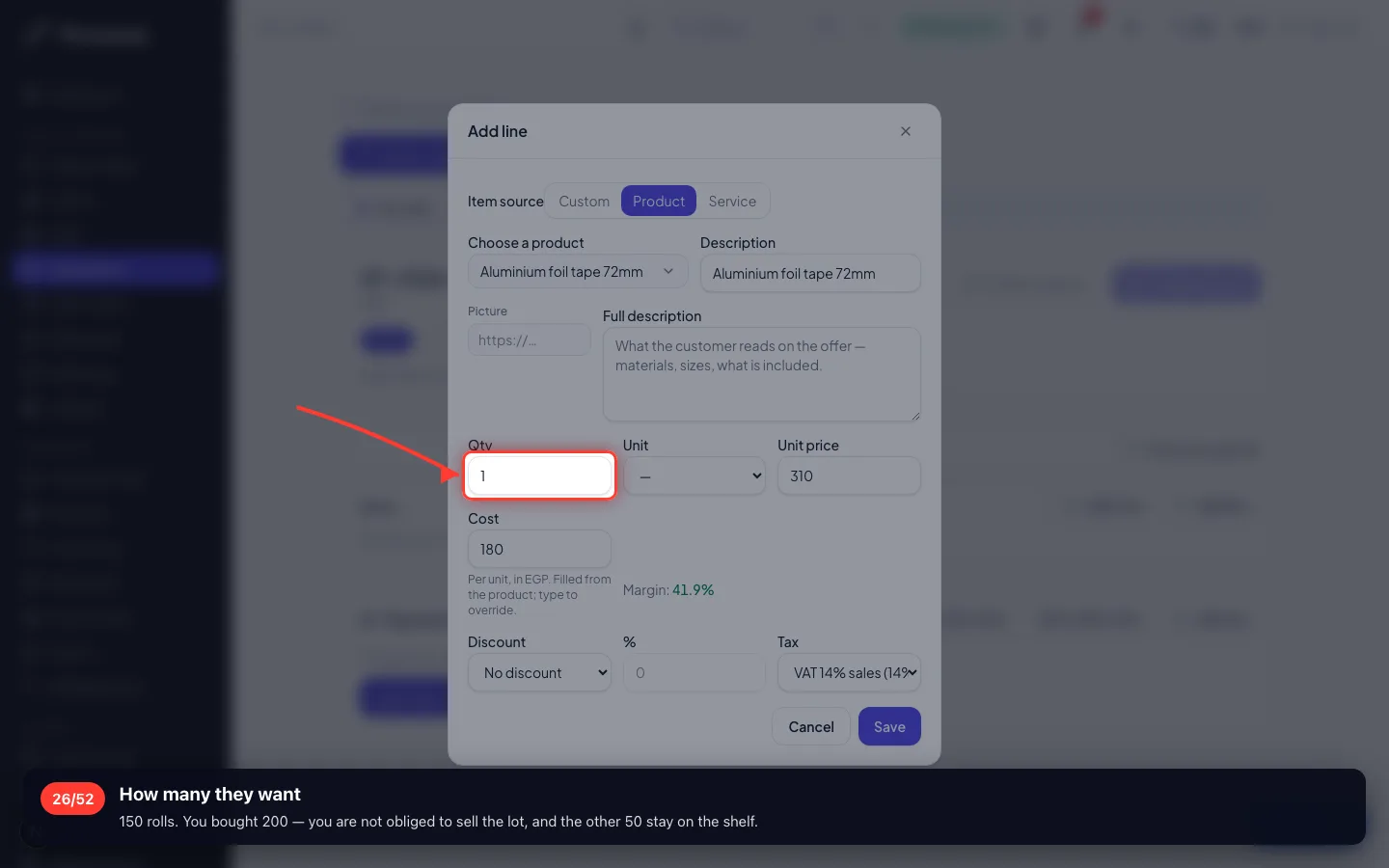
- 27
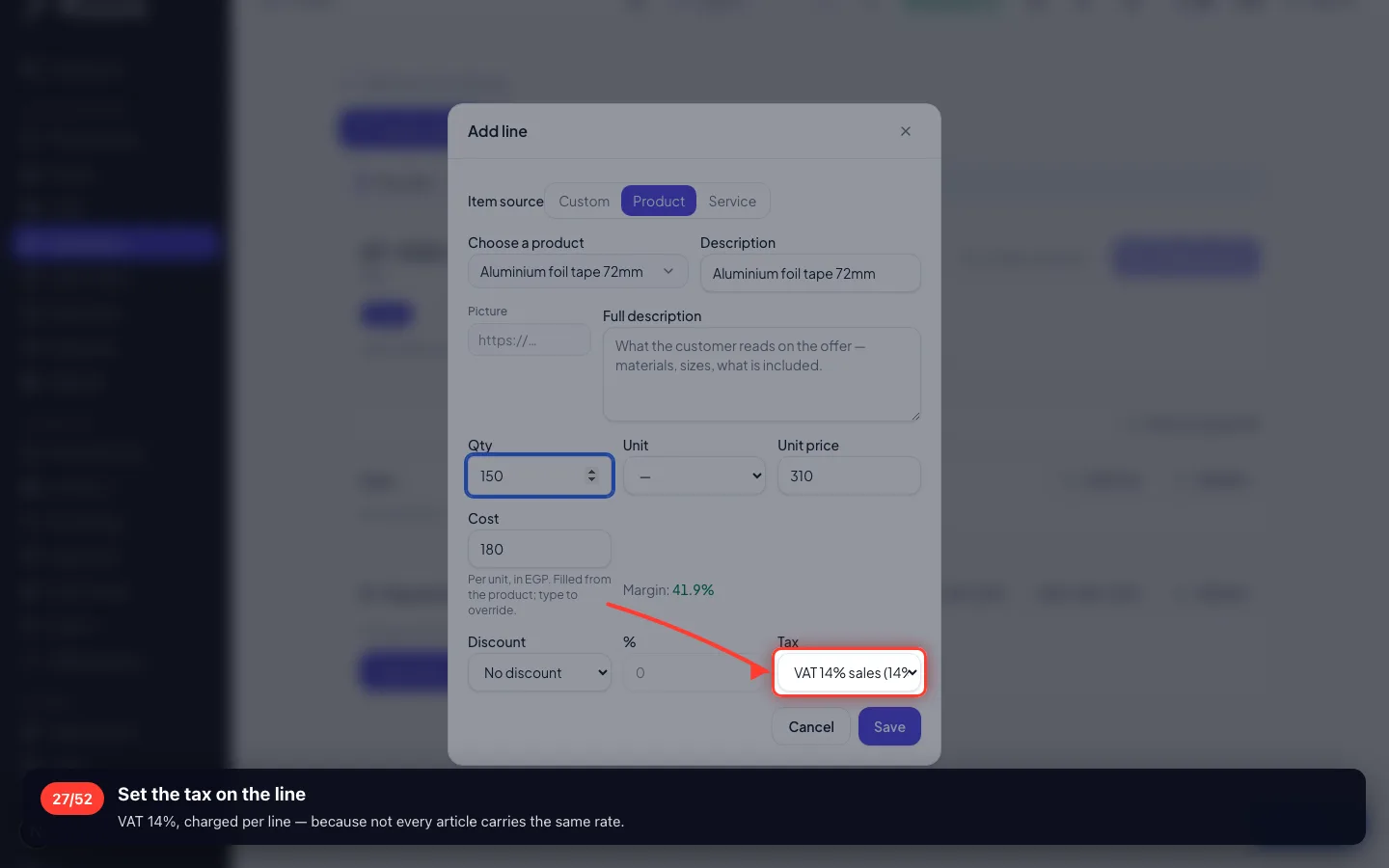
Set the tax on the line
VAT 14%, charged per line — because not every article carries the same rate.
- 28
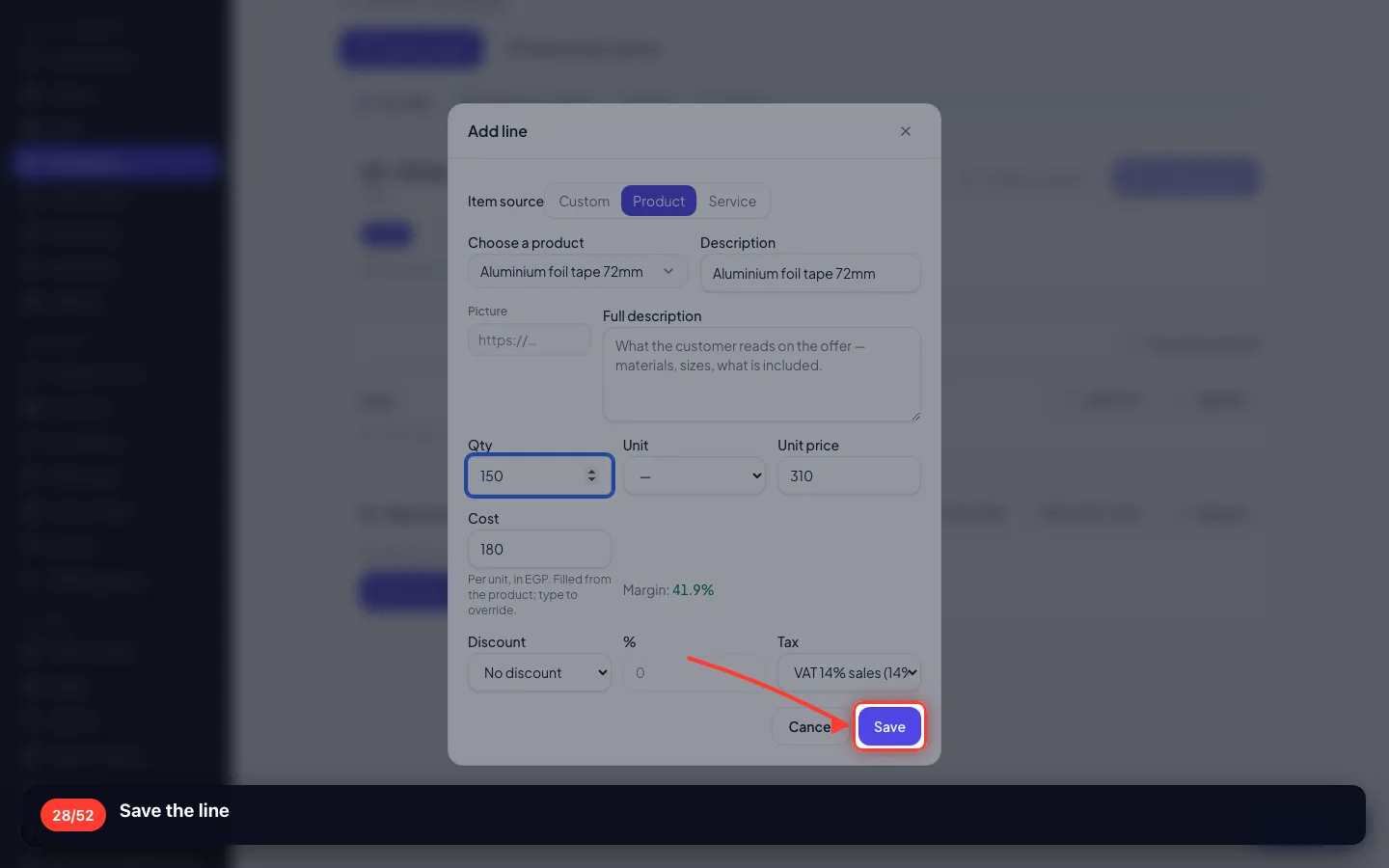
Save the line
- 29
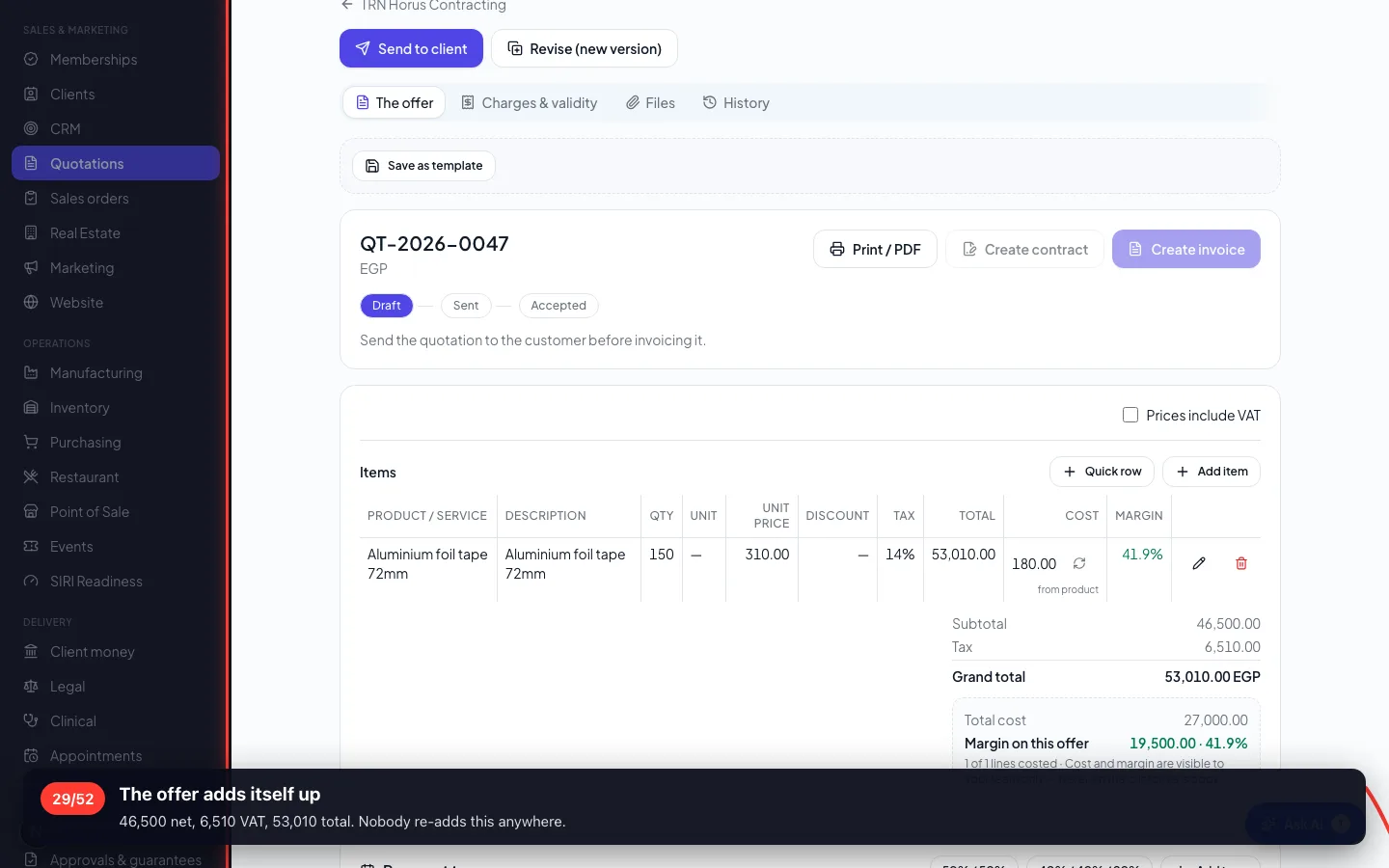
The offer adds itself up
46,500 net, 6,510 VAT, 53,010 total. Nobody re-adds this anywhere.
7 · Sending it, and the answer
The offer travels as a private link. The customer needs no account and no password to read or sign it.
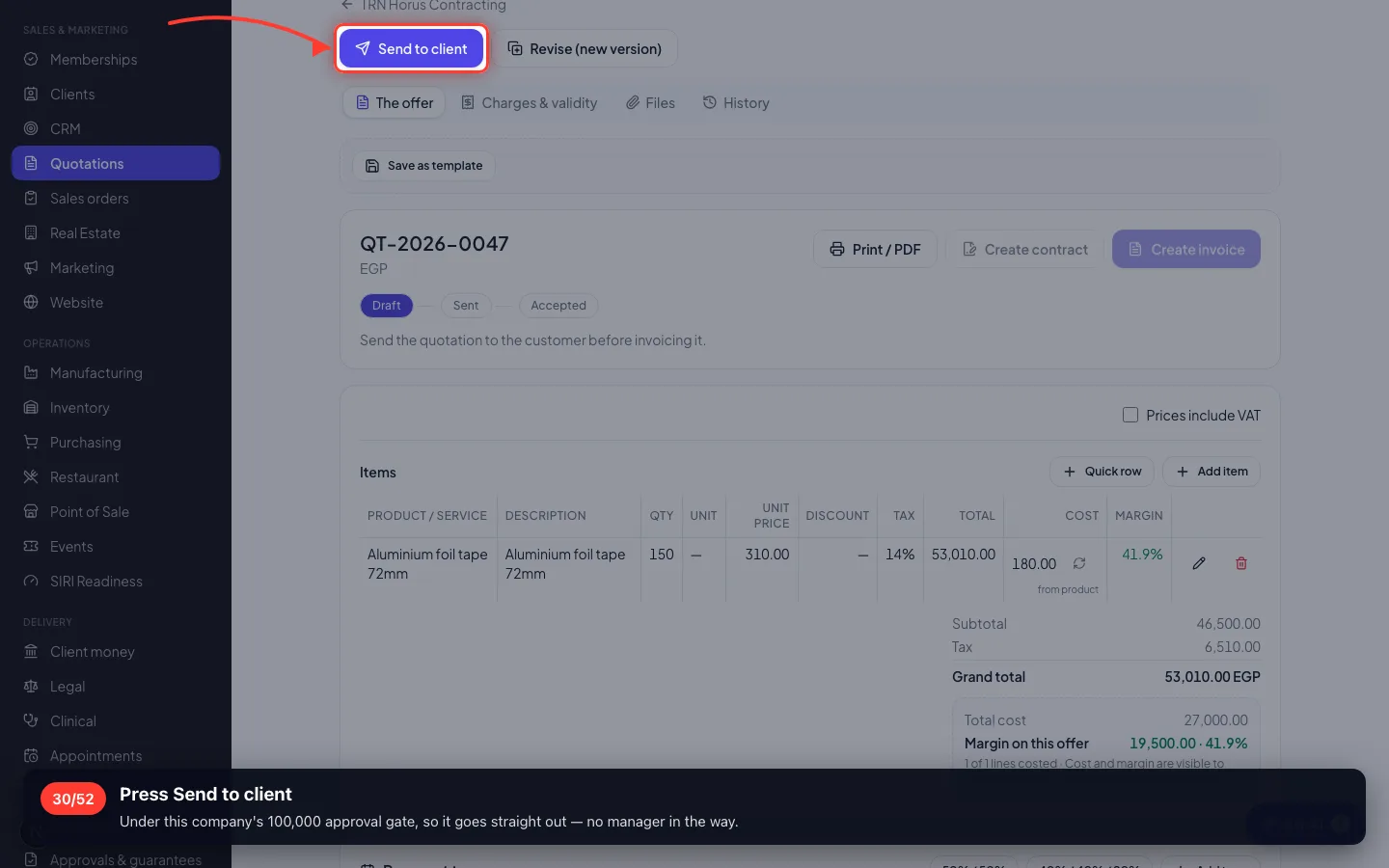
30Press Send to client
Under this company's 100,000 approval gate, so it goes straight out — no manager in the way.
- 31
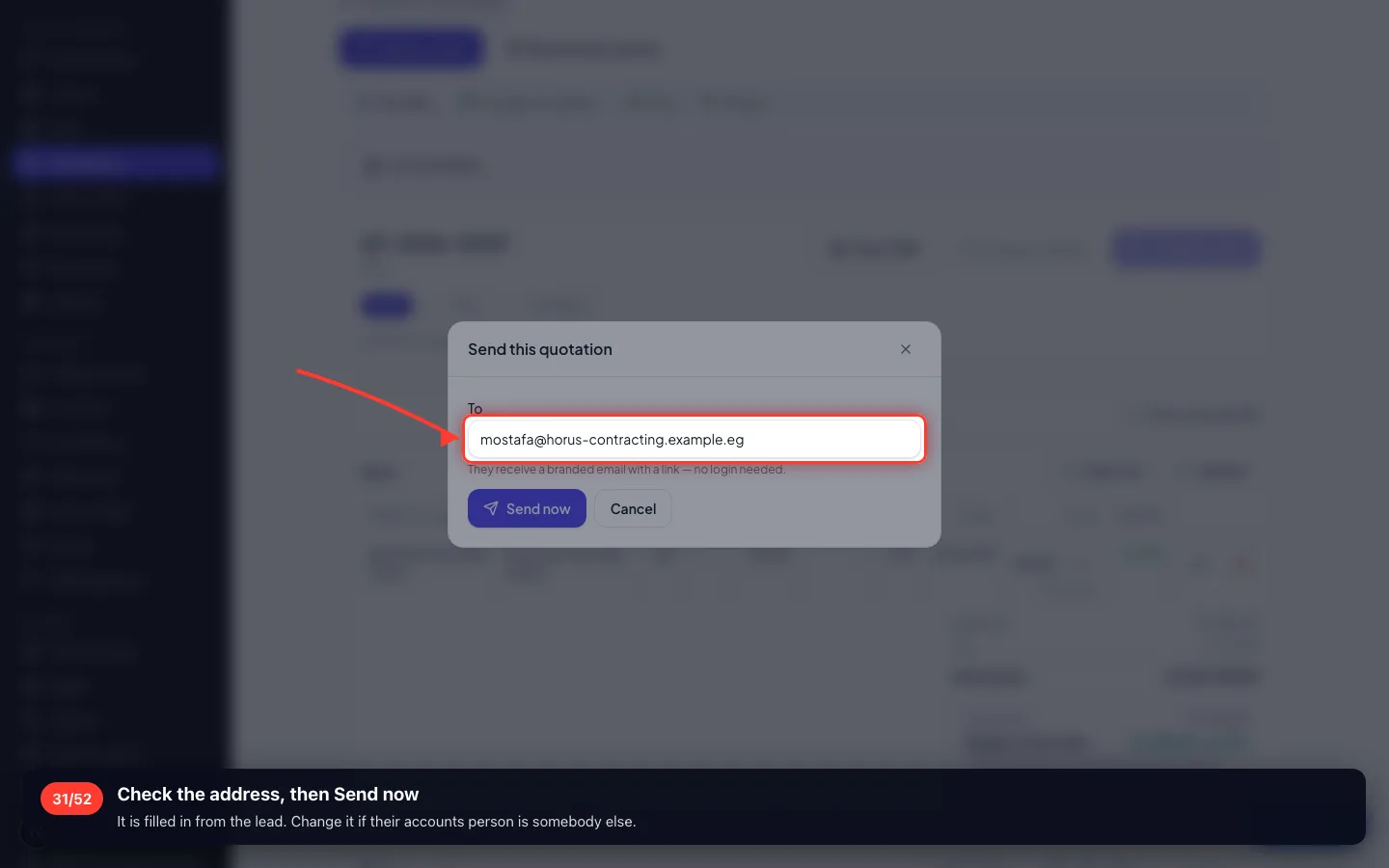
Check the address, then Send now
It is filled in from the lead. Change it if their accounts person is somebody else.
- 32
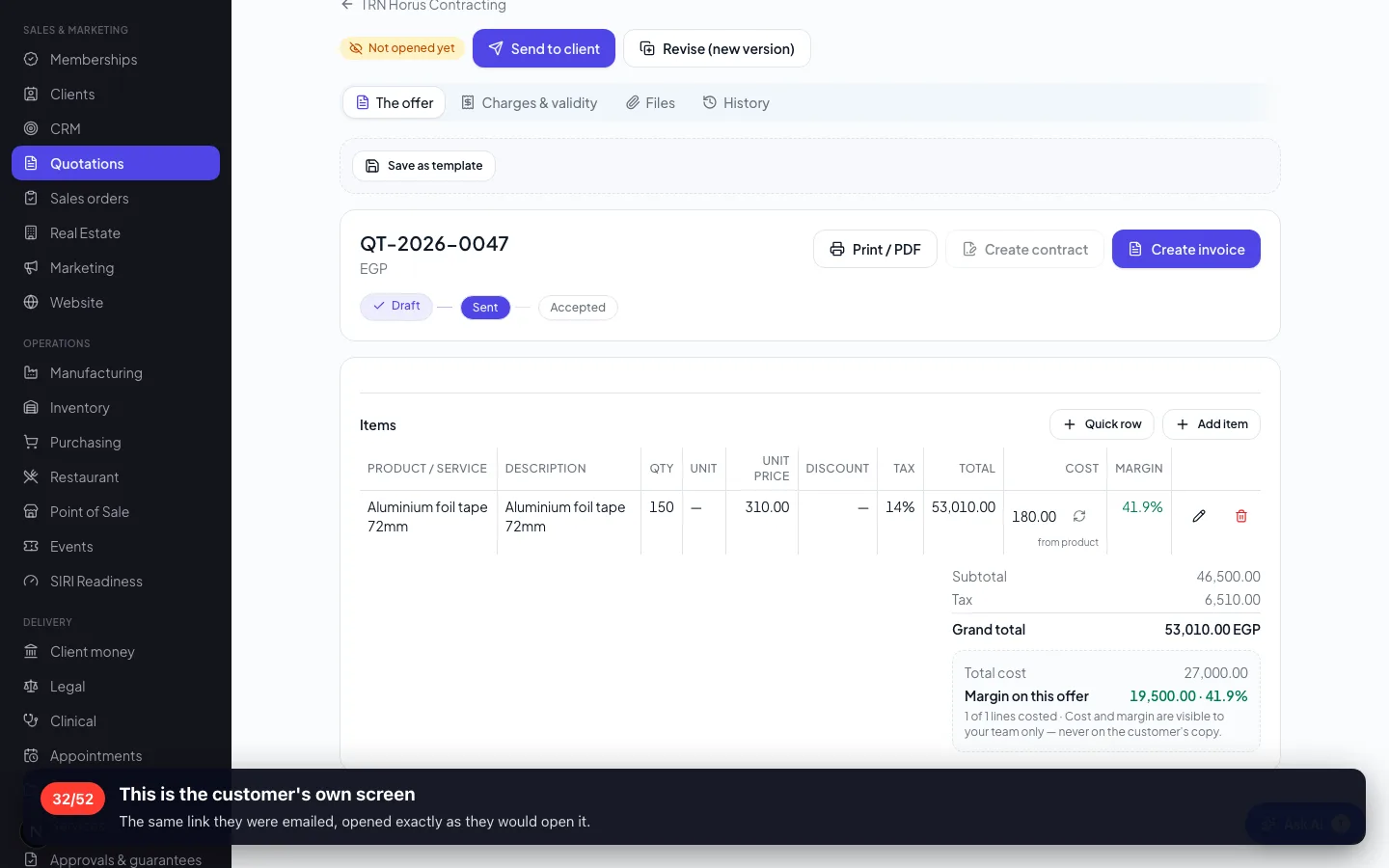
This is the customer's own screen
The same link they were emailed, opened exactly as they would open it.
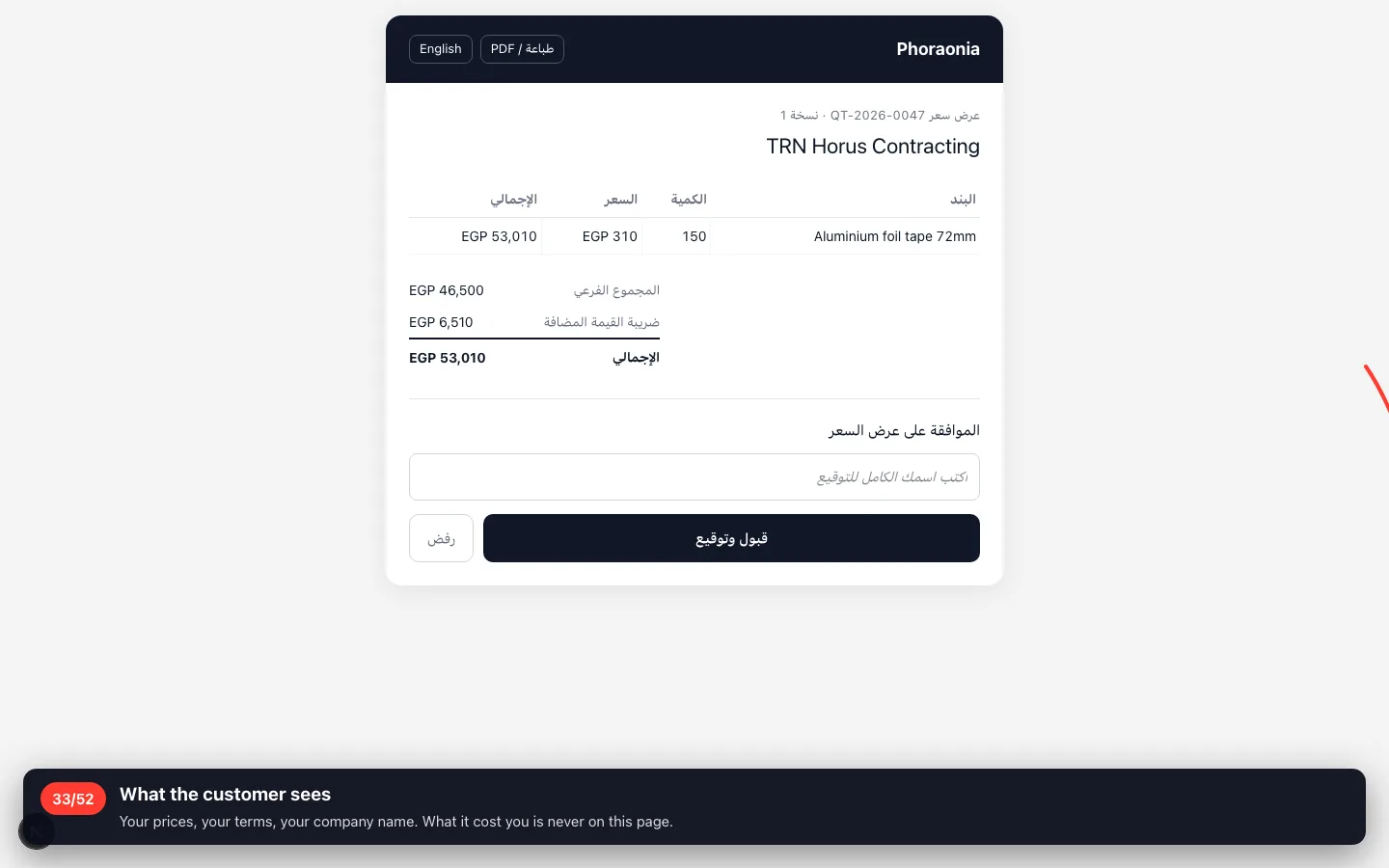
- 33
What the customer sees
Your prices, your terms, your company name. What it cost you is never on this page.
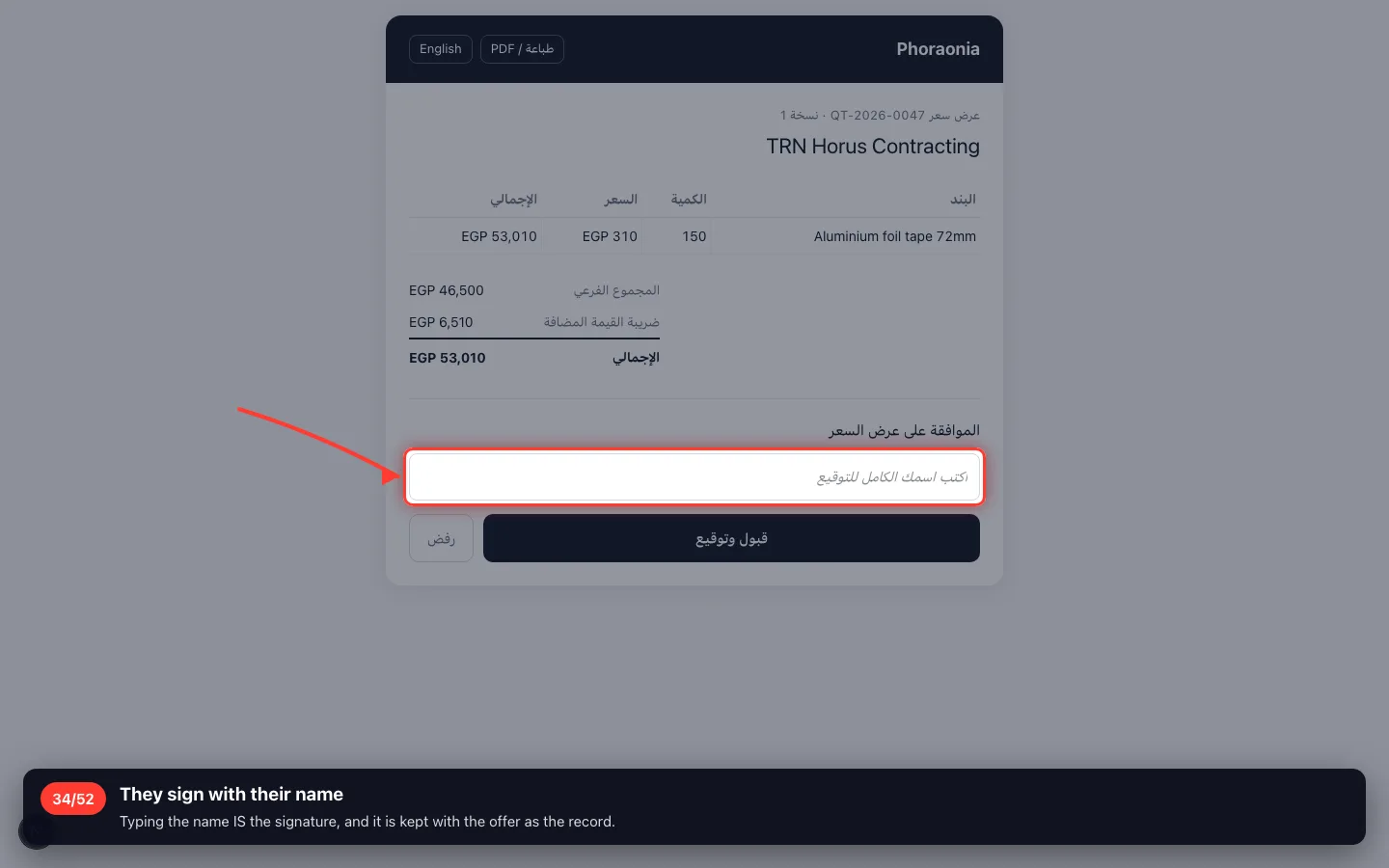
- 34
They sign with their name
Typing the name IS the signature, and it is kept with the offer as the record.
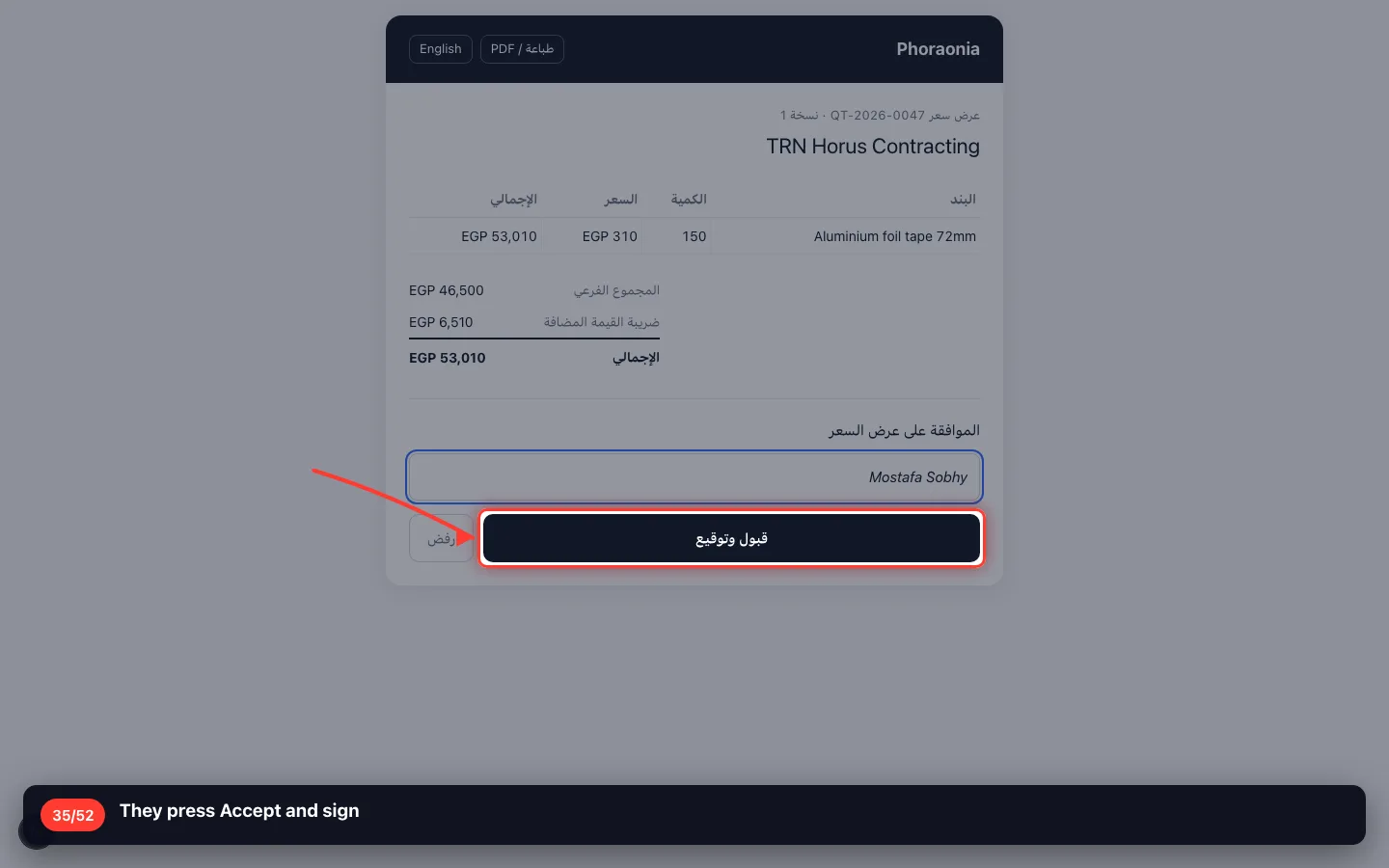
- 35
They press Accept and sign
8 · Confirming the sales order
The accepted offer becomes the order — the frozen record of what was sold, at what price, to whom.
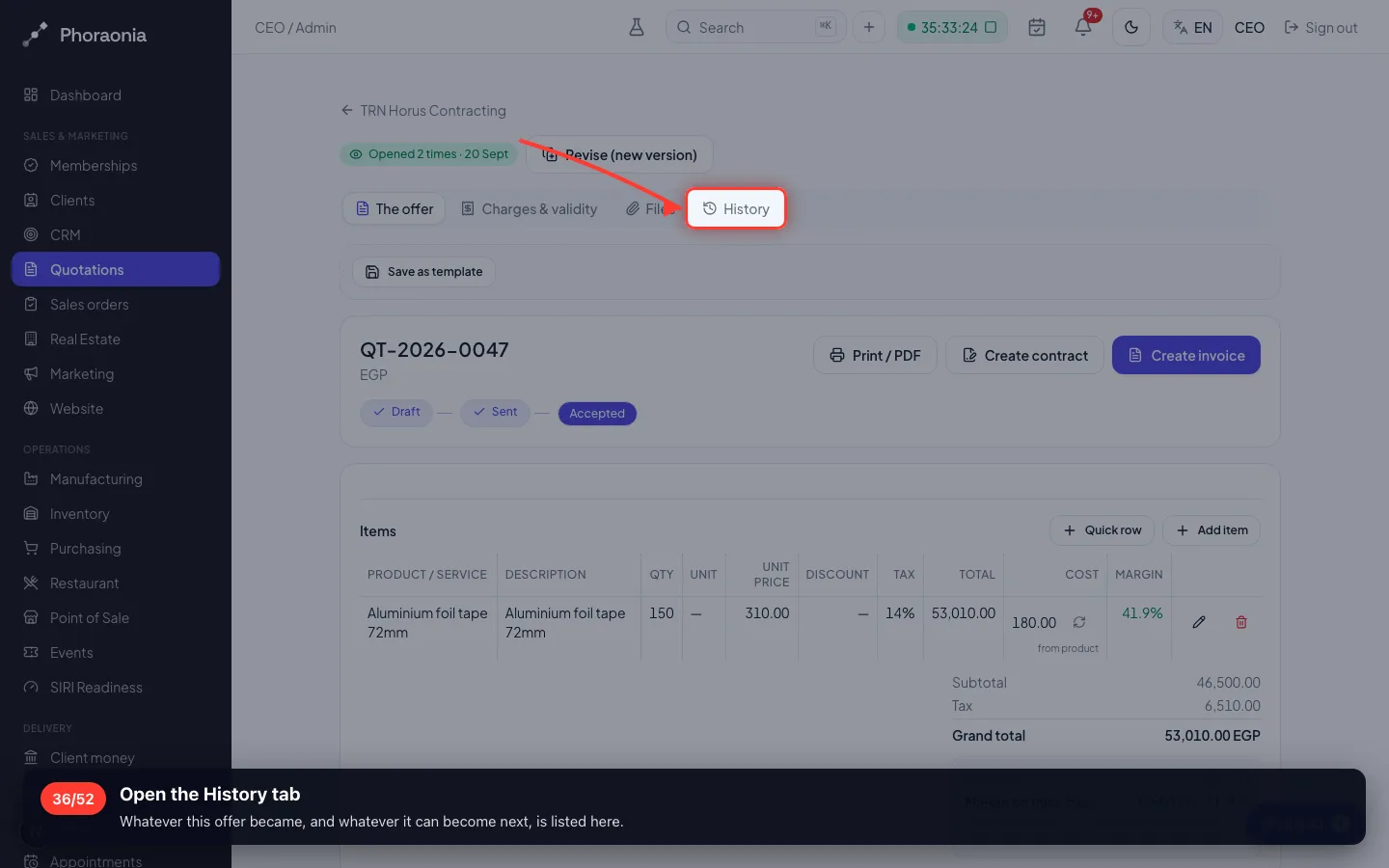
36Open the History tab
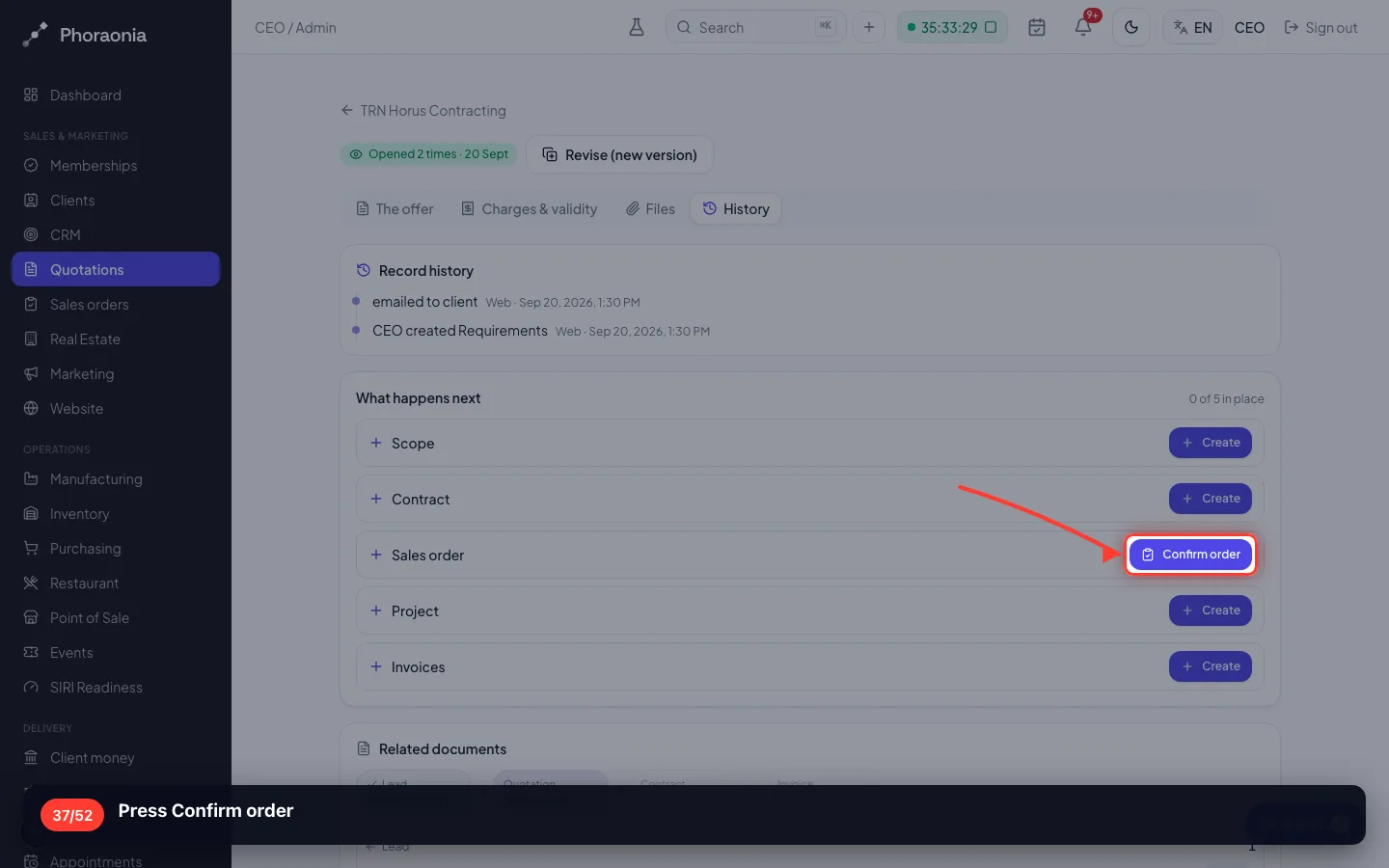
Whatever this offer became, and whatever it can become next, is listed here.
- 37
Press Confirm order
- 38
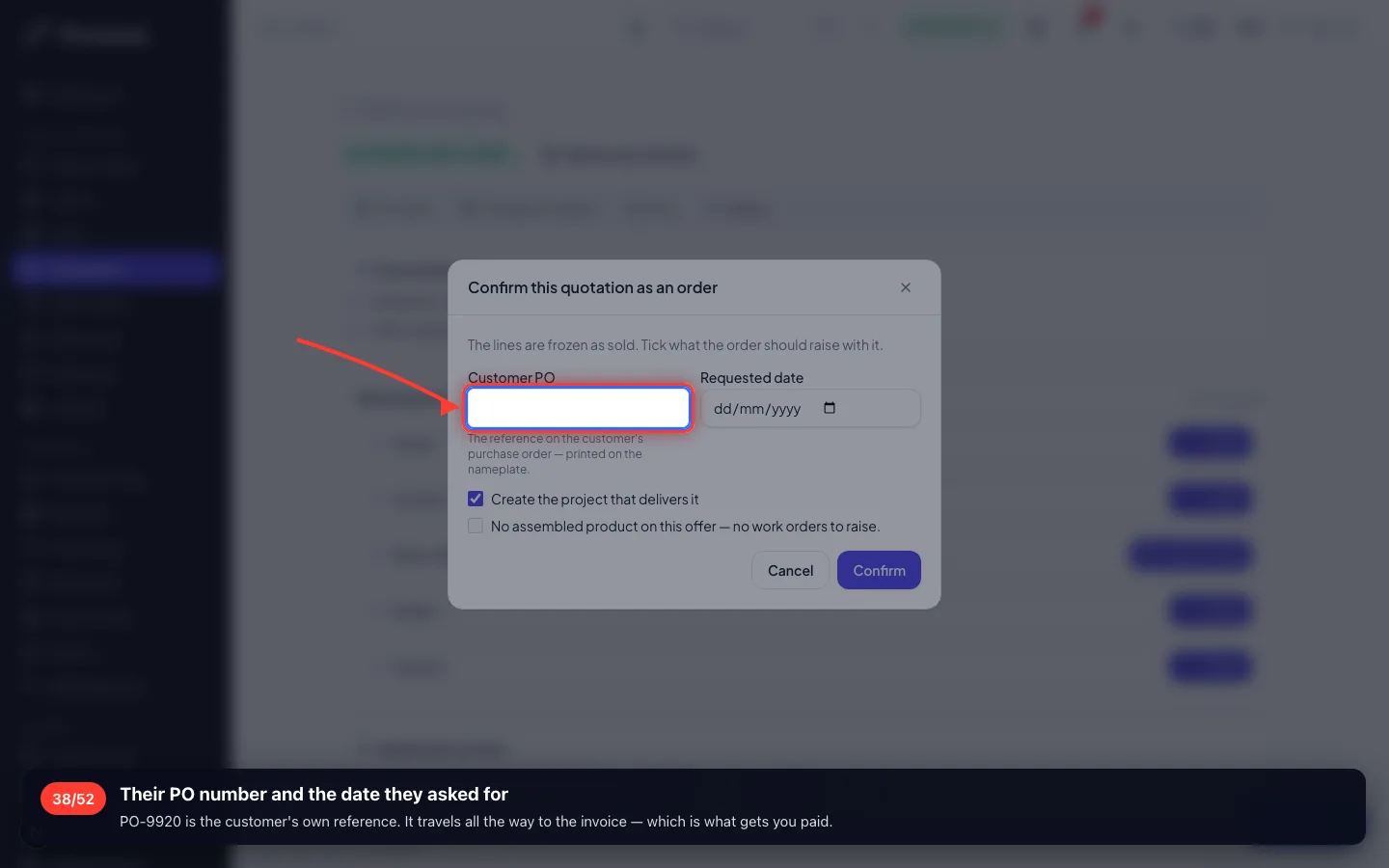
Their PO number and the date they asked for
PO-9920 is the customer's own reference. It travels all the way to the invoice — which is what gets you paid.
- 39
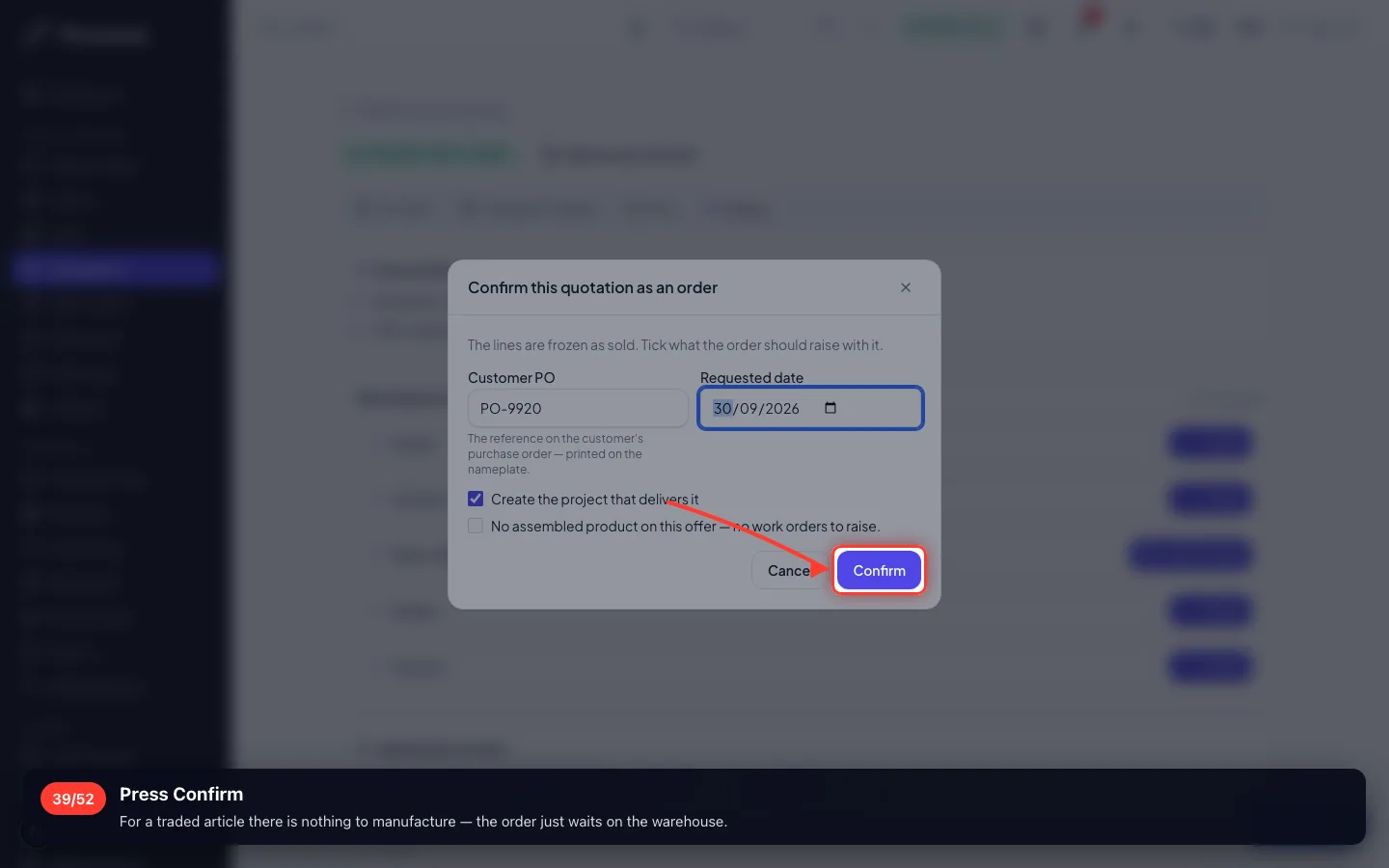
Press Confirm
For a traded article there is nothing to manufacture — the order just waits on the warehouse.
- 40
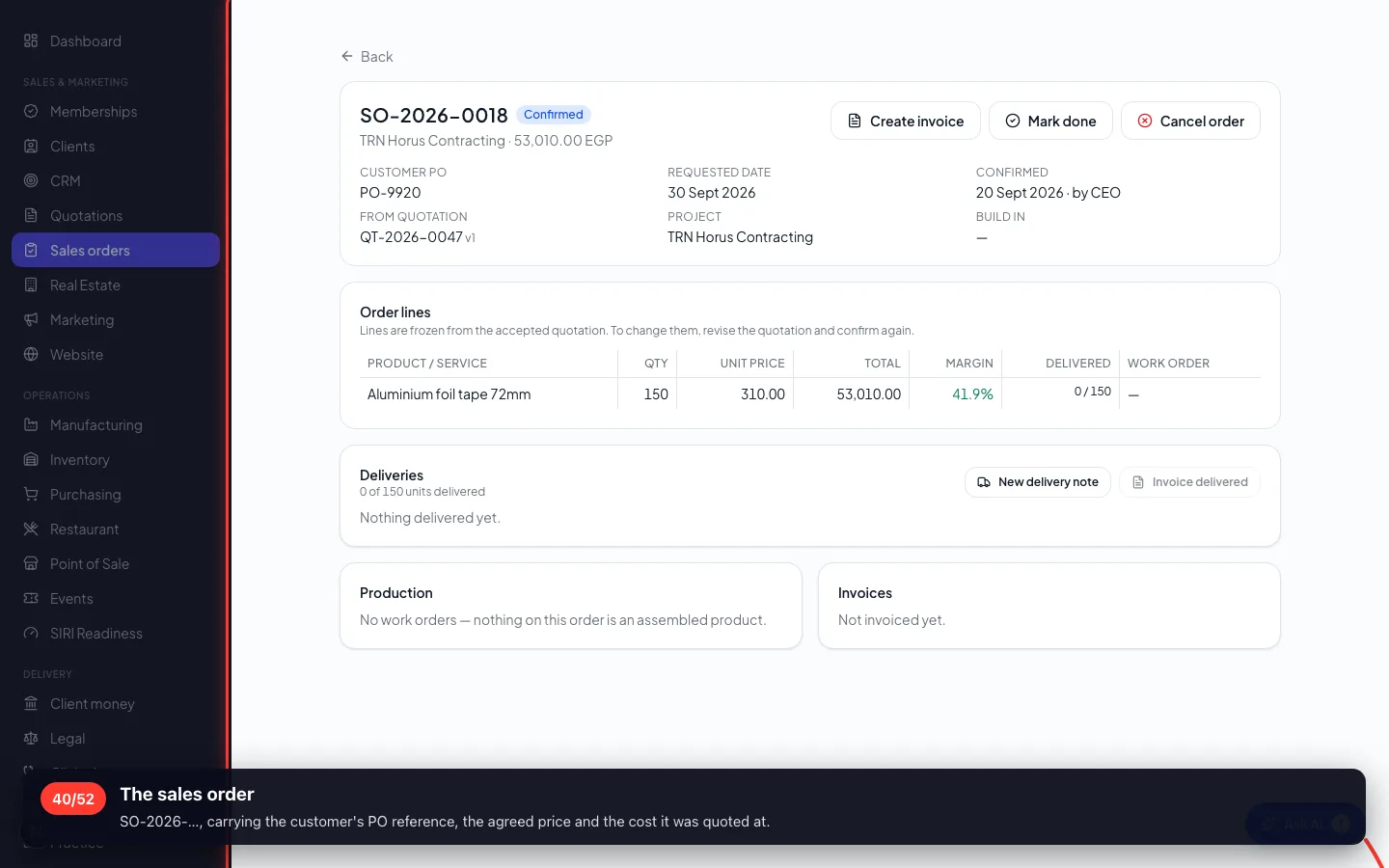
The sales order
SO-2026-…, carrying the customer's PO reference, the agreed price and the cost it was quoted at.
9 · The invoice
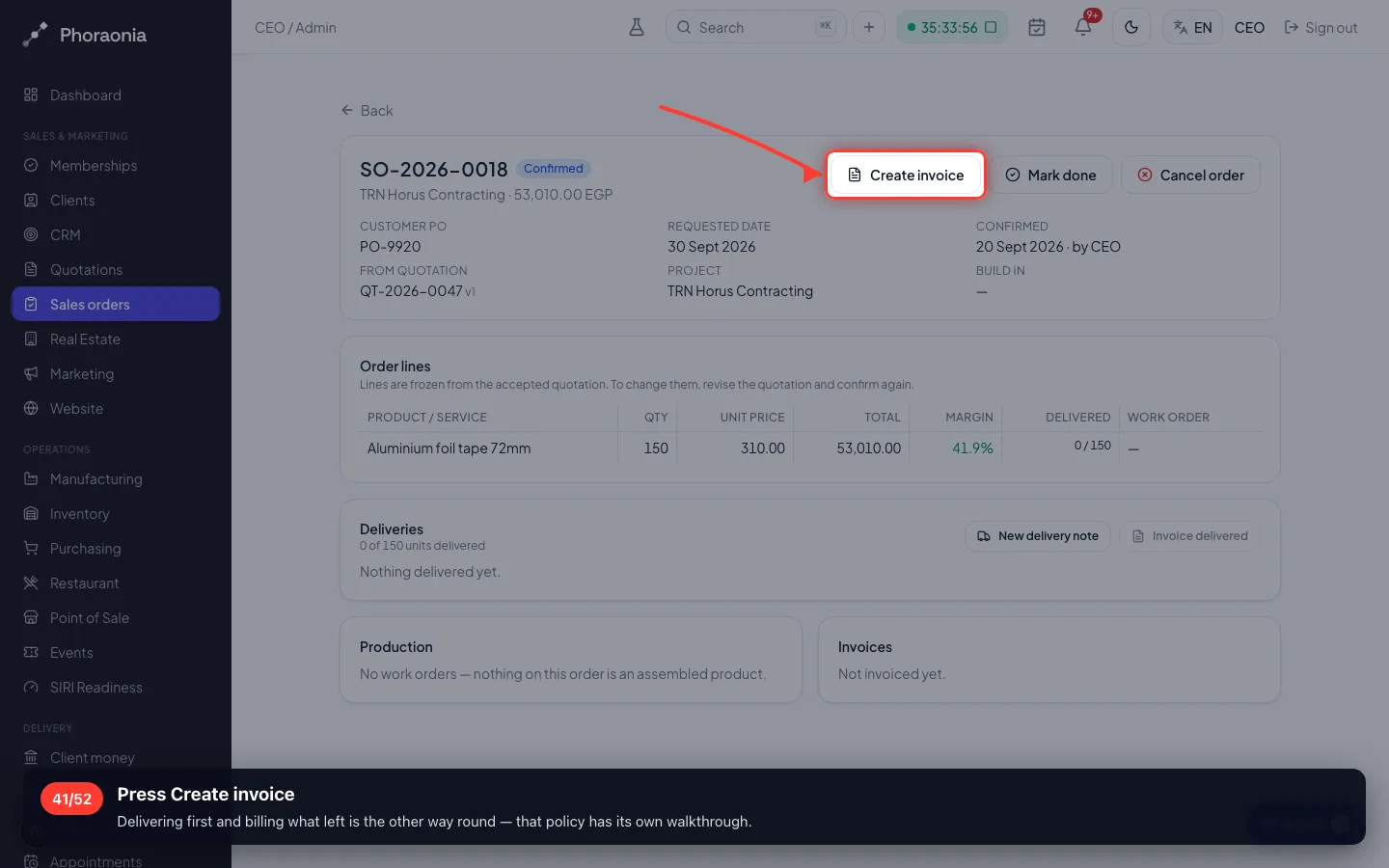
This company bills before it ships. One press invoices the whole order — and the same counter stops it being billed twice.
41Press Create invoice
Delivering first and billing what left is the other way round — that policy has its own walkthrough.
- 42
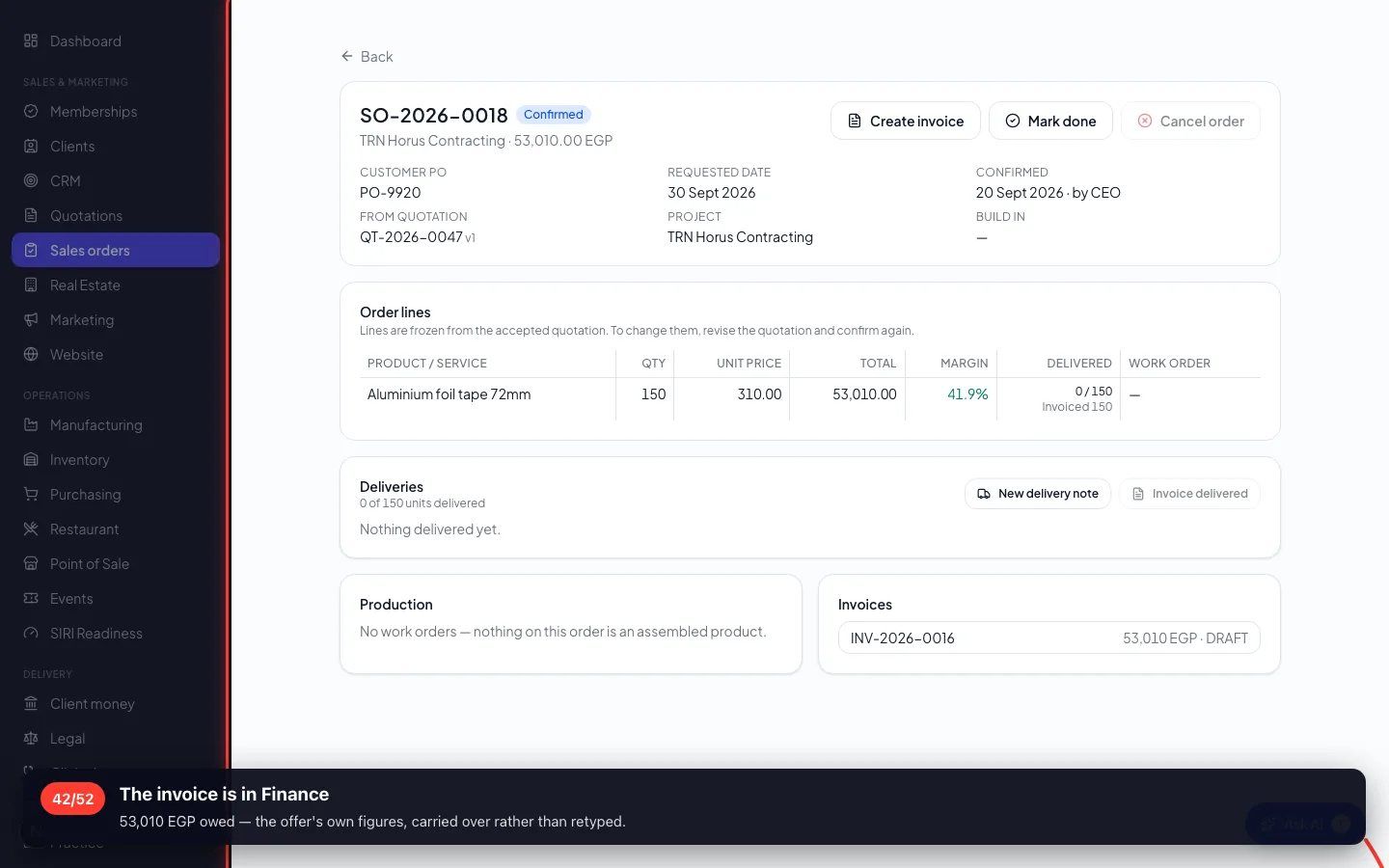
The invoice is in Finance
53,010 EGP owed — the offer's own figures, carried over rather than retyped.
10 · Collecting the money
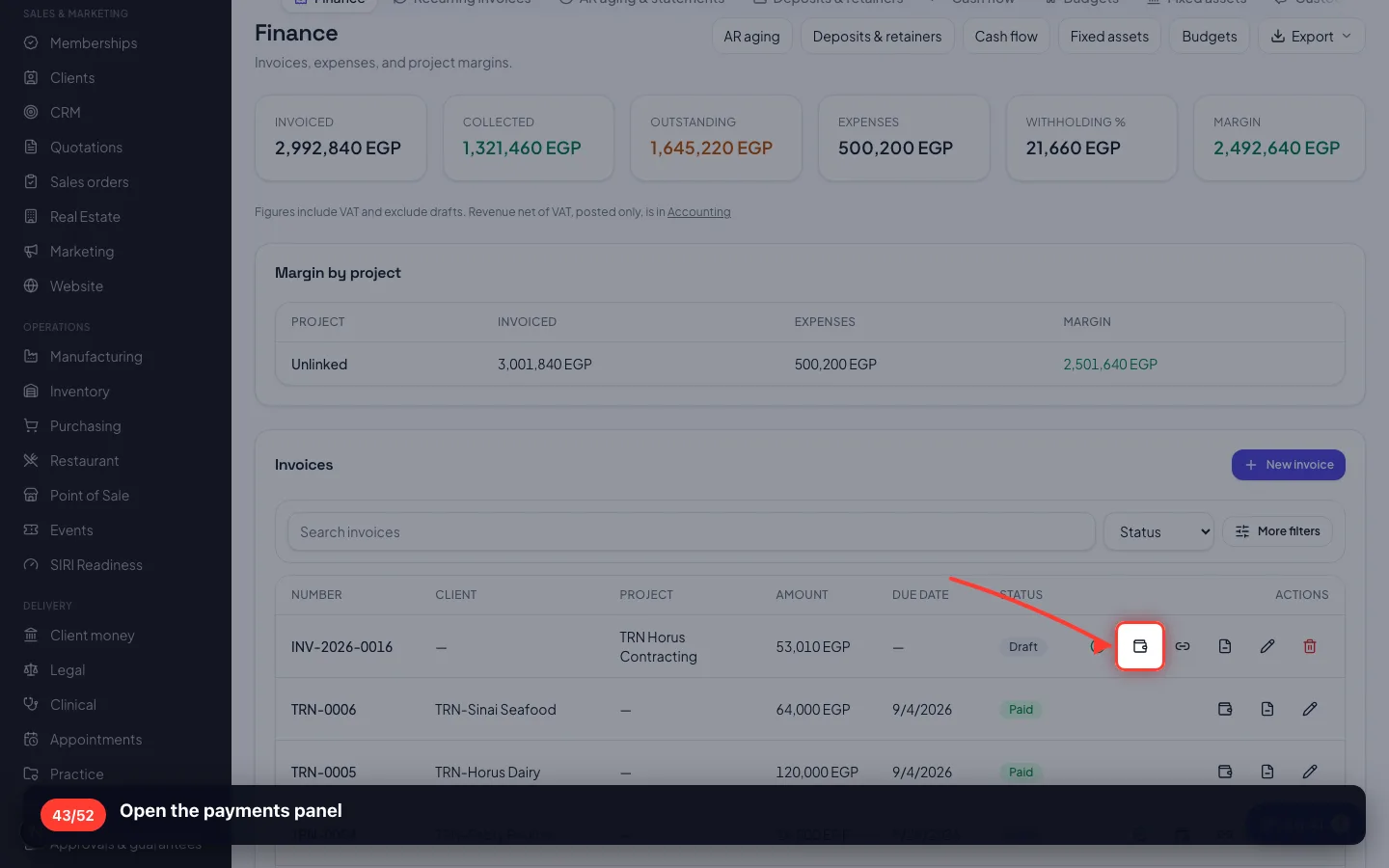
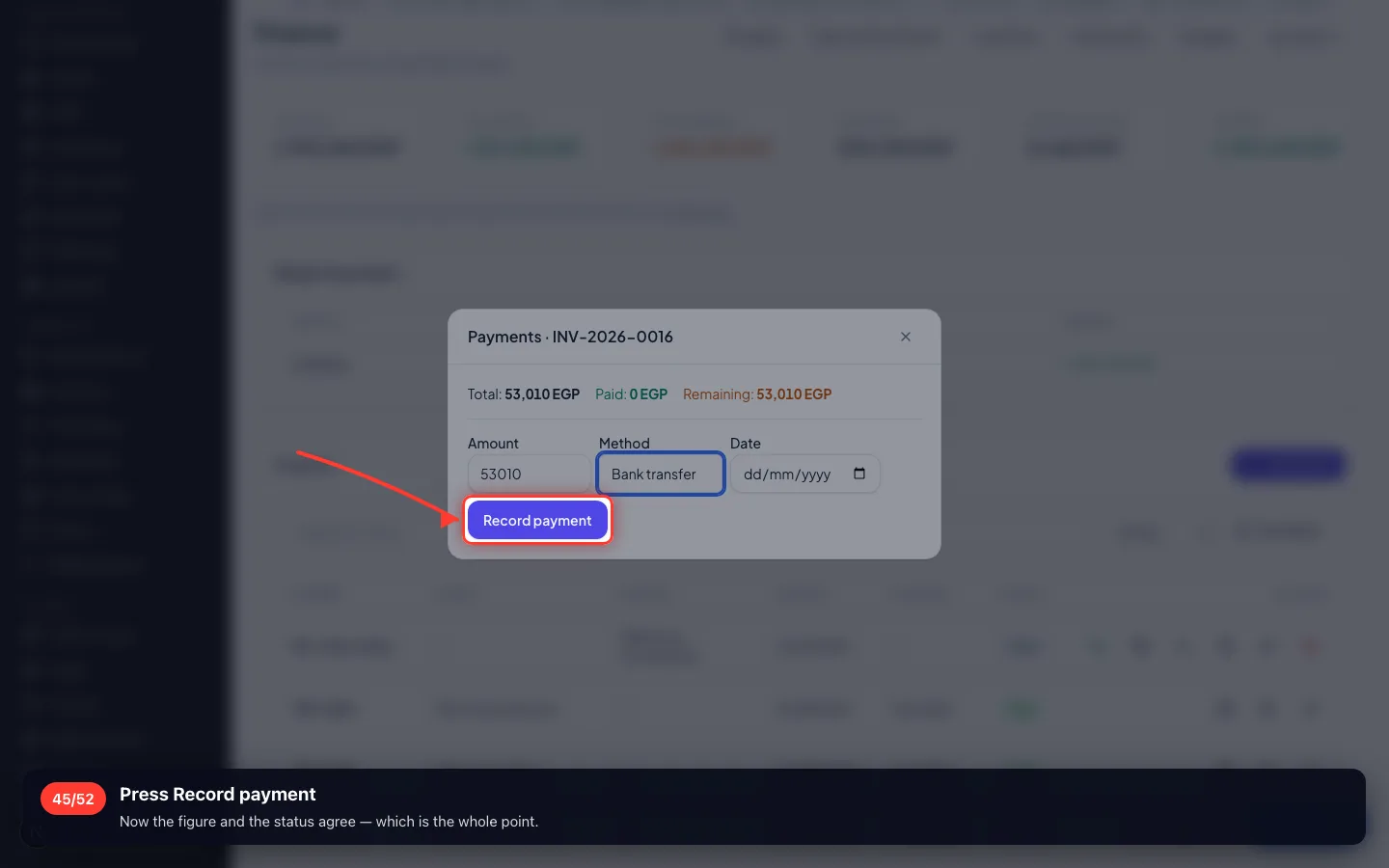
Recording the money is what makes an invoice paid. A status on its own is not money.
43Open the payments panel
- 44
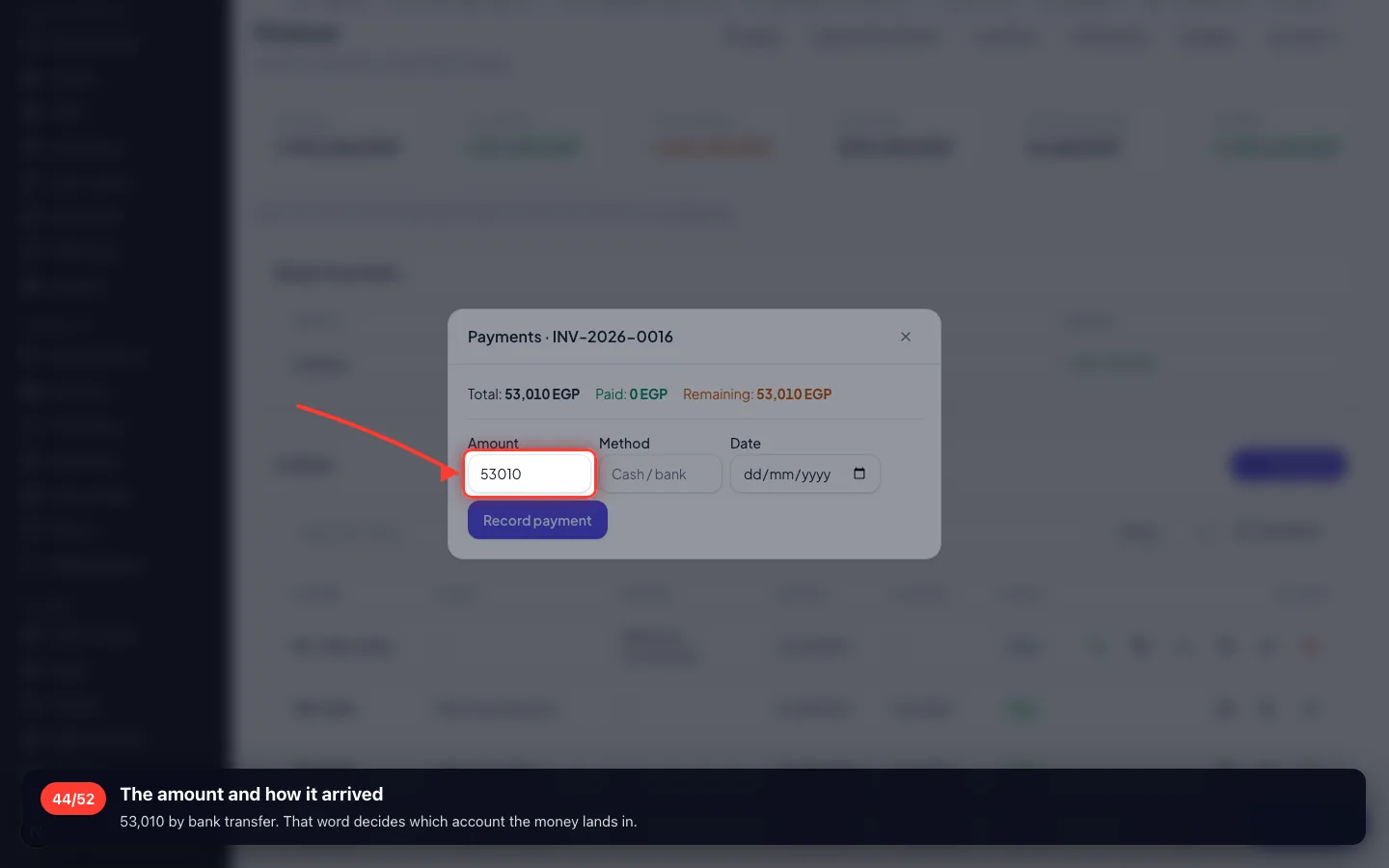
The amount and how it arrived
53,010 by bank transfer. That word decides which account the money lands in.
- 45
Press Record payment
Now the figure and the status agree — which is the whole point.
11 · Delivering from the warehouse
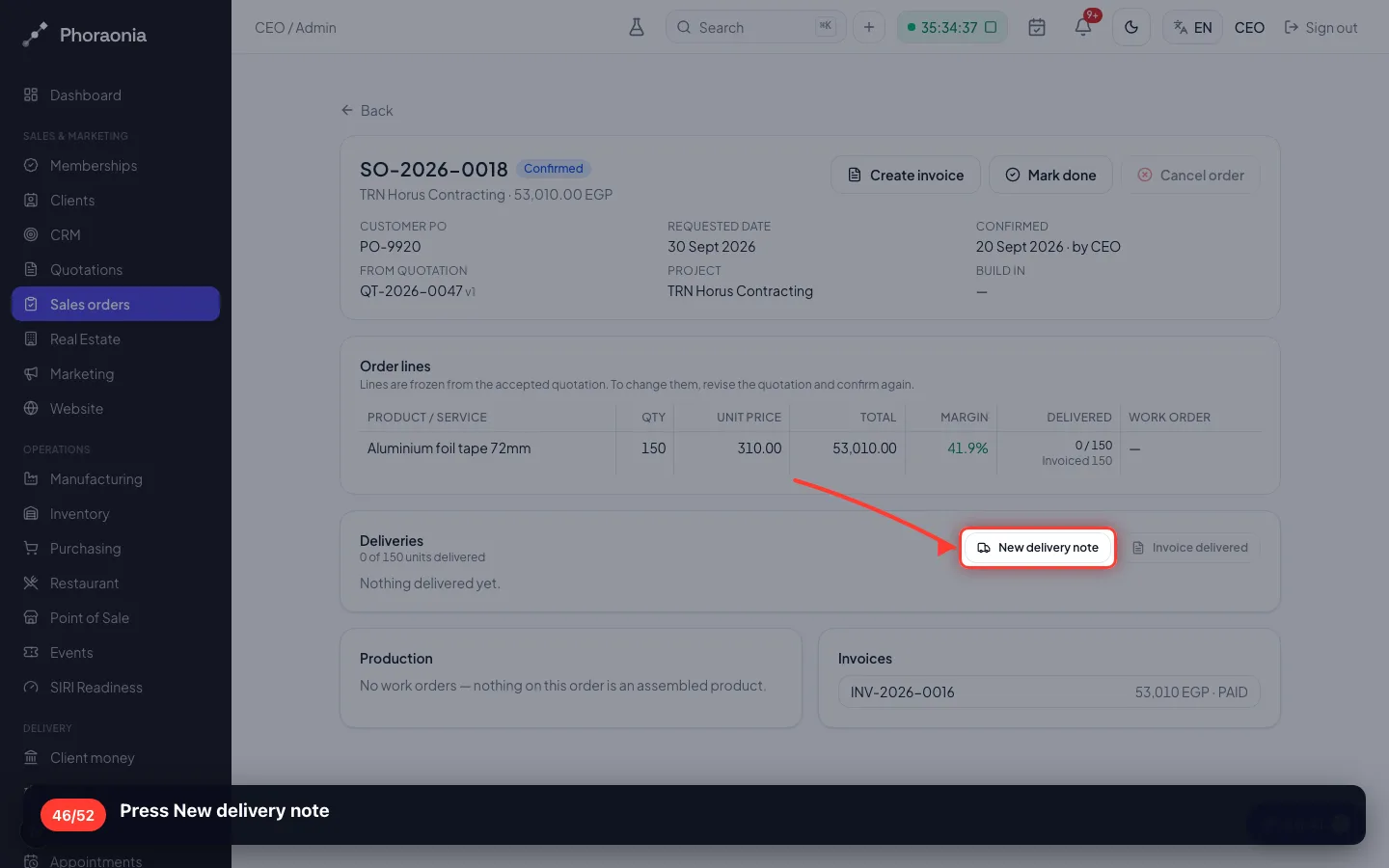
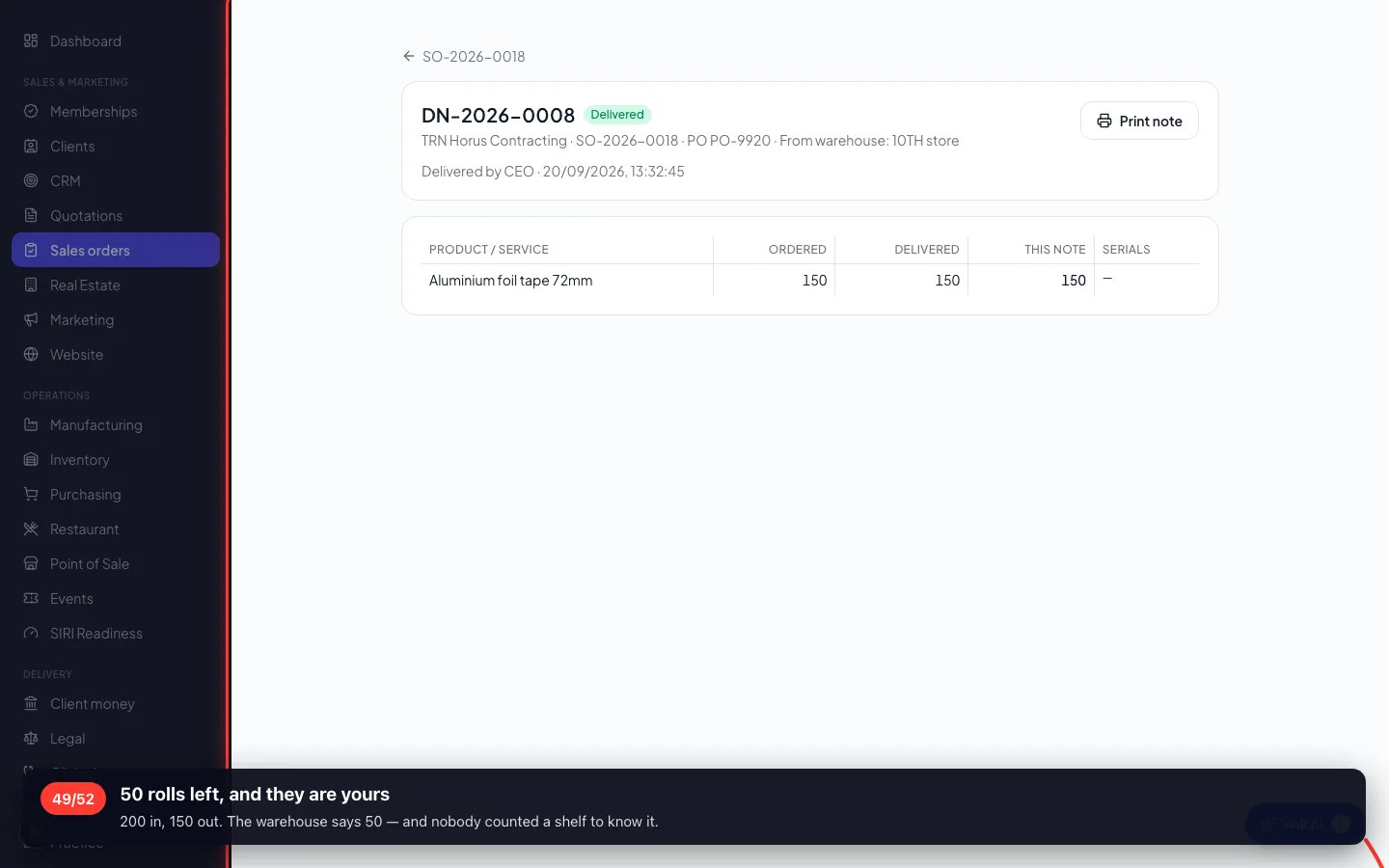
Paid for, so now it ships. The delivery note is what takes the rolls off the shelf and records who received them.
46Press New delivery note
- 47
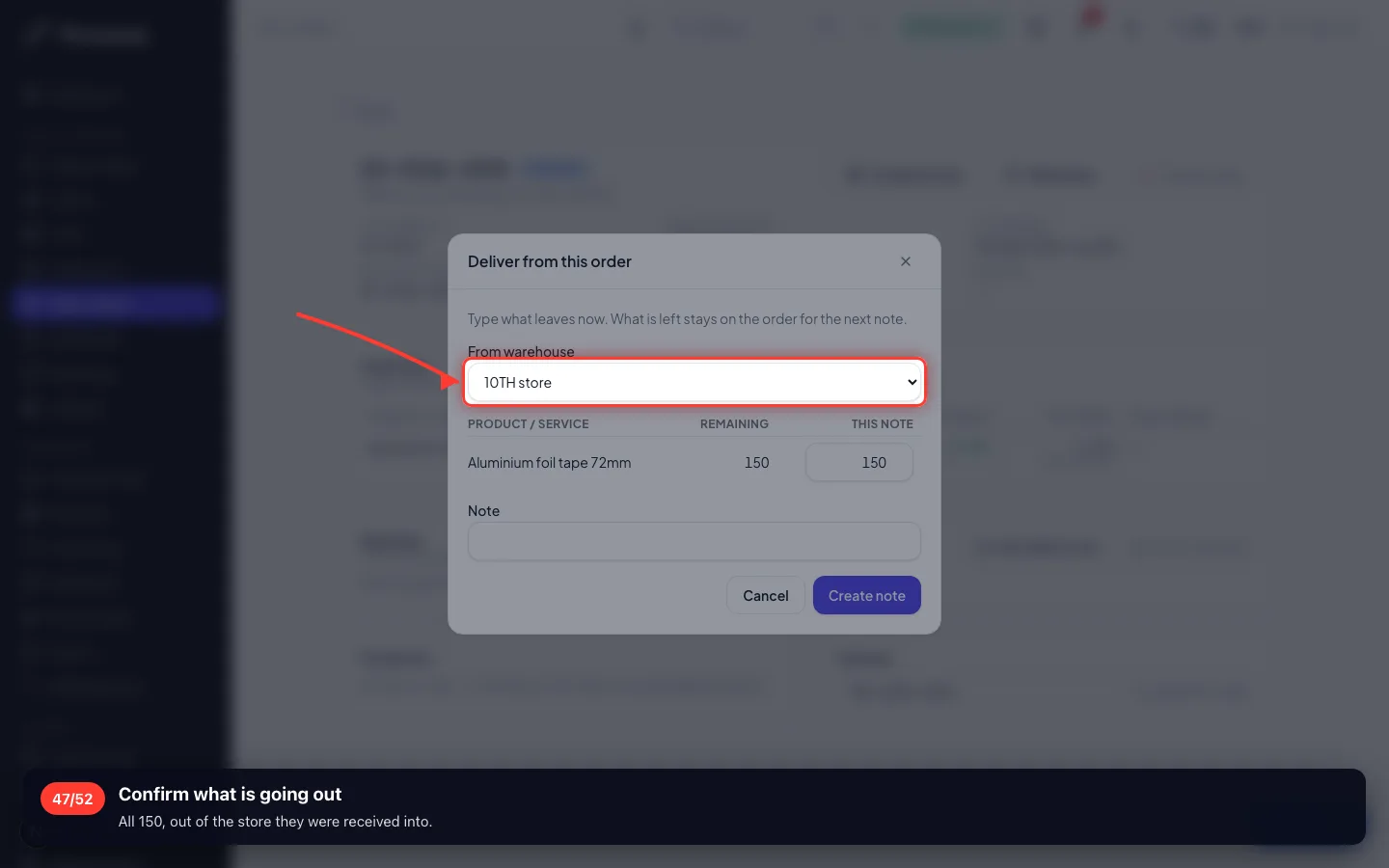
Confirm what is going out
All 150, out of the store they were received into.
- 48
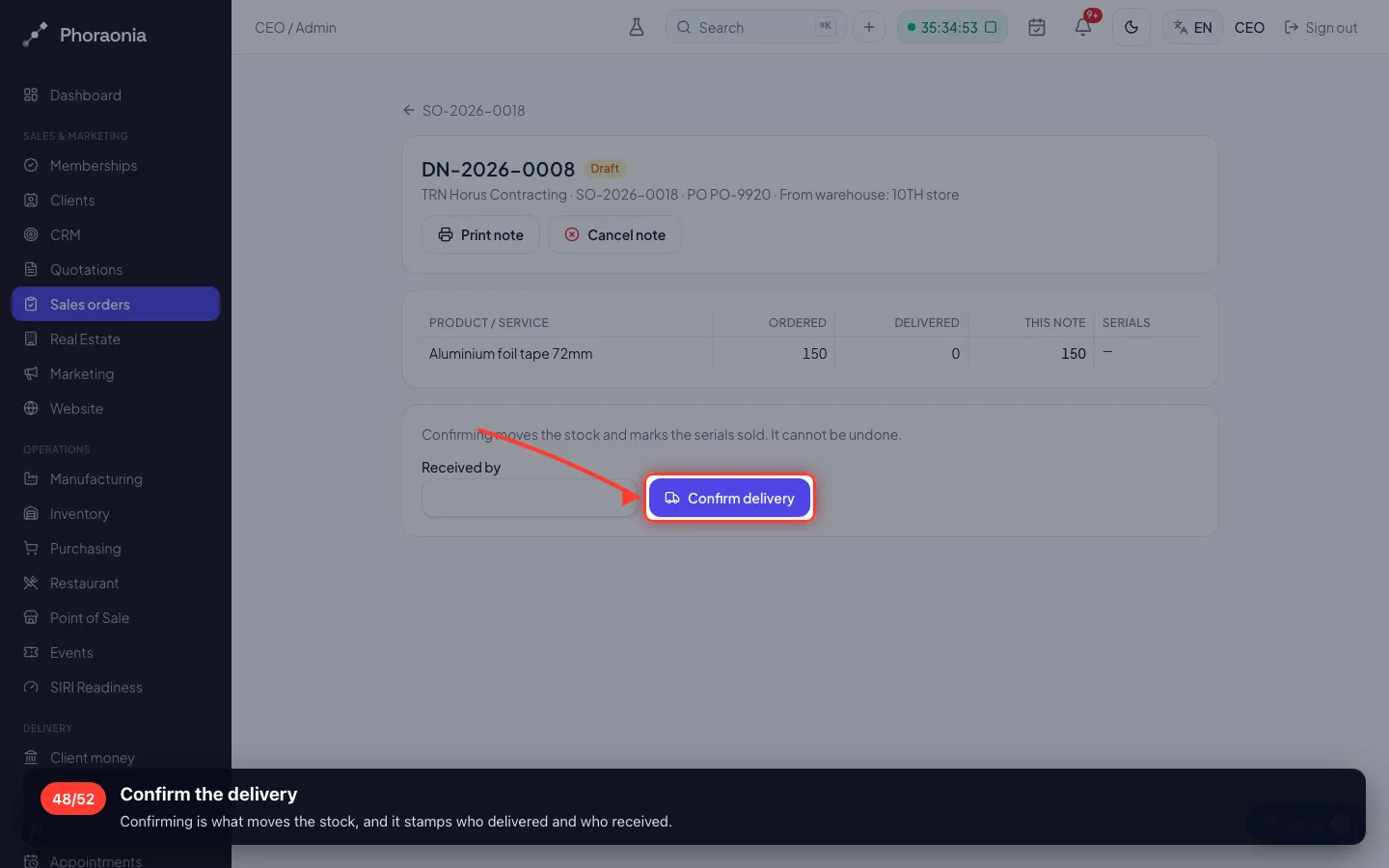
Confirm the delivery
Confirming is what moves the stock, and it stamps who delivered and who received.
- 49
50 rolls left, and they are yours
200 in, 150 out. The warehouse says 50 — and nobody counted a shelf to know it.
12 · The books
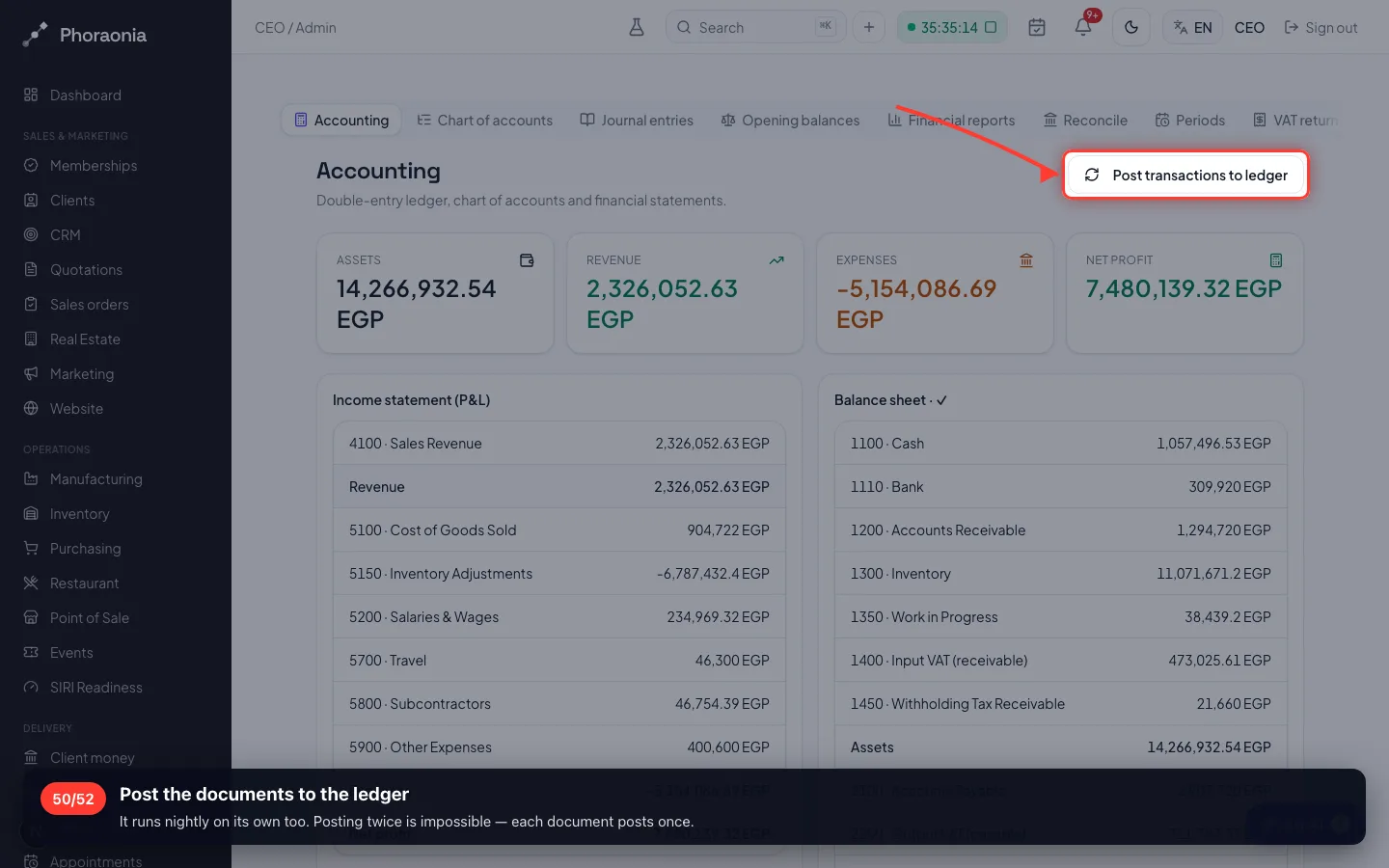
Nothing in the ledger is typed twice — it is built from the documents you already made.
50Post the documents to the ledger
It runs nightly on its own too. Posting twice is impossible — each document posts once.
- 51
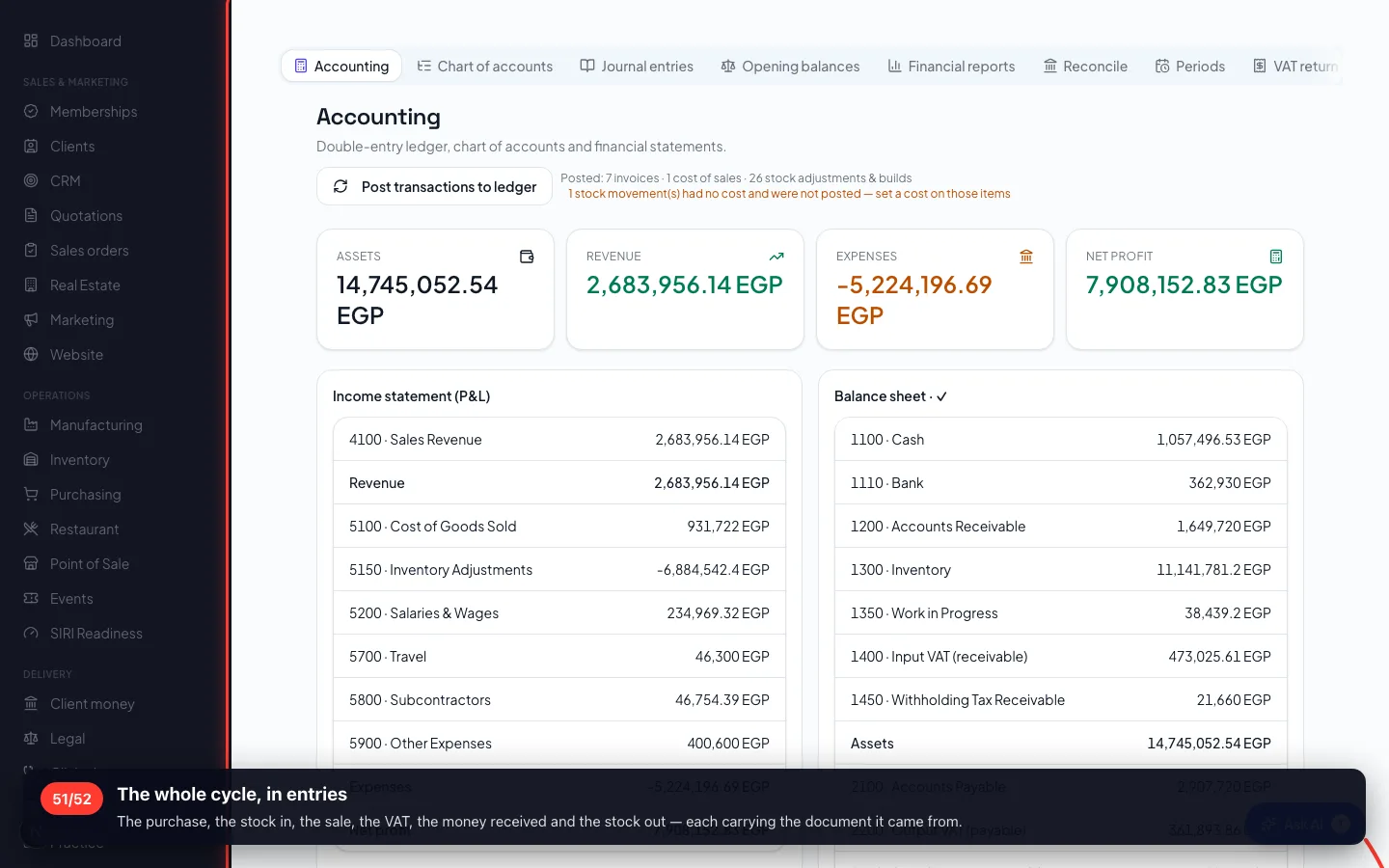
The whole cycle, in entries
The purchase, the stock in, the sale, the VAT, the money received and the stock out — each carrying the document it came from.
- 52
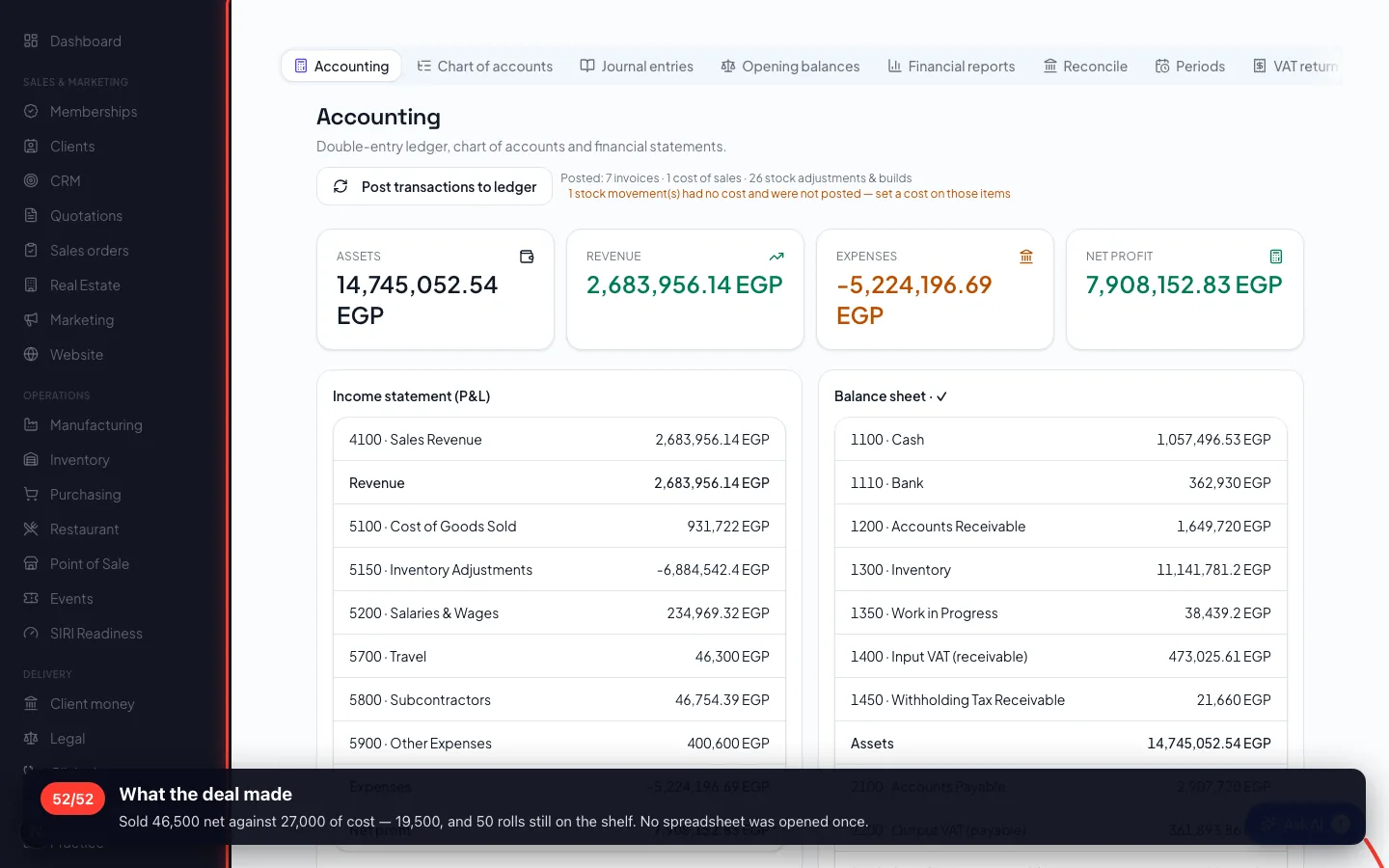
What the deal made
Sold 46,500 net against 27,000 of cost — 19,500, and 50 rolls still on the shelf. No spreadsheet was opened once.
Recorded on a demo workspace. The company and the figures are invented; the screens are the real product.