What is ERP? A plain guide for growing businesses in Saudi Arabia and Egypt
ERP is software that runs accounting, sales, inventory, payroll and more on one shared database. This guide explains the modules, the cost of separate tools, and how a growing Saudi or Egyptian business adopts one.

In short
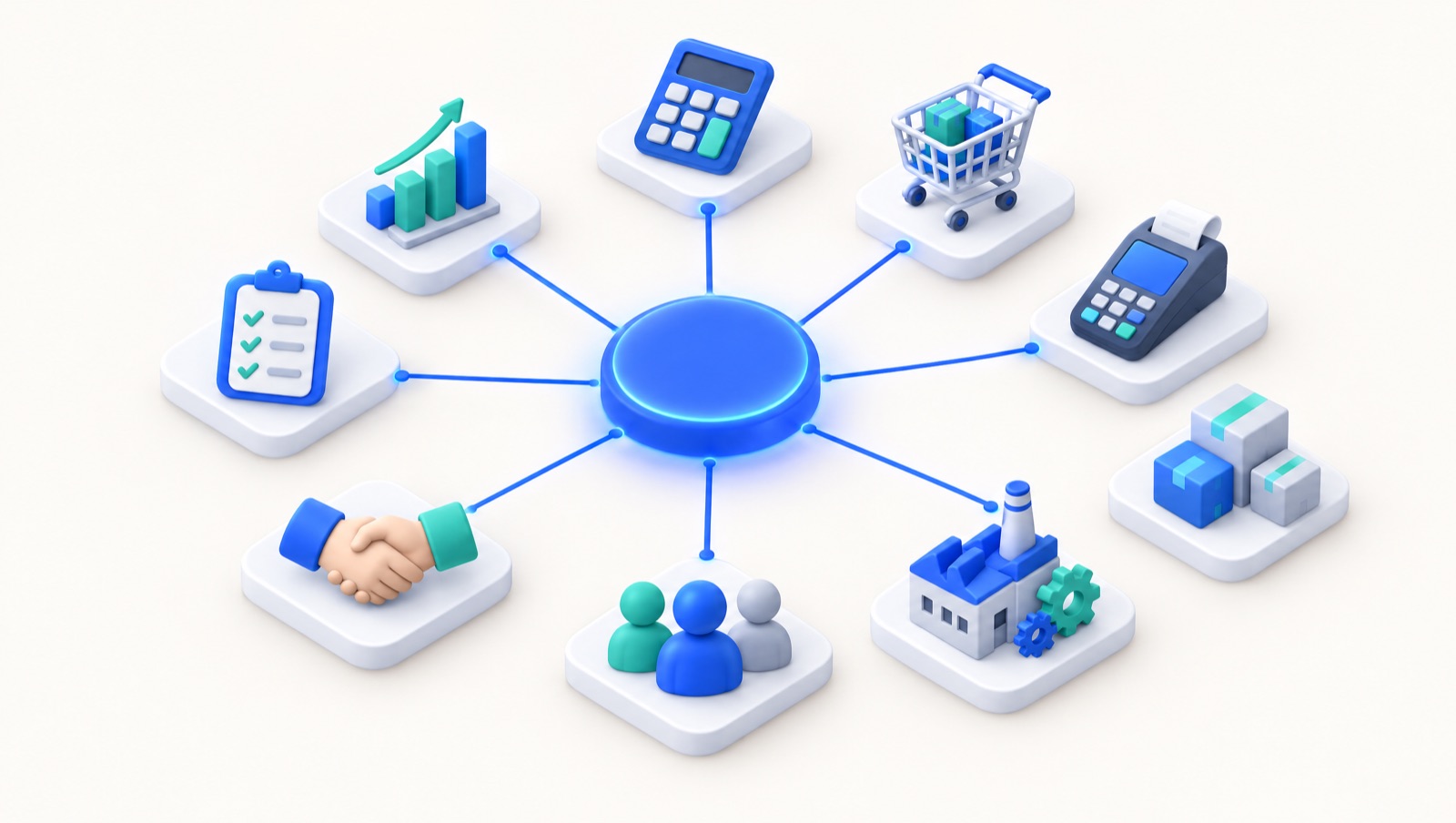
ERP (Enterprise Resource Planning) is business software that runs a company's core operations, including accounting, sales, purchasing, inventory, manufacturing, HR and payroll, on one shared database. Because every module uses the same data, a sale updates revenue, VAT and stock at once, and managers see accurate, real-time reports without re-entering information in separate tools.
On this page
- What does ERP stand for?
- The core modules of an ERP system
- ERP vs separate apps: the cost of "10 tools stitched together"
- Cloud ERP vs on-premise ERP
- Signs your business needs an ERP
- How compliance is pushing ERP adoption in Saudi Arabia and Egypt
- Saudi Arabia: ZATCA e-invoicing Phase 2
- Egypt: ETA e-invoice and e-receipt
- Payroll: GOSI and WPS
- How AI is changing ERP in 2026
- How to choose an ERP
- Implementation steps for an SMB
- Where Dopave fits
- Next step
ERP (Enterprise Resource Planning) is software that runs a company's core operations, such as accounting, sales, purchasing, inventory, production and payroll, on one shared database, so every team works from the same numbers in real time. That is the whole idea. The rest of this guide explains what that means in practice for a growing business in Saudi Arabia or Egypt, when you need it, and how to adopt it without a painful project.
What does ERP stand for?
ERP stands for Enterprise Resource Planning. In Arabic it is usually called تخطيط موارد المؤسسات, and many people simply say "نظام ERP" or "برنامج ERP".
The name is older than the software most companies use today. It grew out of manufacturing planning tools in the 1990s, when large factories needed one system to plan materials, machines and people. Today the "resources" are broader: money, stock, staff, customers and time. And ERP is no longer only for large enterprises. Cloud ERP systems are now priced and designed for a café with three branches or a distributor with twenty employees.
Vendors such as Oracle and IBM describe ERP the same way: a suite of integrated applications that share one data model. The word that matters is integrated.
The core modules of an ERP system
An ERP is made of modules. You can start with two or three and add more as you grow. To keep it concrete, we will follow two example businesses:
- A Riyadh café that has grown from one branch to four and plans a fifth.
- A Cairo distributor of household goods that sells to about 200 shops across Greater Cairo.
| Module | What it does | Plain example |
|---|---|---|
| Finance & accounting | General ledger, VAT, receivables, payables, bank reconciliation | The café's daily sales of SAR 18,000 post to the ledger automatically, with VAT split out |
| Sales & CRM | Leads, quotations, orders, customer history | The distributor sees that a shop in Nasr City has not ordered in 30 days and a rep calls |
| Purchasing | Supplier quotes, purchase orders, receiving | The café orders coffee beans from one roaster for all four branches at a better price |
| Inventory | Stock levels per warehouse or branch, transfers, valuation | The distributor knows it has 1,200 cartons of detergent in Obour and 300 in Giza |
| Manufacturing | Bills of materials, production orders, costing | The café's central kitchen produces 400 croissants a day and knows the cost of each one |
| HR & payroll | Employees, attendance, leave, salaries, social insurance | The café runs payroll for 35 staff with GOSI contributions calculated |
| POS & e-commerce | Point of sale at the counter, online store | A cashier sells a latte for SAR 16 and the cup and milk leave stock instantly |
| Projects | Tasks, timesheets, project costs | The distributor tracks the cost of opening a new Alexandria warehouse |
| Reporting | Dashboards, profit and loss, branch comparison | The owner compares branch margins on Sunday morning without waiting for the accountant |
The value is not in any single module. It is in the connections. When the cashier sells that SAR 16 latte, the sale, the VAT, the stock movement and the branch revenue all update at the same moment, without anyone typing them twice.
ERP vs separate apps: the cost of "10 tools stitched together"
Most growing businesses do not start with an ERP. They start with a POS from one vendor, an accounting program from another, Excel for stock, WhatsApp for orders and a separate payroll file. Each tool is reasonable on its own. Together they create work.
Here is what that looks like for our Cairo distributor:
- A sales rep takes an order on WhatsApp and writes it in a notebook.
- Someone in the office types it into Excel to reserve stock.
- The accountant types it again into the accounting program to issue the invoice.
- At month end, the stock count in Excel does not match the warehouse, and nobody knows which entry was wrong.
| Area | Separate tools | One ERP |
|---|---|---|
| Data entry | Same order typed two or three times | Entered once, flows everywhere |
| Stock | Spreadsheet differs from the warehouse | Stock moves with each sale, purchase and transfer |
| Reports | Ready days or weeks after month end | Available any time from live data |
| E-invoicing | Each tool needs its own integration, or none | One compliant invoice flow from the sale |
| Permissions and audit | Spread across several logins | One user list, one audit trail |
| Cost | Several subscriptions plus manual labour | One subscription, less rework |
None of this needs a statistic to be true. Every extra copy of the same data is a place where errors start, and every manual transfer is time someone is not spending on customers.
Cloud ERP vs on-premise ERP
On-premise ERP runs on servers your company buys and maintains. You pay a large licence upfront, hire or contract IT staff, and handle backups, updates and security yourself. It suits organisations with strict data-residency rules and their own IT teams.
Cloud ERP runs on the vendor's infrastructure and you use it through a browser or mobile app for a monthly or annual subscription. Updates arrive automatically, and you can work from any branch. For most small and mid-sized businesses in the region, cloud is now the practical default, especially because e-invoicing rules change and a cloud vendor can update every customer at once.
Questions to ask any cloud vendor: where is the data hosted, how are backups handled, can you export your data if you leave, and what uptime commitment is in the contract.
Signs your business needs an ERP
Use this checklist. If three or more apply, it is time to look seriously.
- [ ] You type the same sale or order into more than one system.
- [ ] Your stock figures and your physical count regularly disagree.
- [ ] Monthly profit and loss arrives more than a week after month end.
- [ ] You cannot see profit per branch, product or customer without a spreadsheet project.
- [ ] You have opened, or plan to open, a second branch or warehouse.
- [ ] E-invoicing deadlines are approaching and your current tools cannot meet them.
- [ ] Payroll and social insurance are calculated outside your accounting system.
- [ ] Only one person truly understands how the numbers fit together.
How compliance is pushing ERP adoption in Saudi Arabia and Egypt
In the region, regulation is one of the strongest reasons companies move to an ERP. Each rule below is easier to meet when sales, accounting and payroll share one system.
Saudi Arabia: ZATCA e-invoicing Phase 2
The Zakat, Tax and Customs Authority requires electronic invoices and, in Phase 2 (the Integration Phase), integration with its Fatoora platform, with B2B tax invoices cleared and simplified invoices reported, as explained on ZATCA's e-invoicing page. ZATCA brings taxpayers in through waves. If your POS, online store and accounting are separate, each one has to produce compliant invoices. With an ERP, every sale follows one invoice flow. Our guide to ZATCA e-invoicing covers the requirements in detail.
Egypt: ETA e-invoice and e-receipt
Egypt's Tax Authority runs the e-invoice system for B2B sales and the e-receipt system for B2C sales, rolled out in phases. A distributor that issues hundreds of invoices a month cannot sensibly submit them by hand. See our page on Egypt e-invoicing.
Payroll: GOSI and WPS
Saudi employers register staff and pay contributions with the General Organization for Social Insurance (GOSI), and pay salaries in line with the Wage Protection System overseen by the Ministry of Human Resources and Social Development. When payroll lives inside the ERP, salaries, contributions and accounting entries come from the same employee record.
How AI is changing ERP in 2026
AI is real in ERP now, but it is most useful in specific, practical places:
- Creating records from text or voice. A manager types or says "invoice Al-Noor Market for 50 cartons at EGP 320" and the assistant drafts the invoice for review.
- Anomaly detection. The system flags a branch whose cash differs from POS totals, or a supplier bill that is much higher than usual.
- Forecasting. Past sales help suggest how much stock to reorder before Ramadan or the summer season.
Be measured about it. AI works on the data inside the system, so it is only as good as that data, and a person should still approve anything that touches money or tax. An AI assistant on top of ten disconnected tools has little to work with. On one ERP database, it can see the full picture.
How to choose an ERP
Start with your processes, not with feature lists. Then check the essentials: Arabic and English interfaces, compliance with ZATCA or ETA e-invoicing, local payroll rules, clear pricing, data export and local support. We have written a practical 9-check guide to choosing compliant software you can use as a scorecard for any vendor.
Implementation steps for an SMB
A small business can usually go live in weeks rather than months if it keeps scope tight. Typical steps:
- Map your processes (about 1 week). Write down how a sale, a purchase and a payroll run actually happen today.
- Pick your first modules. For most, that is accounting, sales, inventory and POS. Add manufacturing or projects later.
- Clean your data (1–2 weeks). Customer list, supplier list, product list with units and prices, opening balances.
- Configure (1–2 weeks). Chart of accounts, VAT settings, branches, warehouses, users and permissions.
- Connect e-invoicing. Test against ZATCA or ETA requirements before you depend on it.
- Train by role. Cashiers learn the POS; accountants learn closing; managers learn reports.
- Run in parallel for a short period. Compare ERP results with your old method for a couple of weeks.
- Go live and review after 30 days. Fix the gaps you find and plan the next modules.
Timelines vary with the number of branches, data quality and how quickly decisions are made. Treat these as typical ranges, not promises.
Where Dopave fits
Dopave is an Arabic-first cloud ERP for Saudi Arabia, Egypt and the Gulf. It covers accounting with ZATCA Phase 2 and Egypt ETA e-invoicing, CRM, inventory, POS, an online store, manufacturing, HR and payroll (GOSI, WPS), helpdesk and projects. Its AI copilot can create invoices, leads and tasks from Arabic or English text or voice. There is a Free plan for up to 3 members and a 14-day trial with no card required. You can read more on the Dopave ERP page or the ERP for Saudi Arabia page.
Next step
List the three processes that cost you the most time today, then test them in a real system. Start a free trial and run one week of sales through it before deciding.
Frequently asked questions
What is an ERP system in simple terms?
An ERP system is one piece of software that handles accounting, sales, purchasing, inventory, payroll and other operations on a shared database, so every team works from the same, up-to-date numbers.
What does ERP stand for?
ERP stands for Enterprise Resource Planning. In Arabic it is called تخطيط موارد المؤسسات.
Is ERP only for large companies?
No. Cloud ERP systems are priced by subscription and can start with a few modules, so a café with a few branches or a small distributor can use one and add modules as it grows.
What is the difference between ERP and accounting software?
Accounting software records financial transactions. An ERP includes accounting but also runs sales, inventory, purchasing, payroll and other operations, so transactions flow into the books automatically instead of being typed in again.
How long does ERP implementation take for a small business?
With a tight scope and clean data, many small businesses go live within several weeks. Timelines depend on branches, data quality and decision speed, so treat any estimate as typical rather than guaranteed.
Does an ERP help with ZATCA and ETA e-invoicing?
It can. When sales, POS and accounting share one system, every invoice follows one compliant flow. Check that the vendor supports ZATCA Phase 2 in Saudi Arabia or ETA e-invoice and e-receipt in Egypt before you choose.