Egypt's e-receipt for shops and restaurants: how to connect your POS to the ETA
Egypt's e-receipt turns every cashier sale into a receipt your POS sends to the Egyptian Tax Authority. Here is who must join, how the POS connection works, and a practical setup checklist.

In short
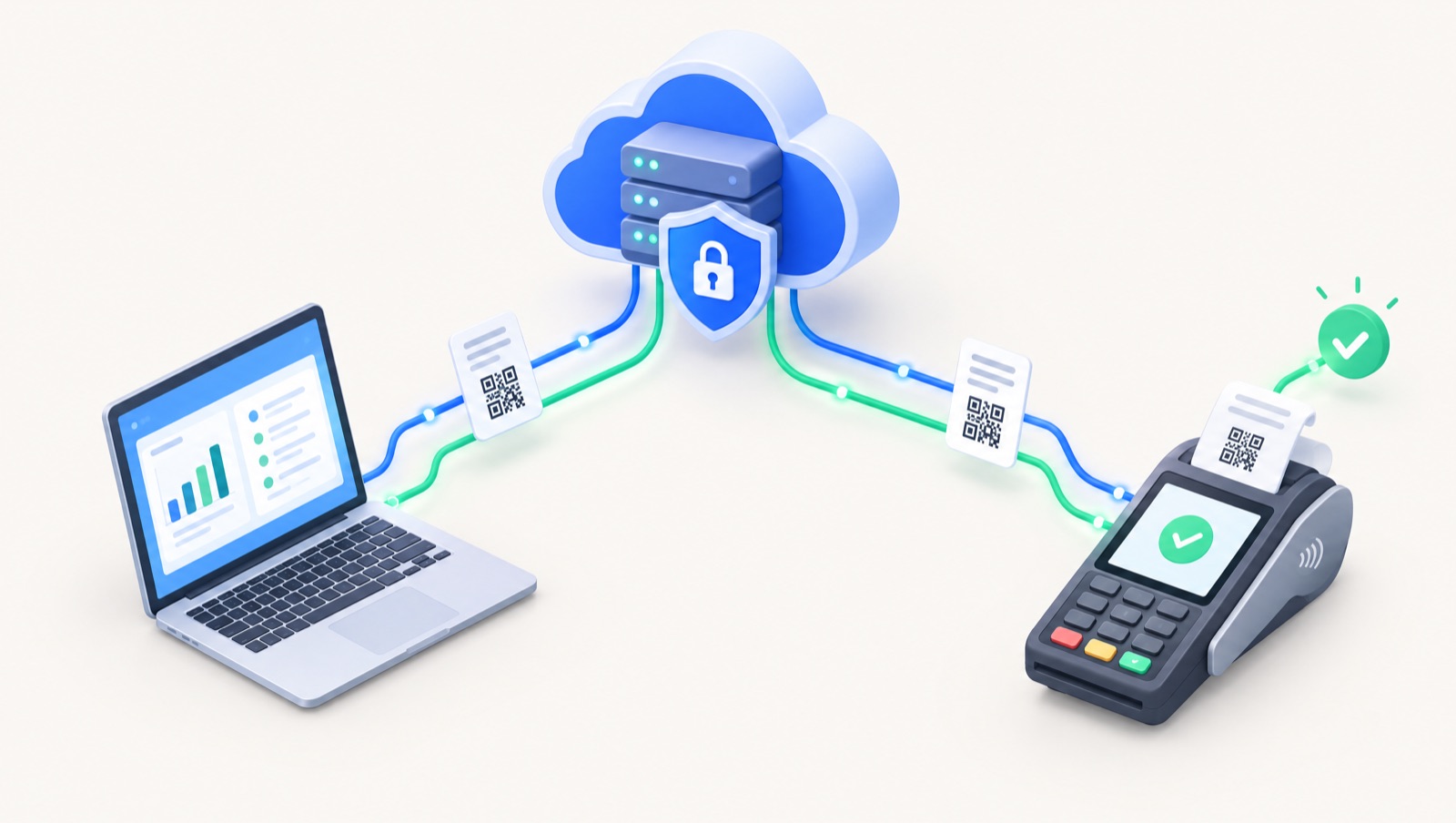
Egypt's e-receipt is the ETA's B2C system: a registered POS builds each sale as a structured receipt with a unique UUID and a printed QR code, then submits it to the Egyptian Tax Authority within 24 hours. Businesses join through numbered phase decisions; check your registration number on the ETA e-receipt inquiry page.
On this page
- What the e-receipt system is
- Who must join, and the phased rollout
- E-invoice vs e-receipt: what is different
- How a receipt travels from the counter to the ETA
- Real time or batch?
- What happens when the internet drops
- Returns and refunds
- Multiple branches and devices
- What the customer sees
- Step-by-step setup for a shop
- Pre-launch checklist
- Questions to ask your POS provider
- Where Dopave fits
- Next step
If you run a shop, café, restaurant, pharmacy or service counter in Egypt, the Egyptian Tax Authority (ETA) may already have named your business in an e-receipt decision, or it may do so in a coming phase. The e-receipt system is the consumer-facing (B2C) counterpart of the e-invoice. Every sale your cashier rings up becomes a structured receipt that your point-of-sale (POS) system sends to the ETA. This guide explains how it works, who must join, and how to connect your POS.
What the e-receipt system is
The e-receipt is a central electronic system that lets the ETA see sales of goods and services to final consumers. It connects directly to merchants' POS devices. For each sale, the POS builds a digital receipt in the ETA's format, gives it a unique identifier, prints a QR code on the paper copy, and submits the data to the ETA.
The technical rules are published in the ETA e-receipt API documentation.
Who must join, and the phased rollout
The ETA brings businesses in through numbered phase decisions. Each decision comes with an attached list of named taxpayers and an effective date. A few examples from the ETA's own announcements:
- Phase 2, Decision 345 of 2022, effective 1 October 2022.
- Phase 3, Decision 588 of 2022, effective 15 January 2023.
- First sub-phase of the eighth main phase, Decision 225 of 2025, effective 15 July 2025.
- First sub-phase of the ninth main phase, Decision 361 of 2025, effective 15 November 2025.
Under Decision 361, listed taxpayers must issue e-receipts on the live environment for goods and services sold to final consumers. They must also meet the ETA's technical operating conditions and register on the incentive programme portal, Fatortak – Hemayetak – Gaizetak.
Enter your tax registration number on the ETA e-receipt inquiry page to see whether any decision names your business. New phases keep being announced, so check again each quarter. Businesses that are not yet required can also apply to join voluntarily. The application is linked from the ETA e-receipt services page.
E-invoice vs e-receipt: what is different
Many businesses already issue B2B e-invoices. The two systems are related but not the same.
| E-invoice | E-receipt | |
|---|---|---|
| Who buys | Businesses and government (B2B, B2G) | Final consumers (B2C) |
| Where it is issued | ERP or accounting system | POS / cashier system |
| How it is secured | Each document carries an electronic signature | Issued by a registered POS that authenticates with its own credentials |
| Buyer details | Buyer tax ID required | Optional for most consumer sales; required for business buyers, and a national ID is required for individuals at EGP 150,000 or more |
| Corrections | Credit and debit notes | Return receipts that reference the original receipt |
| What the customer gets | A PDF or printed invoice | A printed receipt with a QR code |
If you sell to both businesses and consumers, you will likely need both. The ETA's FAQ notes that a B2C-only taxpayer who needs to issue invoices must use the B2B submission process. For the e-invoice side, see our guide to registering for the Egyptian e-invoice.
How a receipt travels from the counter to the ETA
The receipt document specification (v1.2) shows what every receipt must carry:
- Seller: your tax registration number (RIN), the branch code as registered with the ETA, the POS serial number, and your activity code.
- Header: a receipt number that is unique per branch, the issue date and time in UTC, the currency, and two identifiers:
- UUID: a 64-character SHA-256 hash generated from the receipt content.
- Previous UUID: the UUID of the receipt issued before it on the same POS. This chains each device's receipts in order. Only the very first receipt from a POS may leave it empty.
- Buyer: a type (business, person or foreigner). Name and ID become mandatory for business buyers and for individuals at the high-value threshold.
- Items, totals and payment method.
The ETA also defines receipt types by sector: retail, coffee and restaurant, general services, transportation, education, professional, entertainment, utilities and others, each with a matching return type. Your POS should issue the type that matches your activity.
Real time or batch?
The ETA can monitor sales close to real time, but the API accepts batches. According to the receipt issuance FAQ, one submission holds 1 to 500 receipts, up to 1.5 MB, and each receipt can carry up to 300 lines. Receipts must be submitted within 24 hours of issuance. Validation runs asynchronously. The ETA's integration practices recommend a callback, so the ETA tells your system when validation finishes. Polling is the fallback.
What happens when the internet drops
The ETA's FAQ allows the POS to validate a receipt's structure locally, store it, and submit it later. The receipt still has to reach the ETA within the 24-hour window. Anything older needs a Late Submission Request, which draws on a yearly quota, requires a stated reason, and only one can be active at a time. In practice, your POS should queue receipts offline, send them automatically, and alert a manager if the queue ages.
Returns and refunds
A refund is a return receipt that references the UUID of the original sale. The FAQ sets two rules: the return type must match the original (a general services return references a general services receipt), and the return can be issued up to 540 days after the original sale. There is also a "return receipt without reference" type for cases the ETA allows. If a receipt was rejected as invalid, you do not edit it. You issue a corrected receipt with a new UUID and point to the failed one in the "reference old UUID" field.
Multiple branches and devices
Each POS device is registered on its own and identified by its serial number. Each receipt carries the branch code. A chain with five branches and twelve tills therefore has twelve registered devices, each with its own receipt chain. A retired device can no longer submit, and the ETA rejects receipts sent from one. Make device registration part of opening any new branch.
What the customer sees
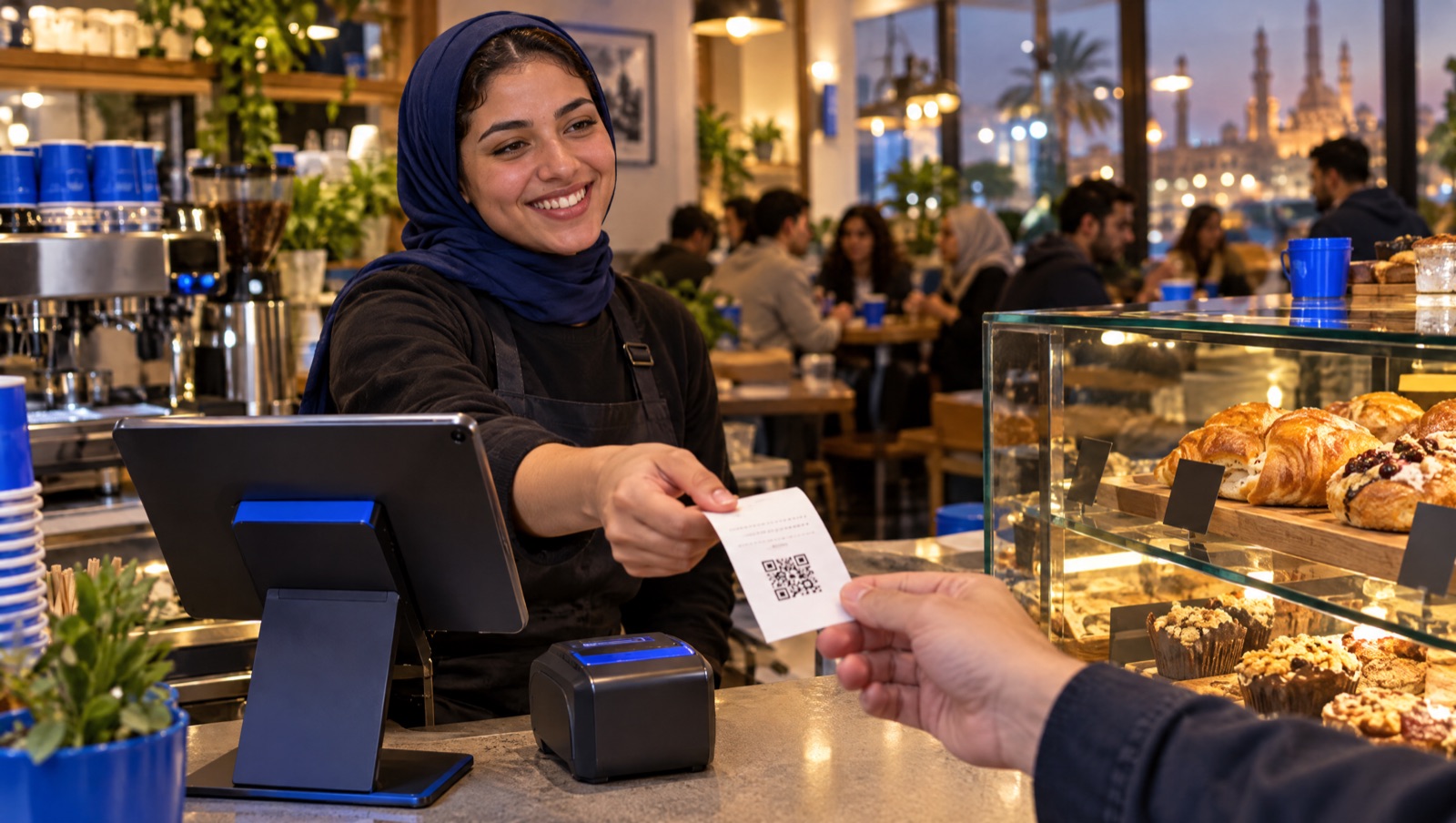
The customer gets a printed receipt with a QR code. Scanning it opens that receipt's page on the ETA portal, where the customer can confirm that the sale was reported. The QR content combines the portal link, the receipt UUID, the issue time, the total and the seller's RIN. The ETA also links the e-receipt to its consumer incentive programme, Fatortak – Hemayetak – Gaizetak.
Step-by-step setup for a shop
- Confirm your status. Search your RIN on the e-receipt inquiry page and note the decision number and effective date.
- Register on the portal. Use the ETA's registration guide and authorisation forms on the e-receipt services page. Make sure every branch is registered with the correct branch code.
- Choose your POS solution. The ETA publishes a list of approved POS vendors on the same page. Confirm that your provider issues receipt v1.2 for your sector.
- Register each device. Enter each POS device's data on the ETA's POS portal (pos.eta.gov.eg).
- Configure credentials. Authentication uses a client ID and secret plus device headers: serial number, OS version, model framework and pre-shared key, as described in the Authenticate POS endpoint.
- Map your catalogue and taxes. Assign item codes, units and tax types to every product and service, and set your activity code.
- Test before going live. Issue sales, returns and offline receipts, and check each one on the portal.
- Train cashiers on returns, offline mode and rejected receipts.
- Go live on or before the effective date, and register on the incentive programme portal if your decision requires it.
Pre-launch checklist
- [ ] Every branch has the correct branch code on the ETA portal.
- [ ] Every till is registered, and its serial number matches the POS settings.
- [ ] Printed receipts show a QR code that opens the right portal page.
- [ ] Returns reference the original receipt and use the matching type.
- [ ] Offline receipts are queued and submitted within 24 hours.
- [ ] Rejected receipts appear on a dashboard with the ETA's error message.
- [ ] The access token is cached (the default lifetime is 60 minutes), not requested for every sale.
- [ ] Sales on the POS reconcile with your accounting records each day.
Questions to ask your POS provider
- Are you on the ETA's approved POS vendor list?
- Which receipt types and versions do you support, and do you support v1.2 for my sector?
- How do you build the UUID and previous-UUID chain, and what happens if a device is replaced?
- How does offline mode work, and how do you make sure receipts are submitted within 24 hours?
- Do you use the ETA callback or polling? Who sees rejected receipts, and how fast?
- How are returns handled across branches, for example a refund at a different store?
- Do POS sales post automatically to inventory and accounting, or is that a manual export?
Where Dopave fits
Dopave is an Arabic-first cloud ERP for Saudi Arabia, Egypt and the Gulf. It combines POS, inventory and an online store with accounting that includes Egypt ETA e-invoicing and ZATCA Phase 2, alongside CRM, HR and payroll, an AI copilot, and payments through Paymob and Fawry. Dopave's Egypt e-invoicing page currently states that the e-receipt is a separate ETA system and that Dopave covers B2B e-invoices today. If you need ETA e-receipt submission from the till, confirm the current status with the Dopave team before you plan your go-live. A Free plan covers up to 3 members, there is a 14-day trial with no card required, and pricing is listed in EGP.
Next step
Check your RIN on the ETA inquiry page this week, then take the list of questions above to your POS provider. To see how POS, stock and e-invoicing connect, read the Egypt e-invoicing guide or start a free trial.
Frequently asked questions
What is the e-receipt in Egypt?
It is the Egyptian Tax Authority's system for sales to final consumers (B2C). Your POS creates each sale as a structured electronic receipt with a unique UUID, prints a QR code on it, and submits the data to the ETA.
How do I know if my shop must issue e-receipts?
The ETA adds businesses through numbered phase decisions, each with a list of named taxpayers. Enter your tax registration number on the ETA e-receipt inquiry page, and check again every quarter because new phases are announced regularly.
Is the e-receipt the same as the e-invoice?
No. The e-invoice covers sales to businesses and government and is issued from an ERP or accounting system with an electronic signature. The e-receipt covers sales to consumers and is issued by a registered POS device. Many businesses need both.
Does every receipt have to be sent in real time?
The API accepts batches of 1 to 500 receipts, and each receipt must be submitted within 24 hours of issuance. Older receipts need a Late Submission Request, which uses a yearly quota and requires a reason.
What happens if the internet goes down at the shop?
The ETA allows the POS to validate a receipt's structure locally, store it, and submit it later, as long as it arrives within 24 hours. Your POS should queue receipts and send them automatically when the connection returns.
How do refunds work under the e-receipt system?
A refund is a return receipt that references the UUID of the original receipt, uses the matching receipt type, and can be issued up to 540 days after the original sale.
Sources
- ETA: E-receipt services (registration guides, POS registration, approved POS vendors, contact)
- ETA: Inquiry on taxpayers subject to e-receipt obligation decisions
- ETA: Decision No. 361 of 2025, first sub-phase of the ninth main phase of the e-receipt system (effective 15 Nov 2025)
- ETA: Decision No. 225 of 2025, first sub-phase of the eighth main phase of the e-receipt system
- ETA: Decision on the second phase of the e-receipt system
- ETA SDK: eReceipt API
- ETA SDK: Authenticate POS
- ETA SDK: Submit Receipt Documents
- ETA SDK: Receipt issuance FAQ
- ETA SDK: Integration practices
- ETA SDK: Document types (receipt types and versions)
- ETA SDK: Receipt v1.2 document structure